

Ubuntu 安装 Terminator 以及美化
效果预览
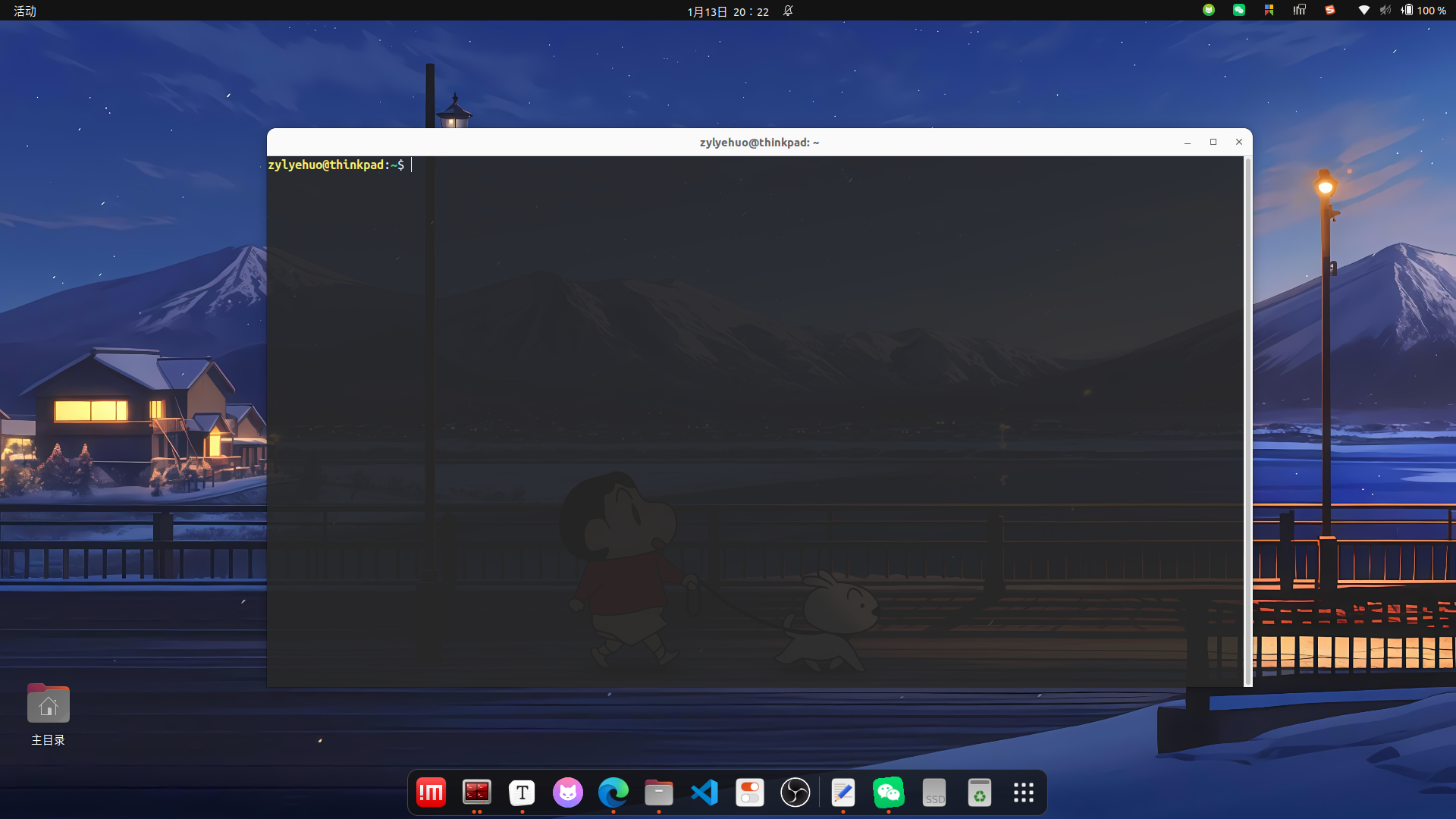
安装 Terminator 开源的终端仿真器
sudo apt install terminator
配置 Terminator
没有配置过的 terminator 不会生成配置文件,所以需要手动创建
mkdir -p ~/.config/terminator/ && touch ~/.config/terminator/config
在 ~/.config/terminator/config 配置文件中配置如下内容
gedit ~/.config/terminator/config
[global_config]
  handle_size = -3
  title_transmit_fg_color = "#000000"
  title_transmit_bg_color = "#3e3838"
  inactive_color_offset = 1.0
  suppress_multiple_term_dialog = True
[keybindings]
[profiles]
  [[default]]
    background_color = "#282828"
    background_darkness = 0.9
    background_type = transparent
    cursor_shape = ibeam
    cursor_color = "#e8e8e8"
    font = Ubuntu Mono 14
    foreground_color = "#ffffff"
    show_titlebar = False
    scroll_background = False
    scrollback_lines = 3000
    palette = "#292424:#ed333b:#f9f06b:#cdcd00:#33d17a:#cd00cd:#00cdcd:#ffffff:#ff7800:#868e09:#00ff00:#ff7800:#4682b4:#33d17a:#cdcd00:#77767b"
    use_system_font = False
[layouts]
  [[default]]
    [[[child1]]]
      parent = window0
      profile = default
      type = Terminal
    [[[window0]]]
      parent = ""
      size = 1300, 700
      type = Window
[plugins]
配置 Terminator 为默认终端
gsettings set org.gnome.desktop.default-applications.terminal exec /usr/bin/terminator
gsettings set org.gnome.desktop.default-applications.terminal exec-arg "-x"
如果想换回默认的设置,运行如下命令
gsettings reset org.gnome.desktop.default-applications.terminal exec
gsettings reset org.gnome.desktop.default-applications.terminal exec-arg
设置右键打开为终端终结者
sudo apt update

sudo apt install python3-nautilus
mkdir -p ~/.local/share/nautilus-python/extensions
gedit ~/.local/share/nautilus-python/extensions/open_terminator.py
将以下内容完整复制到打开的文件中并保存
import os
from gi.repository import Nautilus, GObject

class TerminatorExtension(GObject.GObject, Nautilus.MenuProvider):
    def __init__(self):
        pass

    def get_background_items(self, window, file):
        item = Nautilus.MenuItem(
            name='TerminatorOpen',
            label='在 Terminator 中打开',
            tip='在当前目录打开终端终结者'
        )
        item.connect('activate', self.open_terminator, file)
        return [item]

    def open_terminator(self, menu, file):
        path = file.get_location().get_path()
        os.system(f'terminator --working-directory="{path}" &')
重启文件管理器
nautilus -q

 浙公网安备 33010602011771号