
(airflow-venv) frank@ZZHPC:~/download$ wget https://dlcdn.apache.org/zeppelin/zeppelin-0.12.0/zeppelin-0.12.0-bin-all.tgz

(airflow-venv) frank@ZZHPC:~/download$ tar -xzf zeppelin-0.12.0-bin-all.tgz
.bashrc:
export ZEPPELIN_HOME=~/download/zeppelin-0.12.0-bin-all
PATH=$PATH:$SPARK_HOME/sbin:$SPARK_HOME/bin:$FLINK_HOME/bin:$KAFKA_HOME/bin:$ZEPPELIN_HOME/bin
(airflow-venv) frank@ZZHPC:~/download/zeppelin-0.12.0-bin-all/conf$ cp zeppelin-site.xml.template zeppelin-site.xml
(airflow-venv) frank@ZZHPC:~/download/zeppelin-0.12.0-bin-all/conf$ vi zeppelin-site.xml

Change the server address from 127.0.0.1 to 0.0.0.0 and port from 8080 to 8084:
<property>
<name>zeppelin.server.addr</name>
<value>0.0.0.0</value>
<description>Server binding address. If you cannot connect to your web browser on WSL or Windows, change 127.0.0.1 to 0.0.0.0. It, however, causes security issues when you open your machine to the public</description>
</property>

<property>
<name>zeppelin.server.port</name>
<value>8084</value>
<description>Server port.</description>
</property>
(airflow-venv) frank@ZZHPC:~$ zeppelin-daemon.sh start
Please specify HADOOP_CONF_DIR if USE_HADOOP is true
Log dir doesn't exist, create /home/frank/download/zeppelin-0.12.0-bin-all/logs
Pid dir doesn't exist, create /home/frank/download/zeppelin-0.12.0-bin-all/run
Zeppelin start                                             [  OK  ]
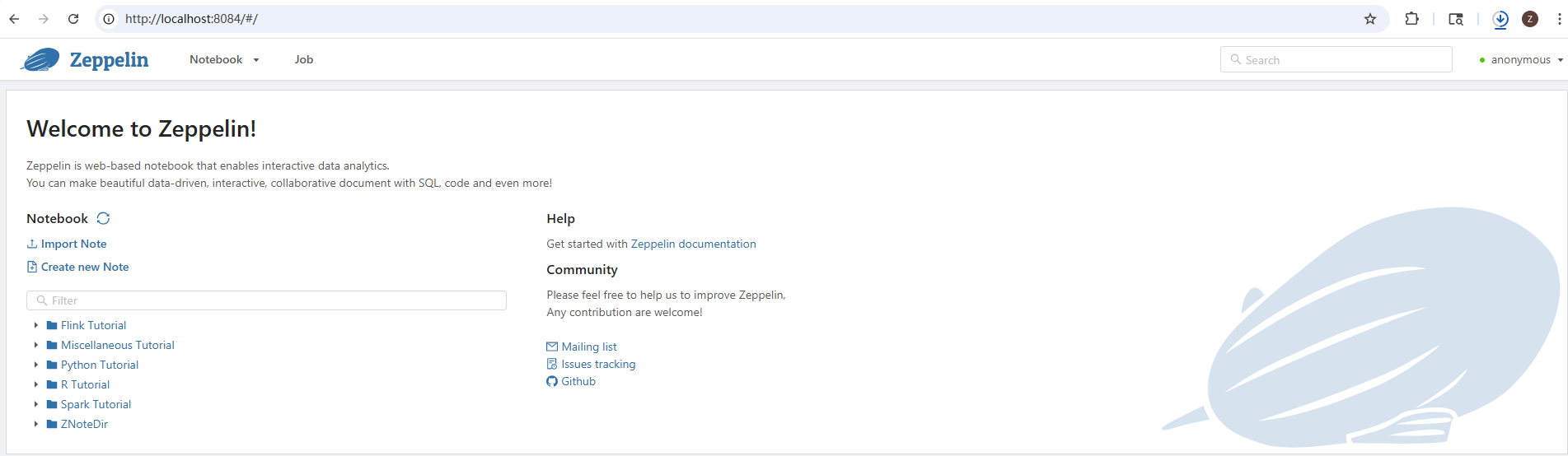
Access http://localhost:8084:
Connecting Zeppelin to Flink (The Interview "Pro" Part)
Once the UI is open, you need to configure the Flink Interpreter so Zeppelin knows where your Flink cluster is.
-
Click on the "Anonymous" (or username) menu in the top right and select Interpreter.
-
Search for "flink".
-
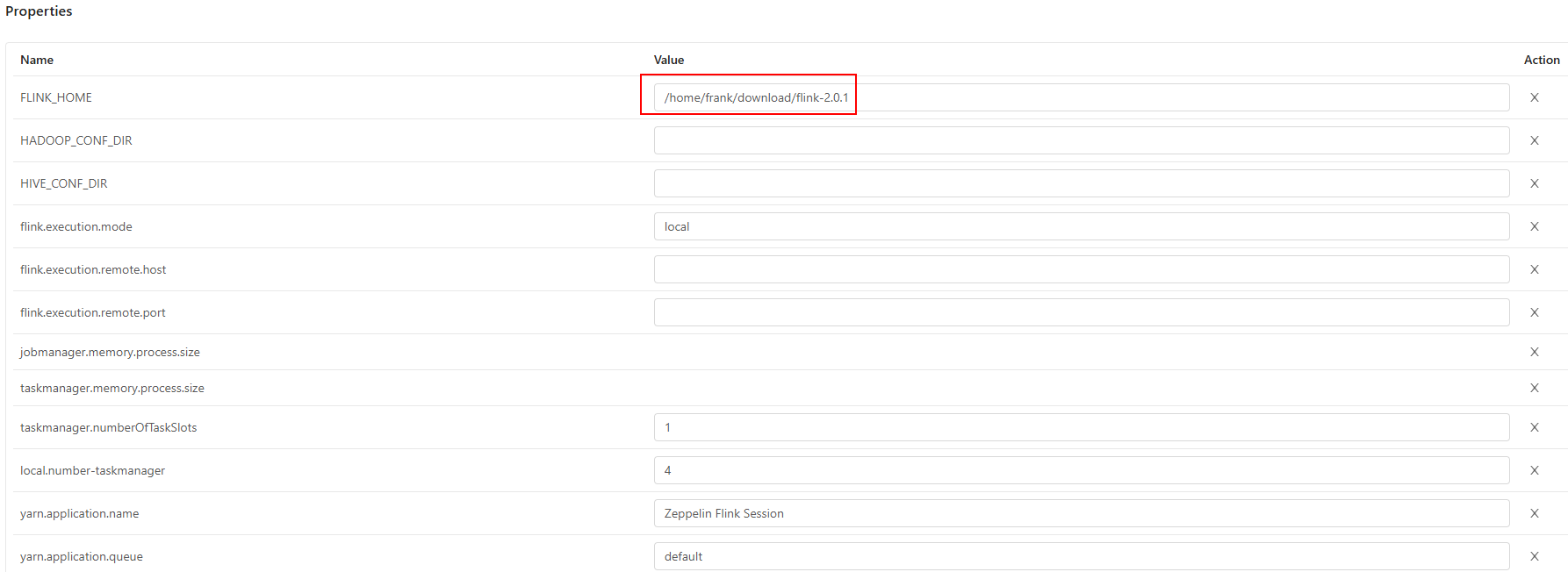
Click Edit and set the following key properties:
-
FLINK_HOME: The path to your Flink installation (e.g.,/opt/flink). -
flink.execution.mode: Set toremote(if connecting to a running cluster) orlocal. -
flink.address: The JobManager address (e.g.,localhost:8081). -
flink.sql.gateway.address: (If using the Gateway) The IP of your SQL Gateway.
-
Verify the Installation
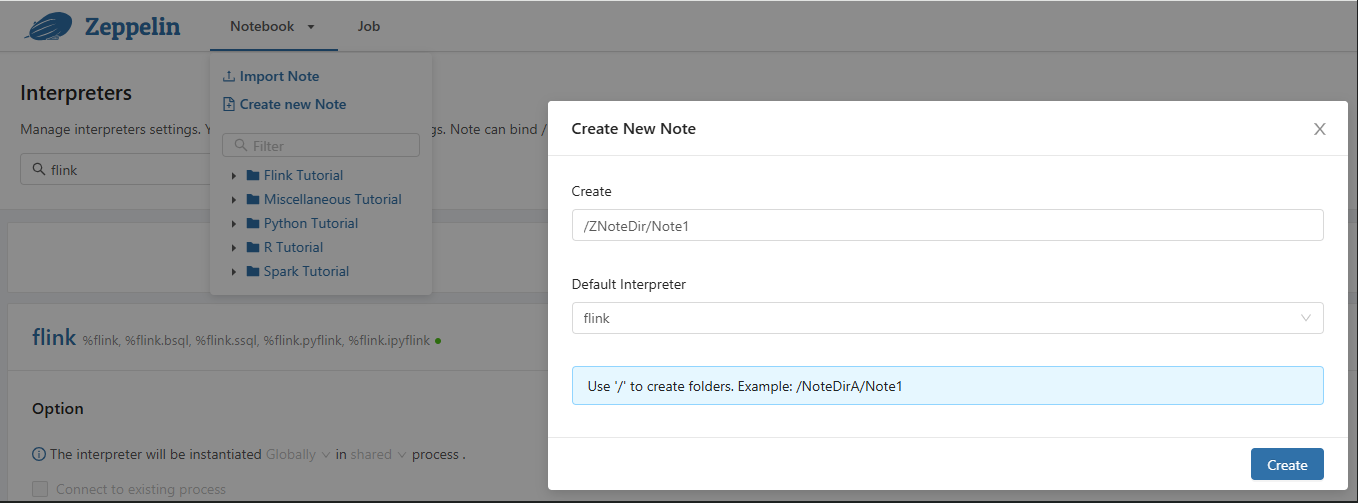
Create a new "Note" in the Zeppelin UI and try running a simple Flink SQL command:
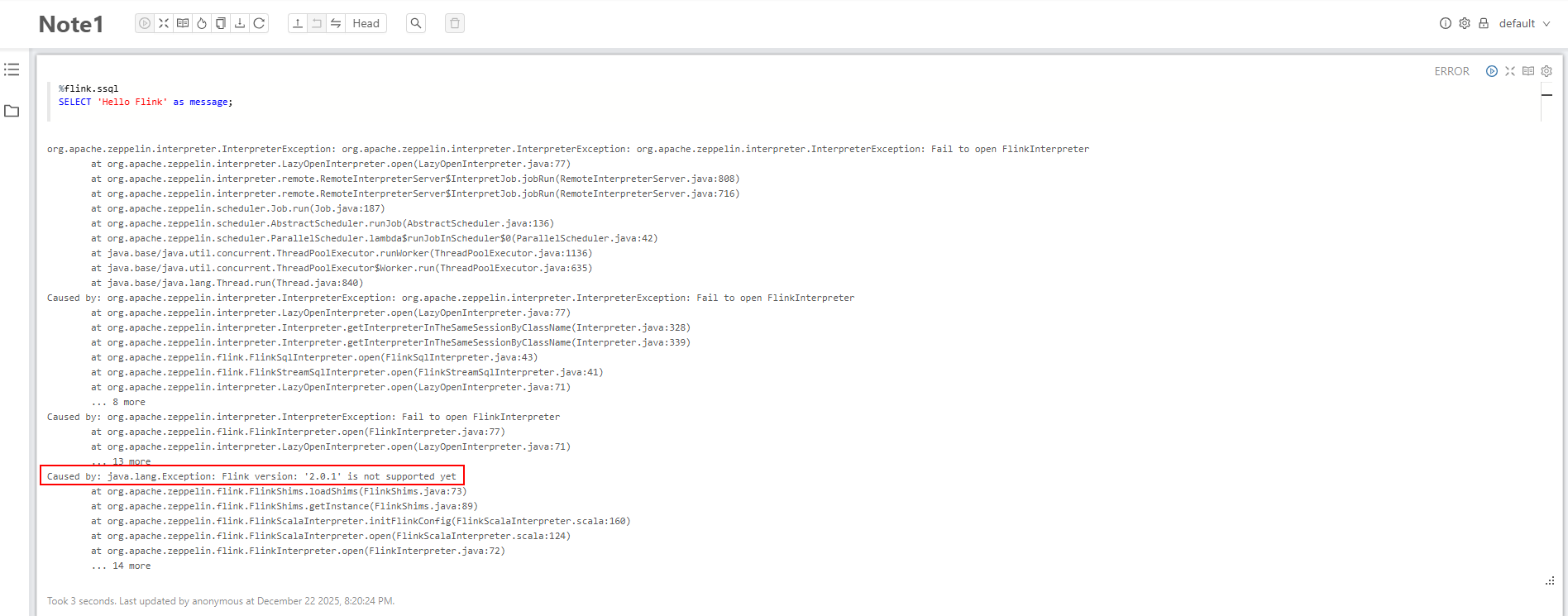
%flink.ssql
SELECT 'Hello Flink' as message;
If you see a table with "Hello Flink," your installation is successful!



 浙公网安备 33010602011771号