
Inner join is the default join.
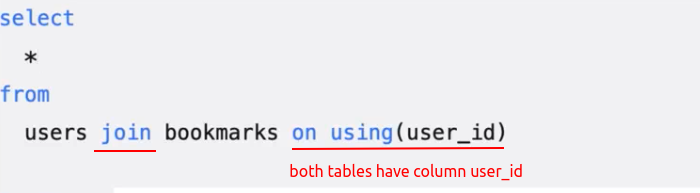
Outter join has three categories: left join, right join and full join.
 starts_with()

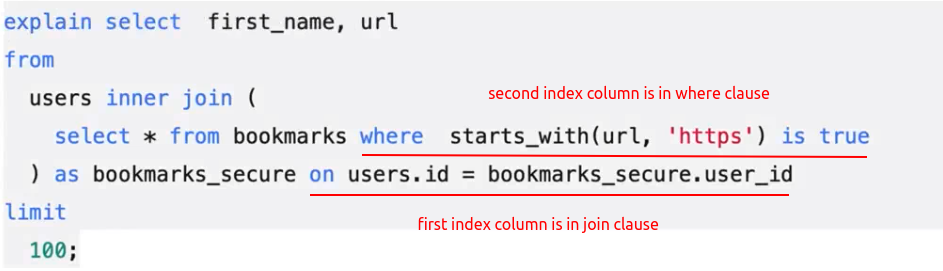
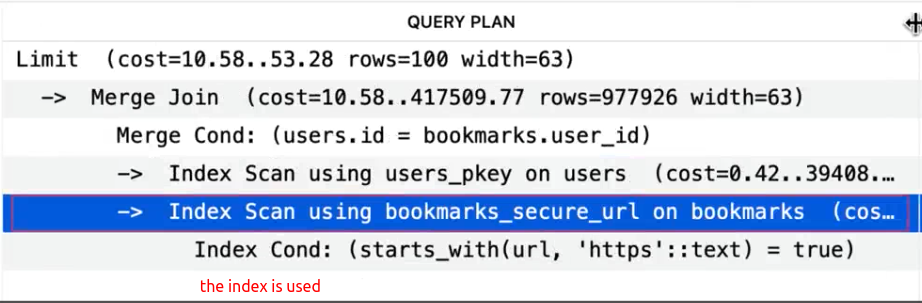
Lateral join:
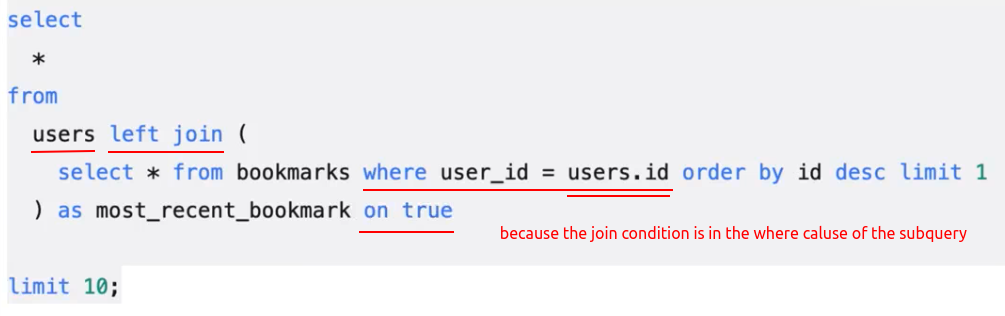

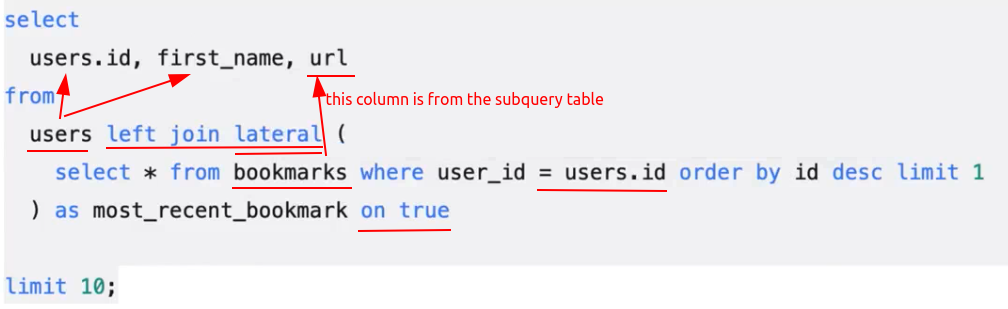 lateral
Lateral join can be (NOT must be) terribly expensive, depending on how big the perceiving table is and how expensive the subquery is. You are going to be running that subquery once per row.
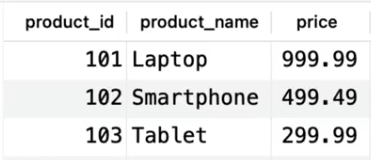
Rows from:
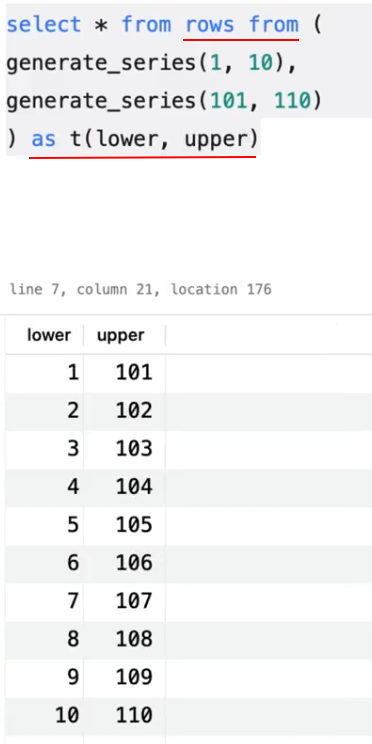
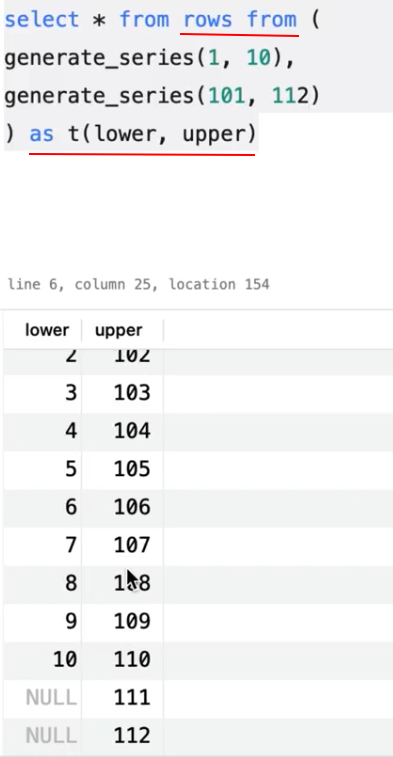
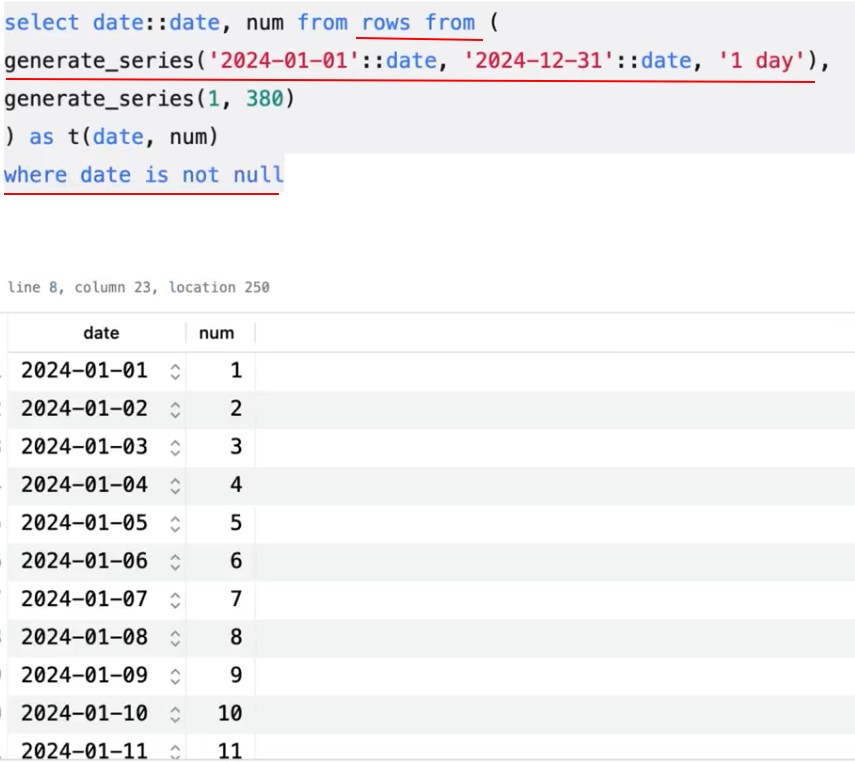
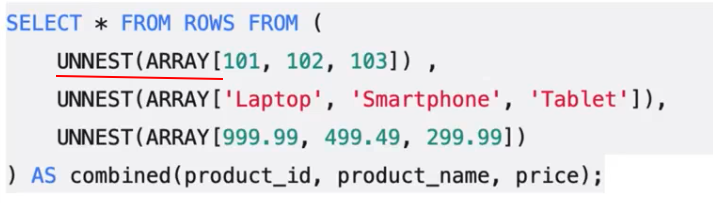 unnest()
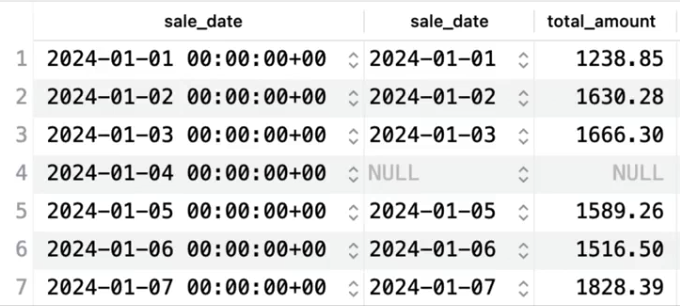
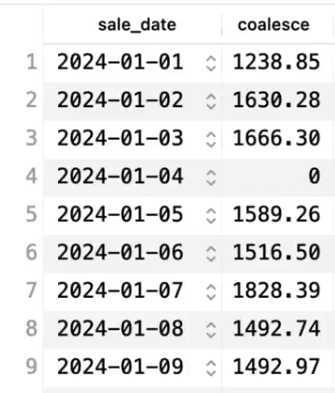
Filling gaps in sequences:

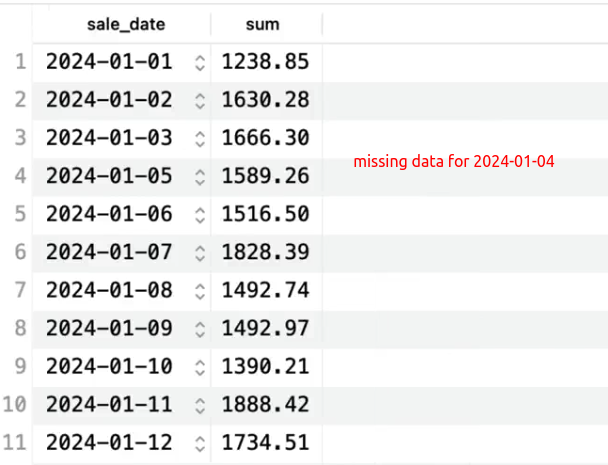
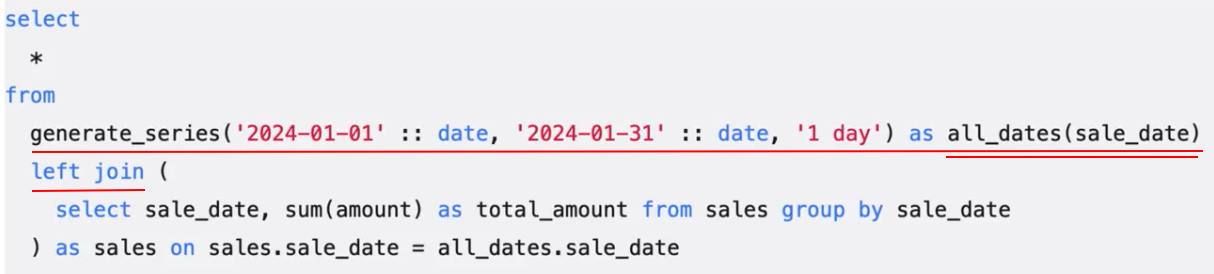 generate_series()


Subquery elimination:
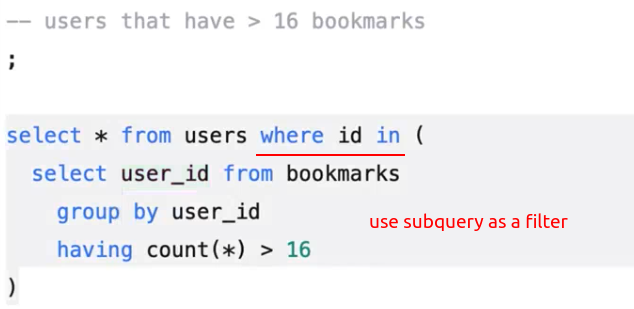
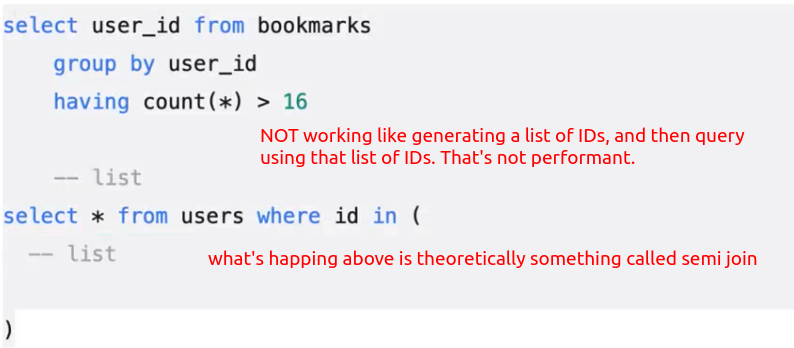
Semi join:
Anti join:
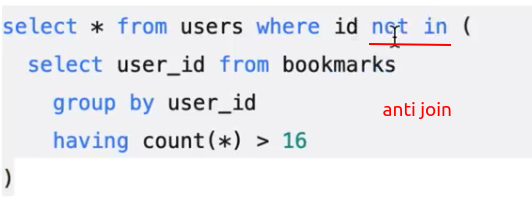
Semi joins and anti joins are optimization for these subqueries.
Another style of subquery elimination:

Here's the fundamental difference: this 'where exists' is going to run for every row in the outer table, which can be good because the 'where exists' will short-circuit the first time it finds a true value, not continuing looking through the bookmarks table.



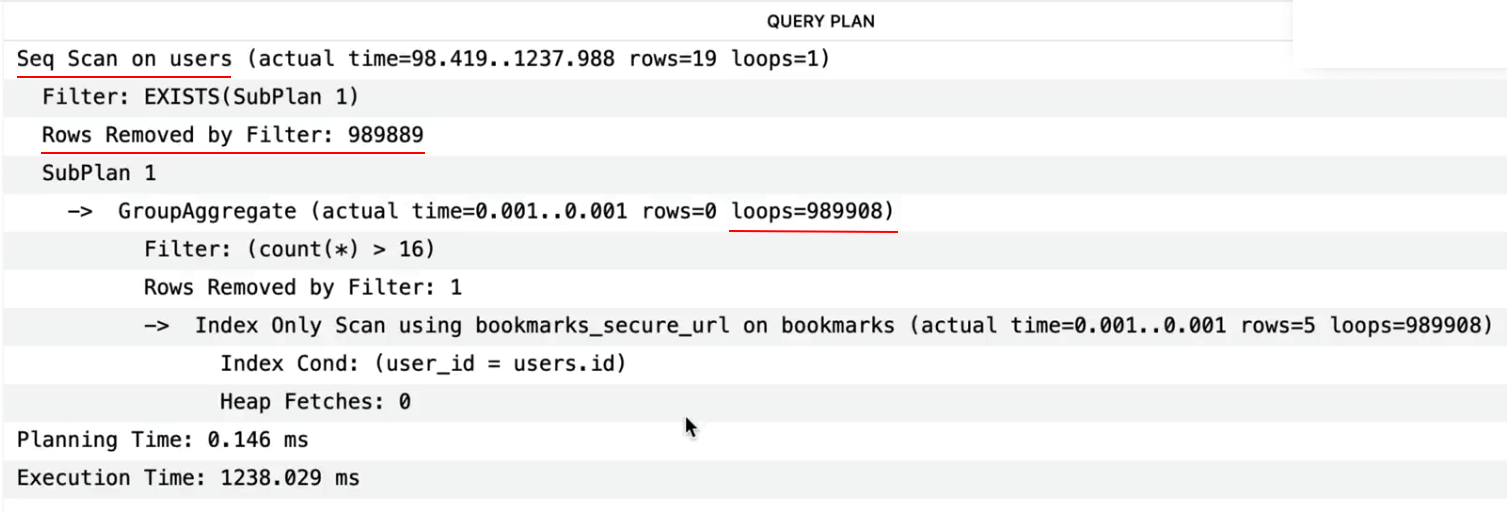
A use case 'where exists' is good:

Combining queries: Union, intersect, Except

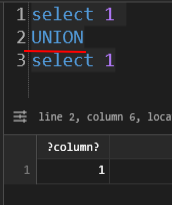
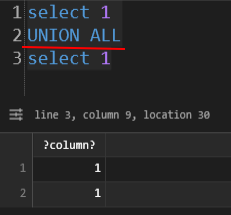
'UNION ALL' doesn't remove duplicates, so it is faster than 'UNION'. If you know there's no duplicate or want to see the duplicates, prefer 'UNION ALL'.
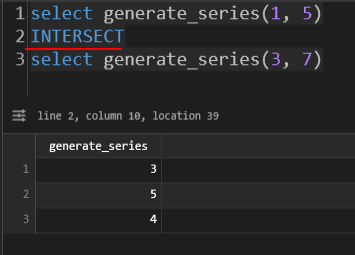
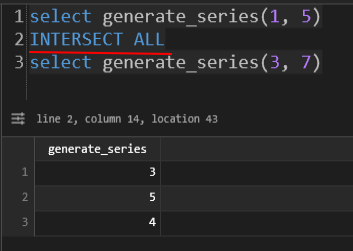
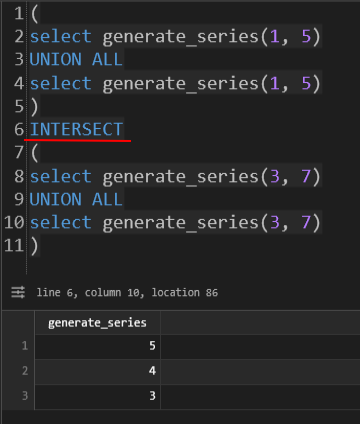
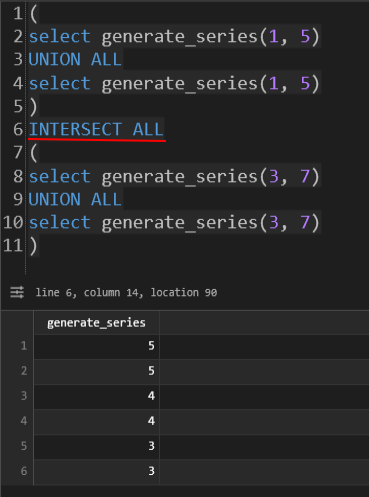
'INTERSECT ALL' is faster than 'INTERSECT', but doesn't remove duplicates.
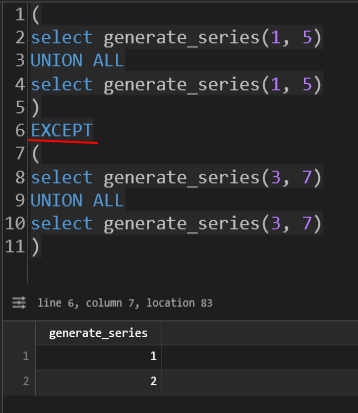
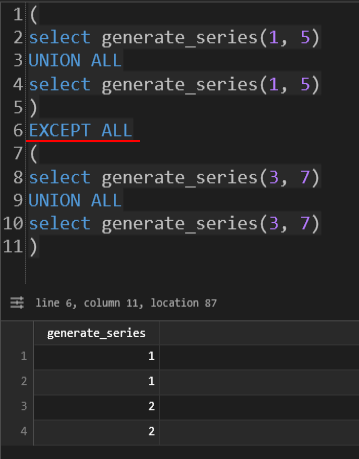
'EXCEPT ALL' is faster than 'EXCEPT', but doesn't remove dupplicates.
Set generating functions:
generate_series()
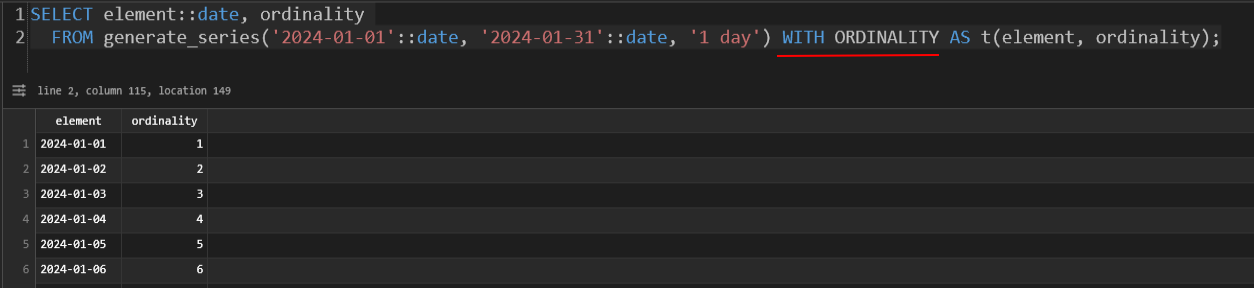 with ordinality
unnest()
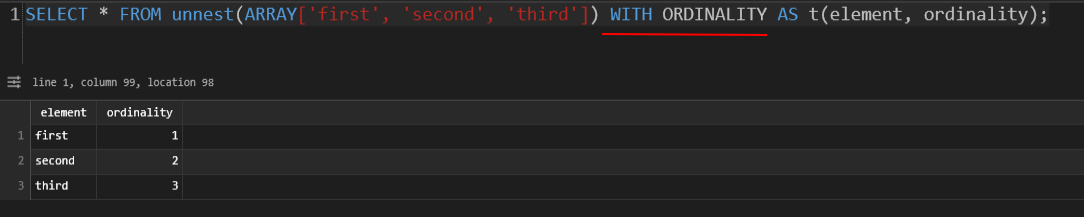 with ordinality
json_to_recordset()

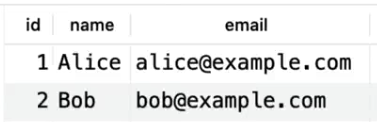
jsonb_to_recordset()
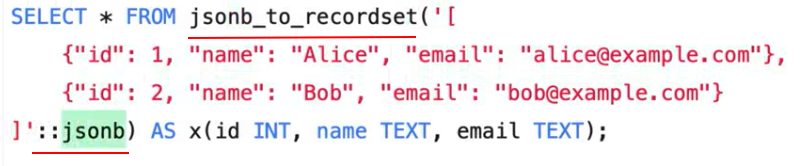
The result is the same as above.
In PostgreSQL, the choice between JSON and JSONB almost always leans toward JSONB. The "B" stands for Binary, and that single letter changes how the data is stored, processed, and indexed.
1. The Core Differences
JSON (Plain Text Storage)
Think of this as a "text" column with a validator. It stores a literal copy of the input text.
-
Whitespace: Preserves all whitespace and formatting.
-
Key Order: Preserves the order of keys as you typed them.
-
Duplicates: Preserves duplicate keys (though this is usually bad practice).
-
Performance: Fast to write (it just saves the text), but slow to query because Postgres has to re-parse the JSON every time you search it.
JSONB (Binary Storage)
-
Whitespace: Strips unnecessary whitespace.
-
Key Order: Does not preserve order (keys are sorted internally for speed).
-
Duplicates: Keeps only the last value if duplicate keys are provided.
-
Performance: Slightly slower to write (parsing happens upfront), but significantly faster to query. It supports specialized indexing.
2. Comparison Table
| Feature | JSON | JSONB |
| Storage | Exact copy of input text | Specialized binary format |
| Insert Speed | Faster | Slightly slower |
| Query Speed | Slower (must parse on the fly) | Much faster |
| Indexing | Limited (Functional indexes only) | Full GIN/GiST index support |
| Space | Usually more (includes whitespace) | Usually less (compressed binary) |
3. When to use which?
Use JSONB (99% of the time)
If you plan to search, filter, or join based on the data inside the JSON, use JSONB. Its ability to use GIN Indexes means you can search through millions of rows in milliseconds.
-- Creating a GIN index on a JSONB column
CREATE INDEX idx_metadata ON products USING GIN (metadata);

-- This query will be lightning fast with JSONB + GIN
SELECT * FROM products WHERE metadata @> '{"color": "red"}';
Use JSON (Rarely)
Use the plain JSON type only if:
-
You strictly need to preserve the exact formatting/indentation of the original input.
-
You need to preserve the specific order of keys.
-
You are only ever doing "write once, read once" operations where you never filter by the internal values.
4. Key Operators
Because JSONB is binary, it allows for "containment" operators that JSON does not support natively:
-
@>: Does the left JSONB contain the right JSONB? -
?: Does the string exist as a top-level key? -
||: Concatenate/merge two JSONB objects.
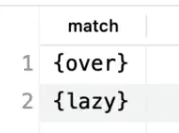
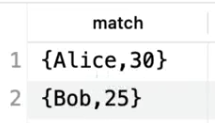
regexp_matches()


string_to_table():

Indexing joins:
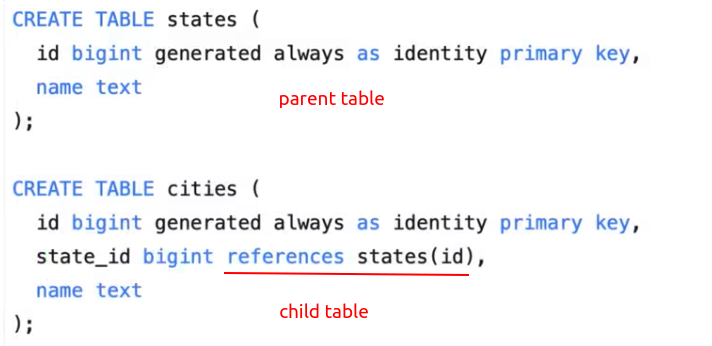
When you create a primary key, a unique constraint in a parent table, that is enforced by an index. That index is automatically created in the parent table. However, when you create a foreign key, even a foreign key constraint, the index is not automatically created in the child table.


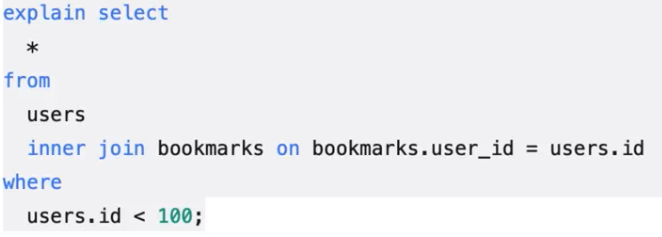
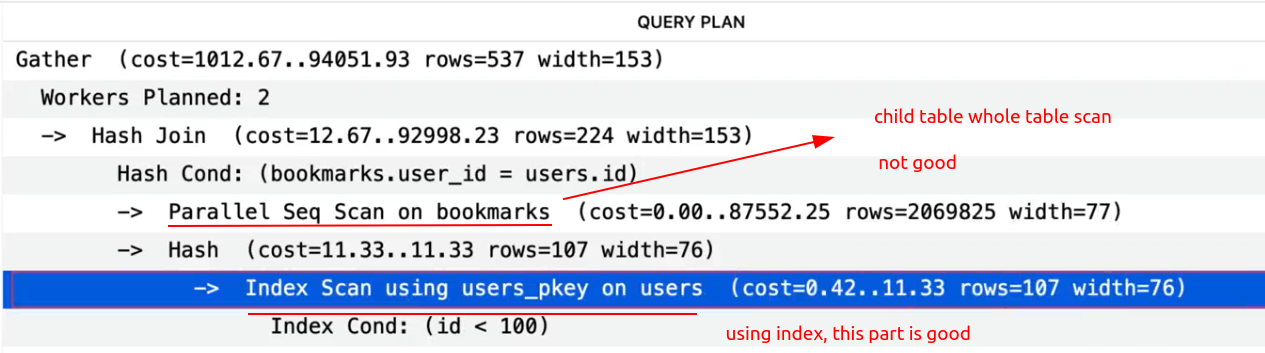
How to improve? Create an index for the foreign key (can be a composite index, depending on the query condition often used).




 浙公网安备 33010602011771号