
 inet
inet
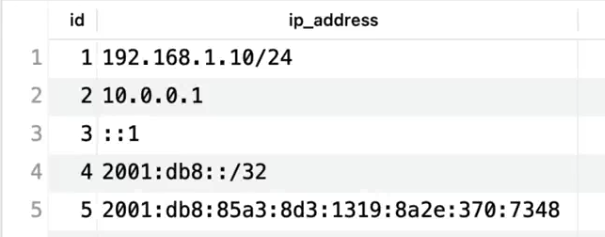

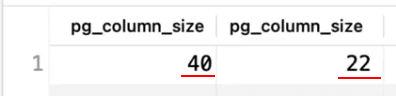
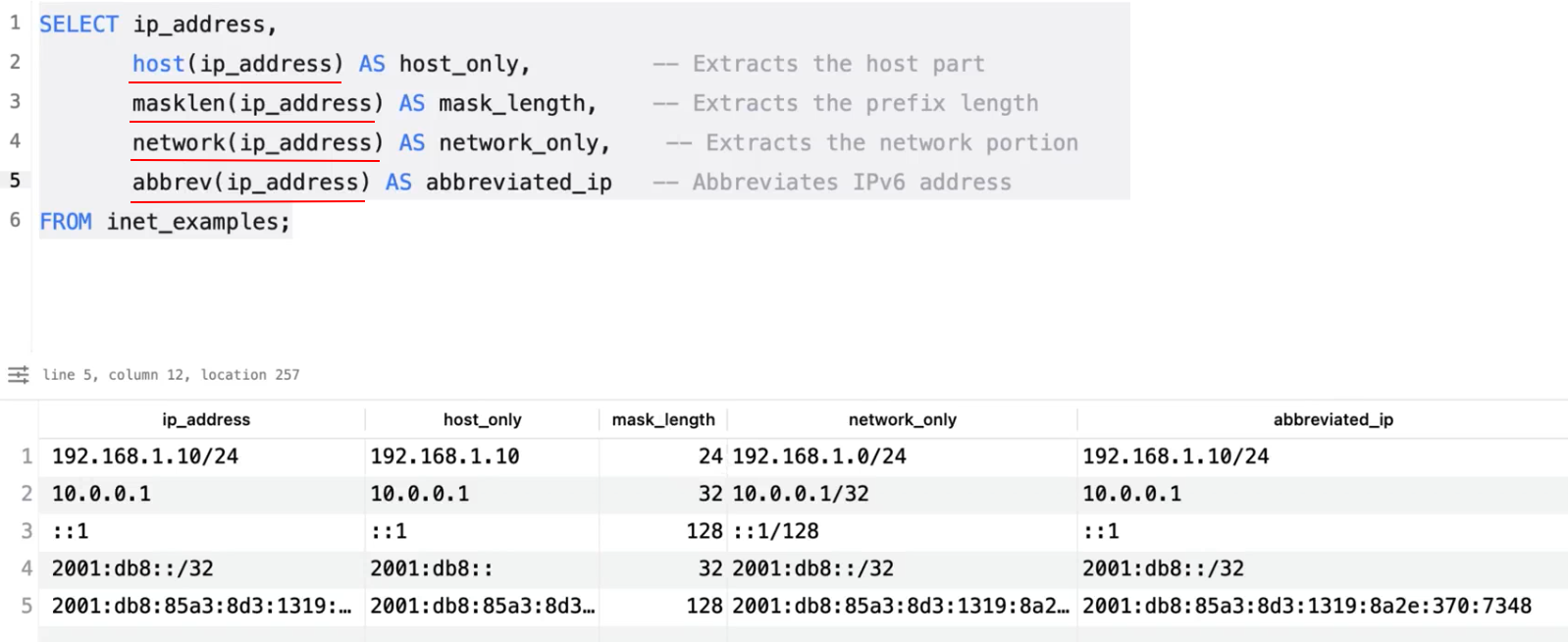
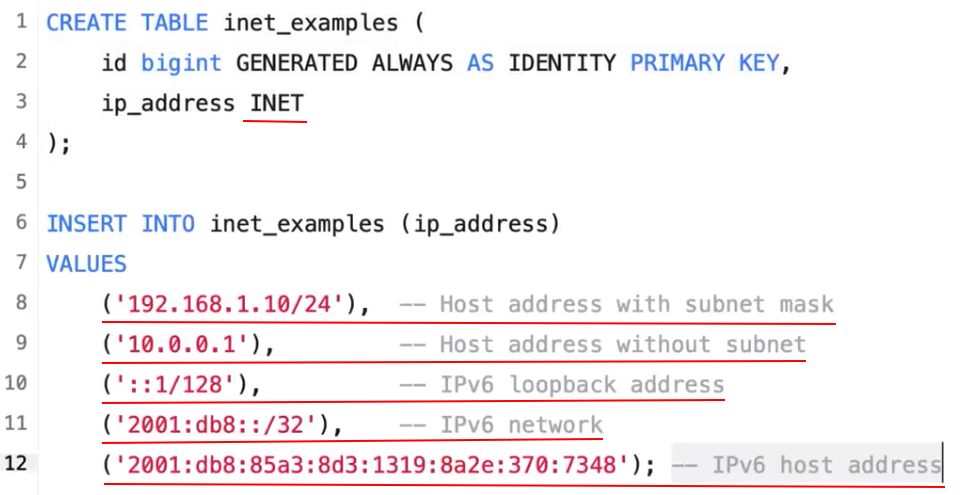
The essential difference between inet and cidr data types is that inet accepts values with nonzero bits to the right of the netmask, whereas cidr does not. For example, 192.168. 0.1/24 is valid for inet but not for cidr .
Say, if you have a /8 netmask, the cidr type requires that all the 24 rightmost bits are zero. inet does not have this requirement.
db=# select '255.0.0.0/8'::cidr;
255.0.0.0/8

db=# select '255.1.0.0/8'::cidr;
ERROR:  invalid cidr value: "255.1.0.0/8"
DETAIL:  Value has bits set to right of mask.
And inet allows this:
db=# select '255.1.0.0/8'::inet;
255.1.0.0/8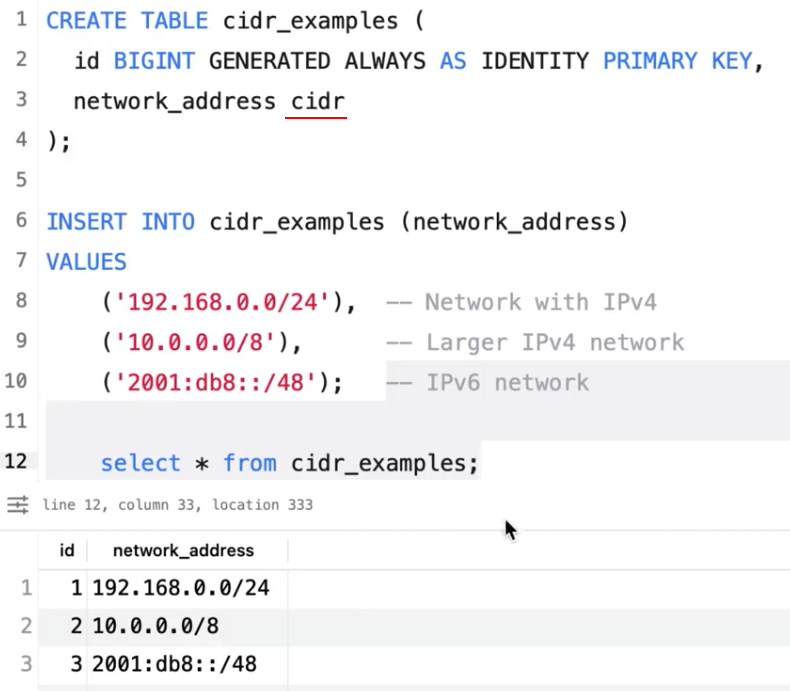 cidr
cidr
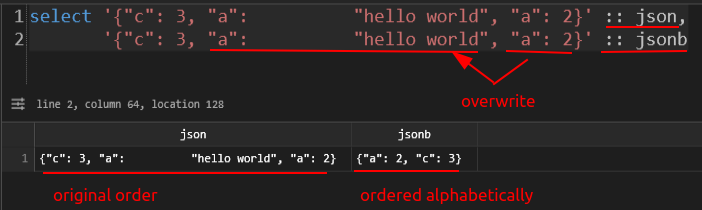
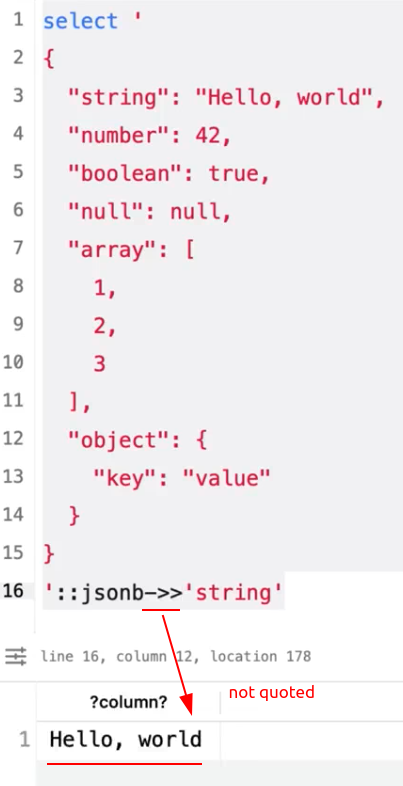
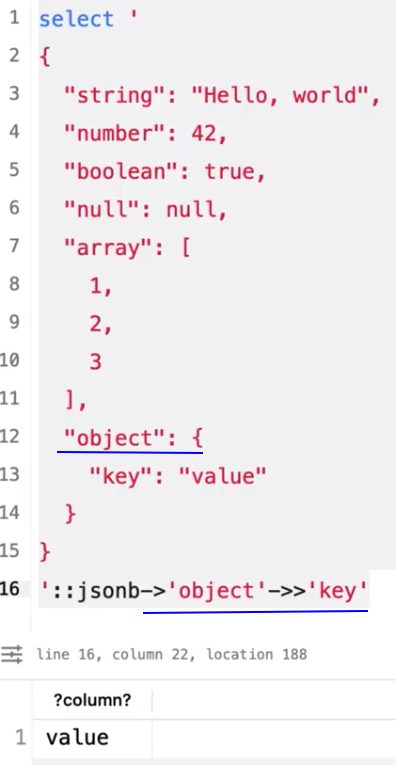
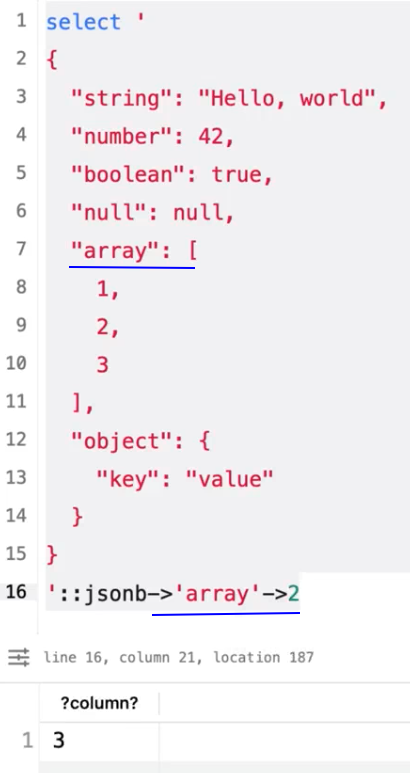
Prefer jsonb.
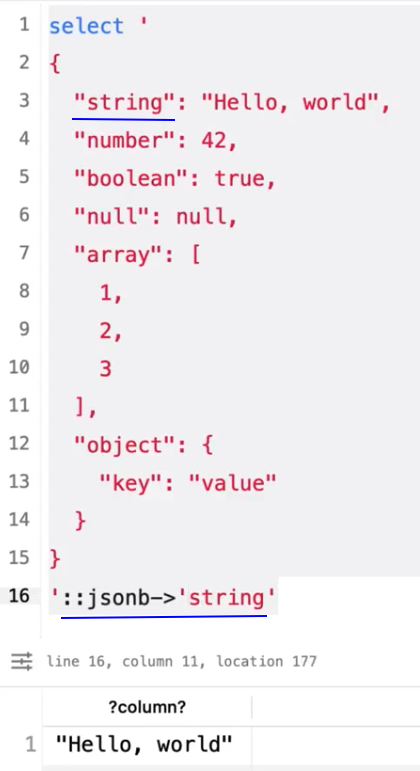

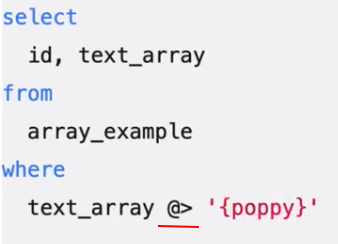 @>
@>
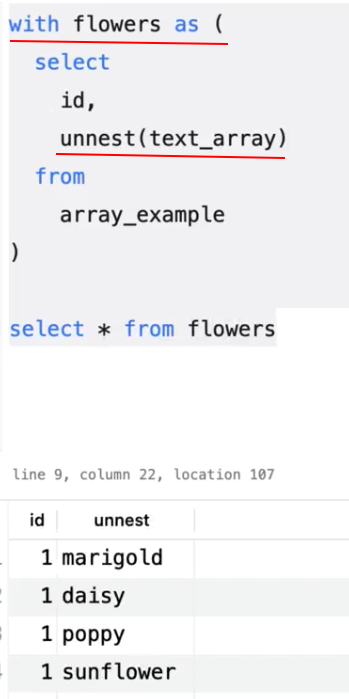
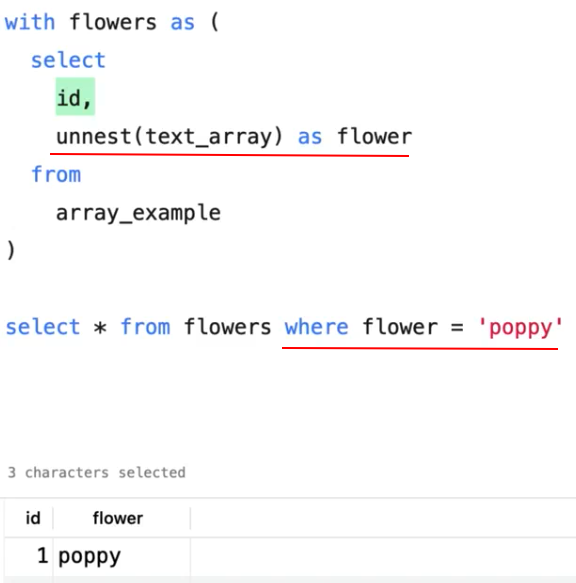 unnest()

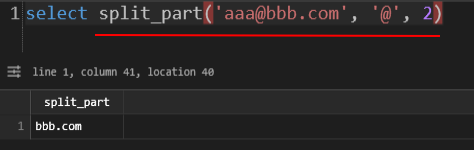 split_part()
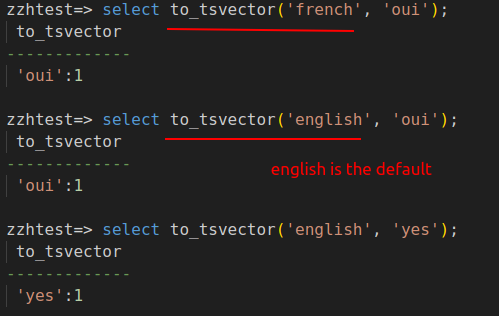
Text Search Vector
 to_tsvector()
Text Search Query
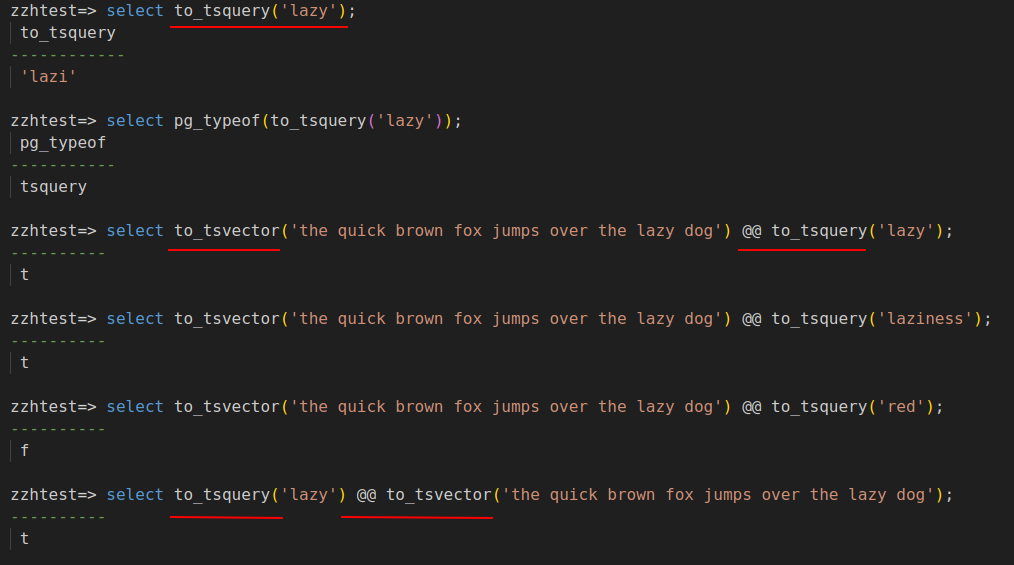 to_tsquery(), @@



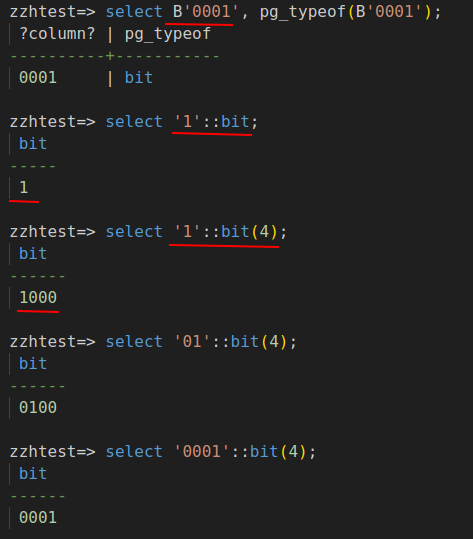 bit
bit
zzhtest=> select B'0101'   -- user's feature flags
               & B'0001'   -- mask: if the result equals the mask, the user has that feature
----------
 0001
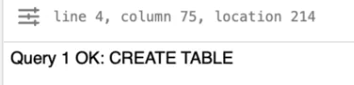
create table bits (
    bit3 bit(3),
    bitv bit varying(32)  -- up to 32 bits
);
select '[1,5]'::int4range;
-- [1,6)
-- 5.99 is not valid

select '[1,5]'::numrange;
-- [1,5]
-- 5.99 is valid but not included

select '[1,6)'::int4range;
-- [1,6)
-- 5.99 is not valid

select '[1,6)'::numrange;
-- [1,6)
-- 5.99 is valid and included
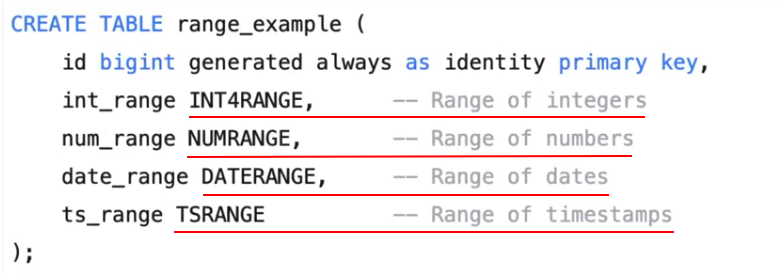

select numrange(1, 5);
-- [1,5)

select int4range(1, 5);
-- [1,5)

select numrange(1, 5, '[]');
-- [1,5]

select numrange(1, 5, '(]');
-- (1,5]

select int2range(1, 5, '[]');
ERROR:  function int2range(integer, integer, unknown) does not exist
LINE 1: select int2range(1, 5, '[]');
               ^
HINT:  No function matches the given name and argument types. You might need to add explicit type casts.

select int4range(1, 5, '[]');
-- [1,6)
 @>, &&
In PostgreSQL, the && operator is the overlap operator. Its primary job is to check if two sets of data (usually arrays or ranges) share at least one common element.
If there is any "intersection" between the two sides, it returns true. If they are completely disjoint, it returns false.
1. Using && with Arrays
This is the most common use case. It checks if two arrays have any elements in common, regardless of order or duplicates.
Example:
SELECT ARRAY[1, 2, 3] && ARRAY[3, 4, 5]; -- Returns true (because of 3)
SELECT ARRAY[1, 2] && ARRAY[3, 4];       -- Returns false
Common Use Case: Tagging Systems
If you have a posts table with a tags array column, you can find posts that match any of a list of categories:
SELECT title
FROM posts
WHERE tags && ARRAY['tech', 'science'];
2. Using && with Ranges
PostgreSQL has built-in range types (like int4range, daterange, or tsrange). The && operator checks if these timeframes or numerical spans overlap.
Example:
-- Do these two date ranges overlap?
SELECT daterange('2023-01-01', '2023-01-15') && daterange('2023-01-10', '2023-01-20');
-- Returns true
3. Performance and Indexing
One of the biggest advantages of using && over manual OR logic or subqueries is indexing.
-
GIN Indexes: For arrays, a GIN (Generalized Inverted Index) allows the
&&operator to perform lightning-fast lookups even on millions of rows. -
GiST Indexes: For ranges (and geometry), a GiST index is used to optimize overlap queries.
Quick Reference Table
| Data Type | Meaning of A && B |
| Array | Do A and B share any elements? |
| Range | Do the spans of A and B intersect at any point? |
| Geometry | Do the bounding boxes of A and B overlap? |
Note: Do not confuse
&&with the logicalANDused inWHEREclauses. In SQL, the logical "and" is always written out as the wordAND.

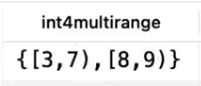
 upper_inc()









1. The Default Behavior
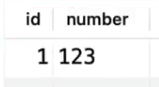
If you create a standard unique constraint on a single column, Postgres already allows multiple NULL values by default.
CREATE TABLE users (
    id SERIAL PRIMARY KEY,
    email TEXT UNIQUE  -- This allows as many NULLs as you want
);
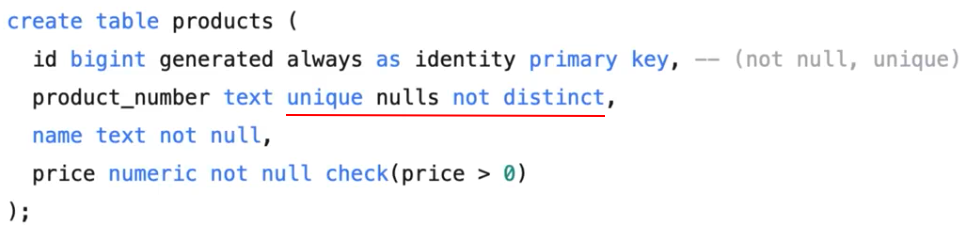
2. Using UNIQUE NULLS NOT DISTINCT (Postgres 15+)
Starting with PostgreSQL 15, a new clause was introduced to give you control over this exact behavior. If you want to be explicit—or if you want to change the behavior so that NULL is treated as a unique value—you use the NULLS clause.
To allow multiple NULLs (Default):
While this is the default, you can now write it explicitly for clarity:
ALTER TABLE users
ADD CONSTRAINT unique_email UNIQUE NULLS DISTINCT (email);
To allow only ONE NULL:
If you want to treat NULL like any other value (where only one instance is allowed), you use:
ALTER TABLE users
ADD CONSTRAINT unique_email UNIQUE NULLS NOT DISTINCT (email);
 &&
&&




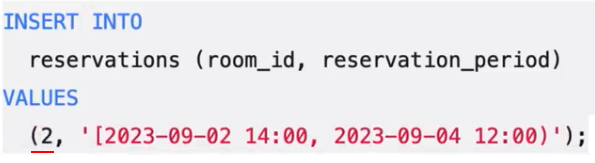

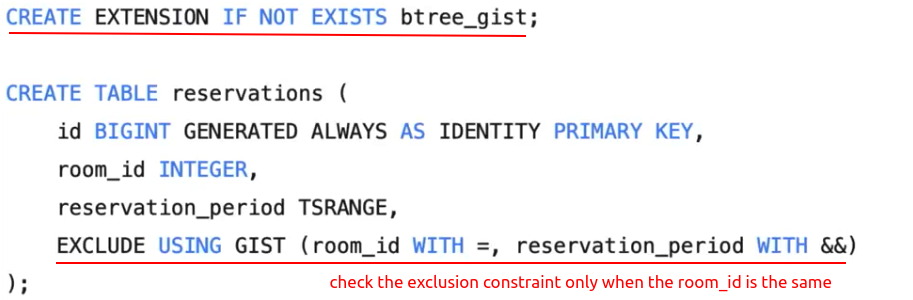

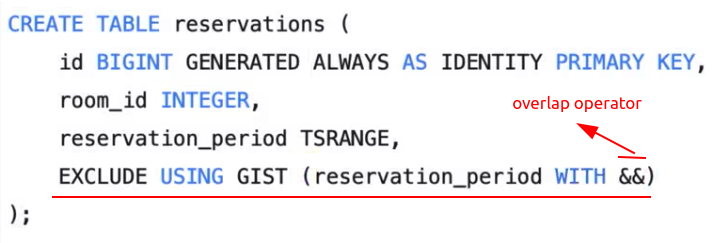
In PostgreSQL, that EXCLUDE statement (specifically an Exclusion Constraint) is your safeguard against "double-booking."
While a UNIQUE constraint prevents two rows from having the exact same value, an EXCLUDE constraint prevents two rows from having values that overlap or conflict based on a specific operator (in your case, the && operator we discussed).
Breaking Down the Syntax
EXCLUDE USING GIST (reservation_period WITH &&)
-
EXCLUDE: Tells Postgres: "Reject any new row if it conflicts with an existing row based on the following rules." -
USING GIST: Exclusion constraints require an index to perform the "overlap check" efficiently. GiST (Generalized Search Tree) is the standard index type for ranges and geometry because it can navigate 2D shapes and time spans. -
(reservation_period WITH &&): This is the heart of the rule. It says: "Check thereservation_periodcolumn using the&&(overlap) operator. Ifnew_row.period && existing_row.periodis true, block the insert."
Why use this instead of a Unique Constraint?
A standard UNIQUE constraint is too "dumb" for ranges.
-
If Room 101 is booked from 12:00 to 14:00, a unique constraint would only block someone else from booking the exact same 12:00 to 14:00.
-
It would fail to block someone booking 12:30 to 13:30, even though that is clearly a conflict.
-
The
EXCLUDEconstraint catches every possible overlap scenario.
The Missing Piece: The Room ID
In your current SQL, you have a slight problem: the constraint is too strict. As written, it will prevent anyone from booking any room if the times overlap. You likely want to allow Room A and Room B to be booked at the same time.
To fix this, you need to add the room_id to the constraint using the = operator:
CREATE TABLE reservations (
    id BIGINT GENERATED ALWAYS AS IDENTITY PRIMARY KEY,
    room_id INTEGER,
    reservation_period TSRANGE,
    -- "Block if room_id is the same AND periods overlap"
    EXCLUDE USING GIST (room_id WITH =, reservation_period WITH &&)
);
Note: To use
=with anINTEGERinside a GiST index, you might need to enable thebtree_gistextension first by runningCREATE EXTENSION btree_gist;.
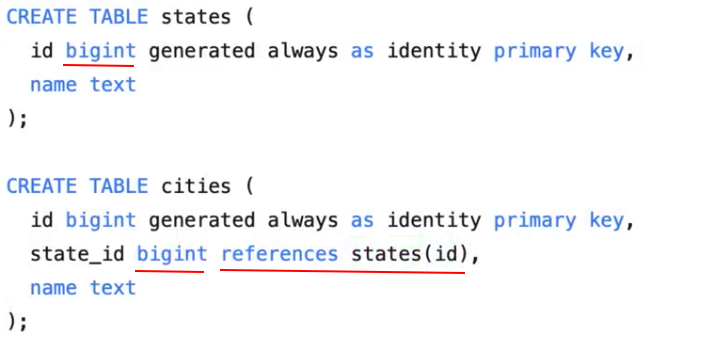

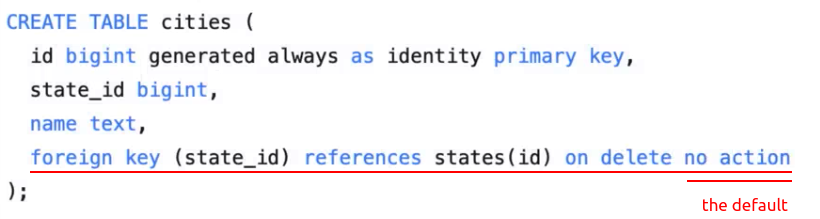



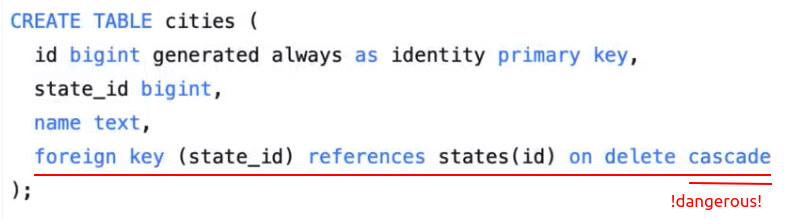
The difference between 'no action' and 'restrict' is very sutle.'no action' allows the check to be deferred to later in a transaction whereas 'restrict' does not allow that check to be deferred to later in a transaction, but at the end of the day, the result is the same, you can not delete the parent row without first deleting the child row, but you can change that by same CASCADE.


 浙公网安备 33010602011771号