


强大的响应式窗口分割插件golden-layout
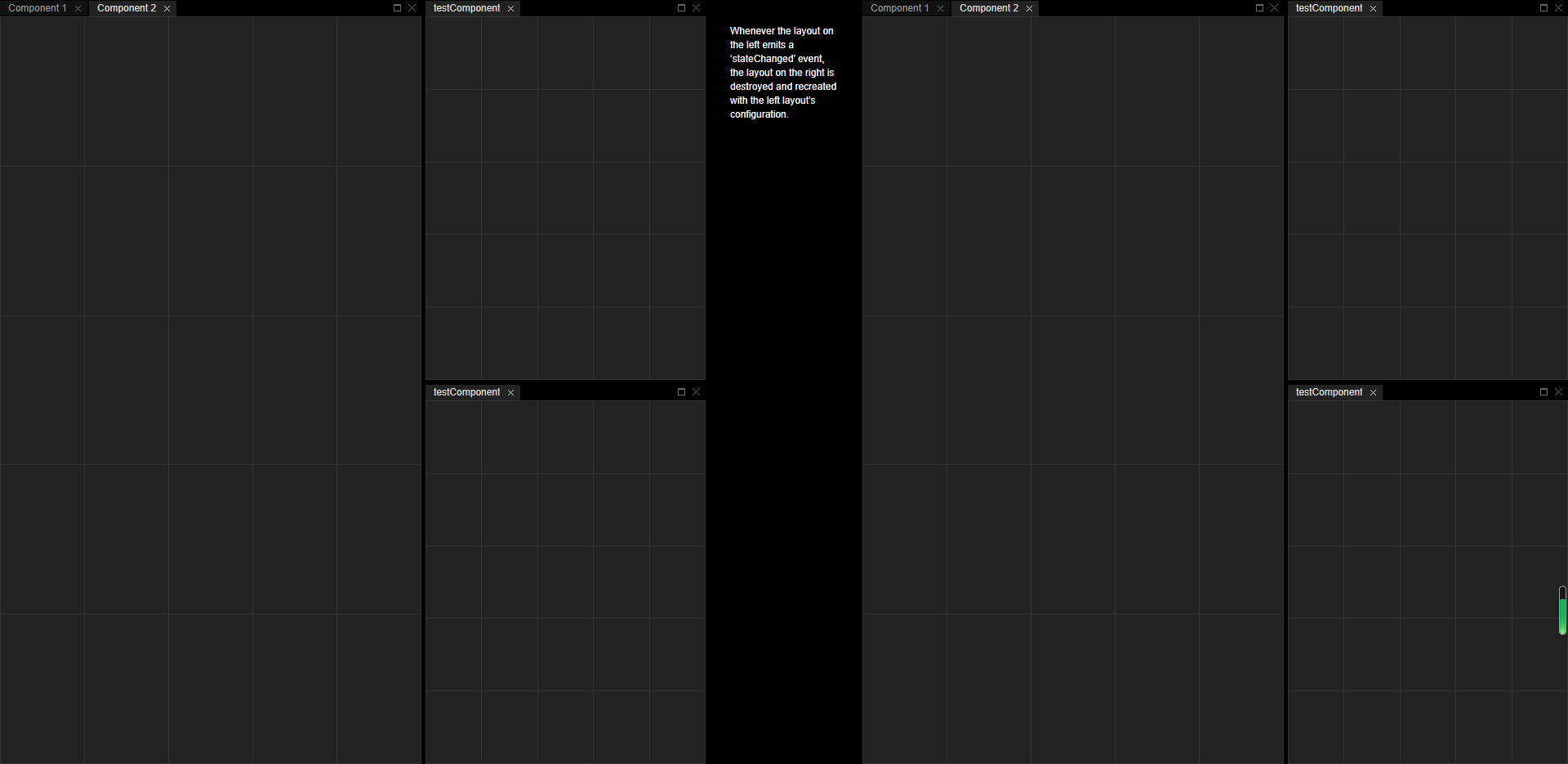
golden-layout是一款强大的响应式窗口分割插件。他可以最大化窗口、最小化窗口、以及关闭窗口。还可以设置分割线,通过拖拽分割线来改变窗口的大小,并且这是响应式的。
使用方法
在HTML文件中引入。
<script type="text/javascript" src="//code.jquery.com/jquery-1.11.1.min.js"></script><script type="text/javascript" src="//golden-layout.com/assets/js/goldenlayout.min.js"></script><link type="text/css" rel="stylesheet" href="//golden-layout.com/assets/css/goldenlayout-base.css" /><link type="text/css" rel="stylesheet" href="//golden-layout.com/assets/css/goldenlayout-dark-theme.css" /> |
HTML结构
<div id="wrapper"> <div class="layoutA"></div> <div class="controls"> <p> Whenever the layout on the left emits a ‘stateChanged’ event, the layout on the right is destroyed and recreated with the left layout’s configuration. </p> </div> <div class="layoutB"></div></div> |
CSS样式
*{ margin: 0; padding: 0;}body, html{ height: 100%; background: #000;}#wrapper{ width: 100%; height: 100%; position: relative;}#wrapper > *{ float: left; height: 100%;}.layoutA, .layoutB{ width: 45%;}.controls{ width: 10%;}.controls > div{ height: 50%;}.controls p{ padding: 30px; color: #fff; font: 12px/17px Arial, sans-serif; }table.test{ width: 100%; height: 100%; border-collapse: collapse; -webkit-user-select:none;}table.test td{ border: 1px solid #333; background: #222; cursor: pointer;}table.test td:hover{ background: #444;}table.test td.active{ background: orange;} |
初始化插件
然后通过下面的代码来初始化插件。
var config = { settings:{showPopoutIcon:false}, content: [{ type: 'row', content:[{ type: 'stack', width: 60, activeItemIndex: 1, content:[{ type: 'component', componentName: 'testComponent', title:'Component 1' },{ type: 'component', componentName: 'testComponent', title:'Component 2' }] },{ type: 'column', content:[{ type: 'component', componentName: 'testComponent' },{ type: 'component', componentName: 'testComponent' }] }] }]};var TestComponent = function( container, state ) { this.element = $( '<table class="test">' + '<tr><td> </td><td> </td><td> </td><td> </td><td> </td></tr>' + '<tr><td> </td><td> </td><td> </td><td> </td><td> </td></tr>' + '<tr><td> </td><td> </td><td> </td><td> </td><td> </td></tr>' + '<tr><td> </td><td> </td><td> </td><td> </td><td> </td></tr>' + '<tr><td> </td><td> </td><td> </td><td> </td><td> </td></tr>' + '</table>' ); this.tds = this.element.find( 'td' ); this.tds.click( this._highlight.bind( this ) ); this.container = container; this.container.getElement().append( this.element ); if( state.tiles ) { this._applyState( state.tiles ); }};TestComponent.prototype._highlight = function( e ) { $( e.target ).toggleClass( 'active' ); this._serialize();};TestComponent.prototype._serialize = function() { var state = '', i; for( i = 0; i < this.tds.length; i++ ) { state += $( this.tds[ i ] ).hasClass( 'active' ) ? '1' : '0'; } this.container.extendState({ tiles: state });};TestComponent.prototype._applyState = function( state ) { for( var i = 0; i < this.tds.length; i++ ) { if( state[ i ] === '1' ){ $( this.tds[ i ] ).addClass( 'active' ); } }};$(function(){ var createLayout = function( config, container ) { var layout = new GoldenLayout( config, $(container) ); layout.registerComponent( 'testComponent', TestComponent ); layout.init(); return layout; }; var layoutA = createLayout( config, '.layoutA' ); var layoutB = createLayout( config, '.layoutB' ); layoutA.on( 'stateChanged',function(){ layoutB.destroy(); layoutB = createLayout( layoutA.toConfig(), '.layoutB' ); }); $(window).resize(function(){ layoutA.updateSize(); layoutB.updateSize(); })}); |

 浙公网安备 33010602011771号