
微信朋友圈图片布局
🧑💻 写在开头
点赞 + 收藏 === 学会🤣🤣🤣
在朋友圈中,除了普遍的一行三列的布局外,一张、二张、四张图片时的布局是不一样的。一张图片时,按图片原有宽高显示。

两张图片,并行展示,图片会偏大一些。

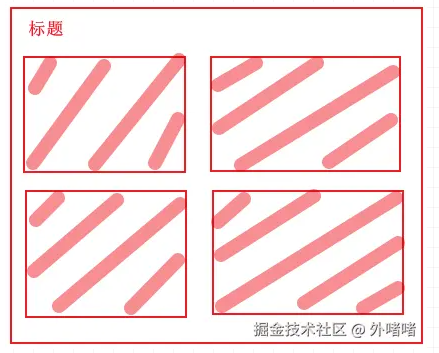
四张图片时,一行显示两个。
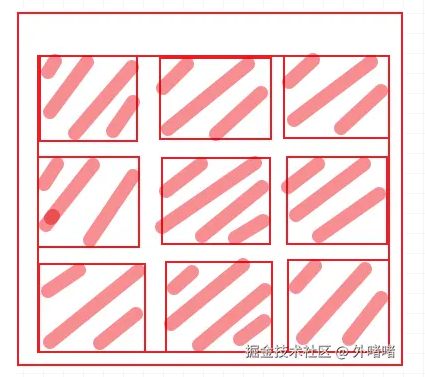
三张、及四张以上时,按一行三列排序。
实现
这里结合naive ui组件实现图片展示。页面获取到 图片数据(Array[Object])后通过 n-image-group 以组的形式展示图片。
<n-scrollbar style="max-height: 60vh">
    <n-image-group>
        <div class="moment-images" :class="calssName">
            <div class="image-item" v-for="(item, index) in fileList" :key="index">
                <n-image :src="item.url" :img-props="{ style: { 'aspect-ratio': '1/1' } }" />
            </div>
        </div>
    </n-image-group>
</n-scrollbar>
<script setup>
import { ref, nextTick } from "vue";

const calssName = ref('')//类名
const fileList= ref([])//图片数据

//根据图片总长度来设置图片类名
function setClassName() {
    let length = fileList.value.length
    switch (length) {
        case 1:
            calssName.value = 'image-count-1'
            break;
        case 2:
            calssName.value = 'image-count-2'
            break;
        case 3:
            calssName.value = 'image-count-3'
            break;
        case 4:
            calssName.value = 'image-count-4'
            break;
        default:
            calssName.value = 'image-count-3'
            break;
    }
}

setClassName()
</script>

<style>
/* 单图布局 */
.img-count-1 {
  grid-template-columns: 1fr;
  max-width: 300px;
  max-height: 300px;
}

/* 双图布局 */
.image-count-2 {
  grid-template-columns: repeat(2, 1fr);
  width: 300px;
}

/* 三图-四图以上布局 */
.image-count-3 {
  grid-template-columns: repeat(3, 1fr);
  width: 350px;
}

/* 四图布局 */
.image-count-4 {
  grid-template-columns: repeat(2, 1fr);
  width: 400px;
}

.moment-images {
  display: grid;
  gap: 4px;
  margin-top: 8px;
  border-radius: 4px;
  overflow: hidden;
}

.image-item {
  aspect-ratio: 1/1;
  overflow: hidden;
  position: relative;
  background-color: #f5f5f5;
}
</style>
如果对您有所帮助,欢迎您点个关注,我会定时更新技术文档,大家一起讨论学习,一起进步。


 浙公网安备 33010602011771号