

pandas 新增excel
import pandas as pd
import numpy as np
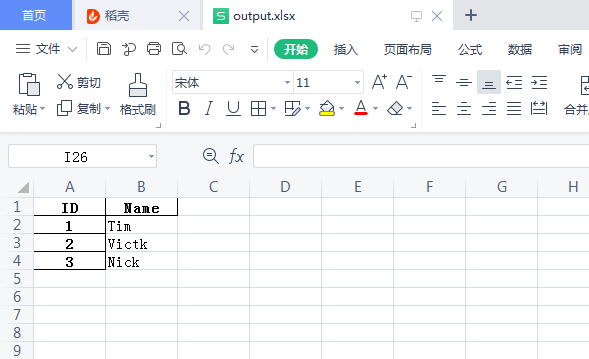
#赋值df = pd.DataFrame({'ID':[1,2,3],'Name':['Tim','Victk','Nick']})
#重新设置索引
df = df.set_index('ID')
df.to_excel('F:/RF/output.xlsx')
print('OK ')
第一次使用遇到报错:
ImportError: Unable to import required dependencies:
numpy:
Please note and check the following:
* The Python version is: Python3.7 from "F:\PY\python.exe"
* The NumPy version is: "1.22.3"
and make sure that they are the versions you expect.
Please carefully study the documentation linked above for further help.
Original error was: No module named 'numpy.core._multiarray_umath'
实际上有安装numpy,只不过版本不匹配。重新卸载numpy后安装
pip uninstall unmpy
pip install numpy

 浙公网安备 33010602011771号