
Vue cli路由
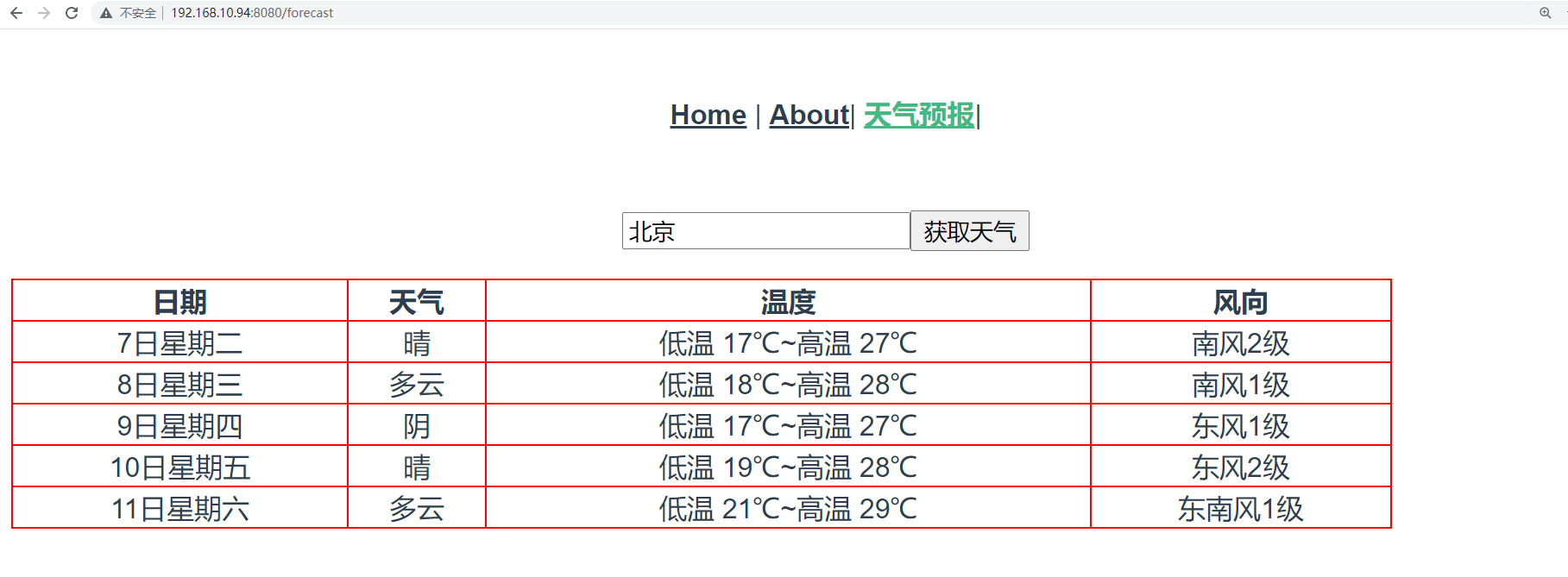
上面是将Forecast组件作为了Home的子组件使用,现在我们将其作为一个路由组件使用。
在router/index.js路由系统注册路由:
{
        path: '/forecast',
        name: 'Forecast',
        // route level code-splitting
        // this generates a separate chunk (about.[hash].js) for this route
        // which is lazy-loaded when the route is visited.
        component: () => import(/* webpackChunkName: "about" */ '../components/Forecast.vue')
    },
app.Vue中更新为:
<template>
  <div id="nav">
    <router-link to="/">Home</router-link> |
    <router-link to="/about">About</router-link>|
    <router-link to="/forecast">天气预报</router-link>
  </div>
  <router-view/>
</template>
1、路由跳转
vue-router提供了2种写法让我们实现页面跳转。
(1)通过router-link来跳转
正如App.Vue中的使用:
<template>
  <div id="nav">
    <router-link to="/">Home</router-link> |
    <router-link to="/about">About</router-link>|
    <router-link to="/forecast">天气预报</router-link>|
  </div>

  <router-view/>
</template>
(2)通过this.$router来跳转
<template>
  <div id="nav">
    <router-link to="/">Home</router-link> |
    <router-link to="/about">About</router-link>|
    <router-link to="/forecast">天气预报</router-link>|
     <a href="" @click.prevent="gohome">Home</a>
  </div>


  <router-view/>
</template>
<script>
export default {
  name: 'App',  // 组件名
  data(){
    return {
      user:"root",
    }
  },
  methods:{
    gohome(){
      // 页面跳转
      if(this.user === "root"){
         this.$router.push("/"); // ajax页面跳转到指定的路由地址
        // this.$router.back(); // 跳转返回上一页
        // this.$router.go(-1); // -1相当于back,后退一页
        // this.$router.go(1); // 1表示forward,前进一页
      }
    }
  },
}
</script>
<style>
#app {
  font-family: Avenir, Helvetica, Arial, sans-serif;
  -webkit-font-smoothing: antialiased;
  -moz-osx-font-smoothing: grayscale;
  text-align: center;
  color: #2c3e50;
}

#nav {
  padding: 30px;
}

#nav a {
  font-weight: bold;
  color: #2c3e50;
}

#nav a.router-link-exact-active {
  color: #42b983;
}
</style>
2、传递参数
vue-router提供了2种用于开发中传递参数的方式给我们使用。
(1)路径参数
url地址的路径作为变量,传递参数到下一个页面组件中进行获取使用。
注册路由:
 {
        path: '/article/:year/:month',
        name: 'Article',
        // route level code-splitting
        // this generates a separate chunk (about.[hash].js) for this route
        // which is lazy-loaded when the route is visited.
        component: () => import(/* webpackChunkName: "about" */ '../components/Article.vue')
    },
创建Article.vue:
<template>
  <h3>
    查询{{year}}年{{month}}的系列文章
  </h3>
</template>

<script>
export default {
  name: "Article",
  data(){
    return {
      year: 0,
      month: 0,
    }
  },
  created() {
    this.year = this.$route.params.year;
    this.month = this.$route.params.month;
  }
}
</script>

<style scoped>

</style>
最后在App.Vue中添加:
<router-link to="/article/2000/12">文章列表</router-link>|

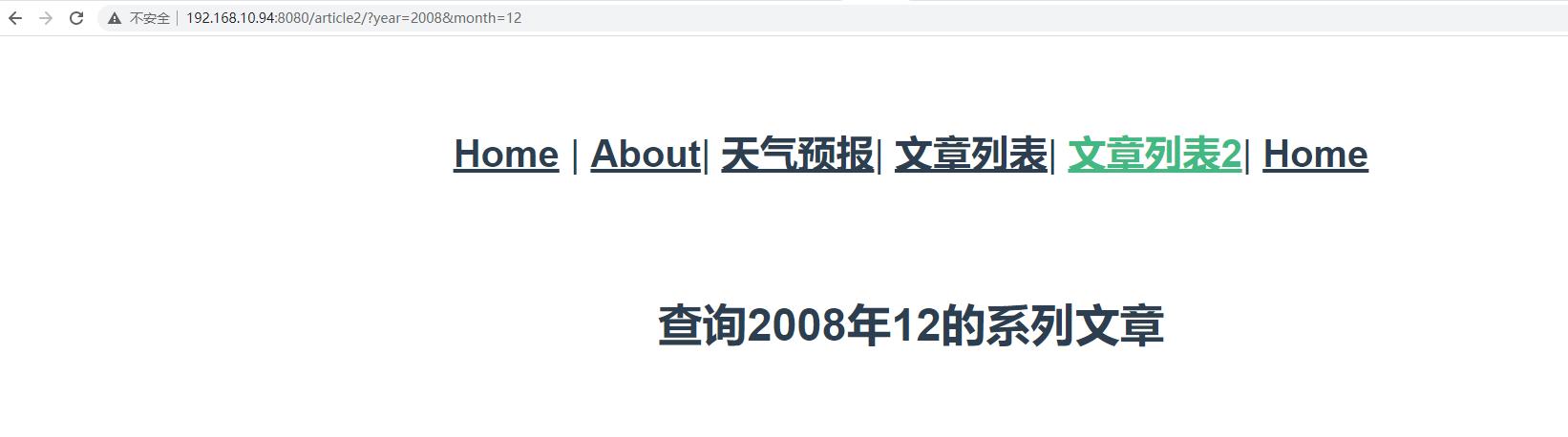
(2)查询参数
url地址的查询字符串作为参数,在下一个页面组件中进行获取使用。
注册路由:
 {
        path: '/article2/',
        name: 'Article2',
        // route level code-splitting
        // this generates a separate chunk (about.[hash].js) for this route
        // which is lazy-loaded when the route is visited.
        component: () => import(/* webpackChunkName: "about" */ '../components/Article2.vue')
    },
创建Article2.vue:
<template>
  <h3>
    查询{{year}}年{{month}}的系列文章
  </h3>
</template>

<script>
export default {
  name: "Article",
  data(){
    return {
      year: 0,
      month: 0,
    }
  },
  created() {
    this.year = this.$route.query.year
    this.month = this.$route.query.month
  }
}
</script>

<style scoped>

</style>
最后在App.Vue中添加:
<router-link to="/article2/?year=2008&month=12">文章列表2</router-link>|

 浙公网安备 33010602011771号