
Vue cli之在组件中使用axios
默认情况下,我们的项目中并没有对axios包的支持,所以我们需要下载安装。
在项目根目录中使用 npm安装包:
npm install axios
接着在main.js文件中,导入axios并把axios对象 挂载到vue属性中多为一个子对象,这样我们才能在组件中使用。
main.js补充代码:
import axios from "axios";
// 初始化axios对象
Vue.prototype.$http = axios.create();
Vue.config.productionTip = false
创建Forecast组件:
<template>
  <div>
    <input type="text" v-model="city">
    <button @click="get_weather">获取天气</button>
    <table v-if="weather_list.length>1">
      <tr>
        <th>日期</th>
        <th>天气</th>
        <th>温度</th>
        <th>风向</th>
      </tr>
      <tr v-for="weather in weather_list">
        <td>{{weather.date}}</td>
        <td>{{weather.type}}</td>
        <td>{{weather.low}}~{{weather.high}}</td>
        <td>{{weather.fengxiang}}{{weather.fengli|format}}</td>
      </tr>
    </table>
  </div>
</template>

<script>
export default {
  name: "Index",
  data(){
    return {
      city: "北京",
      weather_list:[],
    }
  },
  filters:{
    format(content){
      return content.replaceAll("<![CDATA[","").replaceAll("]]>","");
    }
  },
  methods:{
    get_weather(){
      // 发送http请求获取天气
      this.$http.get("http://wthrcdn.etouch.cn/weather_mini",{
        params:{
          city: this.city,
        }
      }).then(response=>{
        console.log(response.data.data.forecast);
        this.weather_list = response.data.data.forecast;
      }).catch(error=>{
        console.log(error);
      })
    }
  }
}
</script>

<style scoped>
table{
  width: 800px;
  border-collapse: collapse;
}
td,th{
  border: 1px solid red;
}
</style>
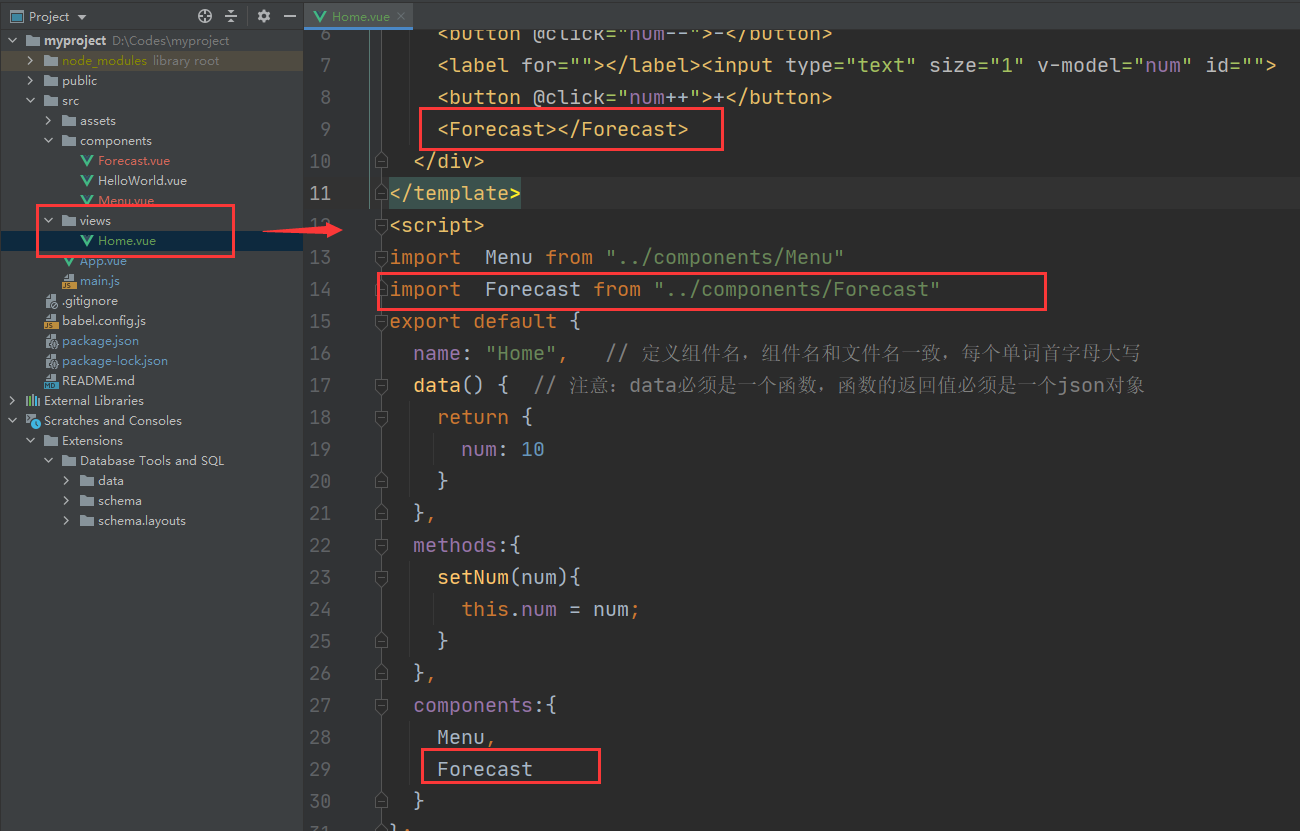
home组件更新为:
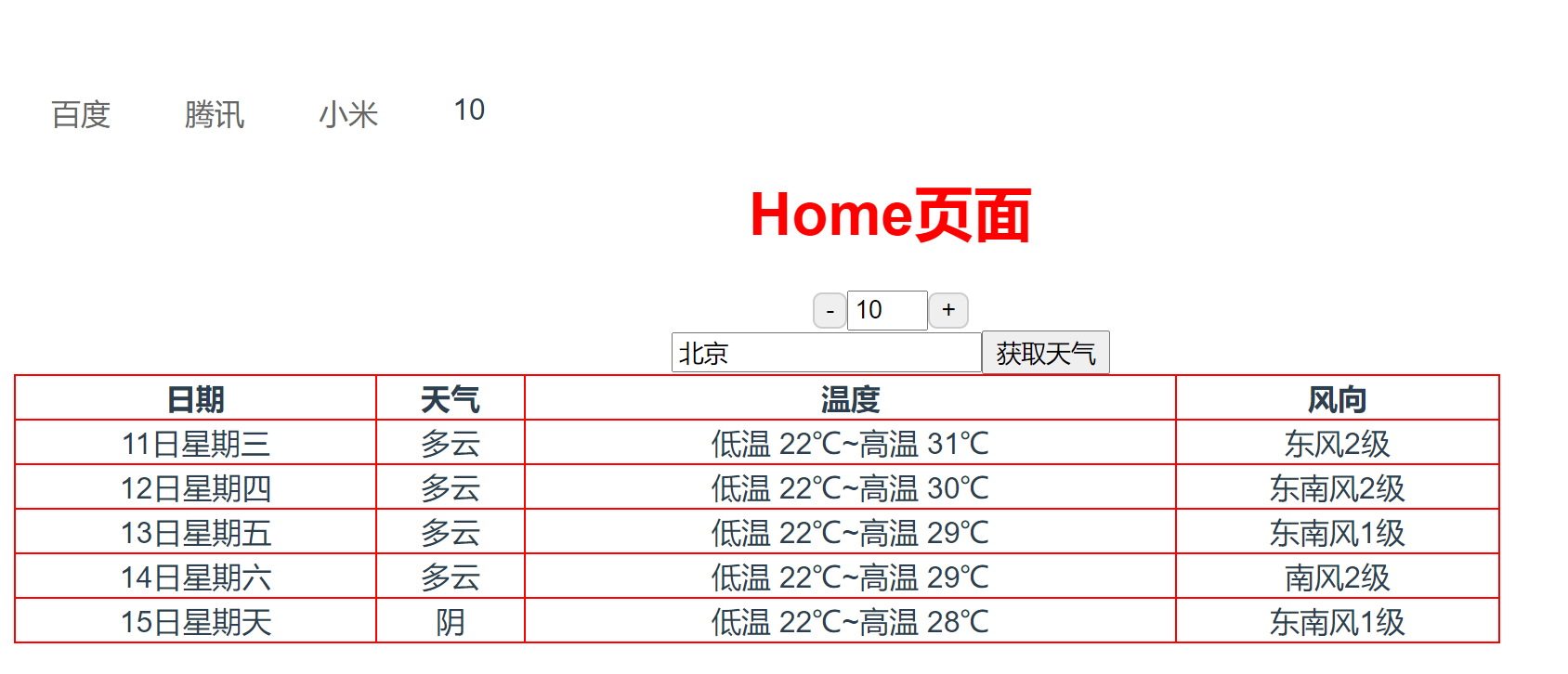
效果:
使用的时候,因为本质上来说,我们还是原来的axios,所以也会收到同源策略的影响。

 浙公网安备 33010602011771号