
shell脚本的执行方式
方式一:直接执行,需要添加x权限
[root@m01 /server/scripts]# ll tar.sh
-rw-r--r-- 1 root root 76 Aug 5 18:22 tar.sh
[root@m01 /server/scripts]# chmod +x tar.sh
[root@m01 /server/scripts]# ./tar.sh
[root@m01 /server/scripts]# /server/scripts/tar.sh
方式二:sh执行
[root@m01 /server/scripts]# bash tar.sh
[root@m01 /server/scripts]# ll `which sh bash`
-rwxr-xr-x. 1 root root 964544 Apr 11 2018 /usr/bin/bash
lrwxrwxrwx. 1 root root 4 Apr 29 19:16 /usr/bin/sh -> bash
方式三:source替你在当前环境执行一次脚本
方式四:输入重定向方法
[root@m01 /server/scripts]# sh <tar.sh
[root@m01 /server/scripts]# #cat <<
[root@m01 /server/scripts]# #mysql <zabbix.sql
[root@m01 /server/scripts]# #tr
注意:sh和source(.)的区别
[root@m01 /server/scripts]# oldboy=666
[root@m01 /server/scripts]# cat show.sh
#!/bin/bash
echo $oldboy
[root@m01 /server/scripts]# #sh show.sh
[root@m01 /server/scripts]# #source show.sh
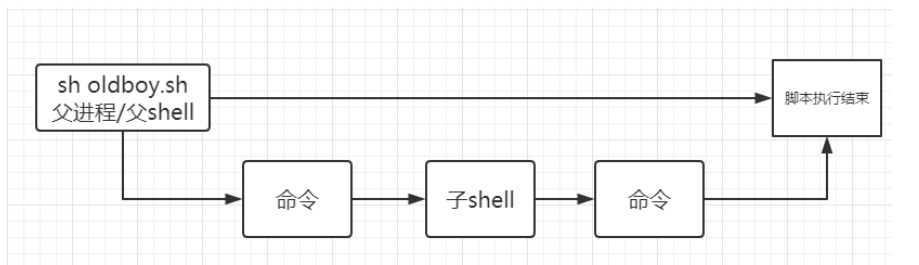
sh执行脚本 生成子shell 而这个变量在子shell中没有定义
source (include) 把这个脚本在当前shell环境中运行

 浙公网安备 33010602011771号