

软件工程日报--巡检系统开发--消息弹窗,超时提醒
巡检系统开发
今天开发了巡检系统的两个子模块,实现了消息弹窗和超时提醒的功能
消息弹窗
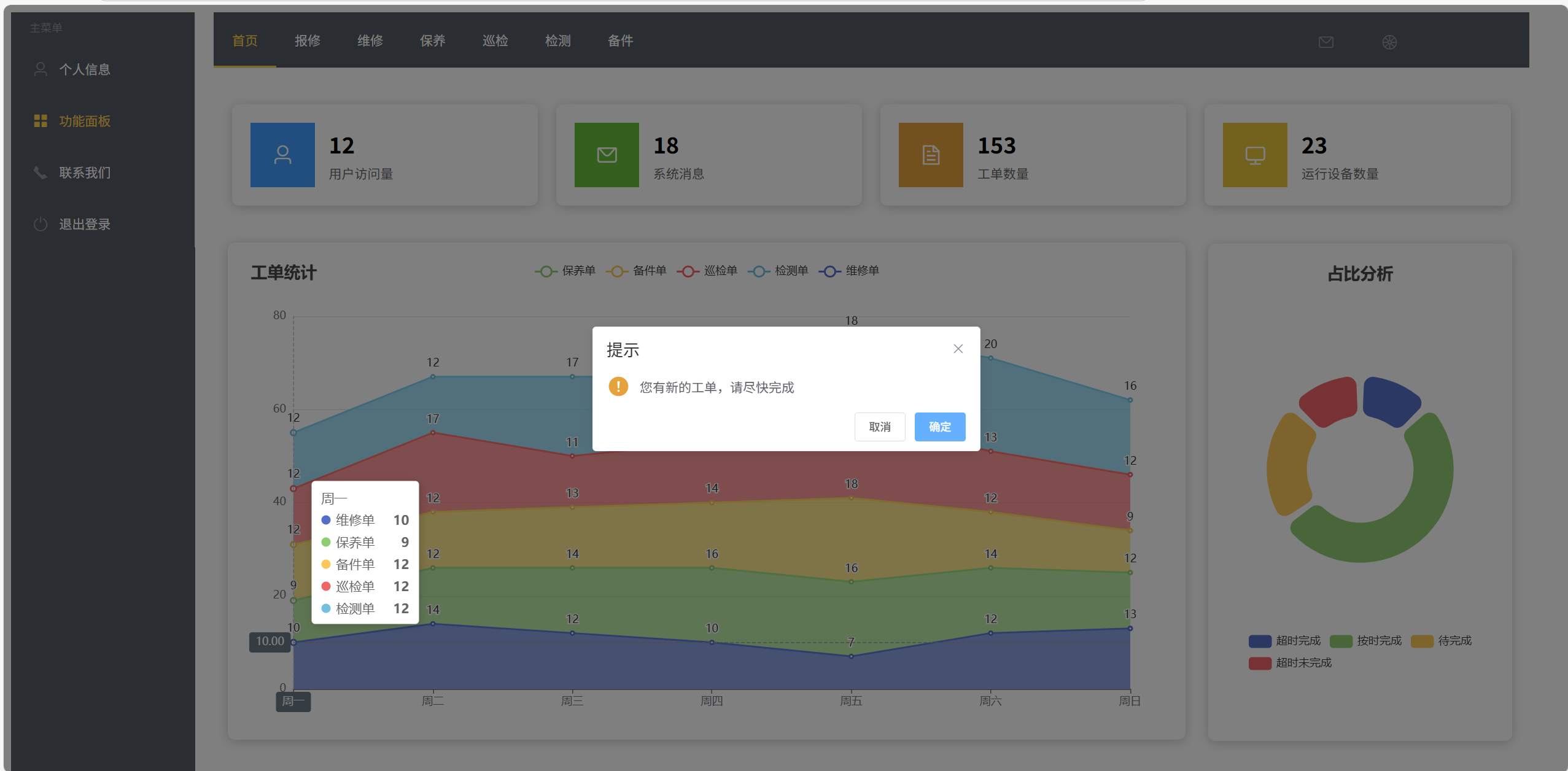
对于每一个员工,当他登录以后,要是存在新分配的工单,就为出现弹窗提示完成工单,这里需要修改分配工单的逻辑
源码
  axios.post("http://localhost:7469/MaintenanceManage/message/selectById", storage.get('user').username).then((res) => {

                    if(res.data.state != "0"){

                        this.$confirm('您有新的工单,请尽快完成', '提示', {
                            confirmButtonText: '确定',
                            type: 'warning'
                        }).then(() => {

                        }).catch(() => {

                        });

                        axios.post("http://localhost:7469/MaintenanceManage/message/update", {id:storage.get('user').username,
                                                                                               state:'0'}).then((res) => {


                        })

                    }
效果展示
超时提醒
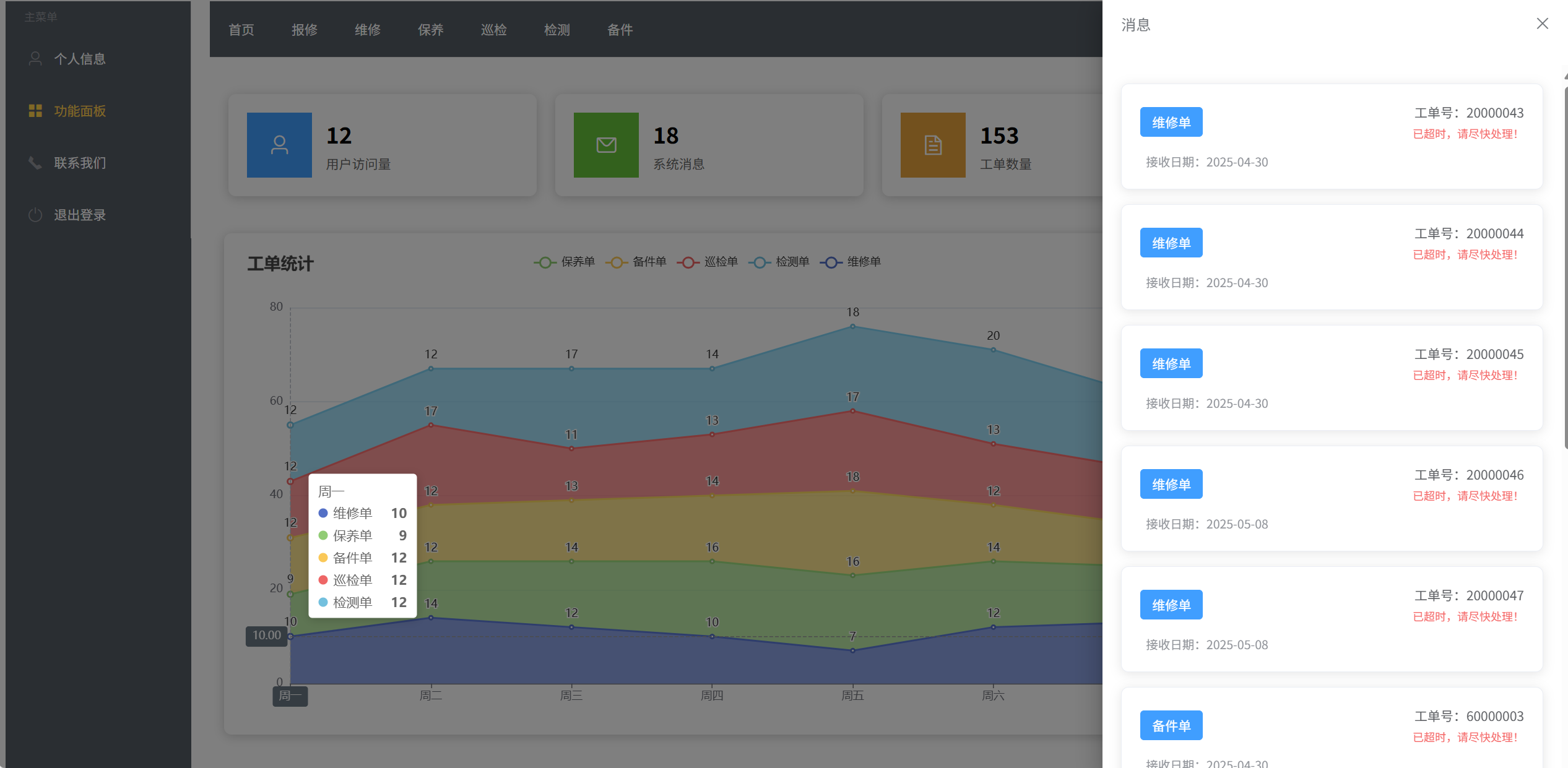
对于接单后两天没完成的工单,系统会向工程师发送消息,提示工程师尽快完成,这里用到了element的抽屉原理,点击按钮出现抽屉,展示页面出现没完成工单的卡片
源码
      handleSelect(key, keyPath) {

                    this.activeIndex2 = key;
                    if(key<=7)
                    window.location.href = "http://localhost:7469/MaintenanceManage/0"+(key-1)+".html";
                    if(key==8)this.drawer=true;
                    if(key==9){


                        this.drawer01=true;

                    }
                    console.log(key, keyPath);
                }

      <div class="message-drawer">
                            <!-- 滚动容器 -->
                            <div class="scroll-container">
                                <el-row :gutter="20">
                                    <!-- 工单列表 -->
                                    <el-col
                                            v-for="(item, index) in List"
                                            :key="item.id"
                                            :span="24"
                                            class="order-col"
                                    >
                                        <el-card class="order-card">
                                            <!-- 卡片头部 -->
                                            <div class="card-header">
                                                <el-tag
                                                        effect="dark"
                                                        type="primary"
                                                        class="order-type"
                                                        style="display: inline-flex; align-items: center; justify-content: center; padding: 0 12px;"
                                                >{{ item.kind }}</el-tag>

                                                <div class="order-info">
                                                    <div class="order-id">工单号:{{ formatId(item.id) }}</div>
                                                    <div

                                                            class="overdue-alert"
                                                    >
                                                        <el-icon><i class="el-icon-warning"></i></el-icon>
                                                        已超时,请尽快处理!
                                                    </div>
                                                </div>
                                            </div>

                                            <!-- 卡片内容 -->
                                            <div class="card-content">
                                                <div class="date-info">
                                                    <el-icon class="date-icon"><i class="el-icon-date"></i></el-icon>
                                                    <span>接收日期:{{item.data}}</span>
                                                </div>
                                            </div>
                                        </el-card>
                                    </el-col>
                                </el-row>
                            </div>
                        </div>
                    </el-drawer>
效果展示

 浙公网安备 33010602011771号