

软件工程日报--记住密码和访问外部链接的实现
记住密码和访问外部链接的实现
今天的开发中实现了两项功能一个是记住密码,另外一个是可以访问外部链接.
记住密码
这个功能要使用到缓存技术,storage,uni中有自己的uni.stotageSync是同步的缓存技术,在登录成功跳转页面前把密码和用户名直接存储到缓存中,
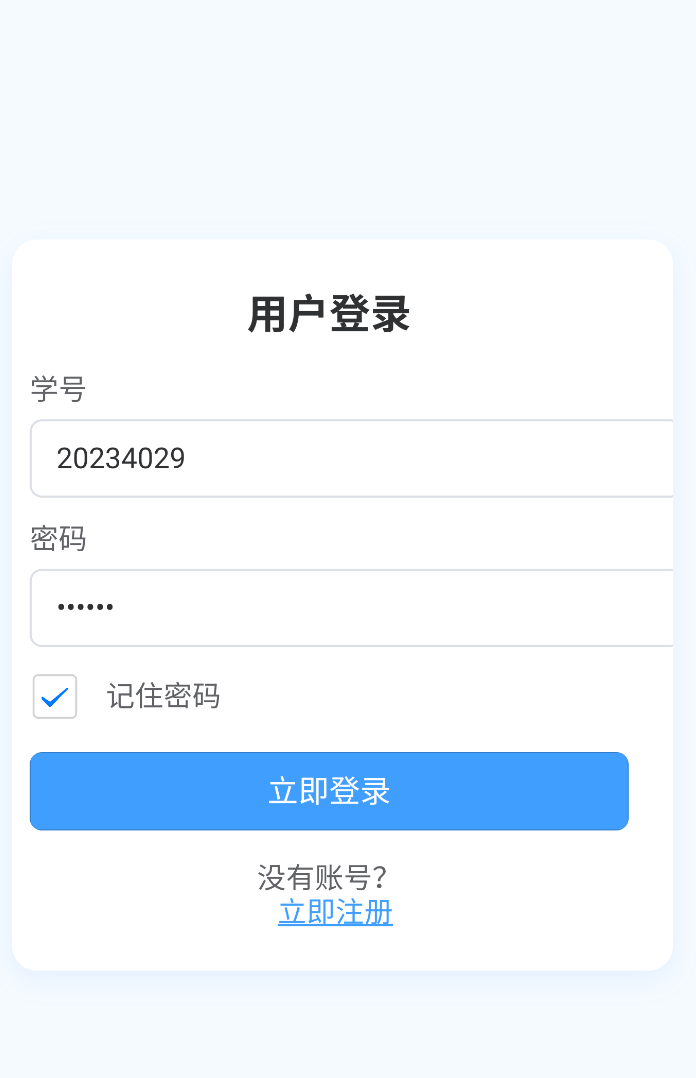
在页面加载完成时在onMounted钩子函数里获取缓存,可以达到记住密码的效果,登录页面如下
点击查看代码
<template>
	<view class="login-container">
		<view class="form-wrapper">
			<h1 class="title">用户登录</h1>
			{{he}}
			<view class="input-group">
				<label class="input-label">学号</label>
				<input
					class="input-box"
					type="text"
					v-model="username"
					placeholder="请输入学号"
					placeholder-class="placeholder-style"
				>
			</view>

			<view class="input-group">
				<label class="input-label">密码</label>
				<input
					class="input-box"
					type="password"
					v-model="password"
					placeholder="请输入密码"
					placeholder-class="placeholder-style"
				>
			</view>

			<!-- 添加记住密码复选框 -->
			<view class="remember-me">
				<checkbox :checked="rememberPassword" @tap="rememberPassword = !rememberPassword"/>
				<text class="remember-text">记住密码</text>
			</view>

			<button class="login-btn" @click="login">立即登录</button>

			<view class="register-link">
				<text>没有账号?</text>
				<navigator class="link-text" url='/pages/register/register'>立即注册</navigator>
			</view>
		</view>

	</view>
</template>

<script setup>
import { onMounted } from 'vue';


const username = ref('')
const password = ref('')
const rememberPassword=ref(false);
const he=ref('');
function login(){

	const user=JSON.stringify({'id':username.value,'password':password.value})
	const localhost='172.18.48.225'
	uni.request({
		url:'http:///'+localhost+':7469/home/student/login',
		 method: 'POST',
		data:user,
		success:function(res){


			// if(rememberPassword.value==true){

			// 	uni.setStorageSync('password',password.value);
			// 	uni.setStorageSync('username',username.value);
			// 	uni.setStorageSync('rememberPassword',rememberPassword.value);
			// }


			if(res.data=='success'){

					uni.switchTab({
						url:'/pages/home/home'
					});
			}


		},

	})

}

onMounted(()=>{

 password.value=uni.getStorageSync('password');
 username.value=uni.getStorageSync('username');
 rememberPassword.value=uni.getStorageSync('rememberPassword');

})


</script>

<style lang="scss">
.login-container {
  background: #f5faff;
  height: 100vh;
  display: flex;
  justify-content: center;
  align-items: center;
  padding: 20px;

  .form-wrapper {
    background: white;
    padding: 25px 20px;
    border-radius: 12px;
    box-shadow: 0 4px 12px rgba(64, 158, 255, 0.1);
    width: 100%;
    max-width: 400px;
    max-height: 95vh;
    overflow-y: auto;

    .title {
      color: #303133;
      font-size: 22px;
      text-align: center;
      margin-bottom: 20px;
    }

    .input-group {
      margin-bottom: 15px;

      .input-label {
        display: block;
        color: #606266;
        font-size: 14px;
        margin-bottom: 6px;
      }

      .input-box {
        width: 100%;
        height: 38px;
        padding: 0 12px;
        border: 1px solid #dcdfe6;
        border-radius: 6px;
        font-size: 14px;
        color: #303133;
        transition: border-color 0.3s;

        &:focus {
          border-color: #409eff;
          outline: none;
        }
      }
    }

    .remember-me {
      display: flex;
      align-items: center;
      margin: 10px 0 15px;

      checkbox {
        transform: scale(0.9);
      }

      .remember-text {
        margin-left: 8px;
        font-size: 14px;
        color: #606266;
      }
    }

    .login-btn {
      width: 100%;
      height: 40px;
      background: #409eff;
      color: white;
      border-radius: 6px;
      font-size: 15px;
      border: none;
      margin-top: 10px;
      transition: background 0.3s;

      &:active {
        background: #337ecc;
      }
    }

    .register-link {
      text-align: center;
      margin-top: 15px;
      font-size: 14px;
      color: #606266;

      .link-text {
        color: #409eff;
        margin-left: 6px;
        text-decoration: underline;
      }
    }
  }
}

@media (max-height: 600px) {
  .form-wrapper {
    padding: 20px 15px !important;

    .title {
      font-size: 20px !important;
      margin-bottom: 15px !important;
    }

    .input-group {
      margin-bottom: 12px !important;

      .input-box {
        height: 36px !important;
      }
    }

    .login-btn {
      height: 38px !important;
    }
  }
}
</style>
访问外部链接
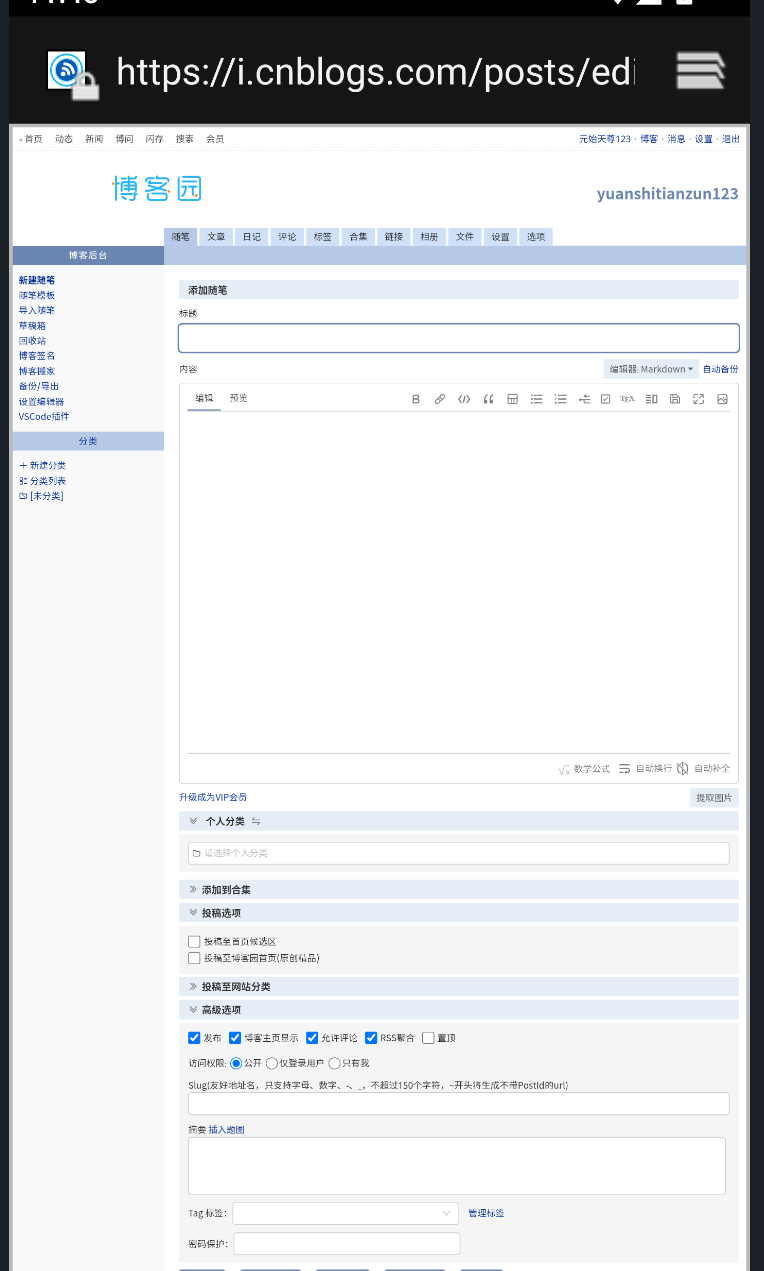
需要导入插件使用
但是在这过程中需要注意,可能一个代码会需要多个依赖,需要把其他的插件也手动导入
点击查看代码
<template>

    <view class="out">
         欢迎回家

		 <view>
			<uni-link href="https://i.cnblogs.com/posts/edit" text="今日总结"></uni-link>
		 </view>

		 <view @click="write">

				 每日编程记录

		 </view>


    </view>
</template>

<script setup>

const c=ref('hehhe');

function write(){
	uni.navigateTo(
	{
		url: '/pages/home/document'
	})

}


</script>

<style lang="scss">
/* 样式部分 */

button{
	border: 2px solid blue,

}
</style>

 浙公网安备 33010602011771号