

verilator下载与使用
参考官网https://verilator.org/guide/latest/example_cc.html#example-c-execution
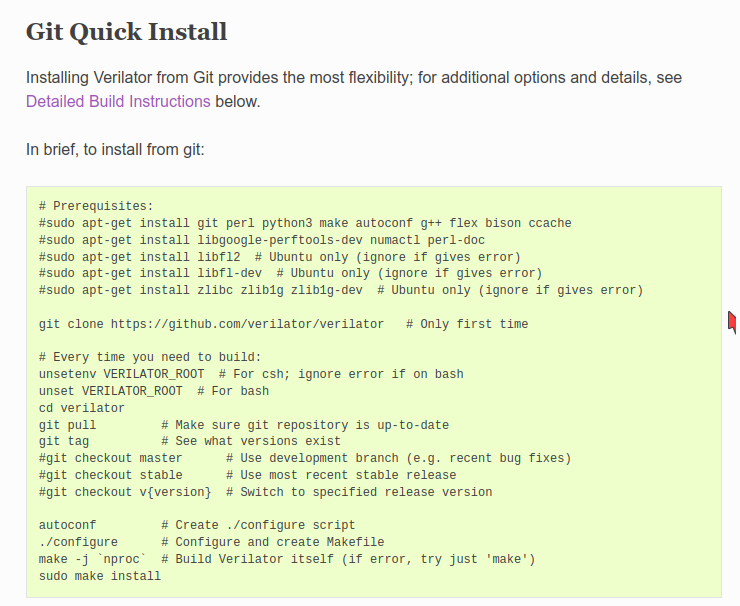
下载整个步骤
示例使用
main.cpp
#include <stdio.h>
#include "Vtop.h"
#include "verilated.h"
int main(int argc, char** argv) {
    VerilatedContext* contextp = new VerilatedContext;
    contextp->commandArgs(argc, argv);
    Vtop* top = new Vtop{contextp};
    while (true) {
      int a = rand() & 1;
      int b = rand() & 1;
      top->a = a;
      top->b = b;
      top->eval();
      printf("a = %d, b = %d, f = %d\n", a, b, top->f);
      assert(top->f == (a ^ b));
    }
    delete top;
    delete contextp;
    return 0;
}
top.v
module top(
  input a,
  input b,
  output f
);
assign f = a ^ b;
endmodule
编译
verilator --cc --exe --build -j 4 -Wall csrc/main.cpp vsrc/top.v
verilator+gtkwave使用
main.cpp修改
#include <stdio.h>
#include "Vtop.h"
#include "verilated.h"

#include "verilated_vcd_c.h"
int main(int argc, char** argv) {
    VerilatedContext* contextp = new VerilatedContext;
    contextp->commandArgs(argc, argv);
    Vtop* top = new Vtop{contextp};
    VerilatedVcdC* tfp = new VerilatedVcdC; //初始化VCD对象指针
    contextp->traceEverOn(true); //打开追踪功能
    top->trace(tfp, 0); //
    tfp->open("wave.vcd"); //设置输出的文件wave.vcd

    while (true) {
      int a = rand() & 1;
      int b = rand() & 1;
      top->a = a;
      top->b = b;
      top->eval();
      printf("a = %d, b = %d, f = %d\n", a, b, top->f);
      assert(top->f == (a ^ b));
      tfp->dump(contextp->time()); //dump wave
      contextp->timeInc(1); //推动仿真时间
    }
    delete top;
    delete contextp;
    tfp->close();
    return 0;
}
编译命令
添加--trace为verilator --cc --exe --build -j 4 -Wall csrc/main.cpp vsrc/top.v --trace
在目录下会产生wave.vcd文件,使用命令gtkwave wave.vcd就可以打开。

 浙公网安备 33010602011771号