IPython notebook(Jupyter notebook) 设置密码
本文共给出两种密码设置方法,一种为直接设置密码法(较为便捷),另一种为hash密码设置法
===================================
第一种:
直接设置密码
注意:
ipython notebook 设置密码后就不能使用 token 进入客户端网页了
1. 对应环境下 执行命令:
jupyter notebook password

密码被写入 .jupyter/jupyter_notebook_config.json 中:

2. 重新启动 jupyter notebook

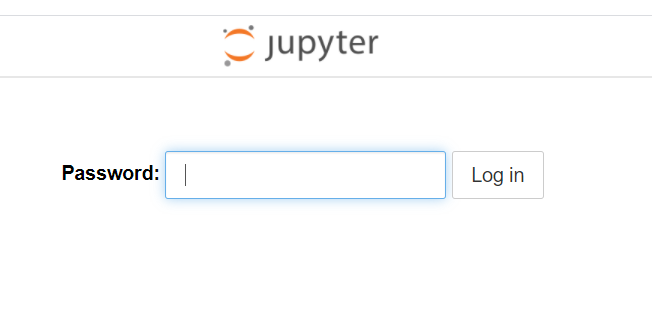
3. 使用密码进入 jupyter notebook网页客户端:
=======================================
第二种方法:
设置hash密码:
注意:
ipython notebook 设置hash密码后就不能使用 token 进入客户端网页了
本文是在Ubuntu18.04环境下操作的。
1. 生成配置文件 jupyter_notebook_config.py
jupyter notebook --generate-config

2. 修改配置文件 jupyter_notebook_config.py
配置文件在 home下的 .jupyter文件夹下面
vim ~/.jupyter/jupyter_notebook_config.py

如何修改呢:
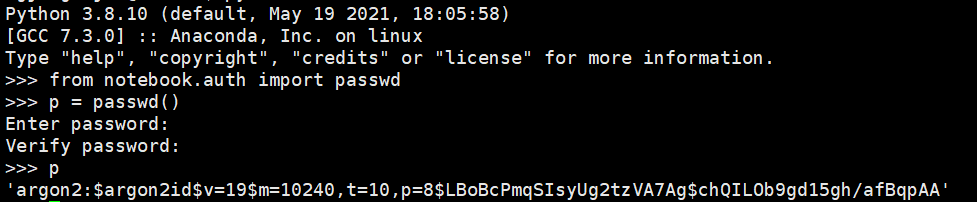
2.1 在对应的python环境下执行下面操作:
from notebook.auth import passwd
p = passwd()
print(p)
获得设置的hash密码(上面设置的是明文密码,获得的p为hash密码,下面用获得的hash密码p 进行设置)
2.2 在 ~/.jupyter/jupyter_notebook_config.py 中找到 c.NotebookApp.password 字段将其修改为上一步获得的hash密码:

2.3 重启 jupyter notebook
参考:
https://blog.csdn.net/smile_Shujie/article/details/88357371
===============================================================
posted on 2021-05-21 15:04 Angry_Panda 阅读(4910) 评论(0) 收藏 举报


 浙公网安备 33010602011771号