gitlab runner 增加定时任务
原有的 .gitlab-ci.yml
点击查看代码
stages:          # List of stages for jobs, and their order of execution
  - prepare
  - misra
iar-c-stat:
  stage: misra
  script:
    - echo "Start scan project 2"
    - iarbuild '.\southGrid\project\PRJ_000002\project_000002.ewp' -cstat_analyze Debug
    - echo "Start create report with html"
    - ireport --xml_mode --db '.\southGrid\project\PRJ_000002\Debug\Obj\cstat.db' --project '.\southGrid\project\PRJ_000002\project_000002.ewp' --full --output 'C:\Users\DNT3028\Documents\gitlab_runner_cache\index.html'
增加 rules 进行
rules:
- if: $CI_PIPELINE_SOURCE == "schedule"
点击查看代码
iar-c-stat:
  stage: misra
  rules:
    - if: $CI_PIPELINE_SOURCE == "schedule"
  script:
    - echo "Start scan project 2"
    - iarbuild '.\southGrid\project\PRJ_000002\project_000002.ewp' -cstat_analyze Debug
    - echo "Create the result Directory"
    - New-Item -Path ".\southGrid\project\PRJ_000002\report\${CI_PROJECT_NAME}_${CI_COMMIT_BRANCH}_${CI_COMMIT_SHORT_SHA}" -ItemType Directory -Force
    - echo "Start clean the cache folder"
    - Remove-Item -Path "C:\Users\DNT3028\Documents\gitlab_runner_cache" -Recurse
    - New-Item -Path "C:\Users\DNT3028\Documents\gitlab_runner_cache" -ItemType Directory
    - echo "Start create report with html"
    - ireport --xml_mode --db '.\southGrid\project\PRJ_000002\Debug\Obj\cstat.db' --project '.\southGrid\project\PRJ_000002\project_000002.ewp' --full --output 'C:\Users\DNT3028\Documents\gitlab_runner_cache\index.html'
    - echo "start copy html to specific folder"
    - Copy-Item -Path "C:\Users\DNT3028\Documents\gitlab_runner_cache\*" -Destination ".\southGrid\project\PRJ_000002\report\${CI_PROJECT_NAME}_${CI_COMMIT_BRANCH}_${CI_COMMIT_SHORT_SHA}" -Recurse
    - echo "upload to the FTP Server"
    - .\upload_to_c_state_result_server.ps1 .\southGrid\project\PRJ_000002\report \upload
    - echo "check result with URL   http://192.168.97.68:3300/${CI_PROJECT_NAME}_${CI_COMMIT_BRANCH}_${CI_COMMIT_SHORT_SHA}/index.html"
增加 rules 之后,后面就可以去增加定时任务了
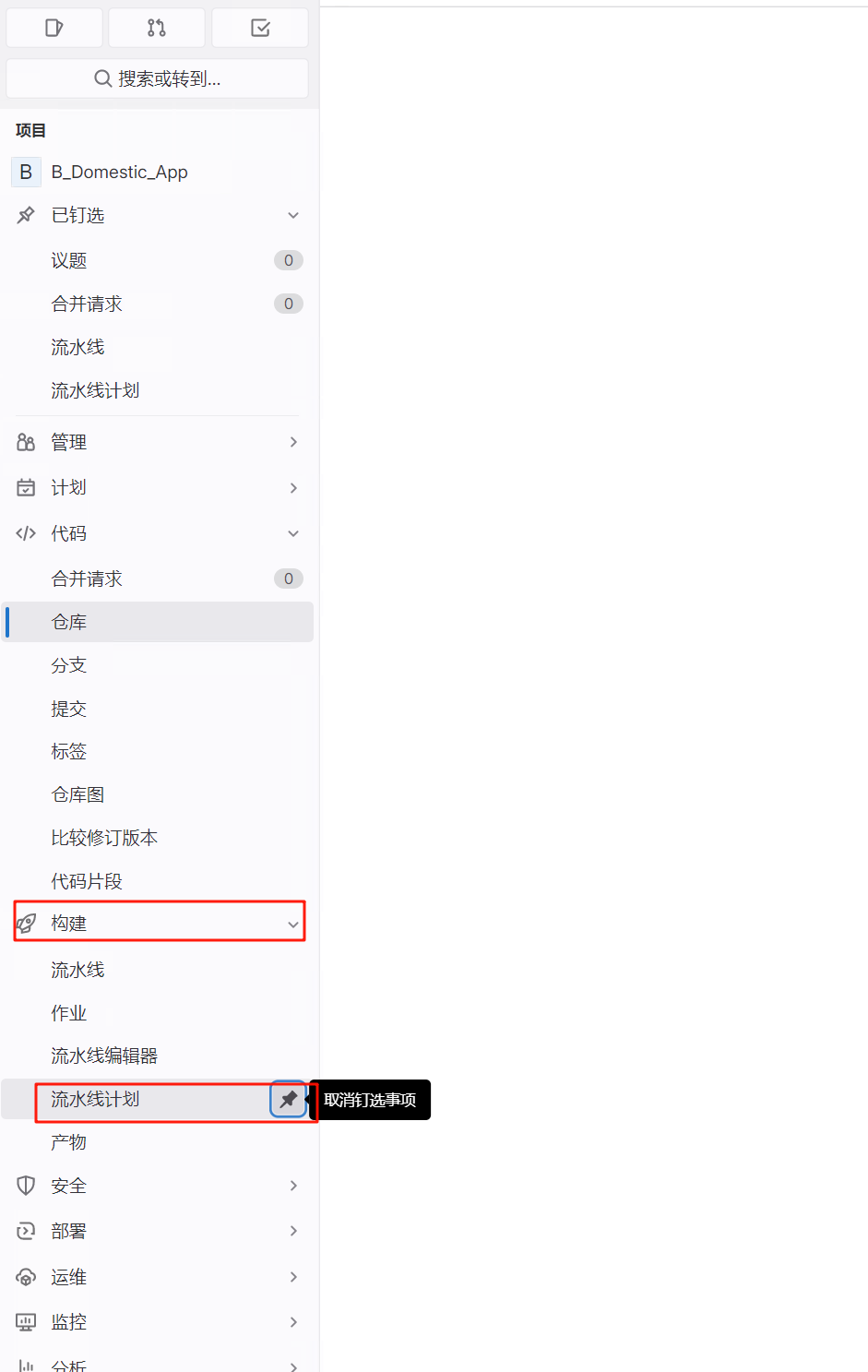
点击流水线计划
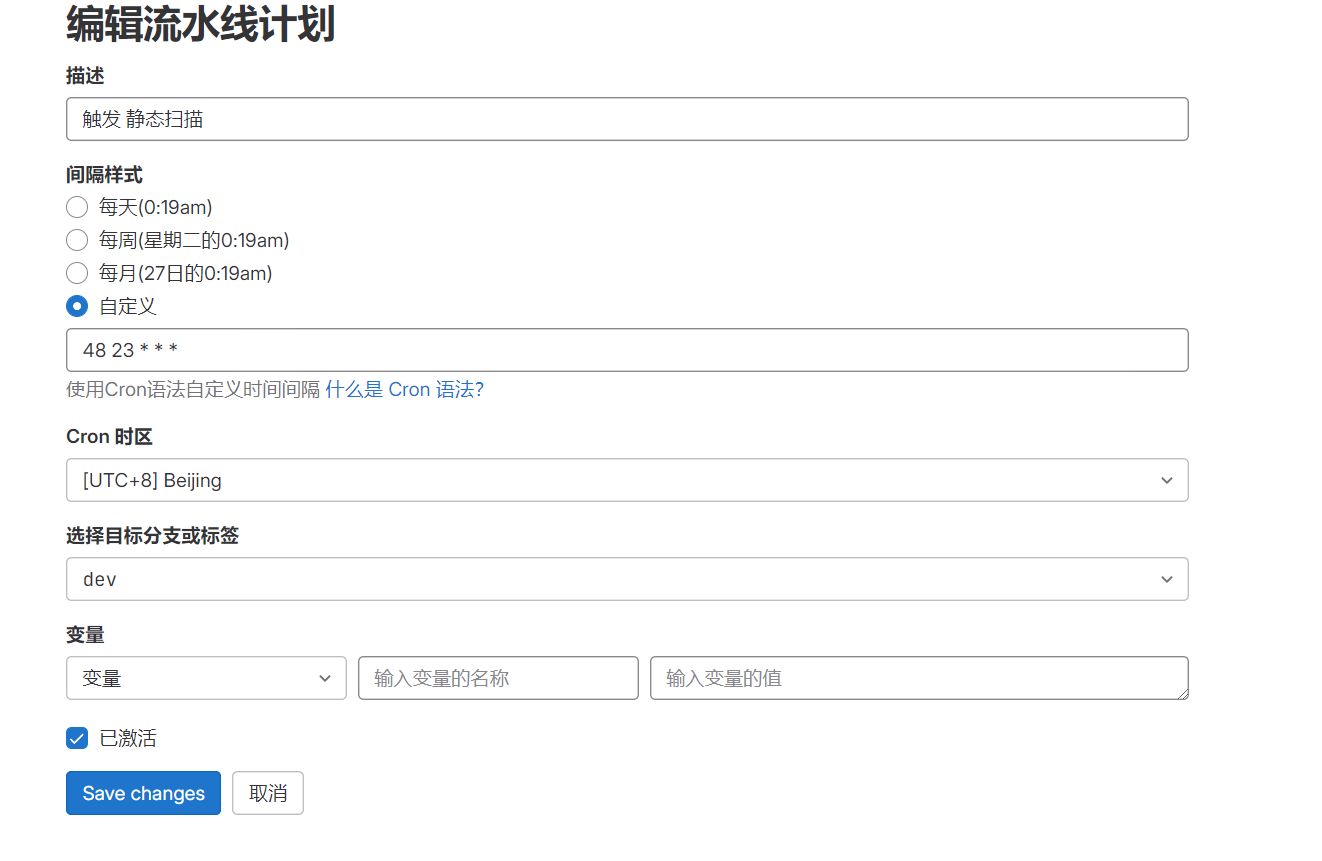
后续可以手动触发测试

注意,此处示例的重点是演示如何增加定时任务,
示例中调用脚本进行 FTP 文件上传的方式,在另外的文章里总结
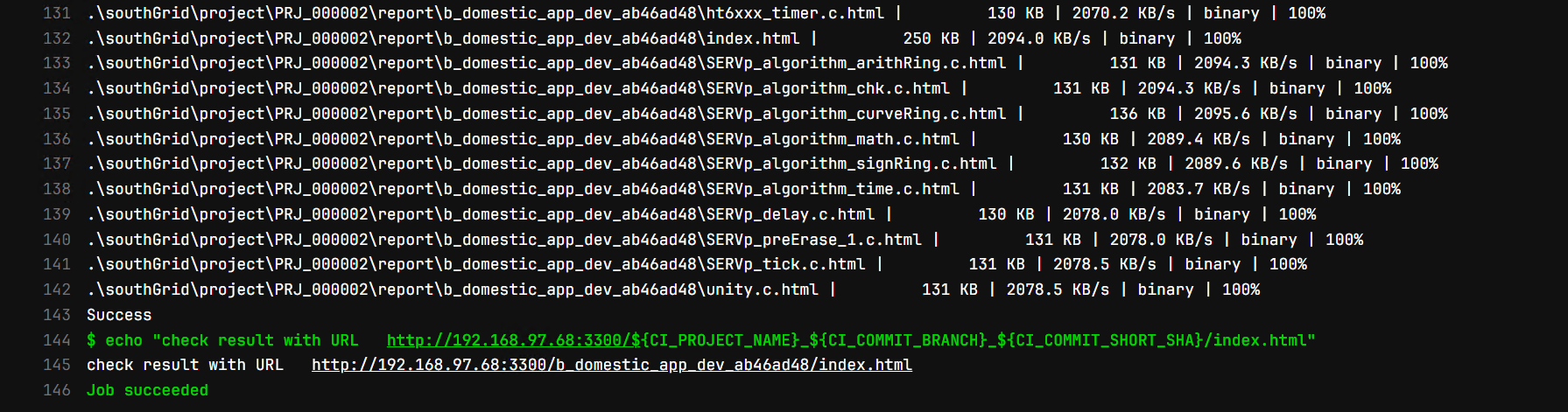
最终运行的结果

 浙公网安备 33010602011771号