
C#PDF转图片,PdfiumViewer.Core
一、PdfiumViewer.Core 简介
与原项目PdfiumViewer做了如下改动
- - 去除desktop runtime相关依赖
- - 新增图形库SkiaSharp以便更好的支持跨平台
- - 基于NET8重新编译
源码地址:https://gitee.com/huangguishen/pdfiumViewerCore
特别说明:文件处理性能很高
使用步骤:
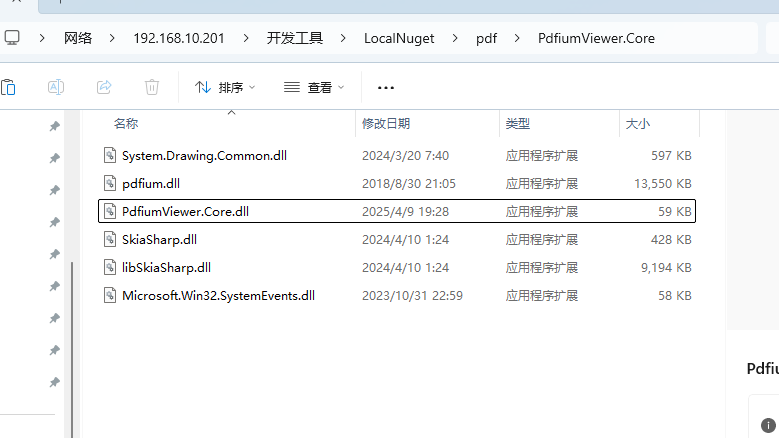
1、下载源码,编辑发布dll

2、引入dll,写代码
二、使用案例
    /// <summary>
    /// pdf操作整理
    /// </summary>
    public class PdfiumViewerHelper
    {
        //处理文件的相对路径
        public static string RootPath
        {
            get
            {
                return FreeSpireHelper.RootPath;
            }
        }
        //图片保存的相对路径
        public static string ImgPath
        {
            get
            {
                DateTime now = DateTime.Now;
                string path = RootPath + $"pdfimg/{now.ToString("yyyyMM")}/";
                if (Directory.Exists(path) == false)
                    Directory.CreateDirectory(path);
                return path;
            }
        }

        /// <summary>
        /// pdf 转图片 ,没有个数限制
        /// </summary>
        /// <param name="pdf"></param>
        public static List<string> PdfToImages(string pdf)
        {
            List<string> result = new List<string>();

            var pdfFilePath = RootPath + pdf;//pdf路径
            FileInfo file = new FileInfo(pdfFilePath);
            if (file.Exists == false)
                throw new Exception("pdf文件不存在");

            //加载文件
            using var pdfiumViewer = PdfDocumentSkiaSharp.Load(pdfFilePath);
            var pdfpage = pdfiumViewer.PageCount;
            var pagesizes = pdfiumViewer.PageSizes;

            //生成图片
            for (int i = 0; i < pdfpage; i++)
            {
                var height = (int)pagesizes[i].Height;
                var width = (int)pagesizes[i].Width;


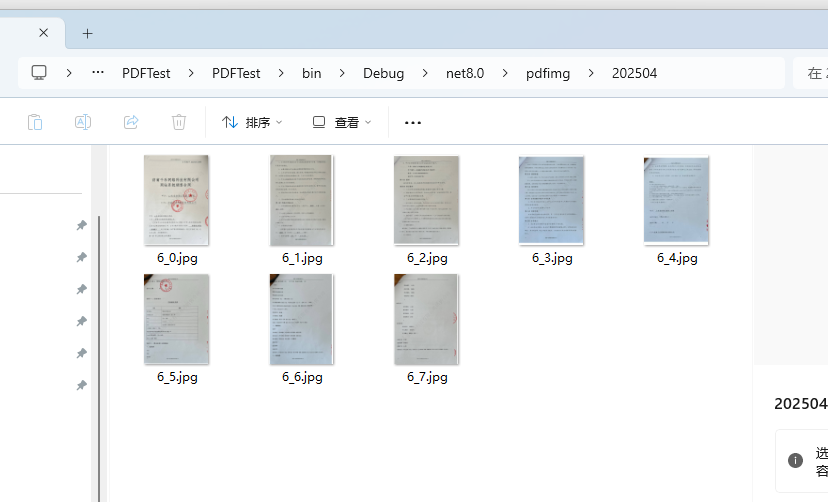
                string imgfile = ImgPath + file.Name.Replace(".pdf", $"_{i}.jpg");
                //保存到本地
                using var fsImage = new FileStream(imgfile, FileMode.Create);

                using var imasge = pdfiumViewer.Render(i, width * 110 / 72, height * 110 / 72, 72, 72, true);
                imasge.Encode(SkiaSharp.SKEncodedImageFormat.Jpeg, 72)
                    .SaveTo(fsImage);
            }

            return result;

        }
        /// <summary>
        /// 获取pdf 文件页数
        /// </summary>
        /// <param name="pdf"></param>
        /// <returns></returns>
        public static int GetPdfPageCount(string pdf)
        {
            var pdfFilePath = RootPath + pdf;//pdf路径
            FileInfo file = new FileInfo(pdfFilePath);
            if (file.Exists == false)
                throw new Exception("pdf文件不存在");

            //加载文件
            using var pdfiumViewer = PdfDocumentSkiaSharp.Load(pdfFilePath);
            return pdfiumViewer.PageCount;
        }
    }
更多:

 浙公网安备 33010602011771号