
FreeSpire.doc,Spire.Pdf PDF转图片,Word转图片,Txt转图片
一、FreeSpire.doc 简介
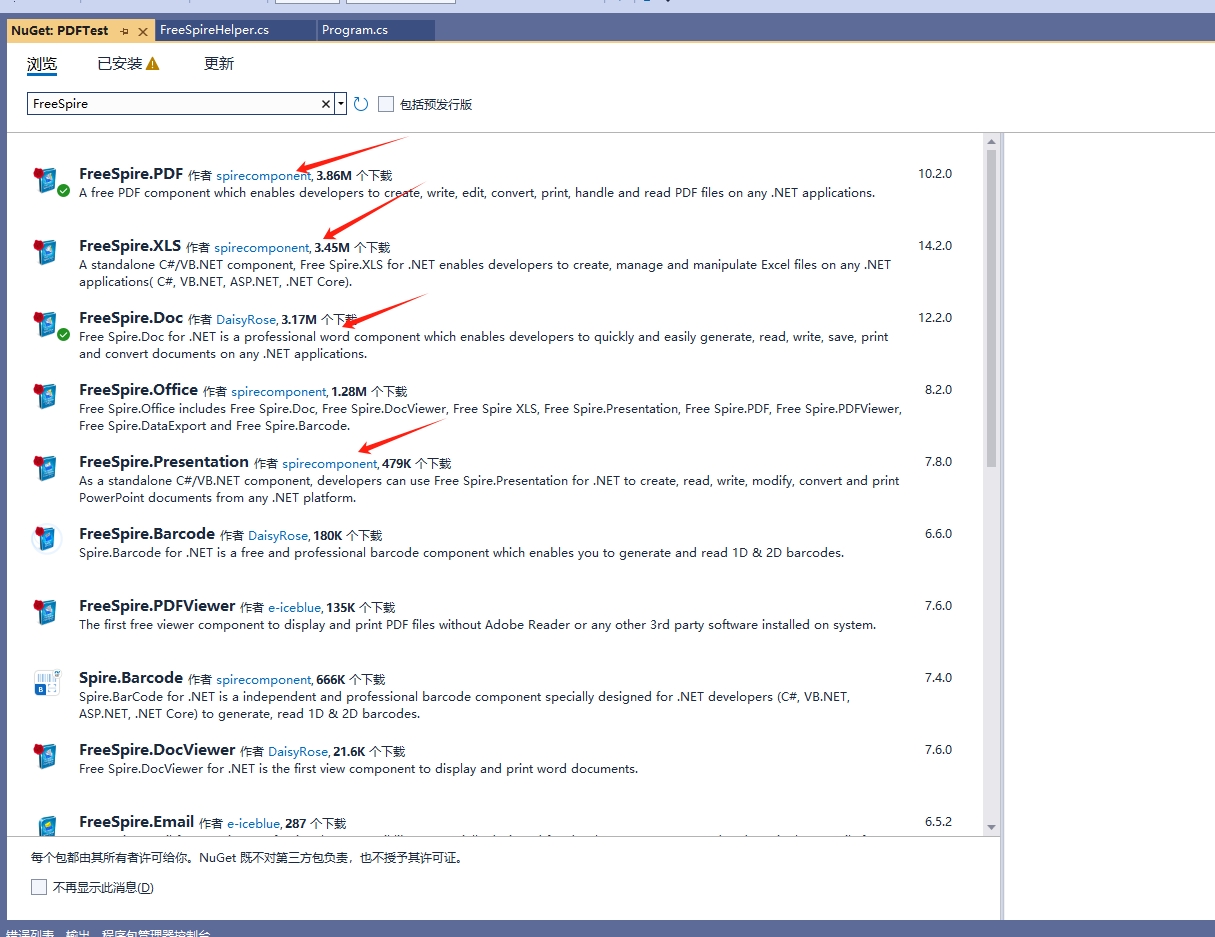
使用 Free Spire.Office for .NET,开发人员可以创建大量的用于处理办公文档的应用程序。对文档的操作包括打开,创建,修改,转换,打印,浏览 Word、Excel、PowerPoint® 和 PDF 文档,以及将数据从数据源导出为常用的文档格式,例如:Word,Excel,RTF,Access,PowerPoint,PDF,XPS,HTML,XML,Text,CSV,DBF 和剪贴版等格式。
作为一个独立的 Office 组件,Free Spire.Office 的运行环境无需安装 Microsoft Office 及其他第三方软件。基于安全性、稳定性、可扩展性、效率及价格方面的考虑,Spire.Office 已经成为微软办公套件最有力的替代品。
- 在加载或操作 Word 文档时,要求 Word 文档不超过 500 个段落,25 个表格。同时将 Word 文档转换为 PDF 和 XPS 格式时,仅支持转换前三页。
- 当读写 .xls 格式的 Excel 文档时,免费版本有每个文档 5 个工作表,每个工作表 200 行的限制。读写 .xlsx 格式的 Excel 文档时没有任何限制。将 Excel 文档转换为 PDF 或其他格式时,仅支持转换前3页。
- 当读写 .ppt,.pptx 格式的文档时要求文档不超过 10 页。当转换 PowerPoint 文档到 PDF 或其他格式时,仅支持转换前 3 页。
- 在创建和加载 PDF 文档时要求文档不超过 10 页。将 PDF 文档转换为图片时,仅支持转换前 3 页。
第一步安装包:
Install-Package FreeSpire.Doc
Install-Package FreeSpire.Pdf
二、PDF转图片
        #region pdf 操作封装
        /// <summary>
        /// pdf转换成图片输出--一页一张图片----免费版仅支持3页以内,Spire Doc(不建议使用)
        /// </summary>
        /// <param name="pdf">参数输入相对路径</param>
        /// <returns>结果输出相对路径</returns>
        /// <exception cref="Exception"></exception>
        public static List<string> PdfToImages(string pdf)
        {
            List<string> result = new List<string>();
            pdf = RootPath + pdf;

            FileInfo file = new FileInfo(pdf);
            if (file.Exists == false)
                throw new Exception("文件不存在");

            //加载文档
            PdfDocument doc = new PdfDocument();
            doc.LoadFromFile(pdf);
            //按页面保存图片
            for (int i = 0; i < doc.Pages.Count; i++)
            {
                PdfPageBase item = doc.Pages[i];
                Stream stream = doc.SaveAsImage(i);
                Image image = Image.FromStream(stream);

                string imgfile = ImgPath + file.Name.Replace(".pdf", $"_{i}.jpg");

                result.Add(imgfile.Replace(RootPath, "/"));
                //保存图片到磁盘
                image.Save(imgfile, ImageFormat.Jpeg);
            }
            return result;
        }
        /// <summary>
        /// 获取pdf文件页数
        /// </summary>
        /// <param name="pdf"></param>
        /// <returns></returns>
        public static int GetPdfPageCount(string pdf)
        {
            pdf = RootPath + pdf;

            FileInfo file = new FileInfo(pdf);
            if (file.Exists == false)
                throw new Exception("文件不存在");
            //加载文档
            PdfDocument doc = new PdfDocument();
            doc.LoadFromFile(pdf);
            return doc.Pages.Count;
        }
        #endregion
三、Word转图片
        #region word 操作封装
        /// <summary>
        /// word转换成pdf ----免费版仅支持3页以内,Spire Doc(不建议使用)
        /// </summary>
        /// <param name="word">word相对路径</param>
        /// <returns>生成pdf相对路径</returns>
        public static string WordToPdf(string word)
        {
            word = RootPath + word;
            FileInfo file = new FileInfo(word);
            if (file.Exists == false)
                throw new Exception("文件不存在");
            Document doc = new Document();

            doc.LoadFromFile(word);

            string pdf = PdfPath + file.Name
                        .Replace(".docx", ".pdf")
                        .Replace(".doc", ".pdf");

            //转化为pdf
            doc.SaveToFile(pdf, Spire.Doc.FileFormat.PDF);

            return pdf.Replace(RootPath, "/");
        }
        /// <summary>
        /// word 转图片
        /// </summary>
        /// <param name="word">相对路径</param>
        /// <returns>返回图片相对路径</returns>
        public static List<string> WordToImages(string word)
        {
            List<string> result = new List<string>();
            word = RootPath + word;
            FileInfo file = new FileInfo(word);
            if (file.Exists == false)
                throw new Exception("word文件不存在");

            //加载文档
            Document doc = new Document();
            doc.LoadFromFile(word);
            //循环文档保存为图片
            for (int i = 0; i < doc.PageCount; i++)
            {
                string imgfile = ImgPath + file.Name.Replace(".docx", $"_{i}.jpg").Replace(".doc", $"_{i}.jpg");
                //保存到磁盘
                Stream stream = doc.SaveToImages(i, ImageFormat.Jpeg);
                Image img = Image.FromStream(stream);
                img.Save(imgfile);

                result.Add(imgfile.Replace(RootPath, "/"));
            }
            return result;
        }
        /// <summary>
        /// 获取word 页数
        /// </summary>
        /// <param name="word"></param>
        /// <returns></returns>
        public static int GetWordPageCount(string word)
        {
            word = RootPath + word;
            FileInfo file = new FileInfo(word);
            if (file.Exists == false)
                throw new Exception("word文件不存在");
            //加载文档
            Document doc = new Document();
            doc.LoadFromFile(word);
            return doc.PageCount;
        }
        #endregion
四、Txt转图片
        #region txt 文档操作
        /// <summary>
        /// txt转pdf ----免费版仅支持3页以内,Spire Doc(不建议使用)
        /// </summary>
        /// <param name="txt">txt文件路径</param>
        /// <returns></returns>
        /// <exception cref="Exception"></exception>
        public static string TxtToPdf(string txt)
        {
            txt = RootPath + txt;
            FileInfo file = new FileInfo(txt);
            if (file.Exists == false)
                throw new Exception("文件不存在");
            Document doc = new Document();

            doc.LoadFromFile(txt);

            string pdf = PdfPath + file.Name
                        .Replace(".txt", ".pdf");
            //转化为pdf
            doc.SaveToFile(pdf, Spire.Doc.FileFormat.PDF);

            return pdf.Replace(RootPath, "/");
        }
        /// <summary>
        /// txt 转换成 图片
        /// </summary>
        /// <param name="txt"></param>
        /// <returns></returns>
        public static List<string> TxtToImages(string txt)
        {
            List<string> result = new List<string>();
            txt = RootPath + txt;
            FileInfo file = new FileInfo(txt);
            if (file.Exists == false)
                throw new Exception("txt文件不存在");

            //加载文档
            Document doc = new Document();
            doc.LoadFromFile(txt);
            //循环文档保存为图片
            for (int i = 0; i < doc.PageCount; i++)
            {
                string imgfile = ImgPath + file.Name.Replace(".txt", $"_{i}.jpg");
                //保存到磁盘
                Stream stream = doc.SaveToImages(i, ImageFormat.Jpeg);
                Image img = Image.FromStream(stream);
                img.Save(imgfile);

                result.Add(imgfile.Replace(RootPath, "/"));
            }
            return result;
        }
        /// <summary>
        /// 获取 txt 文件页数
        /// </summary>
        /// <param name="txt"></param>
        /// <returns></returns>
        public static int GetTxtPageCount(string txt)
        {
            txt = RootPath + txt;
            FileInfo file = new FileInfo(txt);
            if (file.Exists == false)
                throw new Exception("txt文件不存在");
            //加载文档
            Document doc = new Document();
            doc.LoadFromFile(txt);
            return doc.PageCount;
        }
        #endregion
更多参考:
https://cloud.tencent.com/developer/article/2414804?policyId=1003
https://www.cnblogs.com/mq0036/p/18150805
https://www.e-iceblue.cn/Introduce/Free-Spire-PDF-NET.html
https://www.nuget.org/packages/FreeSpire.PDF/
https://www.e-iceblue.com/Introduce/free-pdf-component.html#pdf2image
https://www.e-iceblue.cn/Free-Spire.Office-for-.NET/feed/atom/
https://blog.csdn.net/qq_14874791/article/details/145605148
https://www.cnblogs.com/zhuweisky/p/4774803.html
更多:

 浙公网安备 33010602011771号