
Java方法读取文件内容
一.针对文件内容的读取,在平时的工作中想必是避免不了的操作,现在我将自己如何用java方法读取文件中内容总结如下:废话不多说,直接上代码:
方法一:
 public static void main(String[] args) throws IOException {
         FileInputStream fileInputStream = null;
         try {
             // 1.获取文件指定的文件信息
             fileInputStream = new FileInputStream("D:\\softwore\\workspace\\springbootdemo\\node10-boot-mybatis\\src\\main\\resources\\test.txt");
            // 2.将数据读到字节数组里
             byte[] buff = new byte[1024];
             int length = fileInputStream.read(buff);
             // 3.将字节数据转换为字符串
             // 参数一:带转换的字节数组,参数二:起始位置  参数三:转换的长度
             String info = new String(buff, 0, length);
             System.out.println(info);
         } catch (IOException e) {
             e.printStackTrace();
         } finally {
             // 4,关闭流操作
             if (fileInputStream != null)
             fileInputStream.close();
         }
}
1.文件存放位置
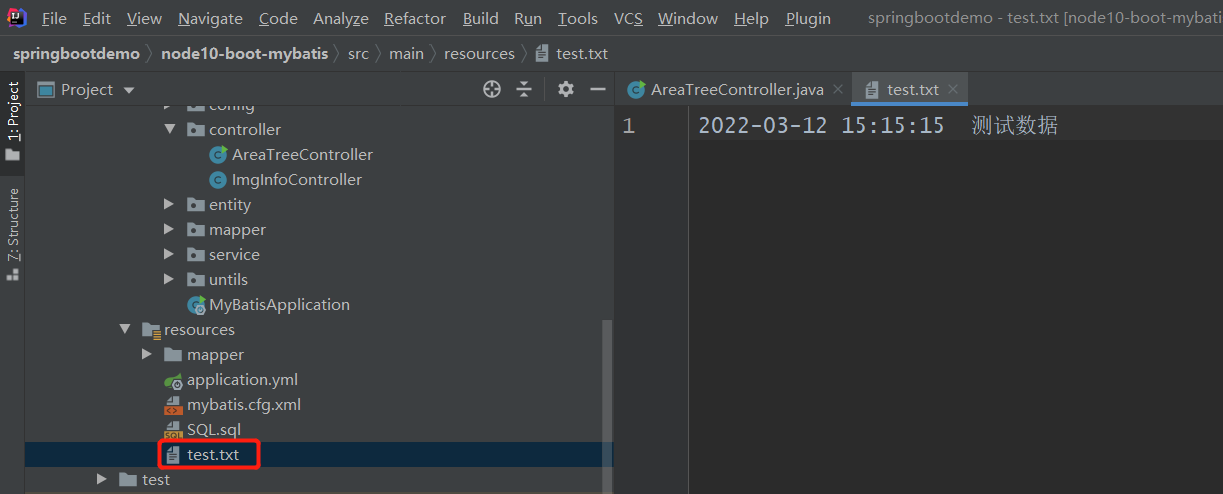
2.结果如下:
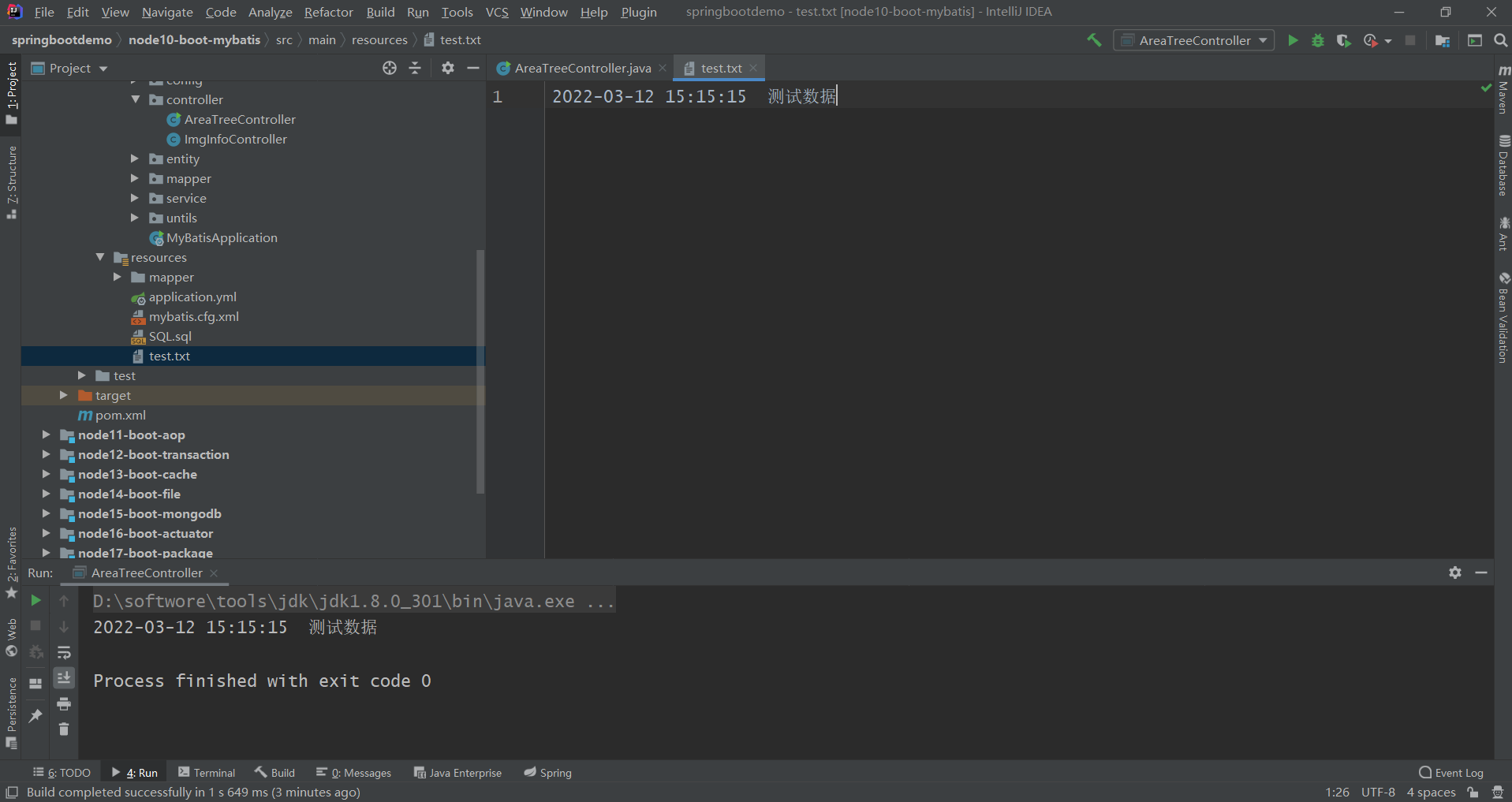
方法二:(此方法是读取resource目录下对应文件名的文件内容)
public static void main(String[] args) throws IOException {
        InputStream inputStream = null;
        BufferedReader reader = null;
        StringBuilder content = new StringBuilder();
        try {
            inputStream = Test03.class.getClassLoader().getResourceAsStream("test.txt");
            if (Objects.nonNull(inputStream)) {
                reader = new BufferedReader(new InputStreamReader(inputStream));
            } else {
                throw new RuntimeException("test.txt not found");
            }
            String line = "";
            while ((line = reader.readLine()) != null) {
                content.append(line);
            }
            System.out.println(content.toString());
        } catch (IOException e) {
            throw new RuntimeException(e);
        } finally {
            if (Objects.nonNull(inputStream)) {
                inputStream.close();
            }
            if (Objects.nonNull(reader)) {
                reader.close();
            }
        }
    }
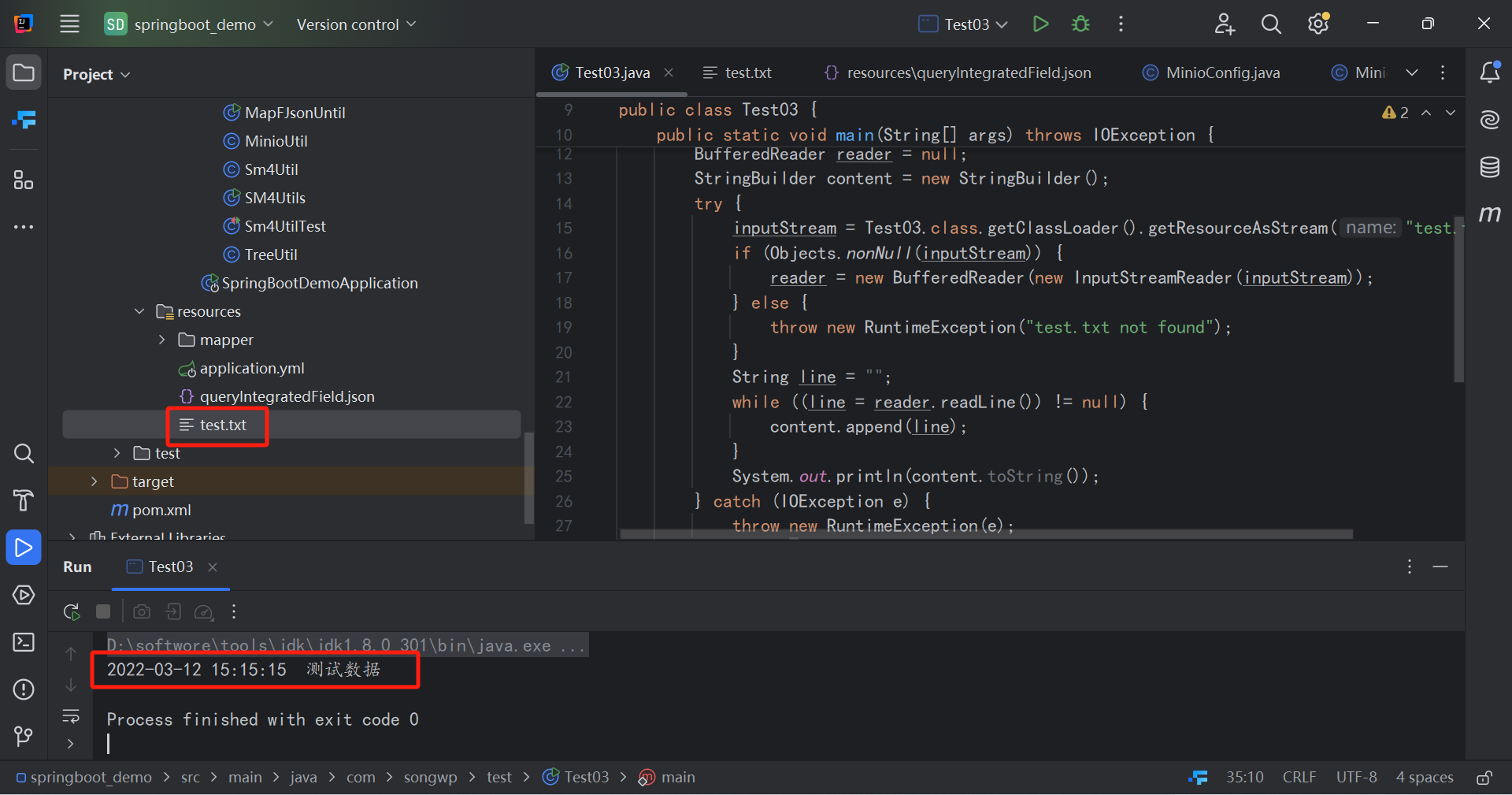
1.输出结果如下:
古今成大事者,不唯有超世之才,必有坚韧不拔之志!

 浙公网安备 33010602011771号