
OpenStack部署之添加Dashboard服务六
Dashboard服务安装在控制节点(10.20.9.13)操作
1.安装相关包
[root@Controller-Node ~]# yum install openstack-dashboard
2.编辑/etc/openstack-dashboard/local_settings文件,修改以下配置
注:以下的配置大部分在原配置文件中都包括,修改即可,不要直接添加
1.>配置dashboard在控制节点上使用OpenStack服务:
OPENSTACK_HOST = "10.20.9.13"
2.>允许主机连接到dashboard, *表示允许所有主机连接dashboard,在生产环境中不建议这样做。
ALLOWED_HOSTS = ['*',]
3.> 配置memcached存储服务:
SESSION_ENGINE='django.contrib.sessions.backends.cache'

CACHES={

 'default':{

 'BACKEND':'django.core.cache.backends.memcached.MemcachedCache',

 'LOCATION':'10.20.9.13:11211',

 }

 }
4.> 启用认证API版本3
OPENSTACK_KEYSTONE_URL = "http://%s:5000/v2.0" % OPENSTACK_HOST
5.> 启用域支持:
OPENSTACK_KEYSTONE_MULTIDOMAIN_SUPPORT=True
6.> 配置API版本:
OPENSTACK_API_VERSIONS = {
    "identity": 3,
    "image": 2,
    "volume": 2,
    "compute": 2,
}
7.> 配置default作为用户通过dashboard创建的默认的域:
OPENSTACK_KEYSTONE_DEFAULT_DOMAIN="default"
8.> 配置user作为用户创建的默认的角色:
OPENSTACK_KEYSTONE_DEFAULT_ROLE="user"
3.启web服务器以及会话存储服务
# systemctl restart httpd.service memcached.service
如果启动都没问题,就可以访问OpenStack dashbaord 服务.
访问地址:http://10.20.9.13/dashboard/admin/
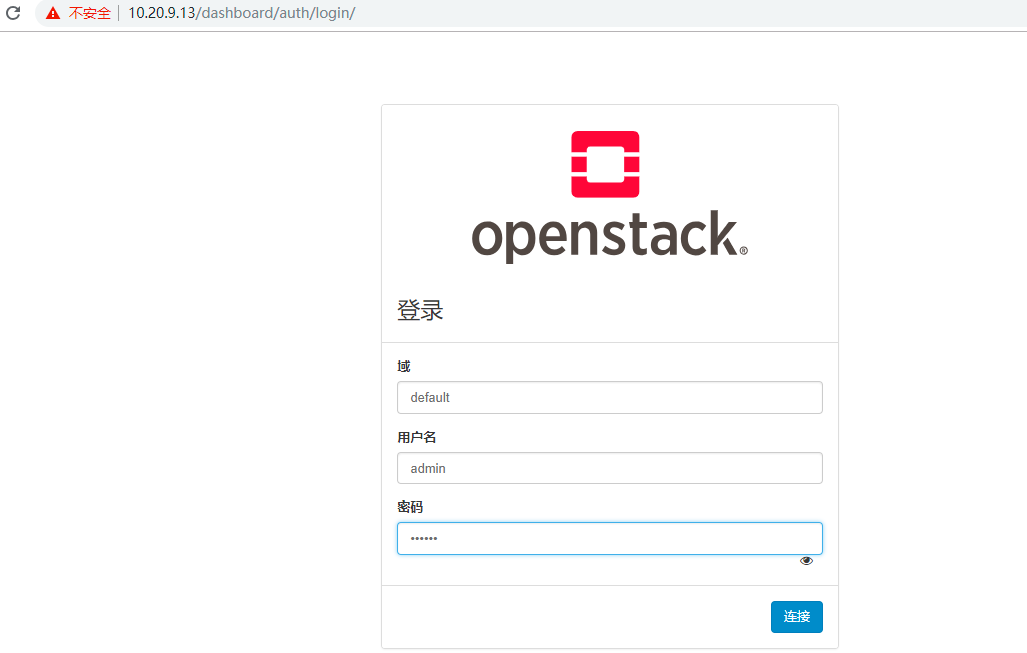
登录后页面可以正常访问,但是点击概况后右上角出现了错误:Invalid service catalog service: compute的异常信息.
既然遇到错误就查看原因解决吧.
查看日志# tail -100f /var/log/httpd/error_log 发现报的也是这个,那就百度吧。。。
查看catalog变量信息,发现多创建了一个nova服务,但是没有数据,两个都删除,然后重新创建nova.

删除nova,命令自行 openstack service -h 查看.
[root@Controller-Node httpd]# openstack service delete 6f1d48bd8f5a40cc95c63487869caf78

[root@Controller-Node httpd]# openstack service delete b3db11e1135f40d6864650dc0ccf798d
重新创建 nova 服务实体:可以参考 OpenStack部署之添加Compute 服务四.
 openstack service create --name nova \
  --description "OpenStack Compute" compute

[root@Controller-Node httpd]#  openstack service create --name nova \
>   --description "OpenStack Compute" compute
+-------------+----------------------------------+
| Field       | Value                            |
+-------------+----------------------------------+
| description | OpenStack Compute                |
| enabled     | True                             |
| id          | 6f56e4c3acd542e7b7a3383e8b33e3db |
| name        | nova                             |
| type        | compute                          |
+-------------+----------------------------------+
[root@Controller-Node httpd]#
重新创建计算服务API端点:
$ openstack endpoint create --region RegionOne \
  compute public http://10.20.9.13:8774/v2/%\(tenant_id\)s

$ openstack endpoint create --region RegionOne \
  compute internal http://10.20.9.13:8774/v2/%\(tenant_id\)s

$ openstack endpoint create --region RegionOne \
  compute admin http://10.20.9.13:8774/v2/%\(tenant_id\)s
重启服务:
[root@Controller-Node httpd]#systemctl restart httpd
再次访问页面 http://10.20.9.13/dashboard/admin/,页面一切正常了。ok。。

查看catalog也正常了。
[root@Controller-Node httpd]# openstack catalog list
+-----------+-----------+------------------------------------------------------------------------+
| Name      | Type      | Endpoints                                                              |
+-----------+-----------+------------------------------------------------------------------------+
| nova      | compute   | RegionOne                                                              |
|           |           |   internal: http://10.20.9.13:8774/v2/6effb77cf0ba48a7a65a2c2235bbb726 |
|           |           | RegionOne                                                              |
|           |           |   admin: http://10.20.9.13:8774/v2/6effb77cf0ba48a7a65a2c2235bbb726    |
|           |           | RegionOne                                                              |
|           |           |   public: http://10.20.9.13:8774/v2/6effb77cf0ba48a7a65a2c2235bbb726   |
|           |           |                                                                        |
| neutron   | network   | RegionOne                                                              |
|           |           |   admin: http://10.20.9.13:9696                                        |
|           |           | RegionOne                                                              |
|           |           |   public: http://10.20.9.13:9696                                       |
|           |           | RegionOne                                                              |
|           |           |   internal: http://10.20.9.13:9696                                     |
|           |           |                                                                        |
| keystone  | identity  | RegionOne                                                              |
|           |           |   public: http://10.20.9.13:5000/v3/                                   |
|           |           | RegionOne                                                              |
|           |           |   admin: http://10.20.9.13:35357/v3/                                   |
|           |           | RegionOne                                                              |
|           |           |   internal: http://10.20.9.13:5000/v3/                                 |
|           |           |                                                                        |
| placement | placement | RegionOne                                                              |
|           |           |   admin: http://10.20.9.13:8778                                        |
|           |           | RegionOne                                                              |
|           |           |   internal: http://10.20.9.13:8778                                     |
|           |           | RegionOne                                                              |
|           |           |   public: http://10.20.9.13:8778                                       |
|           |           |                                                                        |
| glance    | image     | RegionOne                                                              |
|           |           |   admin: http://10.20.9.13:9292                                        |
|           |           | RegionOne                                                              |
|           |           |   public: http://10.20.9.13:9292                                       |
|           |           | RegionOne                                                              |
|           |           |   internal: http://10.20.9.13:9292                                     |
|           |           |                                                                        |
+-----------+-----------+------------------------------------------------------------------------+
[root@Controller-Node httpd]#
至此算大功告成吧。。。

 浙公网安备 33010602011771号