
Windows Terminal自定义背景图
首先,给出官方文档关于背景图的自定义
实例操作:
如下图,打开Window Terminal(以下称wt)的设置文件settings.json
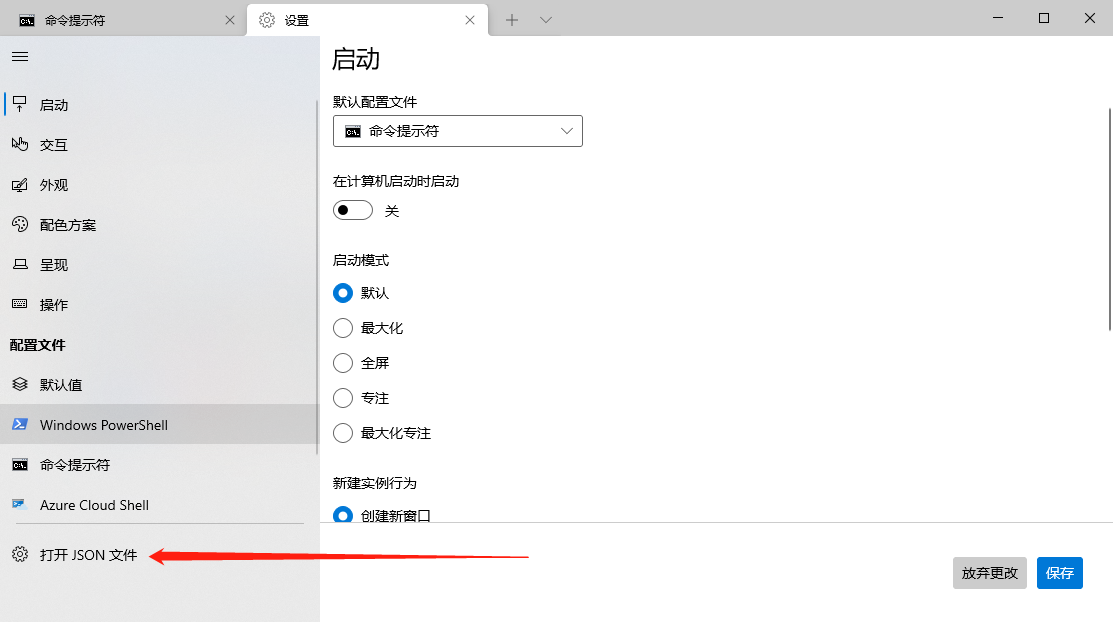
如下图,在profiles.list里可以看到已经配置的命令
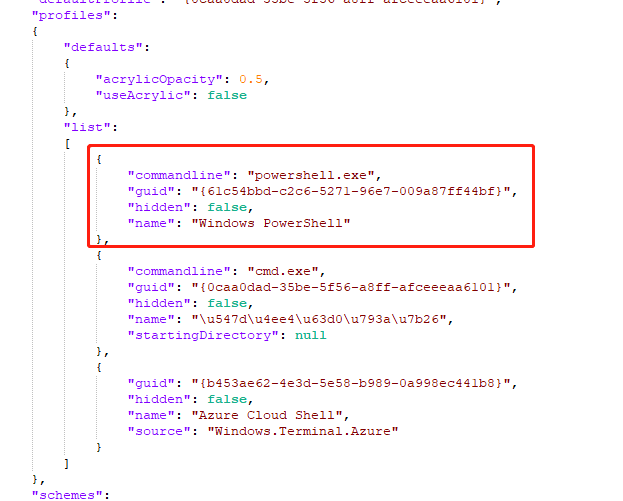
比如第一项,很明显从commandline字段就可以看出是配置了powershell。
配置是热更新的,错误了会有提示,而且支持注释
关于背景修改,有以下几个配置项
- background
#rrggbb|#rgb这是修改背景色的 - backgroundImage 设置背景图,支持windows本地图像路径和网络图像地址
- backgroundStretchMode
none|fill|uniform|uniformToFill图像填充模式 - backgroundImageAlignment
center|left|top|right|bottom|topLeft|topRight|bottomLeft|bottomRight图像对齐方式
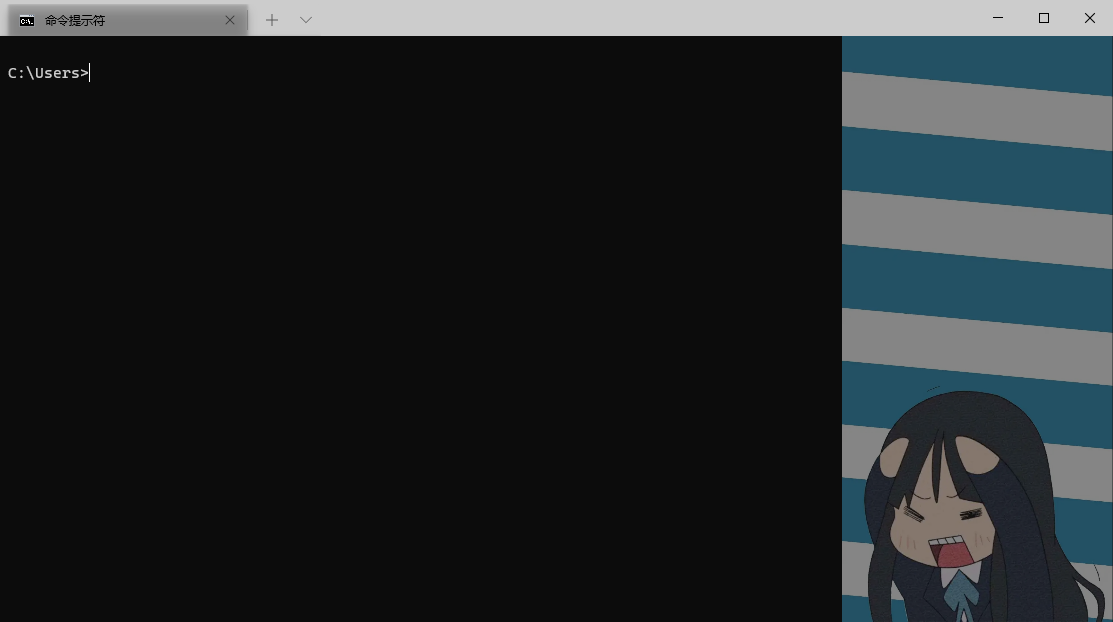
贴一个测试配置效果
测试配置
{
	"commandline": "cmd.exe",
	"guid": "{0caa0dad-35be-5f56-a8ff-afceeeaa6101}",
	"hidden": false,
	"name": "\u547d\u4ee4\u63d0\u793a\u7b26",
	"backgroundImage": "E:\\Downloads\\0ABDA9137E4F2D088A020BE984B7670A.jpg",
	"backgroundImageOpacity": 0.5,
	"backgroundImageStretchMode": "uniform",
	"backgroundImageAlignment": "right",
	"startingDirectory": null
}
测试效果

 浙公网安备 33010602011771号