
摘要:
//创建plugin.jsexport default { install: function (Vue) { Vue.mixin({ methods: { $error(data){this.$Message.error({content: data,duration: 3,closable: t 阅读全文
posted @ 2022-03-10 14:51
小万子呀
阅读(55)
评论(0)
推荐(0)
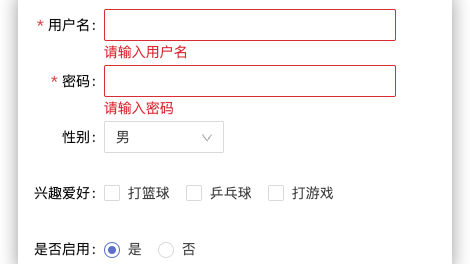 form子组件 <template> <div> <a-form ref="formRef" :model="formState" :rules="rules" :label-col="labelCol" :wrapper-col="wrapperCol" > <a-form-item :label 阅读全文
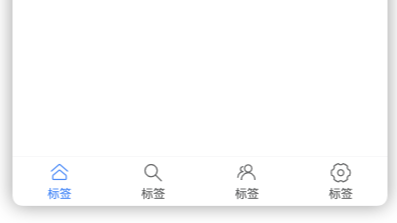 1,先正常编写tabbar 2,建立一个存储tabbar组件的文件夹📁 3,右键文件夹,选择新建component 4,在组件中写入自定义组件 5,找到需要引入组件的页面,在其对应的***.json文件 6,在对应的****.wxml中引入该组件 7,在app.js中将原生的tabbar隐藏 8, 阅读全文
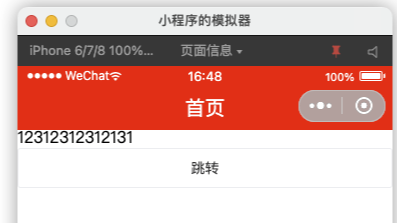 <u-navbar title="首页" :bgColor="bgColor" :titleStyle='titleStyle'> <view class="u-nav-slot" slot="left"> //左边插槽 </view> <view class="u-nav-slot" slot=" 阅读全文
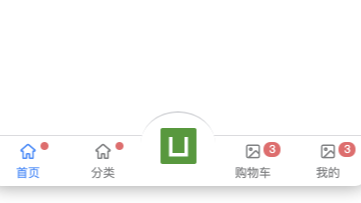 1,封装一个tabbar组件 2,正常编写官方的tabbar 3,在app.vue中的onShow中隐藏官方tabbar 组件 <template> <u-tabbar :value="value" :placeholder="true" @change="change" :fixed="true" 阅读全文
 浙公网安备 33010602011771号