
C#读写欧姆龙PLC
C#引用HslCommunication简单的实现读写欧姆龙PLC
首先感谢胡工
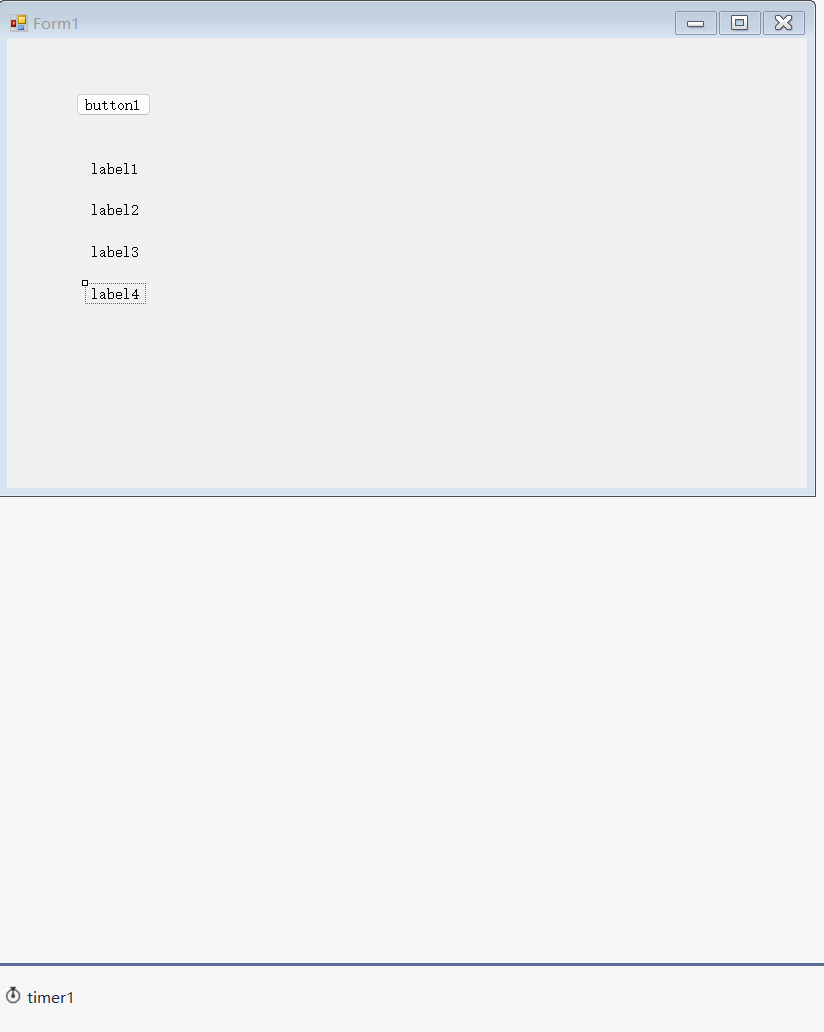
1.新建一个窗体应用程序,加入用到的控件:一个按钮botton1,当作连接按钮;4个label,用来显示读到的值;写入的功能直接写在代码里,就不需要控件了
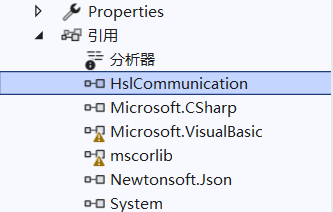
2.在项目中引入HslCommunication包
3.编写C#代码,添加按钮的点击事件和计时器的Tick事件,详细代码如下,注释中说明代码的意义
namespace omronPLC
{
    public partial class Form1 : Form
    {
        //OmronFinsNet对象
        OmronFinsNet omron = new OmronFinsNet("192.168.250.1", 9600);
        public Form1()
        {
            InitializeComponent();
        }
        //按钮点击事件
        private void button1_Click(object sender, EventArgs e)
        {
            //点击按钮button1时,启动计时器
            timer1.Start();
        }
        //计时器Tick事件
        private void timer1_Tick(object sender, EventArgs e)
        {
            //连接
            OperateResult operate = omron.ConnectServer();
            if (operate.IsSuccess)
            {
                //int类型
                int a = omron.ReadInt32("D100").Content;
                //float类型
                float b = omron.ReadFloat("D300").Content;
                //bool类型
                bool c = omron.ReadBool("W100.01").Content;
                bool d = omron.ReadBool("C100.02").Content;
                //显示到label上
                label1.Text = a.ToString();
                label2.Text = b.ToString();
                label3.Text = c.ToString();
                label4.Text = d.ToString();
                //写入PLC
                omron.Write("D400", 123);
                omron.Write("W10.04", true);
            }
            else
            {
                //如果连接失败,计时器停止,以免一直尝试连接导致卡顿
                timer1.Stop();
            }
        }
    }
}
通过以上代码实现的效果是,点击按钮后尝试连接PLC。如果连接成功,根据计时器的Tick频率来持续的读写PLC中的值,如果连接失败,则停止计时器。
4.编写PLC程序,因为上述C#代码中已经提前写了一些PLC地址,在PLC中就沿用这些地址编写,细节如下
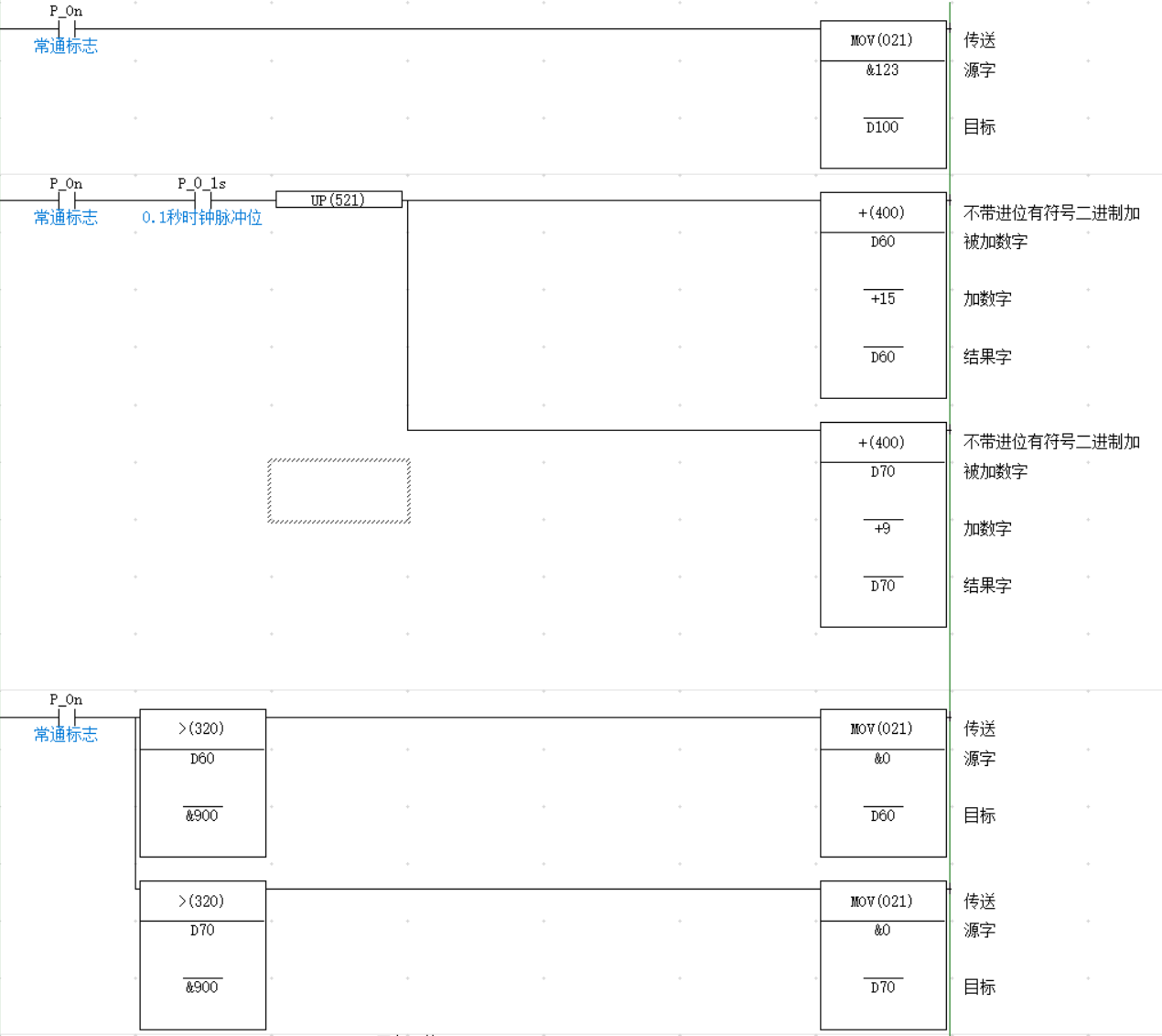
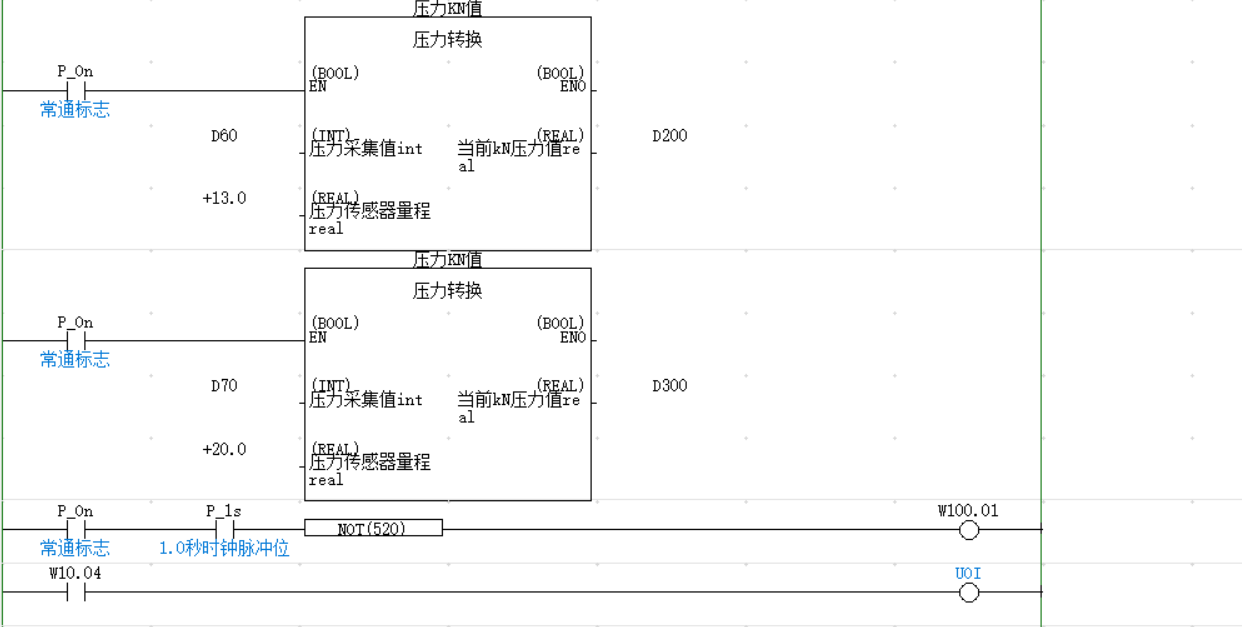
其中D300是一个随机变化的值
5.用网线连接电脑和PLC,改好电脑和PLC的IP地址,运行程序,点击按钮button1,得到结果如下,测试成功:
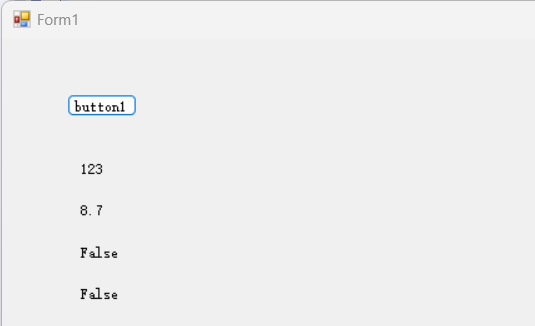
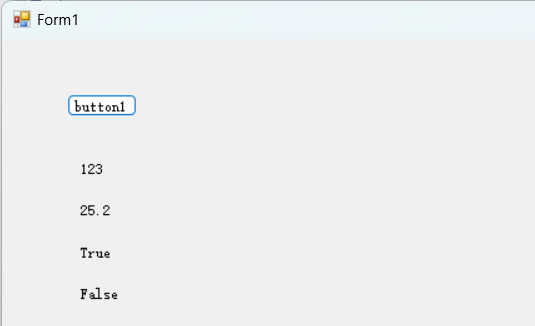
同时将PLC程序连上,查看写入是否成功
//写入PLC
                omron.Write("D400", 123);
                omron.Write("W10.04", true);
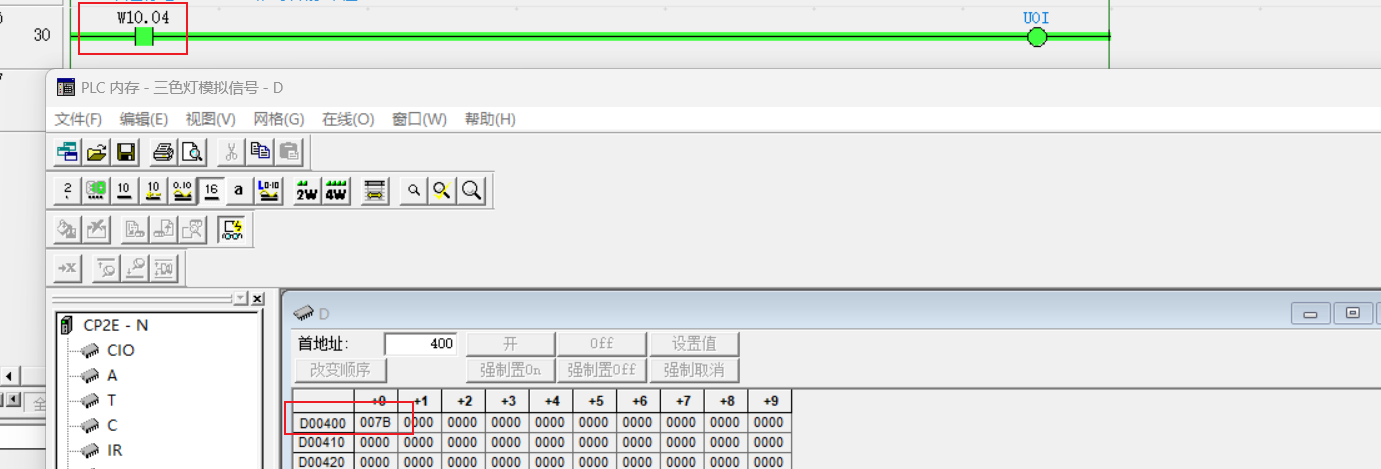
可以看到W和D区都写入成功,至此基本功能已经实现。
相关资料:

 浙公网安备 33010602011771号