
【Azure App Service】遇见Web App临时大文件无法删除的问题
问题描述
当应用程序报错磁盘空间不足后,通过博文方法(【Azure App Service】App Service 遇见 not enough space on the disk https://www.cnblogs.com/lulight/p/19453859)找到了大文件。
#PowerShell脚本

$paths = Get-ChildItem -Directory
foreach ($p in $paths) {
    $size = (Get-ChildItem $p.FullName -Recurse -File -EA SilentlyContinue | Measure-Object Length -Sum).Sum
    "{0,-60} {1,12:N2} MB" -f $p.Name, ($size / 1MB)
}
发现了大文件,但是却无法删除,并且文件后缀全为ETL( sc.kernel.1.etl, sc.user_injected.1.etl, ... ... )
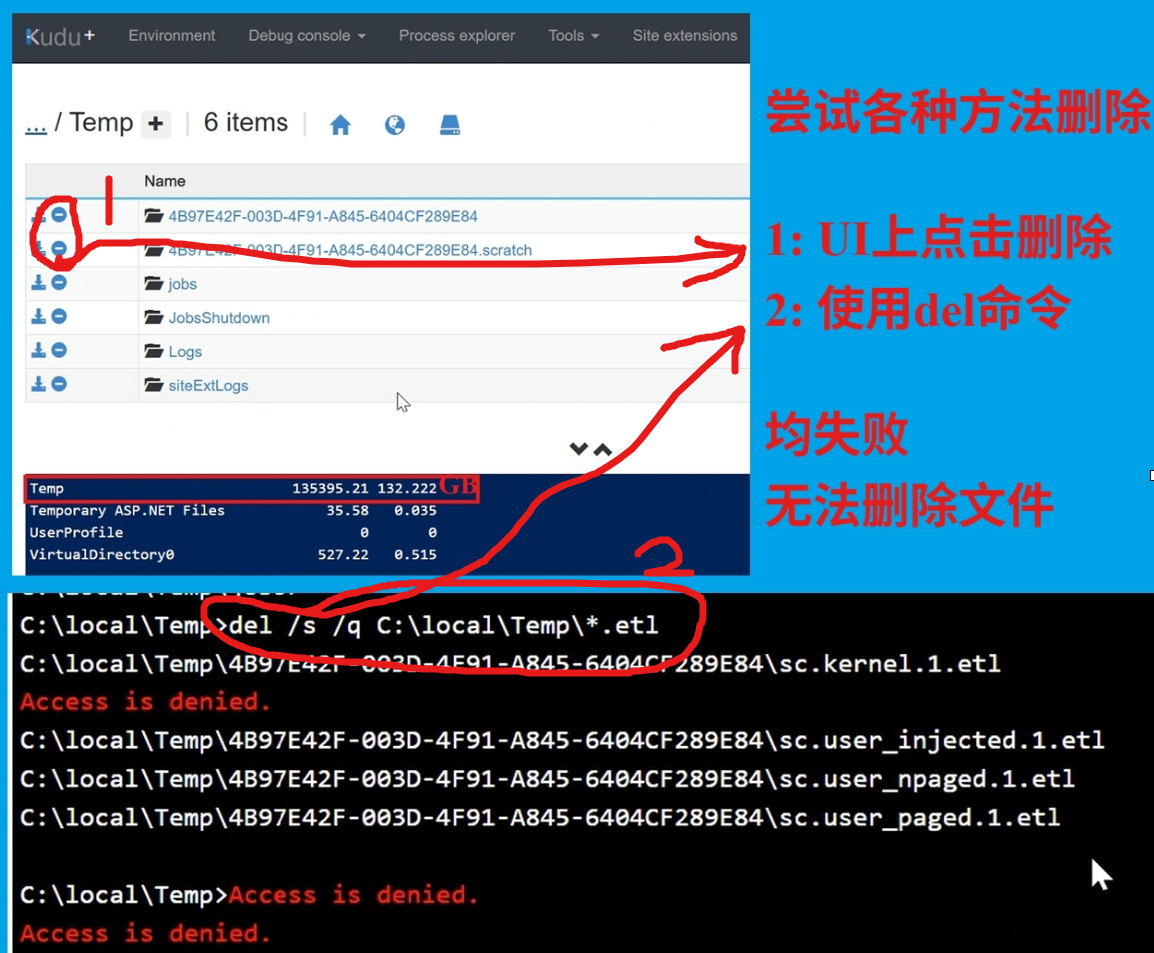
关于这个情况,产生了以下两个问题:
1:这类文件是如何生成的呢?
2:如何来清理掉这些文件呢?
问题解答
第一: sc.kernel.1.etl / sc.user_injected.1.etl / sc.user_paged.1.etl 都是 Windows ETW 系统或开发工具生成的事件跟踪日志,用于内核或用户态性能/诊断跟踪。
正常情况下,当收集完成后,是可以删除的。但应确认不是正在调试或采集的日志的时候去删除它们。
比如:在App Service的Network页面上,选择Troubleshoot, 进入“Collect a Memory dump”时,出现异常就会导致生成的etw或dump文件无法完成且无法删除。
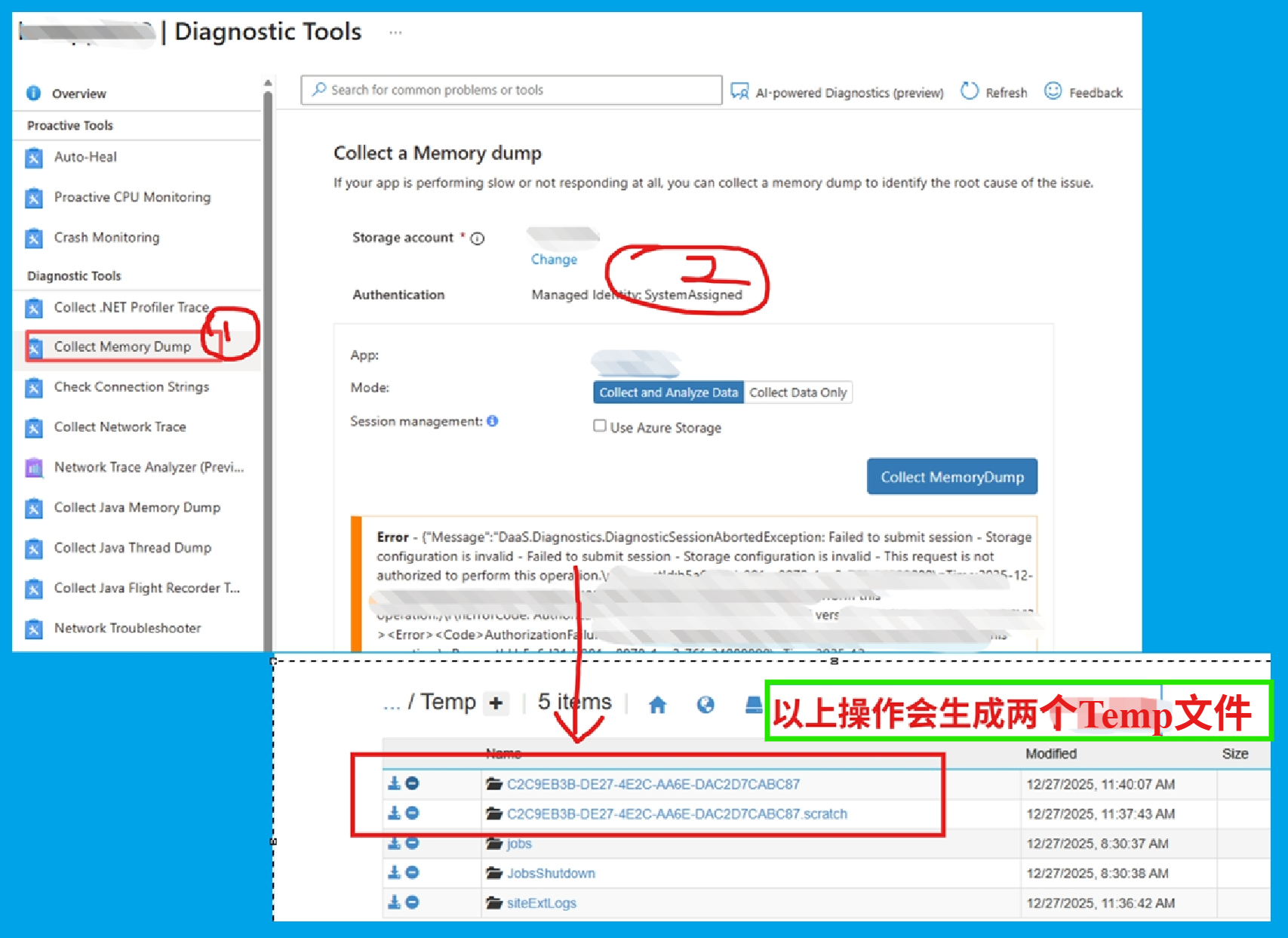
第二:鉴于常规的删除办法无法清理这类文件,就只能通过重启App Service实例才能清除这类Temp文件。
Temporary files :https://github.com/projectkudu/kudu/wiki/Understanding-the-Azure-App-Service-file-system
A number of common Windows locations are using temporary storage on the local machine. For instance,
%APPDATA%maps to%SYSTEMDRIVE%\local\AppData.%ProgramData%maps to%SYSTEMDRIVE%\local\ProgramData.%TMP%maps to%SYSTEMDRIVE%\local\Temp.%SYSTEMDRIVE%\local\DynamicCachefor Dynamic Cache feature.Unlike Persisted files, these files are not shared among site instances. Also, you cannot rely on them staying there. For instance, if you restart a web app, you'll find that all of these folders get reset to their original state.
参考资料
App Service Temporary files:https://github.com/projectkudu/kudu/wiki/Understanding-the-Azure-App-Service-file-system
当在复杂的环境中面临问题,格物之道需:浊而静之徐清,安以动之徐生。 云中,恰是如此!

 浙公网安备 33010602011771号