
【Azure App Service】App Service 遇见 not enough space on the disk
问题描述
使用App Service服务,应用中突然爆出异常 There is not enough space on the disk. (Exception from HRESULT: 0x80070070)。
面对这类错误,第一反应当然是需要找到占用磁盘的大文件或者大文件夹。然后,删除它。
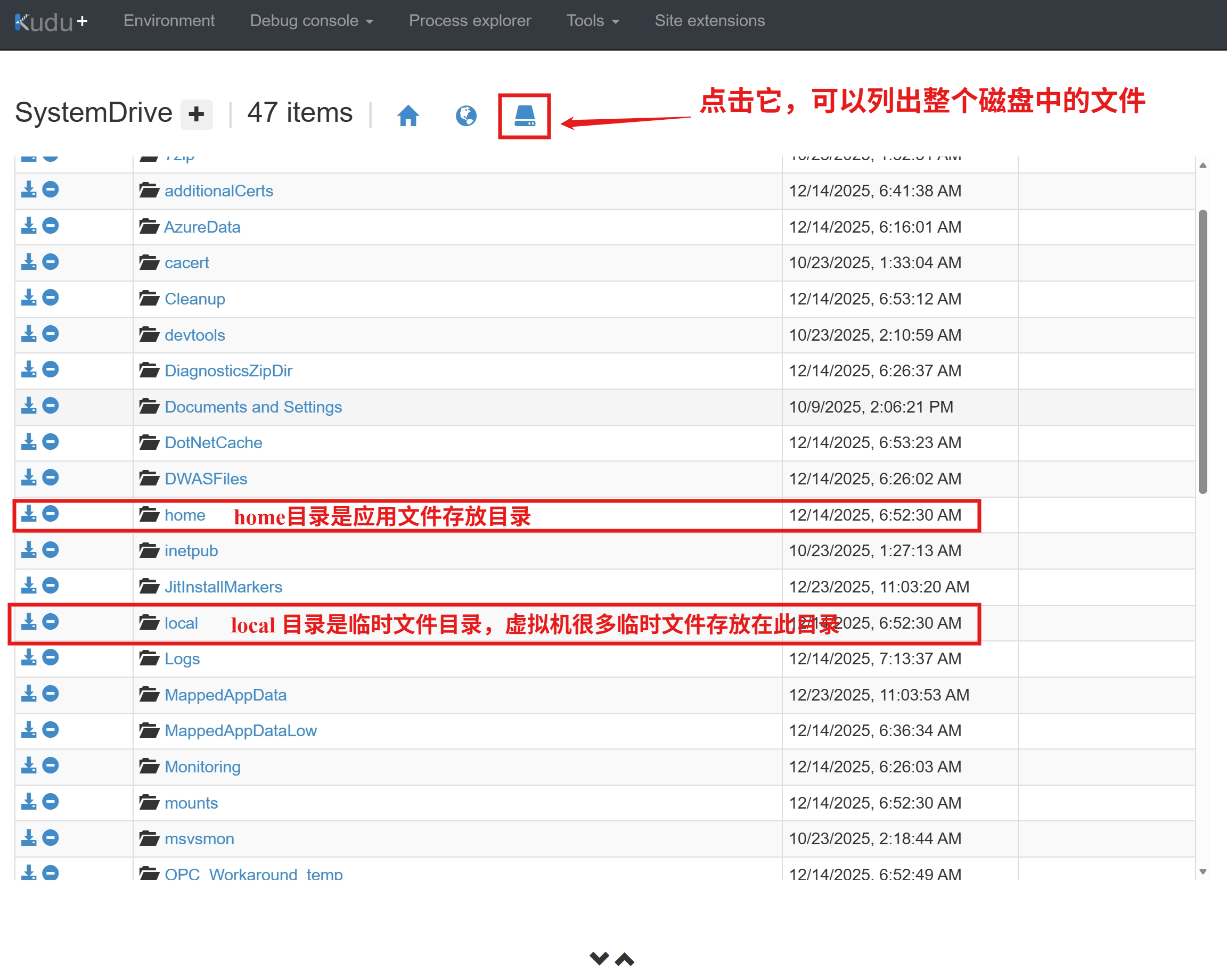
只是,进入kudu站点才发现,文件层次太多,无法轻松找到。
于是,需要找到一段脚本,快速计算目录中文件夹大小。
问题解答
使用Powershell脚本,非常容易实现此目的。
## 计算文件夹大小的脚本:
$paths = Get-ChildItem -Directory
foreach ($p in $paths) {
    $size = (Get-ChildItem $p.FullName -Recurse -File -EA SilentlyContinue | Measure-Object Length -Sum).Sum
    "{0,-60} {1,12:N2} MB" -f $p.Name, ($size / 1MB)
}
只是,如果从根目录(比如C:\)开始计算,由于文件夹太多,计算还是要耗费很长时间。
针对App Service服务,可以只关注两个目录 c:\home 和 c:\local。
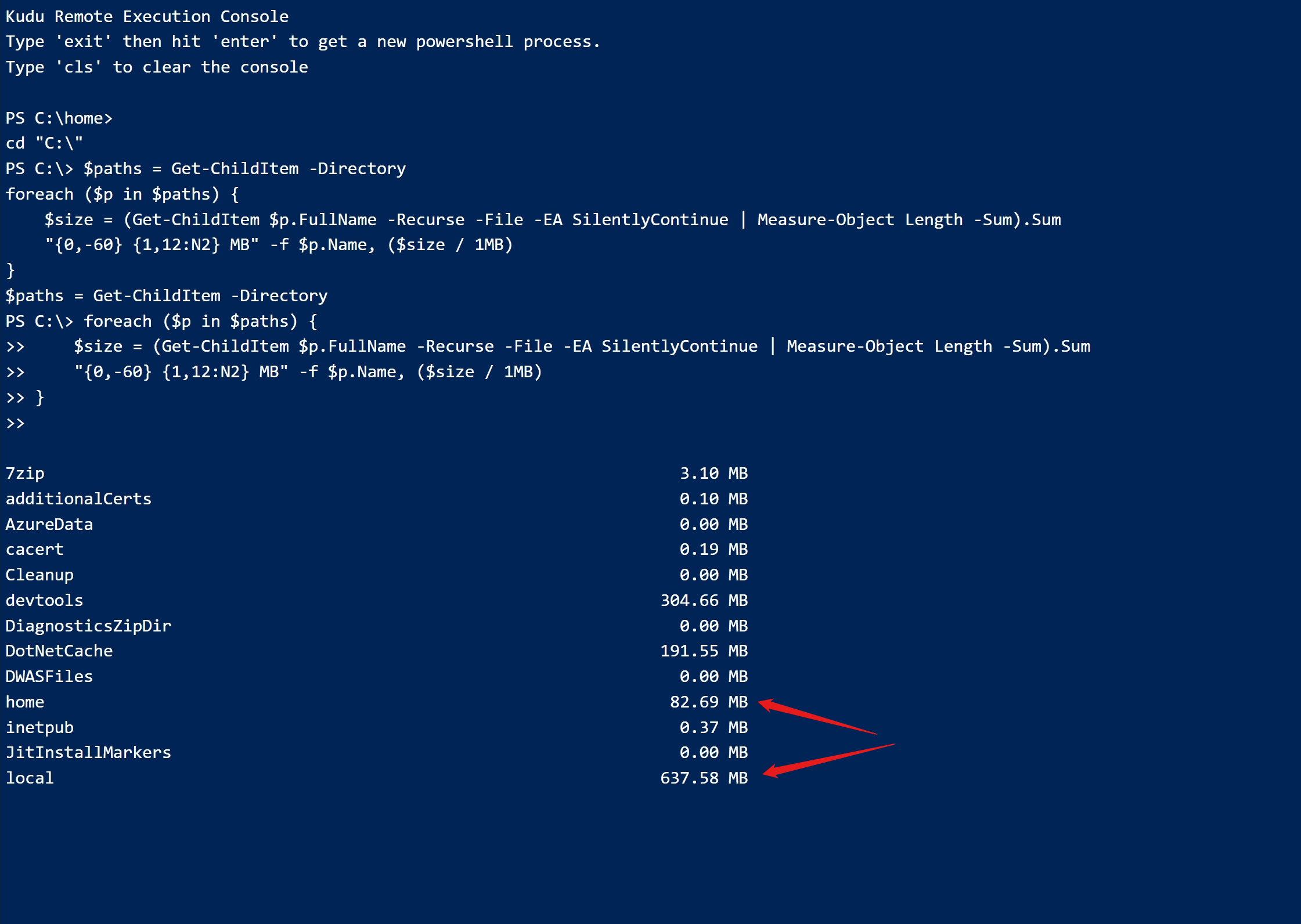
比如上图中,提示local文件夹中文件达到了637MB,层层深入,就可以定位到具体的大文件
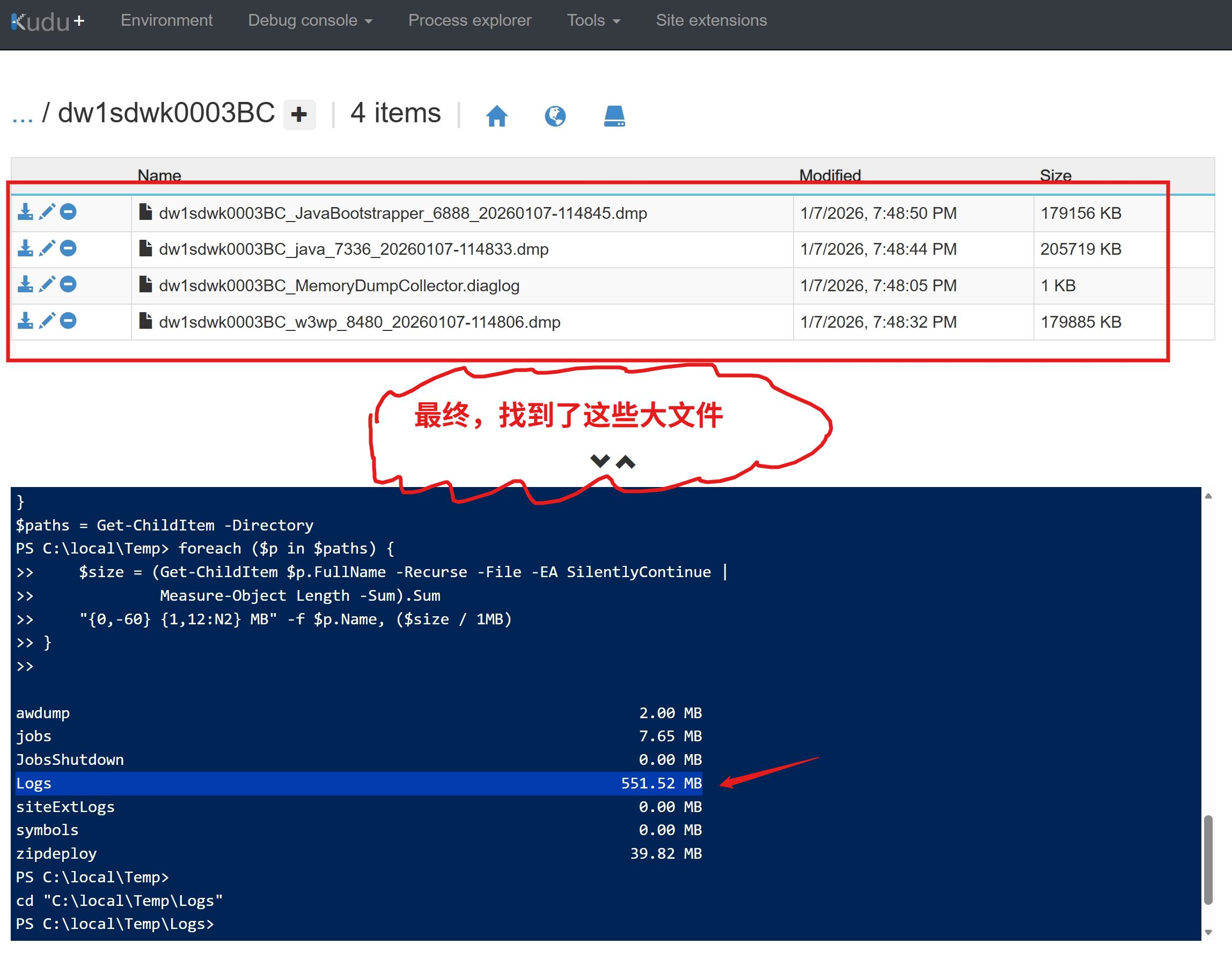
接下来,就非常容易。如果需要,可以点击文件名左侧的第一个下载图标。如果不需要,点击第三个删除图标,删除文件。
参考资料
App Service Temporary files:https://github.com/projectkudu/kudu/wiki/Understanding-the-Azure-App-Service-file-system#temporary-files
当在复杂的环境中面临问题,格物之道需:浊而静之徐清,安以动之徐生。 云中,恰是如此!

 浙公网安备 33010602011771号