


Linux 中md5sum -c 参数
001、
[root@localhost test]# ls
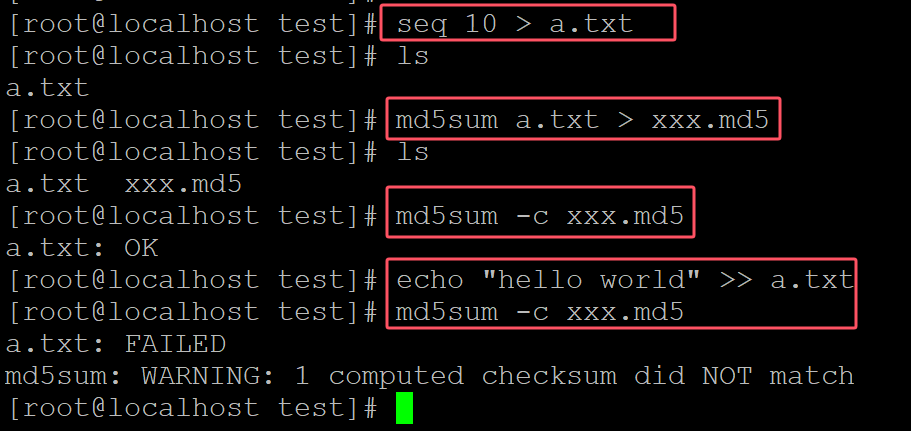
[root@localhost test]# seq 10 > a.txt              ## 测试文件
[root@localhost test]# ls
a.txt
[root@localhost test]# md5sum a.txt > xxx.md5      ## 生成MD5
[root@localhost test]# ls
a.txt  xxx.md5
[root@localhost test]# md5sum -c xxx.md5           ## 验证
a.txt: OK
[root@localhost test]# echo "hello world" >> a.txt       ## 修改原始文件
[root@localhost test]# md5sum -c xxx.md5                 ## 验证
a.txt: FAILED
md5sum: WARNING: 1 computed checksum did NOT match
。
002、 同时对多个文件进行验证
[root@localhost test]# ls
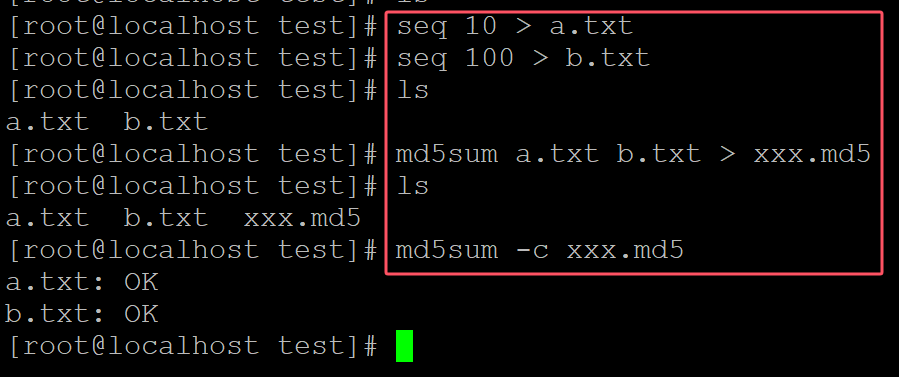
[root@localhost test]# seq 10 > a.txt
[root@localhost test]# seq 100 > b.txt                     ## 测试文件a.txt和b.txt
[root@localhost test]# ls
a.txt  b.txt
[root@localhost test]# md5sum a.txt b.txt > xxx.md5        ## 生成MD5
[root@localhost test]# ls
a.txt  b.txt  xxx.md5
[root@localhost test]# md5sum -c xxx.md5                   ## 对多个文件进行验证
a.txt: OK
b.txt: OK
。

 浙公网安备 33010602011771号