

Linux 中如何查看GNU C库的版本
001、ldd --version ## ldd 本身是由 glibc 提供的一个脚本/程序,它的版本与 glibc 绑定,所以用 --version 就能显示 glibc 的版本。
[root@PC1 test]# ldd --version     ## ldd(list dynamic dependencies)命令用来 查看可执行文件或共享库依赖哪些动态链接库(shared libraries);
ldd (GNU libc) 2.34
Copyright (C) 2021 Free Software Foundation, Inc.
This is free software; see the source for copying conditions.  There is NO
warranty; not even for MERCHANTABILITY or FITNESS FOR A PARTICULAR PURPOSE.
Written by Roland McGrath and Ulrich Drepper.

。
002、 利用strings命令 ## libc.so.6 是 Linux 系统中 GNU C 库(glibc)的主要共享库文件, 动态库
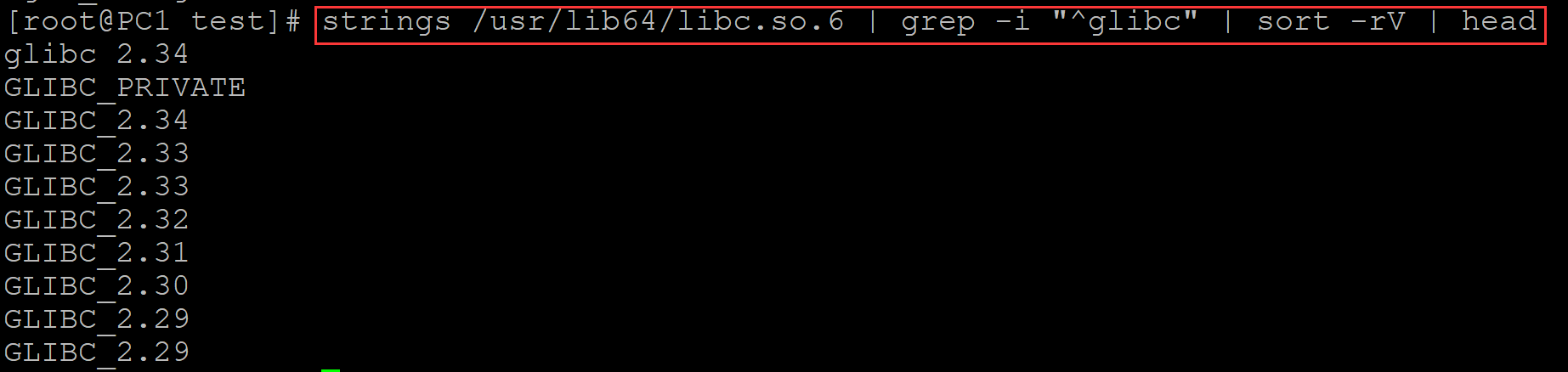
[root@PC1 test]# strings /usr/lib64/libc.so.6 | grep -i "^glibc" | sort -rV | head
glibc 2.34
GLIBC_PRIVATE
GLIBC_2.34
GLIBC_2.33
GLIBC_2.33
GLIBC_2.32
GLIBC_2.31
GLIBC_2.30
GLIBC_2.29
GLIBC_2.29
。
003、使用c脚本
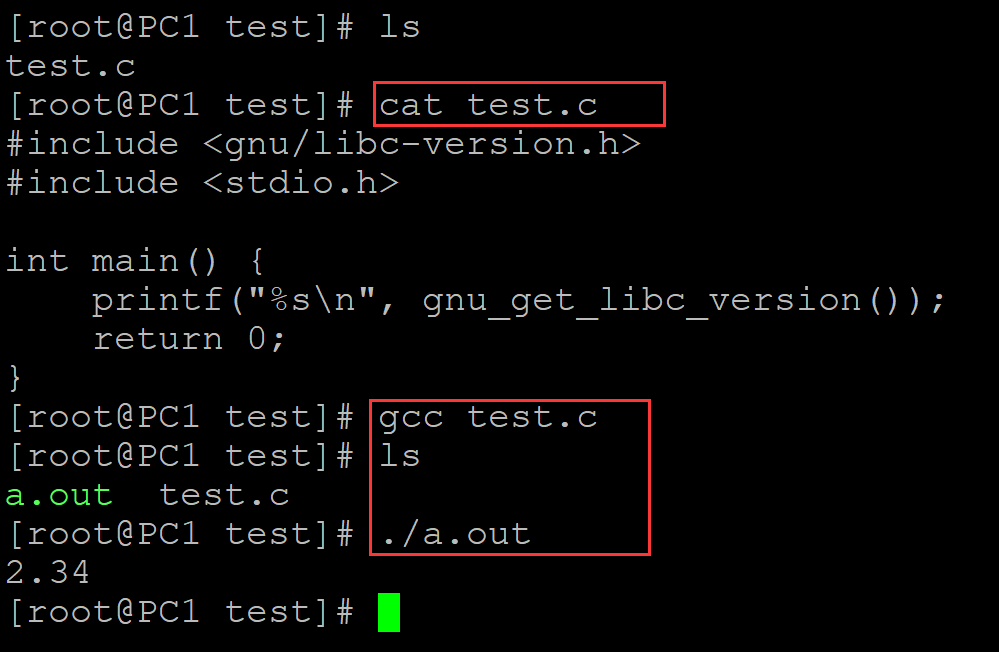
[root@PC1 test]# ls
test.c
[root@PC1 test]# cat test.c          ## 脚本内容
#include <gnu/libc-version.h>
#include <stdio.h>

int main() {
    printf("%s\n", gnu_get_libc_version());
    return 0;
}
[root@PC1 test]# gcc test.c          ## 编译程序
[root@PC1 test]# ls
a.out  test.c
[root@PC1 test]# ./a.out             ## 执行
2.34
。

 浙公网安备 33010602011771号