


Linux 中格式化字符串函数printf
001、 基础用法
[root@localhost test]# printf "%s\n" "hello"       ##输出字符串hello
hello

002、指定输出字符串宽度
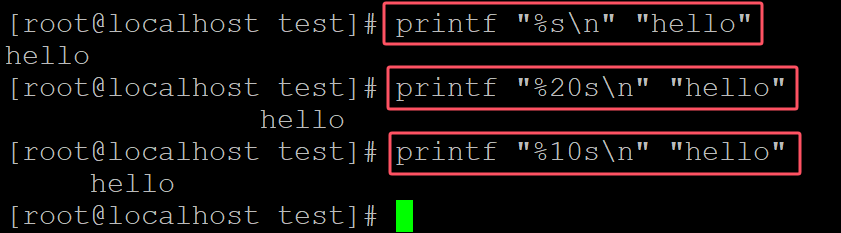
[root@localhost test]# printf "%s\n" "hello"
hello
[root@localhost test]# printf "%20s\n" "hello"      ## 指定宽度20
               hello
[root@localhost test]# printf "%10s\n" "hello"      ## 指定宽度10
     hello
003、指定左对齐
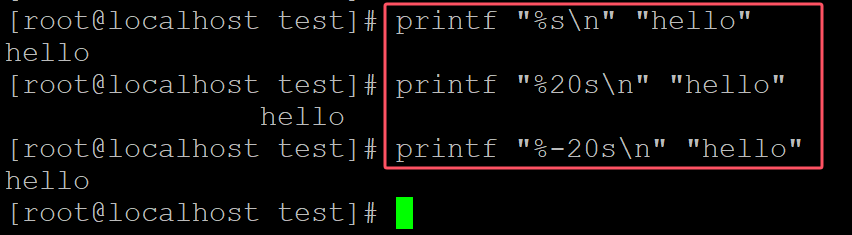
[root@localhost test]# printf "%s\n" "hello"
hello
[root@localhost test]# printf "%20s\n" "hello"     ## 指定宽度20,默认右对齐
               hello
[root@localhost test]# printf "%-20s\n" "hello"    ## 指定左对齐
hello
。
004、 指定最多显示的字符
[root@localhost test]# printf "%s\n" "hello"
hello
[root@localhost test]# printf "%.2s\n" "hello"        ## 指定最多显示2个字符
he
[root@localhost test]# printf "%.4s\n" "hello"        ## 指定最多显示4个字符
hell

。
005、 同时指定宽度和最多显示的字符数
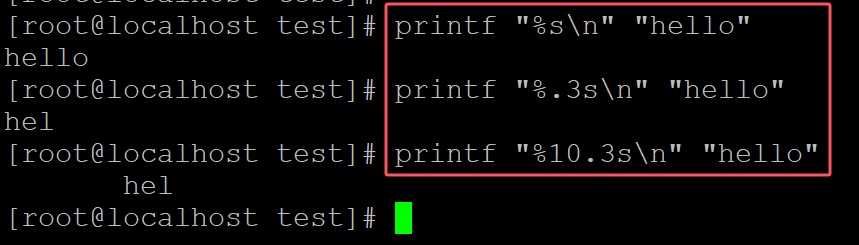
[root@localhost test]# printf "%s\n" "hello"
hello
[root@localhost test]# printf "%.3s\n" "hello"         ## 最多显示三个字符
hel
[root@localhost test]# printf "%10.3s\n" "hello"       ## 同时指定宽度10
       hel
。
006、显示数值
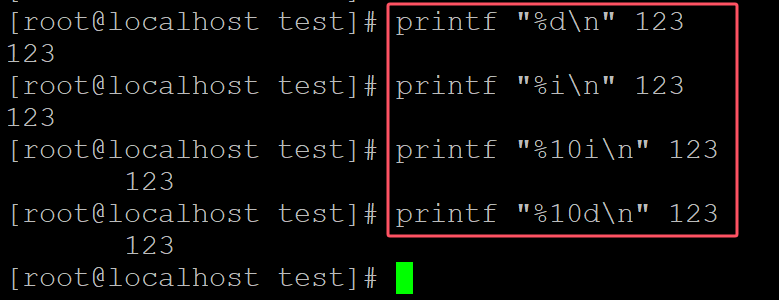
[root@localhost test]# printf "%d\n" 123
123
[root@localhost test]# printf "%i\n" 123
123
[root@localhost test]# printf "%10i\n" 123
       123
[root@localhost test]# printf "%10d\n" 123       ## %d和i% 显示数值
       123
。
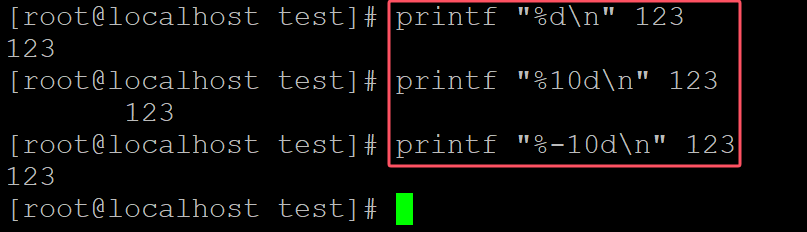
007、 指定左对齐
[root@localhost test]# printf "%d\n" 123
123
[root@localhost test]# printf "%10d\n" 123
       123
[root@localhost test]# printf "%-10d\n" 123     ## 指定左对齐
123
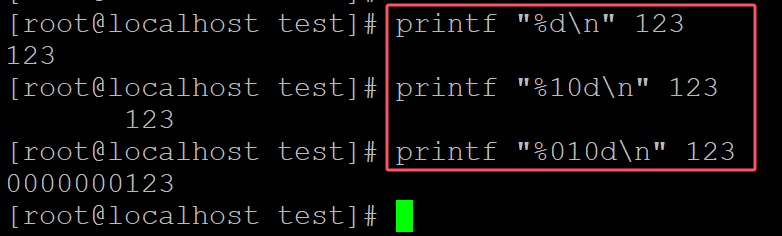
008、0填充
[root@localhost test]# printf "%d\n" 123
123
[root@localhost test]# printf "%10d\n" 123
       123
[root@localhost test]# printf "%010d\n" 123      ## 多余部分0填充
0000000123
。
009、显示正负号
[root@localhost test]# printf "%d\n" 123
123
[root@localhost test]# printf "%+d\n" 123        ## 显示正负号
+123
[root@localhost test]# printf "%+d\n" -100
-100
[root@localhost test]# printf "% d\n" 123        ## 正数前添加空格
 123

。
010、浮点
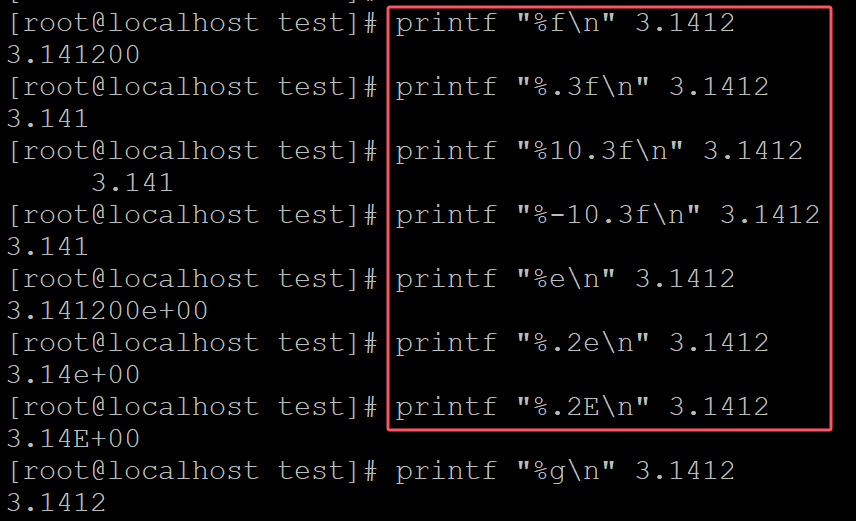
[root@localhost test]# printf "%f\n" 3.1412
3.141200
[root@localhost test]# printf "%.3f\n" 3.1412         ## 指定小数点位数
3.141
[root@localhost test]# printf "%10.3f\n" 3.1412
     3.141
[root@localhost test]# printf "%-10.3f\n" 3.1412
3.141
[root@localhost test]# printf "%e\n" 3.1412
3.141200e+00
[root@localhost test]# printf "%.2e\n" 3.1412          ## 科学计数法
3.14e+00
[root@localhost test]# printf "%.2E\n" 3.1412
3.14E+00
[root@localhost test]# printf "%g\n" 3.1412
3.1412
[root@localhost test]# printf "%g\n" 314121343532535555523 ## 自动选择%f或%g
3.14121e+20
。
011、
[root@localhost test]# printf "%b" "hello world\n"
hello world
[root@localhost test]# printf "%s\n" "hello world"
hello world

。
012、可以重复使用格式化
[root@localhost test]# printf "%s\n" a
a
[root@localhost test]# printf "%s\n" a b
a
b
[root@localhost test]# printf "%s\n" a b c     ## 连续使用%s\n
a
b
c

。
013、
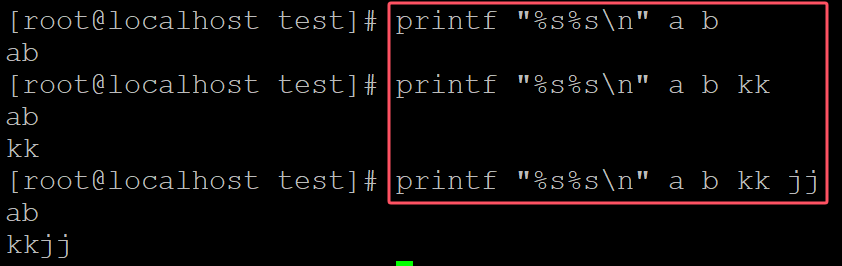
[root@localhost test]# printf "%s%s\n" a b
ab
[root@localhost test]# printf "%s%s\n" a b kk        ## 两个%s可以自动识别两个字符串作为一行输出
ab
kk
[root@localhost test]# printf "%s%s\n" a b kk jj      ## 每行输出两个字符串
ab
kkjj
。
014、
[root@localhost test]# printf "%d\t%d\t%d\n" 123          ## 缺失的数值默认输出0
123     0       0
[root@localhost test]# printf "%d\t%d\t%d\n" 123 354
123     354     0

.
015、
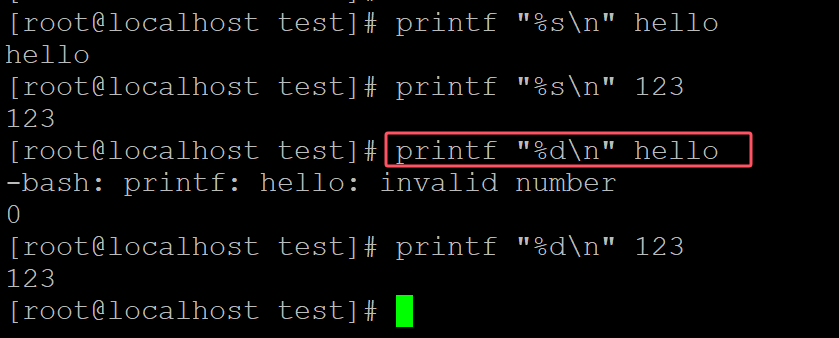
[root@localhost test]# printf "%s\n" hello
hello
[root@localhost test]# printf "%s\n" 123
123
[root@localhost test]# printf "%d\n" hello      ## %d无法输出字符串
-bash: printf: hello: invalid number
0
[root@localhost test]# printf "%d\n" 123
123
。
016、
[root@localhost test]# printf "%010d\n" 123      ## 指定宽度,补充0
0000000123
[root@localhost test]# printf "%.10d\n" 123     ## 同上
0000000123

.

 浙公网安备 33010602011771号