
virtualbox虚拟机 NAT网络模式10.0.2.15 putty无法登录的解决方法
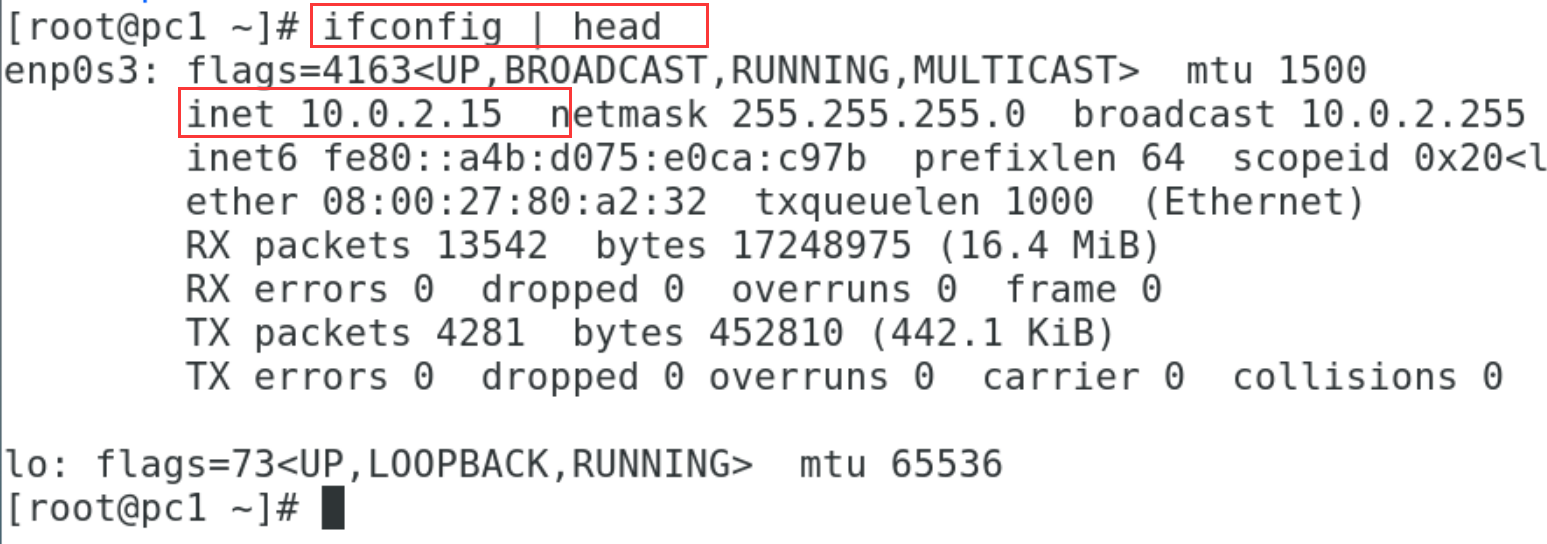
001、查看本机ip 10.0.2.15
[root@pc1 ~]# ifconfig | head
enp0s3: flags=4163<UP,BROADCAST,RUNNING,MULTICAST>  mtu 1500
        inet 10.0.2.15  netmask 255.255.255.0  broadcast 10.0.2.255
        inet6 fe80::a4b:d075:e0ca:c97b  prefixlen 64  scopeid 0x20<link>
        ether 08:00:27:80:a2:32  txqueuelen 1000  (Ethernet)
        RX packets 13542  bytes 17248975 (16.4 MiB)
        RX errors 0  dropped 0  overruns 0  frame 0
        TX packets 4281  bytes 452810 (442.1 KiB)
        TX errors 0  dropped 0 overruns 0  carrier 0  collisions 0

lo: flags=73<UP,LOOPBACK,RUNNING>  mtu 65536
002、测试网络连通性
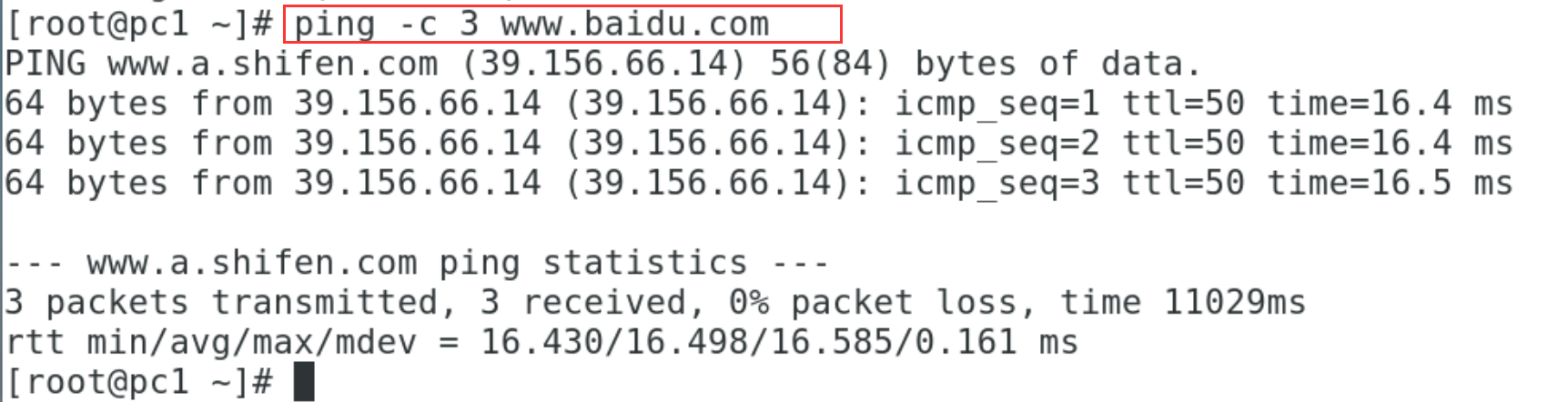
[root@pc1 ~]# ping -c 3 www.baidu.com                       ## 网络连通性没有问题
PING www.a.shifen.com (39.156.66.14) 56(84) bytes of data.
64 bytes from 39.156.66.14 (39.156.66.14): icmp_seq=1 ttl=50 time=16.4 ms
64 bytes from 39.156.66.14 (39.156.66.14): icmp_seq=2 ttl=50 time=16.4 ms
64 bytes from 39.156.66.14 (39.156.66.14): icmp_seq=3 ttl=50 time=16.5 ms

--- www.a.shifen.com ping statistics ---
3 packets transmitted, 3 received, 0% packet loss, time 11029ms
rtt min/avg/max/mdev = 16.430/16.498/16.585/0.161 ms
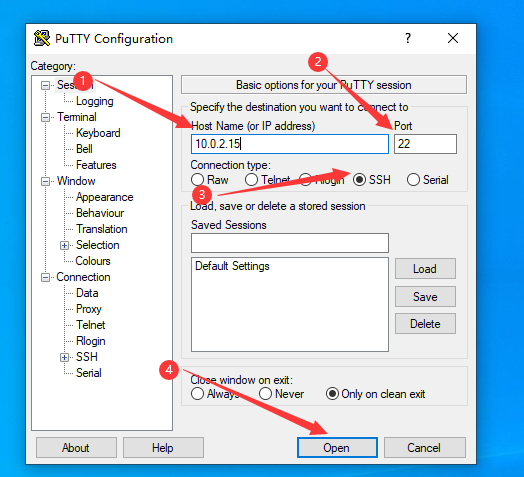
003、putty测试连接
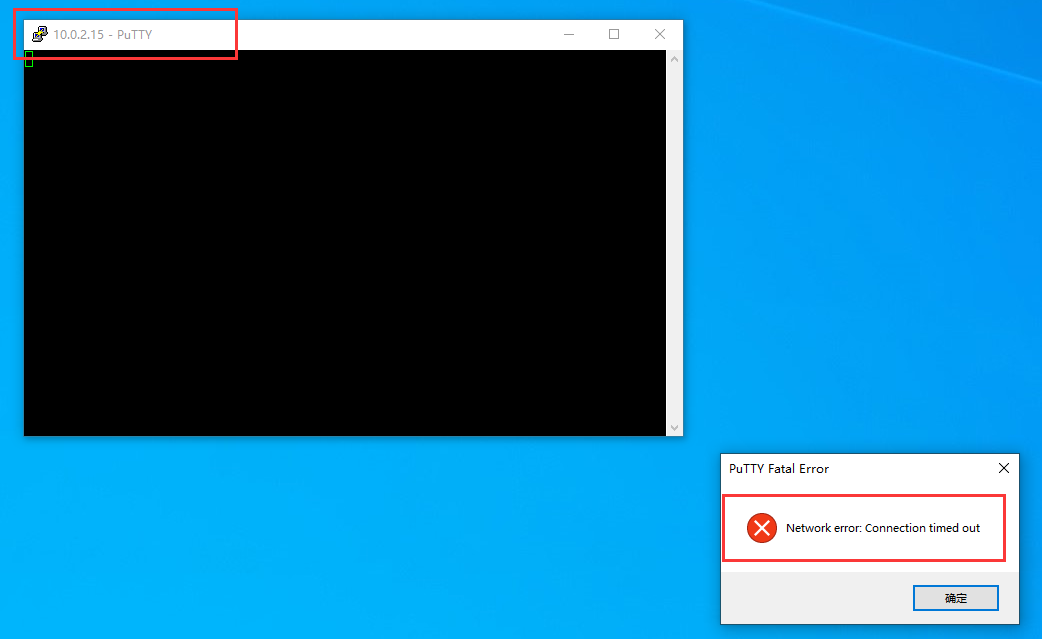
004、putty连接失败
以下是解决方法。
005、
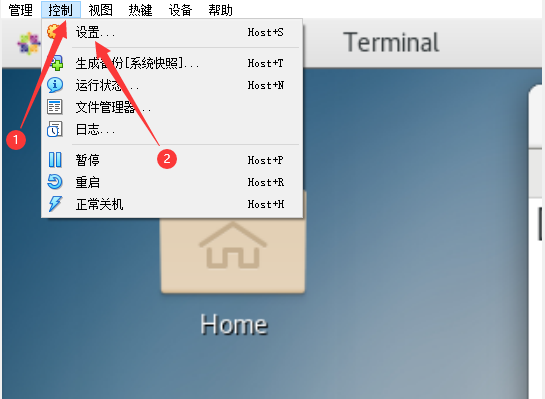
006、
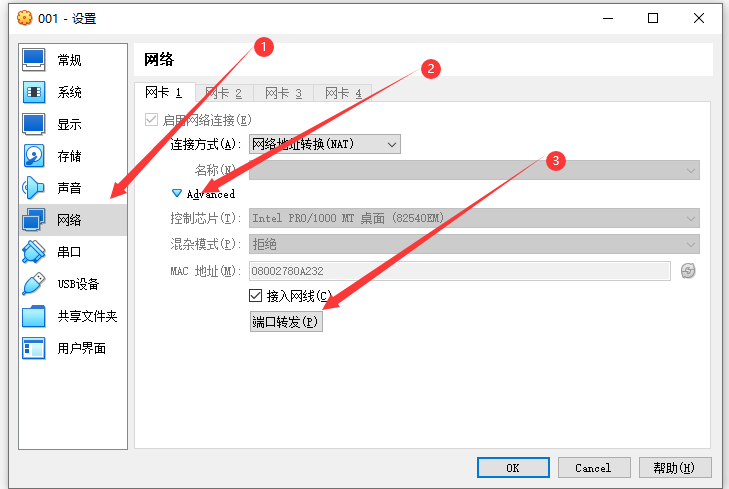
007、

008、
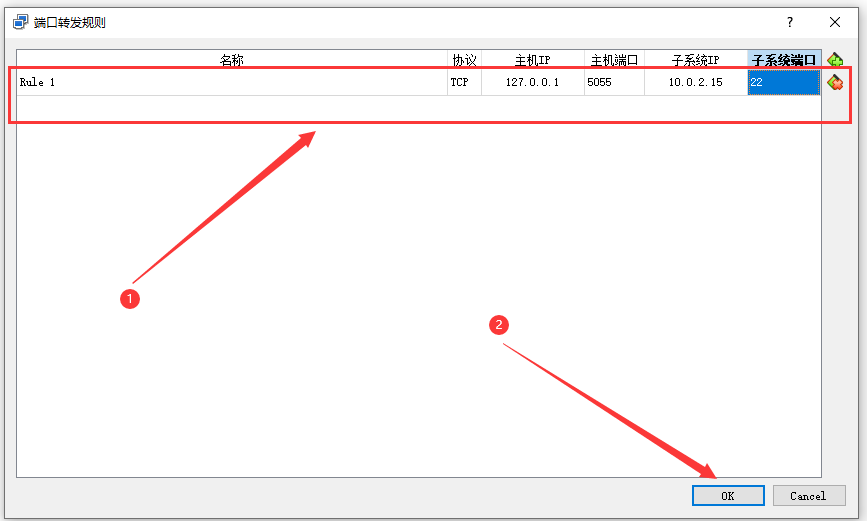
端口转发的解释:
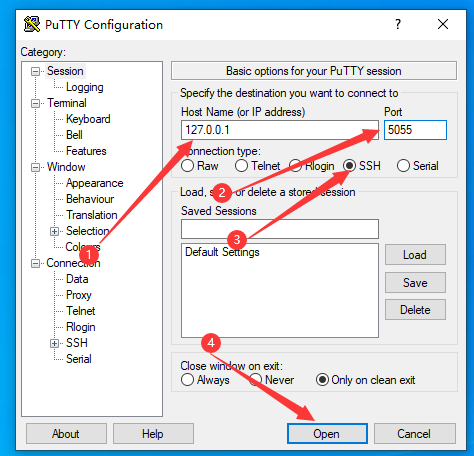
上面所写的规则内容含义本质是将虚拟机(10.0.2.15)的 22 端口绑定在主机(127.0.0.1)的 5055端口上,也就是当你使用 putty(或者xshell) 远程登录虚拟机的 22 端口的时候,需要写的 ip 地址是主机的 IP 地址(127.0.0.1),而不是虚拟机的 ip 地址,写的端口号是 5055,而不是 22,当 putty (或者xshell)连接主机的 5055 端口的时候,会转发到虚拟机的 22 端口上。
009、
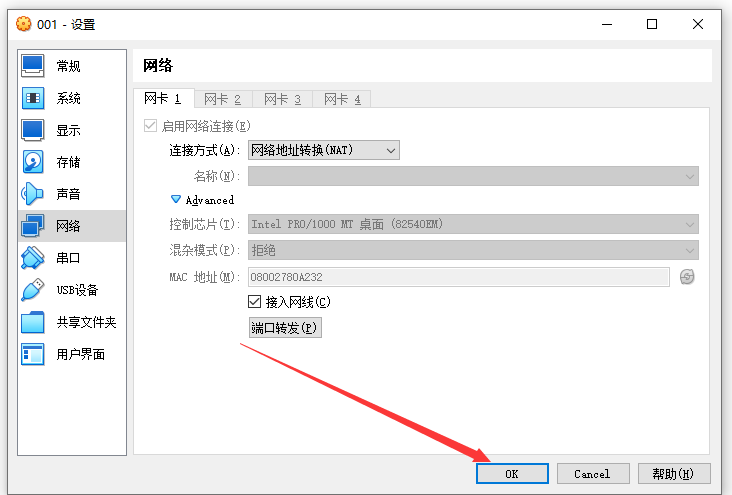
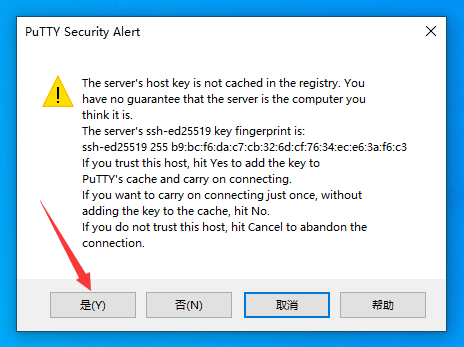
010、putty登录测试
011、
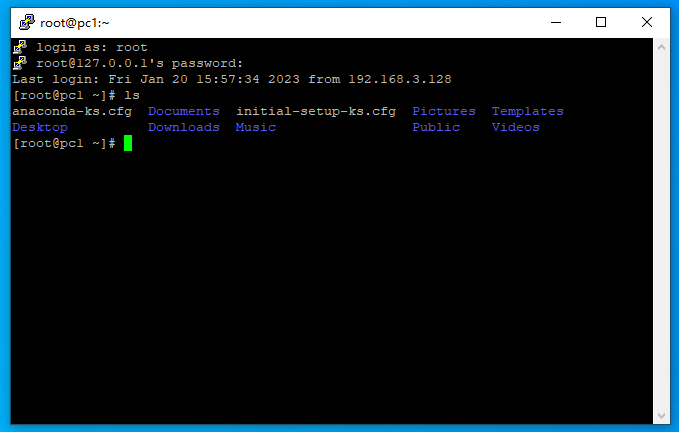
012、可以正常登录了
参考:https://www.lanyazhizhou.com/?p=719

 浙公网安备 33010602011771号