


实现一种超轻量级的有线表格识别方法(有代码,可部署)
一.简介
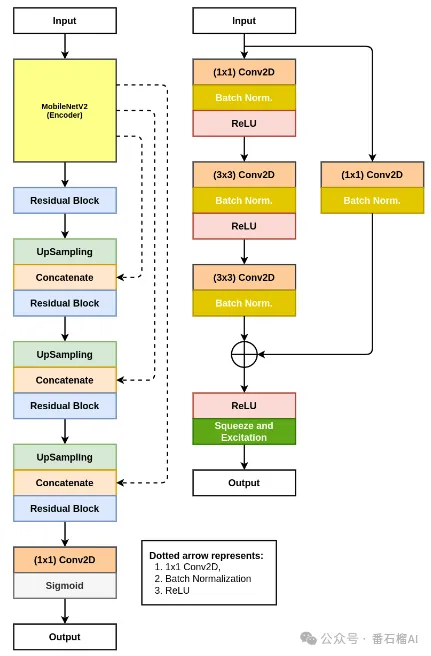
在无意间看到一篇CBMS2021的一篇论文《NanoNet: Real-Time Polyp Segmentation in Video Capsule Endoscopy and Colonoscopy》,
该论文是专为视频胶囊内窥镜和结肠镜图像的息肉分割设计的架构,是一种医学图像分割的方法。
故打算基于以上模型的架构去实现一超轻量级的有线表格识别方法,模型训练后的大小为 1MB 左右(是不是贼轻量),用于手动移动部署毫无压力。
训练数据自己标注的,共1000张左右,要想效果好,可增加数据量,模型利用tensorflow训练。
为了用户轻松自由毫无压力使用,我这里已经将tensorflow训练的模型转为onnx格式了,识别推理只需要用onnxruntime即可。
二.实现功能
- 识别表格中的线条
- 结果转为excel
三.weights模型文件
模型文件:
-
models/model.h5
-
models/table_light_line.onnx
训练(tensorflow2.5版本训练)
见本项目中的train/train.py
四.onnx识别
见本项目中的onnx_infer/onnx_inference.py
from onnx_infer.table_build import table_xlsx
from onnx_infer.table_line import load_table_wire_line_model, table_line
from onnx_infer.table_structure_reg import table_ceil
from onnx_infer.utils import draw_lines

table_wire_model_path = '../models/table_light_line.onnx'

# load model
table_wire_model = load_table_wire_line_model(table_wire_model_path)

import cv2

table_img = '../test_imgs/6.jpg'

table_img = cv2.imread(table_img)

# get rows and columns
rowboxes, colboxes = table_line(table_wire_model, table_img)

# draw lines
img = draw_lines(table_img, rowboxes + colboxes, color=(255, 0, 0), lineW=2)
cv2.imwrite('../test_imgs/6_line.jpg', img)

# get ceil boxes
ceilboxes = table_ceil(table_img, rowboxes, colboxes)

print(ceilboxes)

# convert to an excel table
workbook = table_xlsx(ceilboxes)
workbook.save('table_ceil.xlsx')
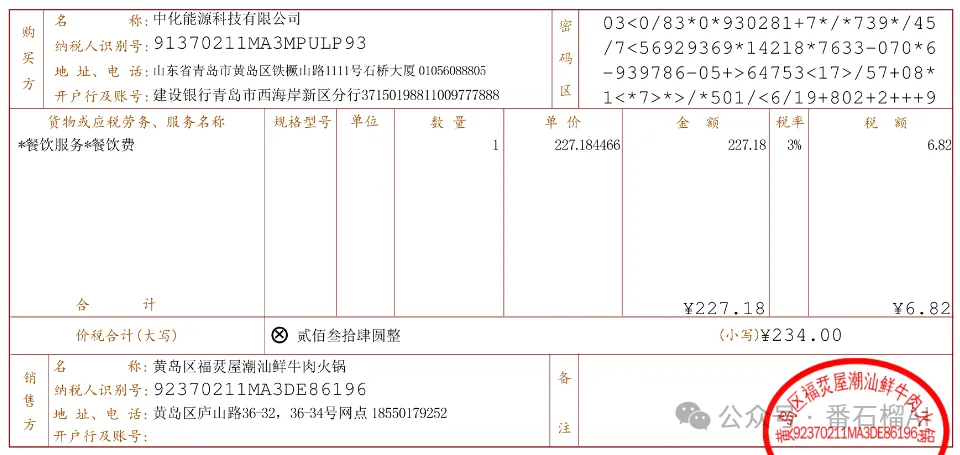
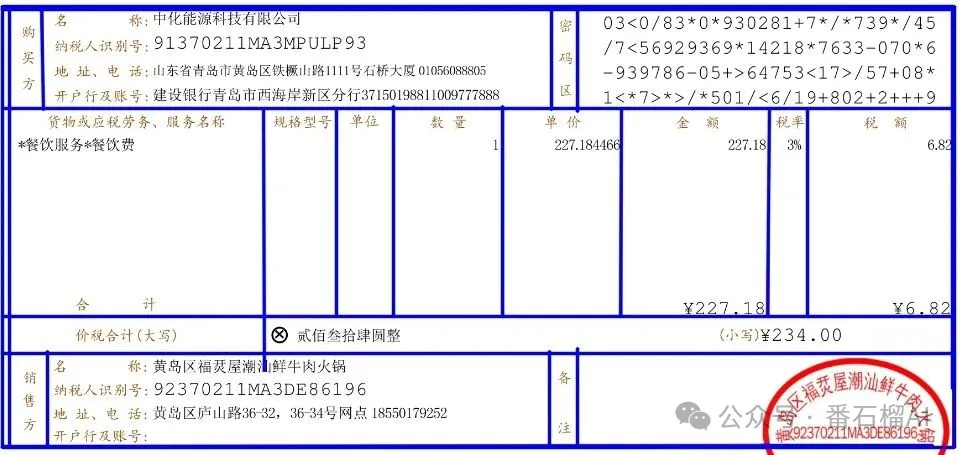
五.部分识别结果展示
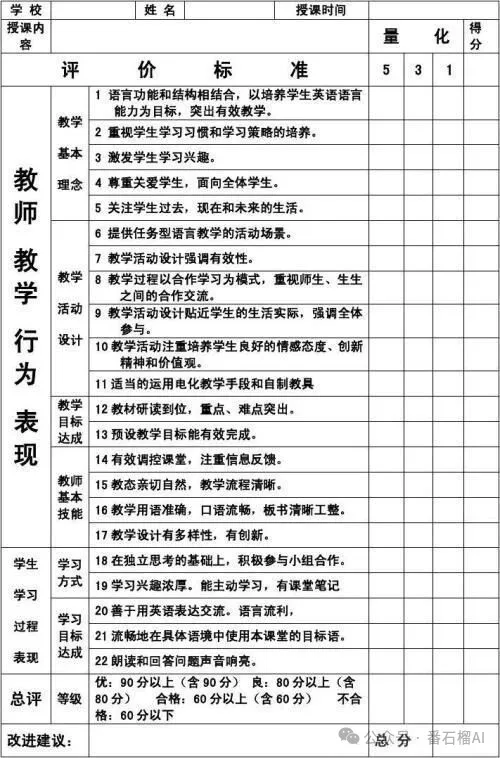
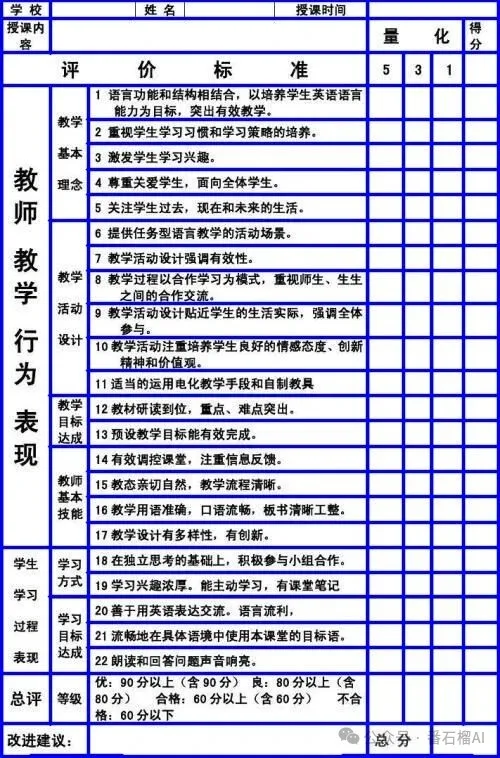
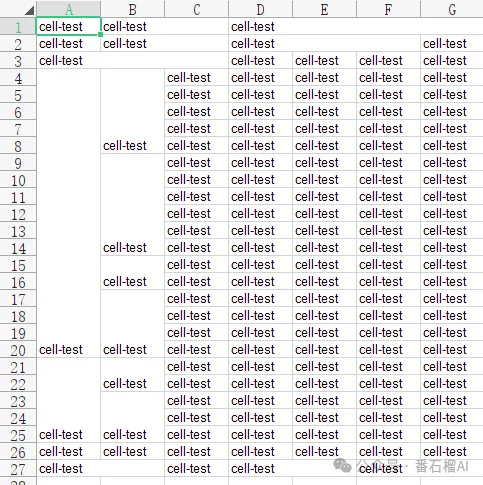
转为excel结构中,表格里的每个单元格的文字“cell-test”是人为加入的,后面可以结合ocr将文字填入单元格中。

六.完整项目
https://github.com/jiangnanboy/nanonet_table_line_recognition

 浙公网安备 33010602011771号