
Ansys安装问题——许可证服务器无法正常启动
在安装ANSYS 2024R1的过程中出现许可证服务器无法正常启动的问题,主要原因可能在于已经安装过一次,且安装目录不同。
解决过程涉及注册表修改、手动安装FlexNet License Manager服务并启动。
1. 注册表修改
最开始安装的位置在C盘的其他目录,在重新安装许可证服务器时,出现install_licconfig.err,内容为:
2025/01/17 14:42:12  ...WARNING: Because no license files were found in the following location, the 'ANSYS, Inc. License Manager CVD' service was not able to be started.
                        D:\Program Files\ANSYS Inc\Shared Files\Licensing\license_files
                        The ANSYS License Management Center's 'Add a License File' link should be used to install license files and to start the ANSYS, Inc. License Manager CVD.
                        This can be accessed through the 'ANSYS, Inc. License Manager --> ANSYS License Management Center' item in the Windows Start menu/Apps page.

@@@@@@@@@@@@@@@@@@@@@@@@@@@@@@@@@@@@@@@@@@@@@@@@@@@@@@@@@@@@@@@@@@@@@@@@@@@@@@@@@@@@@@
需要修改图示ANSYS, Inc. License Manager CVD服务中ImagePath子项的数据为当前lmgrd.exe文件的位置(图中显示的是上一次安装的位置)。
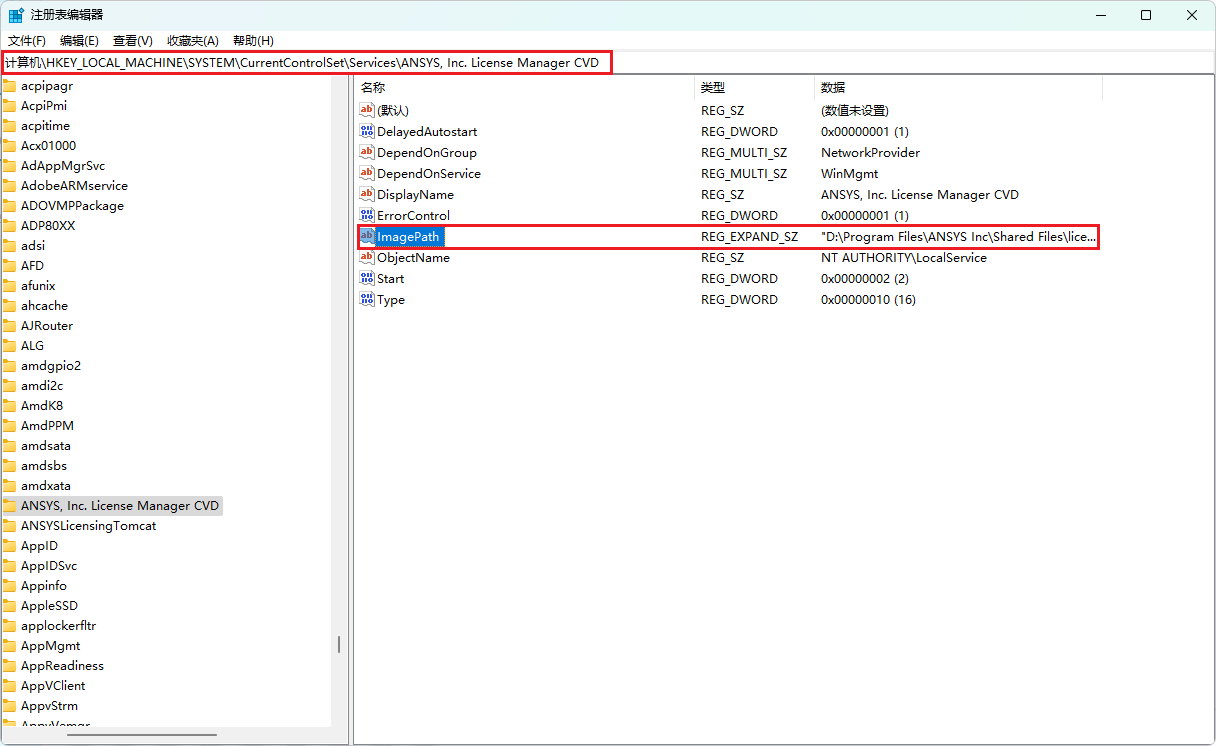
或者通过命令行实现:
reg add "HKEY_LOCAL_MACHINE\SYSTEM\CurrentControlSet\Services\ANSYS, Inc. License Manager CVD" /v ImagePath /t REG_SZ /d "新路径" /f
2. 手动安装许可证服务器
找到install.exe文件,比如我当前的安装位置为"D:\Program Files\ANSYS Inc\Shared Files\licensing\winx64\lmgrd.exe",切换到当前目录下:
installs - Copyright (c) 1989-2023 Flexera.
All Rights Reserved.

Usage:
        To install the license manager as a service:
          installs -c <license file path.       Windows Proposed path <systemdrive>\ProgramFiles \
                   -e <path to lmgrd.exe.       Windows Proposed path <systemdrive>\ProgramFiles \
                   -l <log file path.           Windows Proposed path Preferred Path <systemdrive>\ProgramData> \
                   -n <service name> \
                   [-k <lmgrd parameters>]

        To remove the license manager as a service:
          installs -r -n <service name>

If -n is not specified, "FlexNet License Manager" is used as the service name.

The -k switch is optional and is used to pass one or more startup command-line
parameters (-local, -x lmdown, and -x lmremove) to lmgrd.

Refer to the FlexNet Licensing documentation for more details on the "installs" command.

To continue the execution without prompting, redirect the output to a log file
Press any key to continue...
在终端中打开并执行install.exe -c "license file path" -e "path to lmgrd.exe",此时就会创建一个名为FlexNet License Manager的服务:

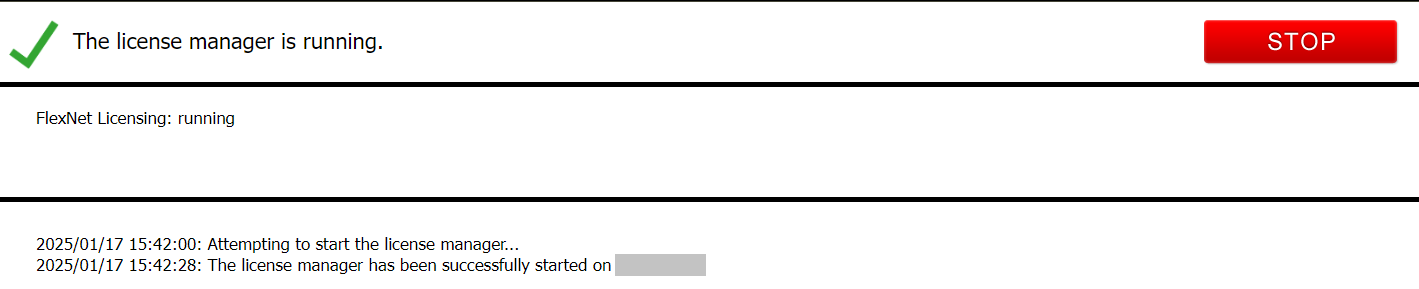
此时需要手动启动,启动后,在重新打开Ansys License Management Center,即可正常启动
注意:个人经验来看,上面出现的问题不常见,只有个别机器会出现上述问题!而且Win11较常见,可以尝试更新到最新系统,Win10系统本人暂时没有遇到过。最好按照Crack文件中的Readme.txt中的步骤安装,一定要仔细确认安装步骤,不要遗漏!
上面提到的方法属于强制安装并启动许可证服务器,但是软件正常安装时所有必须的服务都已安装,所以当你进行本文的操作时,就需要仔细确定安装步骤是否正确。上面的方法因电脑配置(通常软件配置冲突可能)不同可能不会有效果,仅供参考!!!
各位留言的同志,很抱歉本人没办法从根本上解决你们的问题,请按照我的建议来尝试重装!
本文来自博客园,作者:code_wss,转载请注明原文链接:https://www.cnblogs.com/jxsme/p/18677216

 浙公网安备 33010602011771号