【Canvas与图标】红象牙白蓝斜带函数图标
【成图】
120*120的png图标:
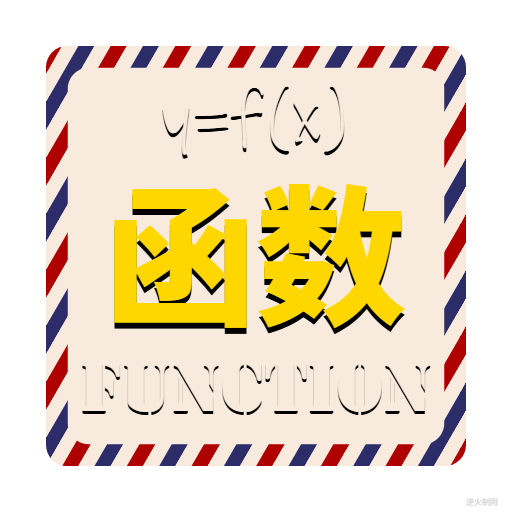
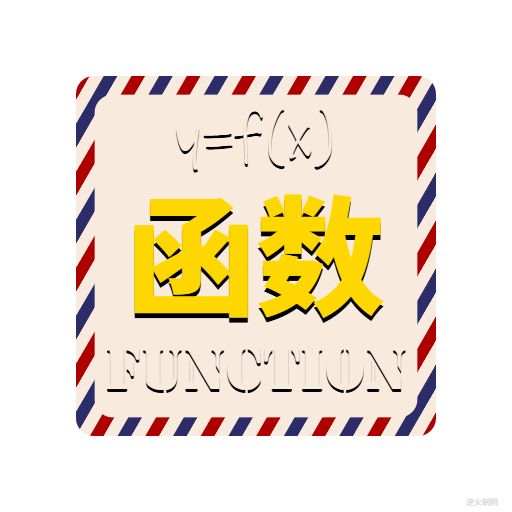
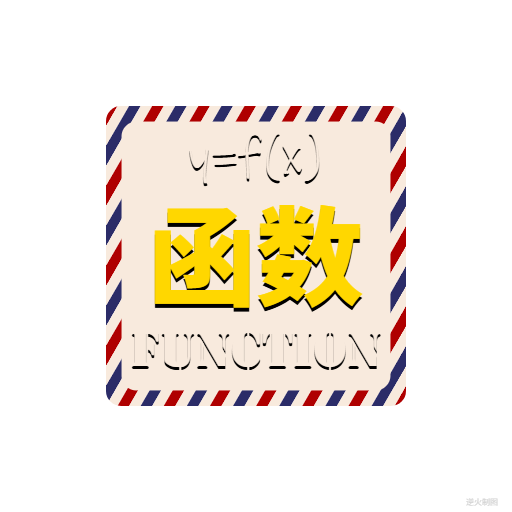
大小图:
【代码】
<!DOCTYPE html>
<html lang="utf-8">
<meta http-equiv="Content-Type" content="text/html; charset=utf-8"/>
<head>
     <title>象牙白蓝象牙白红斜带方块兼函数图标 Draft2</title>
     <style type="text/css">
     .centerlize{
        margin:0 auto;
        width:1200px;
     }
     </style>
     </head>

     <body onload="init();">
        <div class="centerlize">
            <canvas id="myCanvas" width="12px" height="12px" style="border:1px dotted black;">
                如果看到这段文字说您的浏览器尚不支持HTML5 Canvas,请更换浏览器再试.
            </canvas>
        </div>
     </body>
</html>
<script type="text/javascript">
<!--
/*****************************************************************
* 将全体代码(从<!DOCTYPE到script>)拷贝下来,粘贴到文本编辑器中,
* 另存为.html文件,再用chrome浏览器打开,就能看到实现效果。
******************************************************************/

// canvas的绘图环境
var ctx;

// 高宽
const WIDTH=512;
const HEIGHT=512;

// 舞台对象
var stage;

//-------------------------------
// 初始化
//-------------------------------
function init(){
    // 获得canvas对象
    var canvas=document.getElementById('myCanvas');
    canvas.width=WIDTH;
    canvas.height=HEIGHT;

    // 初始化canvas的绘图环境
    ctx=canvas.getContext('2d');
    ctx.translate(WIDTH/2,HEIGHT/2);// 原点平移

    // 准备
    stage=new Stage();
    stage.init();

    // 开幕
    animate();
}

// 播放动画
function animate(){
    stage.update();
    stage.paintBg(ctx);
    stage.paintFg(ctx);

    // 循环
    if(true){
        //sleep(100);
        window.requestAnimationFrame(animate);
    }
}

// 舞台类
function Stage(){
    // 初始化
    this.init=function(){

    }

    // 更新
    this.update=function(){

    }

    // 画背景
    this.paintBg=function(ctx){
        ctx.clearRect(-WIDTH/2,-HEIGHT/2,WIDTH,HEIGHT);// 清屏
    }

    // 画前景
    this.paintFg=function(ctx){
        // 底色
        ctx.save();
        ctx.fillStyle = "white";
        ctx.fillRect(-WIDTH/2,-HEIGHT/2,WIDTH,HEIGHT);
        ctx.restore();

        const R=210;//基准尺寸

        // #1
        ctx.save();
        r=R*1.00;
        var w=2*r;
        var h=w;
        drawRoundRect(ctx,0,0,w,h,R/10);
        ctx.clip();

        var colors=["rgb(175,0,0)","rgb(248,234,221)","rgb(43,44,104)","rgb(248,234,221)",];// 斜带间隔色
        var N=15;// 在高度上分多少格
        var T=h/N;// 每格的纵向厚度
        var theta=Math.PI/3;// 斜纹倾角

        for(var i=0;i<3*N;i++){
            var a=createPt(-w/2,-h/2+T*i);// 起始点
            var b=createPt(a.x,a.y+T);
            var c=createPt(b.x+w,b.y-w*Math.tan(theta));
            var d=createPt(c.x,c.y-T);

            ctx.fillStyle=colors[i%colors.length];
            ctx.beginPath();
            ctx.moveTo(a.x,a.y);
            ctx.lineTo(b.x,b.y);
            ctx.lineTo(c.x,c.y);
            ctx.lineTo(d.x,d.y);
            ctx.closePath();
            ctx.fill();
        }
        ctx.restore();

        // #2
        ctx.save();
        r=R*0.8964;
        var w=2*r;
        var h=w;
        ctx.fillStyle="rgb(248,234,221)";
        drawRoundRect(ctx,0,0,w,h,R/10);
        ctx.fill();
        ctx.restore();

        // 文字
        ctx.save();
        var text="y=f(x)";
        writeText(ctx,0,-r*0.51,text,r*0.4+"px Ink Free","black");
        writeText(ctx,0,-r*0.53,text,r*0.4+"px Ink Free","rgb(248,234,221)");

        var text="函数";
        writeText(ctx,0,r*0.43,text,r*0.8+"px Noto Sans SC Black","black");
        writeText(ctx,0,r*0.40,text,r*0.8+"px Noto Sans SC Black","gold");

        var text="function";
        writeText(ctx,0,r*0.93,text,r*0.35+"px Stencil Std","black");
        writeText(ctx,0,r*0.91,text,r*0.35+"px Stencil Std","rgb(248,234,221)");

        ctx.restore();

        //writeText(ctx,WIDTH/2-30,HEIGHT/2-5,"逆火制图","8px consolas","lightgrey");// 版权
    }
}

/*----------------------------------------------------------
函数:用于绘制圆角矩形
ctx:绘图上下文
x:矩形中心横坐标
y:矩形中心纵坐标
width:矩形宽
height:矩形高
radius:圆角半径
----------------------------------------------------------*/
function drawRoundRect(ctx,x,y,width,height,radius){
    ctx.beginPath();
    ctx.moveTo(x-width/2+radius,y-height/2);
    ctx.lineTo(x+width/2-radius,y-height/2);
    ctx.arcTo(x+width/2,y-height/2,x+width/2,y-height/2+radius,radius);
    ctx.lineTo(x+width/2,y-height/2+radius);
    ctx.lineTo(x+width/2,y+height/2-radius);
    ctx.arcTo(x+width/2,y+height/2,x+width/2-radius,y+height/2,radius);
    ctx.lineTo(x+width/2-radius,y+height/2);
    ctx.lineTo(x-width/2+radius,y+height/2);
    ctx.arcTo(x-width/2,y+height/2,x-width/2,y+height/2-radius,radius);
    ctx.lineTo(x-width/2,y+height/2-radius);
    ctx.lineTo(x-width/2,y-height/2+radius);
    ctx.arcTo(x-width/2,y-height/2,x-width/2+radius,y-height/2,radius);
    ctx.closePath();
}

/*----------------------------------------------------------
函数:用于绘制矩形
ctx:绘图上下文
x:矩形中心横坐标
y:矩形中心纵坐标
width:矩形宽
height:矩形高
----------------------------------------------------------*/
function drawRect(ctx,x,y,width,height){
    ctx.beginPath();
    ctx.moveTo(x-width/2,y-height/2);
    ctx.lineTo(x+width/2,y-height/2);
    ctx.lineTo(x+width/2,y+height/2);
    ctx.lineTo(x-width/2,y+height/2);
    ctx.closePath();
}

/*----------------------------------------------------------
函数:用于绘制实心圆
ctx:绘图上下文
x:矩形中心横坐标
y:矩形中心纵坐标
r:圆半径
style:填充圆的方案
----------------------------------------------------------*/
function drawSolidCircle(ctx,x,y,r,style){
    ctx.fillStyle=style;
    ctx.beginPath();
    ctx.arc(x,y,r,0,Math.PI*2,false);
    ctx.closePath();
    ctx.fill();
}

/*----------------------------------------------------------
函数:创建一个二维坐标点
x:横坐标
y:纵坐标
Pt即Point
----------------------------------------------------------*/
function createPt(x,y){
    var retval={};
    retval.x=x;
    retval.y=y;
    return retval;
}

/*----------------------------------------------------------
函数:延时若干毫秒
milliseconds:毫秒数
----------------------------------------------------------*/
function sleep(milliSeconds) {
    const date = Date.now();
    let currDate = null;
    while (currDate - date < milliSeconds) {
        currDate = Date.now();
    }
}

/*----------------------------------------------------------
函数:书写文字
ctx:绘图上下文
x:横坐标
y:纵坐标
text:文字
font:字体
color:颜色
----------------------------------------------------------*/
function writeText(ctx,x,y,text,font,color){
    ctx.save();
    ctx.textBaseline="bottom";
    ctx.textAlign="center";
    ctx.font = font;
    ctx.fillStyle=color;
    ctx.fillText(text,x,y);
    ctx.restore();
}

/*-------------------------------------------------------------
国内基础科学的教学非常强调筛选,
他们有这么一种观点:
只有最聪明最有才华的那少数几个人适合去科研,
而且这种聪明才智是可以通过少年时期的学习进度以及考试成绩
体现出来的。
所以中国教育开始了无尽的筛选,
高考、各种竞赛、少年班,到了大学还有各种筛选......

但是有没有一种可能?就是这个基本假设是错的!
--------------------------------------------------------------*/
//-->
</script>
END

 浙公网安备 33010602011771号