【Canvas与旗帜】明暗金圈五常之英国
【成图】
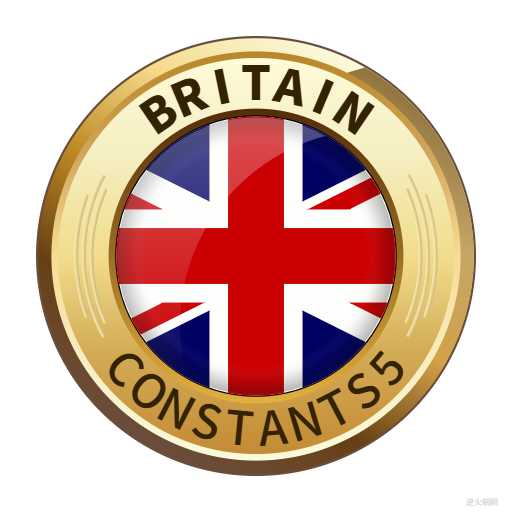
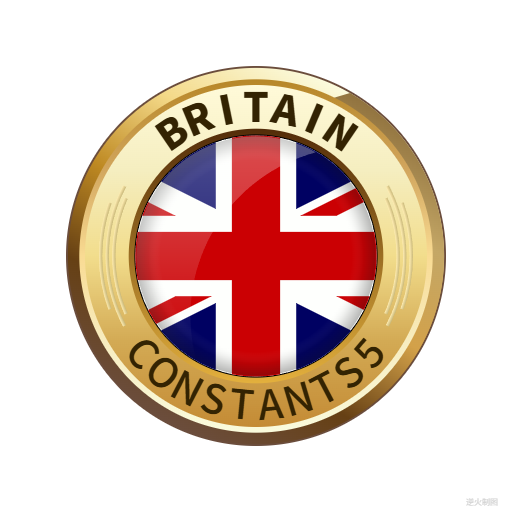
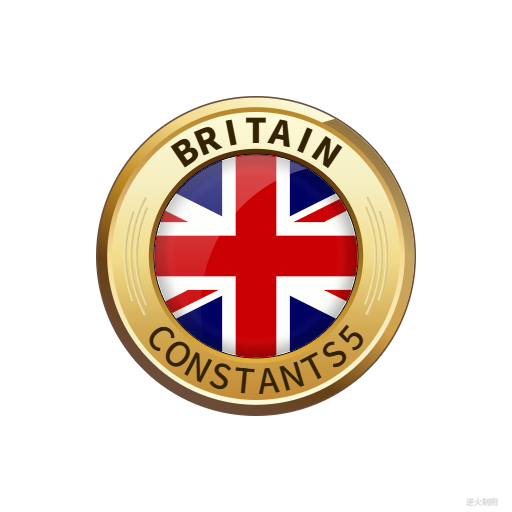

【代码】
<!DOCTYPE html>
<html lang="utf-8">
<meta http-equiv="Content-Type" content="text/html; charset=utf-8"/>
<head>
     <title>五常之英国第三版 Draft1</title>
     <style type="text/css">
     .centerlize{
        margin:0 auto;
        width:1200px;
     }
     </style>
     </head>

     <body onload="init();">
        <div class="centerlize">
            <canvas id="myCanvas" width="12px" height="12px" style="border:1px dotted black;">
                如果看到这段文字说您的浏览器尚不支持HTML5 Canvas,请更换浏览器再试.
            </canvas>
        </div>
     </body>
</html>
<script type="text/javascript">
<!--
/*****************************************************************
* 将全体代码(从<!DOCTYPE到script>)拷贝下来,粘贴到文本编辑器中,
* 另存为.html文件,再用chrome浏览器打开,就能看到实现效果。
******************************************************************/

// canvas的绘图环境
var ctx;

// 高宽
const WIDTH=512;
const HEIGHT=512;

// 舞台对象
var stage;

//-------------------------------
// 初始化
//-------------------------------
function init(){
    // 获得canvas对象
    var canvas=document.getElementById('myCanvas');
    canvas.width=WIDTH;
    canvas.height=HEIGHT;

    // 初始化canvas的绘图环境
    ctx=canvas.getContext('2d');
    ctx.translate(WIDTH/2,HEIGHT/2);// 原点平移

    // 准备
    stage=new Stage();
    stage.init();

    // 开幕
    animate();
}

// 播放动画
function animate(){
    stage.update();
    stage.paintBg(ctx);
    stage.paintFg(ctx);

    // 循环
    if(true){
        //sleep(100);
        window.requestAnimationFrame(animate);
    }
}

// 舞台类
function Stage(){
    // 初始化
    this.init=function(){

    }

    // 更新
    this.update=function(){

    }

    // 画背景
    this.paintBg=function(ctx){
        ctx.clearRect(-WIDTH/2,-HEIGHT/2,WIDTH,HEIGHT);// 清屏
    }

    // 画前景
    this.paintFg=function(ctx){
        // 底色
        /*ctx.save();
        ctx.fillStyle = "white";
        ctx.fillRect(-WIDTH/2,-HEIGHT/2,WIDTH,HEIGHT);
        ctx.restore();*/

        const R=220;//基准尺寸
        var ct=createPt(0,0);// ct=center
        const TITLE="BRITAIN";

        // #1 底圆
        ctx.save();
        var r=R*1.00;
        drawSolidCircle(ctx,ct.x,ct.y,r,"rgb(107,77,60)");
        ctx.restore();

        // #2 右上左下渐变圈
        ctx.save();
        var r=R*0.99;
        var a=createPt2(ct.x,ct.y,r,-Math.PI/3);
        var b=createPt2(ct.x,ct.y,r,Math.PI/3*2);
        var gnt=ctx.createLinearGradient(a.x,a.y,b.x,b.y);
        gnt.addColorStop(0,"rgb(251,251,222)");
        gnt.addColorStop(0.25,"rgb(244,217,136)");
        gnt.addColorStop(0.5,"rgb(190,137,34)");
        gnt.addColorStop(0.75,"rgb(102,64,20)");
        gnt.addColorStop(1,"rgb(107,77,60)");
        drawSolidCircle(ctx,ct.x,ct.y,r,gnt);
        ctx.restore();

        // #3 凸型渐变圈
        ctx.save();
        var r=R*0.99;
        var a=createPt2(ct.x,ct.y,r,-Math.PI/3);
        var b=createPt2(ct.x,ct.y,r,Math.PI/3*2);
        var c=createPt2(ct.x,ct.y,r,Math.PI/6);
        var d=createPt2(ct.x,ct.y,(Math.sqrt(2)-1)*r,Math.PI+Math.PI/6);
        var gnt=ctx.createLinearGradient(a.x,a.y,b.x,b.y);
        gnt.addColorStop(0,"rgb(145,115,63)");
        gnt.addColorStop(0.25,"rgb(196,167,102)");
        gnt.addColorStop(0.5,"rgb(211,161,73)");
        gnt.addColorStop(0.75,"rgb(102,64,20)");
        gnt.addColorStop(1,"rgb(107,77,60)");
        ctx.fillStyle=gnt;
        ctx.beginPath();
        ctx.arc(ct.x,ct.y,r,-Math.PI/3,Math.PI/3*2,false);
        ctx.arc(c.x,c.y,r*Math.sqrt(2),Math.PI-Math.PI/12,-Math.PI/2-Math.PI/12,false);
        ctx.fill();
        ctx.restore();

        // #4 上下渐变圈
        ctx.save();
        var r=R*0.93;
        var a=createPt2(ct.x,ct.y,r,-Math.PI/2);
        var b=createPt2(ct.x,ct.y,r,Math.PI/2);
        var gnt=ctx.createLinearGradient(a.x,a.y,b.x,b.y);
        gnt.addColorStop(0,"rgb(183,135,40)");
        gnt.addColorStop(0.25,"rgb(209,165,92)");
        gnt.addColorStop(0.5,"rgb(249,219,147)");
        gnt.addColorStop(0.75,"rgb(247,237,193)");
        gnt.addColorStop(1,"rgb(250,251,220)");
        drawSolidCircle(ctx,ct.x,ct.y,r,gnt);
        ctx.restore();

        // #5 上下渐变圈
        ctx.save();
        var r=R*0.90;
        var a=createPt2(ct.x,ct.y,r,-Math.PI/2);
        var b=createPt2(ct.x,ct.y,r,Math.PI/2);
        var gnt=ctx.createLinearGradient(a.x,a.y,b.x,b.y);
        gnt.addColorStop(0,"rgb(255,250,217)");
        gnt.addColorStop(0.25,"rgb(245,238,192)");
        gnt.addColorStop(0.5,"rgb(242,221,140)");
        gnt.addColorStop(0.75,"rgb(211,170,84)");
        gnt.addColorStop(1,"rgb(196,139,53)");
        drawSolidCircle(ctx,ct.x,ct.y,r,gnt);
        ctx.restore();

        // #6 上下圈文字
        ctx.save();
        var r=R*0.71;
        loopText(ctx,ct.x,ct.y,r*0.96,-Math.PI/2,getRadian(40),"BRITAIN",r*0.30,"rgb(51,35,2)","Noto Sans SC Black",false);// 顺时针

        loopText(ctx,ct.x,ct.y,r*1.25,Math.PI/2,getRadian(55),"CONSTANTS5",r*0.30,"rgb(51,35,2)","Noto Sans SC Medium",true);// 逆时针
        ctx.restore();

        // #8 左右弧形
        ctx.save();
        var r=0.87*R;
        var rin=0.85*r;// 左内
        var rout=0.87*r;
        var gnt=ctx.createRadialGradient(ct.x,ct.y,rin,ct.x,ct.y,rout);
        gnt.addColorStop(0,"rgb(201,184,121)");
        gnt.addColorStop(1,"rgb(254,236,178)");
        ctx.fillStyle=gnt;
        drawFan(ctx,ct.x,ct.y,rin,rout,Math.PI-getRadian(24),Math.PI+getRadian(24));
        ctx.fill();
        var rin=0.89*r;// 左中
        var rout=0.91*r;
        var gnt=ctx.createRadialGradient(ct.x,ct.y,rin,ct.x,ct.y,rout);
        gnt.addColorStop(0,"rgb(201,184,121)");
        gnt.addColorStop(1,"rgb(254,236,178)");
        ctx.fillStyle=gnt;
        drawFan(ctx,ct.x,ct.y,rin,rout,Math.PI-getRadian(28),Math.PI+getRadian(28));
        ctx.fill();
        var rin=0.93*r;// 左外
        var rout=0.95*r;
        var gnt=ctx.createRadialGradient(ct.x,ct.y,rin,ct.x,ct.y,rout);
        gnt.addColorStop(0,"rgb(201,184,121)");
        gnt.addColorStop(1,"rgb(254,236,178)");
        ctx.fillStyle=gnt;
        drawFan(ctx,ct.x,ct.y,rin,rout,Math.PI-getRadian(20),Math.PI+getRadian(20));
        ctx.fill();
        var rin=0.85*r;// 右内
        var rout=0.87*r;
        var gnt=ctx.createRadialGradient(ct.x,ct.y,rin,ct.x,ct.y,rout);
        gnt.addColorStop(0,"rgb(254,236,178)");
        gnt.addColorStop(1,"rgb(201,184,121)");
        ctx.fillStyle=gnt;
        drawFan(ctx,ct.x,ct.y,rin,rout,0-getRadian(24),0+getRadian(24));
        ctx.fill();
        var rin=0.89*r;// 右中
        var rout=0.91*r;
        var gnt=ctx.createRadialGradient(ct.x,ct.y,rin,ct.x,ct.y,rout);
        gnt.addColorStop(0,"rgb(254,236,178)");
        gnt.addColorStop(1,"rgb(201,184,121)");
        ctx.fillStyle=gnt;
        drawFan(ctx,ct.x,ct.y,rin,rout,0-getRadian(28),0+getRadian(28));
        ctx.fill();
        var rin=0.93*r;// 右外
        var rout=0.95*r;
        var gnt=ctx.createRadialGradient(ct.x,ct.y,rin,ct.x,ct.y,rout);
        gnt.addColorStop(0,"rgb(254,236,178)");
        gnt.addColorStop(1,"rgb(201,184,121)");
        ctx.fillStyle=gnt;
        drawFan(ctx,ct.x,ct.y,rin,rout,0-getRadian(20),0+getRadian(20));
        ctx.fill();
        ctx.restore();

        // #9 上下渐变圈
        ctx.save();
        var r=R*0.67;
        var a=createPt2(ct.x,ct.y,r,-Math.PI/2);
        var b=createPt2(ct.x,ct.y,r,Math.PI/2);
        var gnt=ctx.createLinearGradient(a.x,a.y,b.x,b.y);
        gnt.addColorStop(0,"rgb(83,44,9)");
        gnt.addColorStop(1,"rgb(227,176,61)");
        drawSolidCircle(ctx,ct.x,ct.y,r,gnt);
        ctx.restore();

        // #10 国旗外圈
        ctx.save();
        var r=R*0.64;
        drawSolidCircle(ctx,ct.x,ct.y,r,"black");
        ctx.restore();

        // #11 旗面
        ctx.save();
        var r=R*0.635;
        ctx.beginPath();
        ctx.arc(ct.x,ct.y,r,0,Math.PI*2,false);
        ctx.clip();// 限制范围
        drawFlagment(ctx,ct.x,ct.y,r,R);
        ctx.restore();

        // #12 边缘加深
        ctx.save();
        var r=R*0.63;
        var gnt=ctx.createRadialGradient(0,0,0,0,0,r);
        gnt.addColorStop(0,"rgba(255,255,255,0)");
        gnt.addColorStop(0.80,"rgba(255,255,255,0.0)");
        gnt.addColorStop(0.90,"rgba(20,20,20,0.1)");
        gnt.addColorStop(1,"rgba(20,20,20,0.3)");
        drawSolidCircle(ctx,0,0,r,gnt);
        ctx.restore();

        // #13 月形玻璃光
        ctx.save();
        var r=R*0.63;
        var ct=createPt(0,0);
        var c=createPt2(ct.x,ct.y,r,Math.PI/6);
        var b=createPt2(ct.x,ct.y,r,Math.PI/2+Math.PI/6);
        var a=createPt2(ct.x,ct.y,r,-Math.PI/3);
        var gnt=ctx.createLinearGradient(0,-r,0,b.y);
        gnt.addColorStop(0,"rgba(255,255,255,0.3)");
        gnt.addColorStop(0.4,"rgba(255,255,255,0.2)");
        gnt.addColorStop(1,"rgba(255,255,255,0.0)");
        ctx.fillStyle=gnt;
        ctx.beginPath();
        ctx.moveTo(a.x,a.y);
        ctx.arc(ct.x,ct.y,r,-Math.PI/3,Math.PI/2+Math.PI/6,true);
        ctx.arc(c.x,c.y,r*Math.sqrt(2),Math.PI-Math.PI/12,-Math.PI/2-Math.PI/12,false);
        ctx.fill();
        ctx.restore();

        writeText(ctx,WIDTH/2-30,HEIGHT/2-5,"逆火制图","8px consolas","lightgrey");// 版权
    }
}

// 绘制旗面
function drawFlagment(ctx,x,y,r,R){
    const ct=createPt(x,y);// ct=center
    drawEnglishFlg(ctx,x,y,4*r,2*r,"rgb(203,0,3)","rgb(0,1,98)","rgb(254,255,253)");
}

/*----------------------------------------------------------
特定函数:用于绘制英国米字旗
ctx:绘图上下文
x:旗中心横坐标
y:旗中心纵坐标
width:旗宽
height:旗高
redColor:红色颜色
blueColor:蓝色颜色
whiteColor:白色颜色
----------------------------------------------------------*/
function drawEnglishFlg(ctx,x,y,width,height,redColor,blueColor,whiteColor){
    // 先铺背景色
    ctx.save();
    ctx.fillStyle=whiteColor;
    drawRect(ctx,x,y,width,height);
    ctx.fill();
    ctx.restore();

    const WD=width/60;// 宽度分为六十份
    const HD=height/30;// 高度分为三十份

    // 绘制中心十字之横线
    ctx.save();
    ctx.fillStyle=redColor;
    drawRect(ctx,x,y,60*WD,6*HD);
    ctx.fill();
    ctx.restore();

    // 绘制中心十字之竖线
    ctx.save();
    ctx.fillStyle=redColor;
    drawRect(ctx,x,y,6*WD,30*HD);
    ctx.fill();
    ctx.restore();

    // 求左右四小三角块之参数
    var theta=Math.atan(height/width);
    var triHeight=10*HD-3*HD/Math.cos(theta);
    var triWidth=triHeight/Math.tan(theta);

    // 右上三角块
    var c=createPt(30*WD,-5*HD);
    var b=createPt(c.x,c.y-triHeight);
    var a=createPt(c.x-triWidth,c.y);
    drawTriangle(ctx,c,b,a,blueColor);

    // 右下三角块
    var c=createPt(30*WD,5*HD);
    var b=createPt(c.x,c.y+triHeight);
    var a=createPt(c.x-triWidth,c.y);
    drawTriangle(ctx,c,b,a,blueColor);

    // 左上三角块
    var c=createPt(-30*WD,-5*HD);
    var b=createPt(c.x,c.y-triHeight);
    var a=createPt(c.x+triWidth,c.y);
    drawTriangle(ctx,c,b,a,blueColor);

    // 左下三角块
    var c=createPt(-30*WD,5*HD);
    var b=createPt(c.x,c.y+triHeight);
    var a=createPt(c.x+triWidth,c.y);
    drawTriangle(ctx,c,b,a,blueColor);

    // 求上下四大三角块之参数
    var theta=Math.atan(height/width);
    var triWidth=25*HD-3*HD/Math.sin(theta);
    var triHeight=triWidth*Math.tan(theta);

    // 上右三角块
    var c=createPt(5*WD,-15*HD);
    var b=createPt(c.x,c.y+triHeight);
    var a=createPt(c.x+triWidth,c.y);
    drawTriangle(ctx,c,b,a,blueColor);

    // 上左三角块
    var c=createPt(-5*WD,-15*HD);
    var b=createPt(c.x,c.y+triHeight);
    var a=createPt(c.x-triWidth,c.y);
    drawTriangle(ctx,c,b,a,blueColor);

    // 下右三角块
    var c=createPt(5*WD,15*HD);
    var b=createPt(c.x,c.y-triHeight);
    var a=createPt(c.x+triWidth,c.y);
    drawTriangle(ctx,c,b,a,blueColor);

    // 下左三角块
    var c=createPt(-5*WD,15*HD);
    var b=createPt(c.x,c.y-triHeight);
    var a=createPt(c.x-triWidth,c.y);
    drawTriangle(ctx,c,b,a,blueColor);

    // 绘制右上条带
    var theta=Math.atan(height/width);
    var a=createPt(30*WD,-15*HD);
    var b=createPt(a.x-10*HD/Math.tan(theta),a.y+10*HD);
    var c=createPt(b.x-2*HD/Math.sin(theta),b.y);
    var d=createPt(a.x-2*HD/Math.sin(theta),a.y);
    drawBelt(ctx,a,b,c,d,redColor);

    // 绘制左下条带
    var theta=Math.atan(height/width);
    var a=createPt(-30*WD,15*HD);
    var b=createPt(a.x+10*HD/Math.tan(theta),a.y-10*HD);
    var c=createPt(b.x+2*HD/Math.sin(theta),b.y);
    var d=createPt(a.x+2*HD/Math.sin(theta),a.y);
    drawBelt(ctx,a,b,c,d,redColor);

    // 绘制左上条带
    var theta=Math.atan(height/width);
    var a=createPt(-30*WD,-15*HD);
    var b=createPt(a.x+10*HD/Math.tan(theta),a.y+10*HD);
    var c=createPt(b.x-2*HD/Math.sin(theta),b.y);
    var d=createPt(a.x,a.y+2*HD/Math.cos(theta));
    drawBelt(ctx,a,b,c,d,redColor);

    // 绘制左下条带
    var theta=Math.atan(height/width);
    var a=createPt(30*WD,15*HD);
    var b=createPt(a.x-10*HD/Math.tan(theta),a.y-10*HD);
    var c=createPt(b.x+2*HD/Math.sin(theta),b.y);
    var d=createPt(a.x,a.y-2*HD/Math.cos(theta));
    drawBelt(ctx,a,b,c,d,redColor);
}

// 绘制四边形带子,drawEnglishFlg的跟班函数
function drawBelt(ctx,a,b,c,d,fillStyle){
    ctx.save();
    ctx.fillStyle=fillStyle;
    ctx.beginPath();
    ctx.moveTo(a.x,a.y);
    ctx.lineTo(b.x,b.y);
    ctx.lineTo(c.x,c.y);
    ctx.lineTo(d.x,d.y);
    ctx.closePath();
    ctx.fill();
    ctx.restore();
}

// 绘制三角线块,drawEnglishFlg的跟班函数
function drawTriangle(ctx,c,b,a,fillStyle){
    ctx.save();
    ctx.fillStyle=fillStyle;
    ctx.beginPath();
    ctx.moveTo(c.x,c.y);
    ctx.lineTo(b.x,b.y);
    ctx.lineTo(a.x,a.y);
    ctx.closePath();
    ctx.fill();
    ctx.restore();
}

/*------------------------------------------------------------------------
常用函数:写出环形文字的函数
ctx:绘图上下文
x:环中心点横坐标
y:环中心点纵坐标
r:环半径
centerAngle:文字中心角度
fanAngle:左右辐角
text:文字
textSize:文字大小
textColor:文字颜色
textFont:文字字体
clockwise: 顺逆时针 false=顺时针,true=逆时针
------------------------------------------------------------------------*/
function loopText(ctx,x,y,r,centerAngle,fanAngle,text,textSize,textColor,textFont,clockwise){
    var arr=text.split("");
    var n=arr.length;
    var part=2*fanAngle/n;
    for(var i=0;i<arr.length;i++){
        var theta;
        if (clockwise==false){
            theta=centerAngle-fanAngle+part/2+i*part;// 顺时针的情况
        }else{
            theta=centerAngle+fanAngle-part/2-i*part;// 逆时针的情况
        }

        var p=createPt2(x,y,r,theta);
        ctx.save();
        ctx.translate(p.x,p.y);
        if(clockwise==false){
            ctx.rotate(theta+Math.PI/2);
        }else{
            ctx.rotate(theta-Math.PI/2);
        }
        writeText(ctx,0,0,arr[i],textSize+"px "+textFont,textColor)
        ctx.restore();
    }
}

/*--------------------------------------------------
基本函数:绘制标准正五角星轮廓,可描边,可填充
ctx:绘图上下文
x:五角星中心横坐标
y:五角星中心纵坐标
R:五角星中心到顶点的距离
---------------------------------------------------*/
function draw5Star(ctx,x,y,R){
    var r=R*Math.sin(Math.PI/10)/Math.sin(Math.PI/10*7);

    var arr=[0,0,0,0,0,0,0,0,0,0];

    // 顶五点
    for(var i=0;i<5;i++){
        var theta=i*Math.PI/5*2-Math.PI/10;
        var x1=R*Math.cos(theta)+x;
        var y1=R*Math.sin(theta)+y;
        arr[i*2]=createPt(x1,y1);
    }

    // 内五点
    for(var i=0;i<5;i++){
        var theta=i*Math.PI/5*2+Math.PI/10;
        var x1=r*Math.cos(theta)+x;
        var y1=r*Math.sin(theta)+y;
        arr[i*2+1]=createPt(x1,y1);
    }

    ctx.beginPath();
    for(var i=0;i<arr.length;i++){
        ctx.lineTo(arr[i].x,arr[i].y);
    }
    ctx.closePath();
}

/*----------------------------------------------------------
函数:用于绘制扇形
ctx:绘图上下文
x:扇形圆心心横坐标
y:扇形圆心纵坐标
rIn:扇形内径
rOut:扇形外径
startAngle:起始角度
endAngle:中止角度
----------------------------------------------------------*/
function drawFan(ctx,x,y,rIn,rOut,startAngle,endAngle){
    var a=createPt(x+rIn*Math.cos(startAngle),y+rIn*Math.sin(startAngle));
    var b=createPt(x+rOut*Math.cos(startAngle),y+rOut*Math.sin(startAngle));
    var c=createPt(x+rOut*Math.cos(endAngle),y+rOut*Math.sin(endAngle));
    var d=createPt(x+rIn*Math.cos(endAngle),y+rIn*Math.sin(endAngle));

    ctx.beginPath();
    ctx.moveTo(a.x,a.y);
    ctx.lineTo(b.x,b.y);
    ctx.arc(x,y,rOut,startAngle,endAngle,false);
    ctx.lineTo(c.x,c.y);
    ctx.lineTo(d.x,d.y);
    ctx.arc(x,y,rIn,endAngle,startAngle,true);
    ctx.closePath();
}

/*----------------------------------------------------------
基础函数:用于从角度取得弧度,便于微调
degree:角度值,如30,60,90
返回值:弧度值,如PI/6,PI/3,PI/2
----------------------------------------------------------*/
function getRadian(degree){
    return degree/180*Math.PI;
}

/*----------------------------------------------------------
基础函数:用于取得两点间距离
p1:起点
p1:终点
----------------------------------------------------------*/
function getDistance(p1,p2){
    return Math.sqrt((p1.x-p2.x)*(p1.x-p2.x)+(p1.y-p2.y)*(p1.y-p2.y));
}

/*----------------------------------------------------------
基础函数:用于绘制矩形
ctx:绘图上下文
x:矩形中心横坐标
y:矩形中心纵坐标
width:矩形宽
height:矩形高
----------------------------------------------------------*/
function drawRect(ctx,x,y,width,height){
    ctx.beginPath();
    ctx.moveTo(x-width/2,y-height/2);
    ctx.lineTo(x+width/2,y-height/2);
    ctx.lineTo(x+width/2,y+height/2);
    ctx.lineTo(x-width/2,y+height/2);
    ctx.closePath();
}

/*----------------------------------------------------------
基础函数:用于绘制实心圆
ctx:绘图上下文
x:矩形中心横坐标
y:矩形中心纵坐标
r:圆半径
style:填充圆的方案
----------------------------------------------------------*/
function drawSolidCircle(ctx,x,y,r,style){
    ctx.fillStyle=style;
    ctx.beginPath();
    ctx.arc(x,y,r,0,Math.PI*2,false);
    ctx.closePath();
    ctx.fill();
}

/*----------------------------------------------------------
基础函数:创建一个二维坐标点
base:基准点,入参必需有x和y两参数
radius:当前点到基准点的距离
theta:当前点到基准点的角度
Pt即Point
----------------------------------------------------------*/
function createPt3(base,radius,theta){
    var retval={};
    retval.x=base.x+radius*Math.cos(theta);
    retval.y=base.y+radius*Math.sin(theta);
    return retval;
}

/*----------------------------------------------------------
基础函数:创建一个二维坐标点
baseX:基准点横坐标
baseY:基准点纵坐标
radius:当前点到基准点的距离
theta:当前点到基准点的角度
Pt即Point
----------------------------------------------------------*/
function createPt2(baseX,baseY,radius,theta){
    var retval={};
    retval.x=baseX+radius*Math.cos(theta);
    retval.y=baseY+radius*Math.sin(theta);
    return retval;
}

/*----------------------------------------------------------
基础函数:创建一个二维坐标点
x:横坐标
y:纵坐标
Pt即Point
----------------------------------------------------------*/
function createPt(x,y){
    var retval={};
    retval.x=x;
    retval.y=y;
    return retval;
}

/*----------------------------------------------------------
基础函数:延时若干毫秒
milliseconds:毫秒数
----------------------------------------------------------*/
function sleep(milliSeconds) {
    const date = Date.now();
    let currDate = null;
    while (currDate - date < milliSeconds) {
        currDate = Date.now();
    }
}

/*----------------------------------------------------------
基础函数:书写文字
ctx:绘图上下文
x:横坐标
y:纵坐标
text:文字
font:字体
color:颜色
----------------------------------------------------------*/
function writeText(ctx,x,y,text,font,color){
    ctx.save();
    ctx.textBaseline="bottom";
    ctx.textAlign="center";
    ctx.font = font;
    ctx.fillStyle=color;
    ctx.fillText(text,x,y);
    ctx.restore();
}

/*-------------------------------------------------------------
永远不抱怨。
一个人成熟的标志,就是把“这件事为什么发生在我身上“的怨念,
转变成“这件事是为了教会我什么"的觉醒。
当你换个角度看世界,你会发现:一切都是最好的安排。
--------------------------------------------------------------*/
//-->
</script>
END

 浙公网安备 33010602011771号