
JavaScript Drum Kit
效果:https://dustinhsiao21.github.io/Javascript30-dustin/01%20-%20JavaScript%20Drum%20Kit/
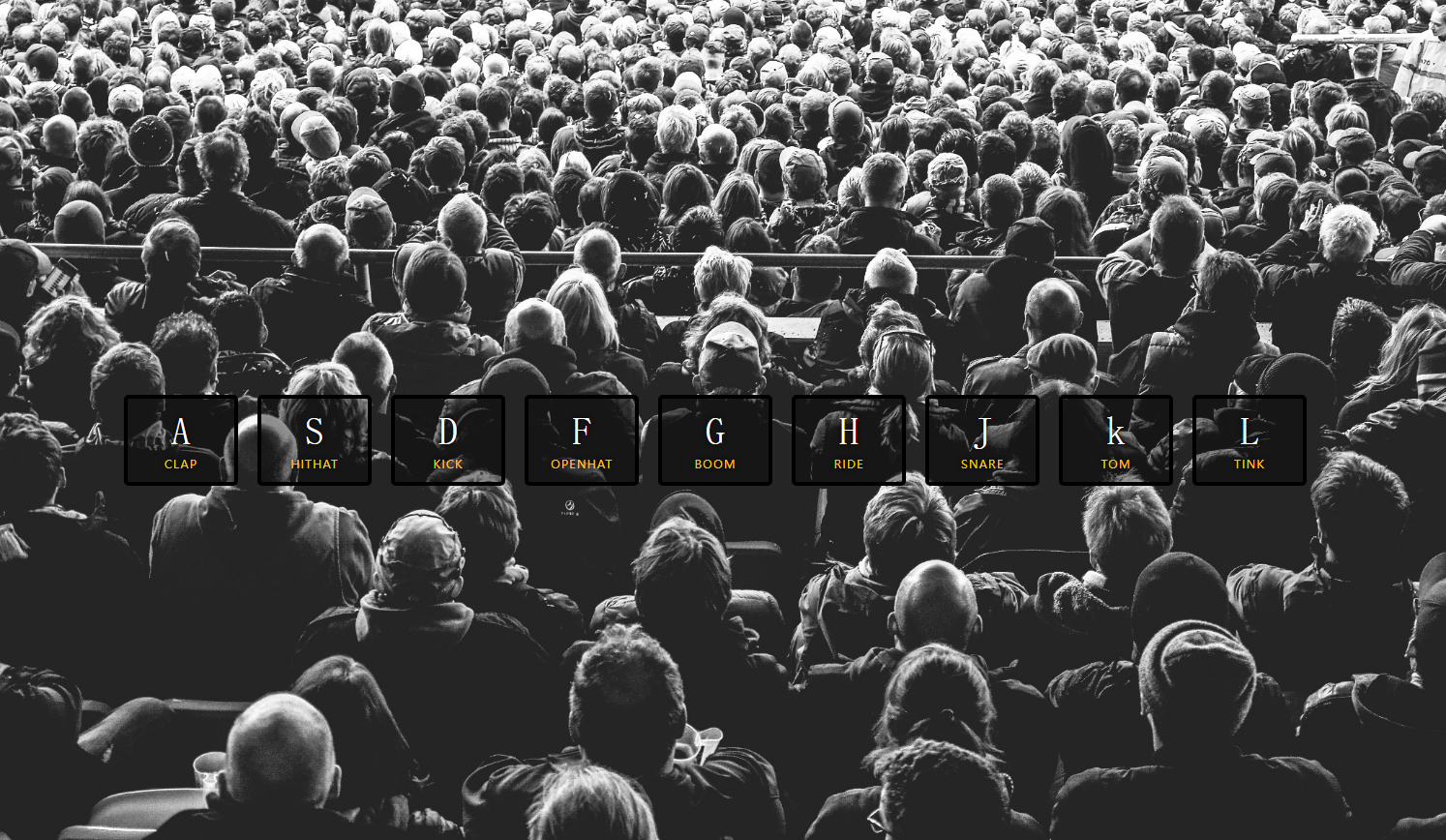
长按不松手,可能会产生 playing会添加上去,可以尝试移除
if(e.propertyName !== 'transform'){
return;
}
HTML
<!DOCTYPE html>
<html>
    <head>
        <meta charset="utf-8">
        <title></title>
        <link rel="stylesheet" type="text/css" href="./style.css"/>
    </head>
    <body>


        <div class="keys">
            <div data-key="65" class="key">
                <kbd>A</kbd>
                <span class="sound">clap</span>
            </div>

            <div data-key="83" class="key">
                <kbd>S</kbd>
                <span class="sound" class="key">hithat</span>
            </div>

            <div data-key="68" class="key">
                <kbd>D</kbd>
                <span class="sound" class="key">kick</span>
            </div>

            <div data-key="70" class="key">
                <kbd>F</kbd>
                <span class="sound">openhat</span>
            </div>

            <div data-key="71" class="key">
                <kbd>G</kbd>
                <span class="sound">boom</span>
            </div>

            <div data-key="72" class="key">
                <kbd>H</kbd>
                <span class="sound">ride</span>
            </div>

            <div data-key="74" class="key">
                <kbd>J</kbd>
                <span class="sound">snare</span>
            </div>


            <div data-key="75" class="key">
                <kbd>k</kbd>
                <span class="sound">tom</span>
            </div>

            <div data-key="76" class="key">
                <kbd>L</kbd>
                <span class="sound">tink</span>
            </div>
        </div>


        <audio data-key="65" src="sounds/clap.wav"></audio>
      <audio data-key="83" src="sounds/hihat.wav"></audio>
      <audio data-key="68" src="sounds/kick.wav"></audio>
      <audio data-key="70" src="sounds/openhat.wav"></audio>
      <audio data-key="71" src="sounds/boom.wav"></audio>
      <audio data-key="72" src="sounds/ride.wav"></audio>
      <audio data-key="74" src="sounds/snare.wav"></audio>
      <audio data-key="75" src="sounds/tom.wav"></audio>
      <audio data-key="76" src="sounds/tink.wav"></audio>


    </body>
</html>
CSS
html {
  font-size: 10px;
  background: url(http://i.imgur.com/b9r5sEL.jpg) bottom center;
  background-size: cover;
}
body,html {
  margin: 0;
  padding: 0;
  font-family: sans-serif;
}

.keys {
  display: flex;
  flex: 1;
  min-height: 100vh;
  align-items: center;
  justify-content: center;
}

.key {
  border: .4rem solid black;
  border-radius: .5rem;
  margin: 1rem;
  font-size: 1.5rem;
  padding: 1rem .5rem;
  transition: all .07s ease;
  width: 10rem;
  text-align: center;
  color: white;
  background: rgba(0,0,0,0.4);
  text-shadow: 0 0 .5rem black;
}

.playing {
  transform: scale(1.1);
  border-color: #ffc600;
  box-shadow: 0 0 1rem #ffc600;
}

kbd {
  display: block;
  font-size: 4rem;
}

.sound {
  font-size: 1.2rem;
  text-transform: uppercase;
  letter-spacing: .1rem;
  color: #ffc600;
}
JavaScript
<script type="text/javascript">
            function removeTransition(e){
                // console.log(e);
                // console.log(e.propertyName);
                if(e.propertyName !== 'transform'){
                    return;
                }
                this.classList.remove('playing');
                // e.target.classList.remove('playing');
            }

            function playSound(e){
                // 按下事件的码数
                const audio = document.querySelector(`audio[data-key="${e.keyCode}"]`);
                const key = document.querySelector(`div[data-key="${e.keyCode}"]`);
                // console.log(audio);
                if(!audio) return;
                key.classList.add('playing');
                audio.currentTime = 0;  //new to the
                audio.play();
            }


            // 过渡结束事件
            const keys = Array.from(document.querySelectorAll('.key'));
            keys.forEach(key=>key.addEventListener('transitionend',removeTransition));
            window.addEventListener('keydown',playSound);


            // window.addEventListener('keydown',function(e){
            //     // console.log(e);
            //     // 按下键盘a,控制台keycode输出的是65
            //     // console.log(e.keyCode);
            // })
        </script>

 浙公网安备 33010602011771号