
关于Lua、XLua的学习
Lua学习教程结尾部分笔记
笔记十九 —— 关于文件读取、写入
--[[    文件读取 (简单模式)   --]]
--[[
--io.XXXX       首先创建一个名为data的txt文件,然后使用io方法
file = io.open("data.txt","r")

io.input(file)

print(io.read())       --只读取一行
print(io.read())
print(io.read())
print(io.read())

io.close(file)
--]]


----------------------------分割线--------------------------------------
--[[    文件写入  (简单模式)   --]]
--[[
file = io.open("data.txt","a")              --a  在文档后追加
                                            --w  清空文档后写入
io.output(file)

io.write("---分割线----".."试一试嗷")
io.write("tell me why"..",")
io.write("But it's can speack English")
io.write("试一试会不会转行\n")              --\n  末尾加入可以实现转行

io.close(file)
--]]


----------------------------分割线--------------------------------------
--[[    读取文件  (完全模式)   --]]
--[[
file = io.open("data.txt", "r")

print(file:read())
print(file:read())

file:close()
--]]

----------------------------分割线--------------------------------------
--[[    写入文件  (完全模式)   --]]
---[[
file = io.open("data.txt","a")

file:write("一串字符串\n")

file:close()

---[[
file = io.open("data.txt","r")
print(file:read())
print(file:read())
print(file:read())
print(file:read())
print(file:read())
print(file:read())
print(file:read())
print(file:read())
print(file:read())
print(file:read())
file:close()
--]]
--]]
笔记二十 —— 垃圾回收
--[[    垃圾回收    --]]
mytable = {"apple", "orange", "banana"}

print(collectgarbage("count"))

mytable = nil

print(collectgarbage("count"))

print(collectgarbage("collect"))

print(collectgarbage("count"))
笔记二十一 —— 面向对象、继承
--[[   table function   --]]
--[[
t = {a= "siki"}

t1= t

t1.a = "sikiedu"

print(t.a)
--]]


-------------------------------------分割线--------------------------------------------
--[[    面向对象编程的实现    --]]
--对于一个对象来说 属性 方法
--方式一
--[[
person = { name = "sike",age = 99}
person.eat = function()                             --匿名函数
    print(person.name.."在吃饭")
end

person.eat()
--]]


--方式二
--[[
function person.eat()
    print(person.name.."在吃饭")
end

person.eat()
--]]


--方式三
--[[
person = {name = "siki" ,age = 99,eat = function()
    print(person.name.."在吃饭")
end}

person.eat()
--]]


--方法四
--[[
person = {name = "siki",age = 99}
person.eat = function(self)
    print(self.name.."在吃饭")
end

a = person

a.eat(a)
--]]                                             --当通过.来调用方发的时候,self不会自动赋值,我们必须通过第一个参数来传递当前的table


--方法五
--[[
person = {name = "siki",age = 99}

function person:eat()
    print(self.name.."在吃饭")
    print(self.name.."的年龄是"..self.age)
end

person:eat()
--]]                                             --当通过:来调用方法的时候,系统会自动传跌当前的table给self


-------------------------------------分割线--------------------------------------------
--[[    构造多个新对象  写法一    --]]
--[[
person = {name = "siki",age = 99}

function person:eat()
    print(self.name.."在吃饭")
    print(self.name.."的年龄是"..self.age)
end

function person:new(o)

    local t=o or {}                              --若o不等于空 就输出o  若等于空,就输出后面的表     --注意! 这里需要local t

    setmetatable( t, { __index = self})          --如果调用一个属性的时候,如果t不存在,那么会在__index所指定的table中查找

    return t

end

person1 = person:new()                           --第一个新对象

person2 = person:new()

person3 = person:new({weight = 100})

print(person1.name)
print(person2.name)

person1:eat()
person2:eat()
person3:eat()

person1.name = "sikiedu"                          --给person设置值后,他会存在t中,下次调用,就直接使用这个值了
person1:eat()
print(person3.weight)
--]]


--[[    构造多个新对象  写法二   --]]
--[[
person = {name = "siki",age = 99}

function person:eat()
    print(self.name.."在吃饭")
    print(self.name.."的年龄是"..self.age)
end

function person:new(o)

    local t=o or {}                                     --注意! 这里需要local t

    --setmetatable( t, { __index = self})                --这里做了改变
    setmetatable(t,self)
    self.__index = self                                  --self 为元表    __index是元表中的key     值为self

    return t

end

person1 = person:new()
person2 = person:new()

person3 = person:new({weight = 100})

print(person1.name)
print(person2.name)

person1:eat()
person2:eat()
person3:eat()

person1.name = "sikiedu"
person1:eat()
print(person3.weight)
--]]


-------------------------------------分割线--------------------------------------------
--[[    继承    --]]
--[[


--]]
————————————————————————————————手动分割线——————————————————————————————————————————
学习xlua可以先看教程 再看案例学习
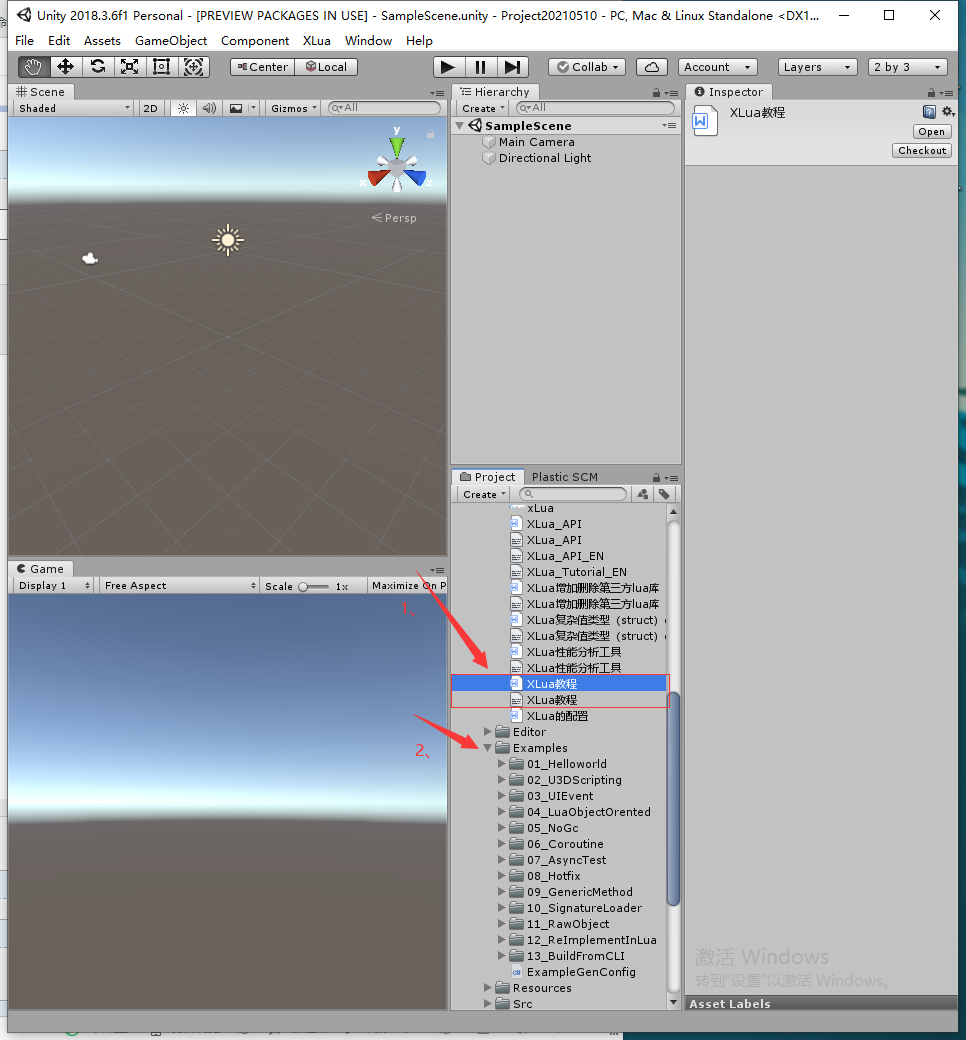
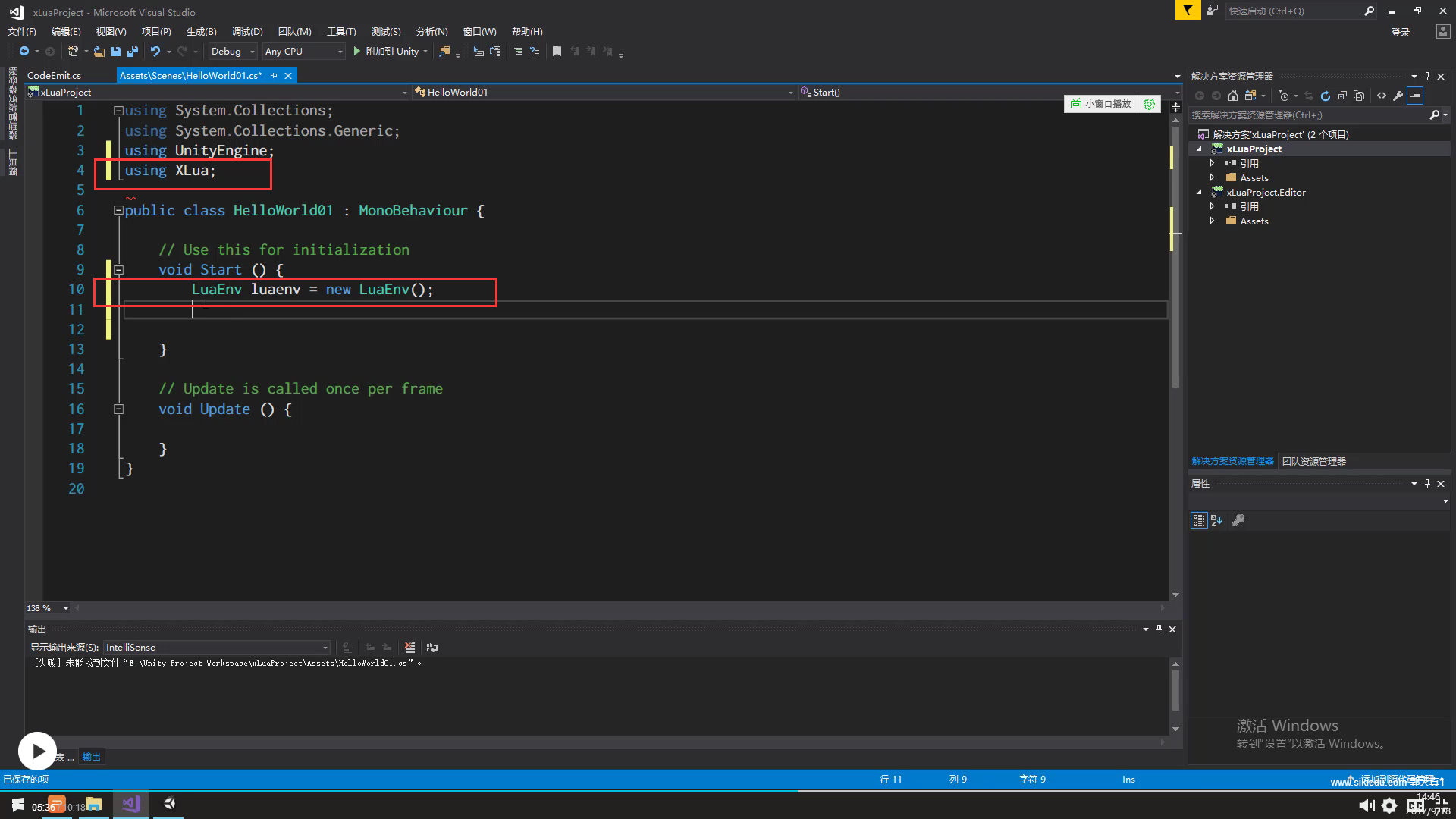
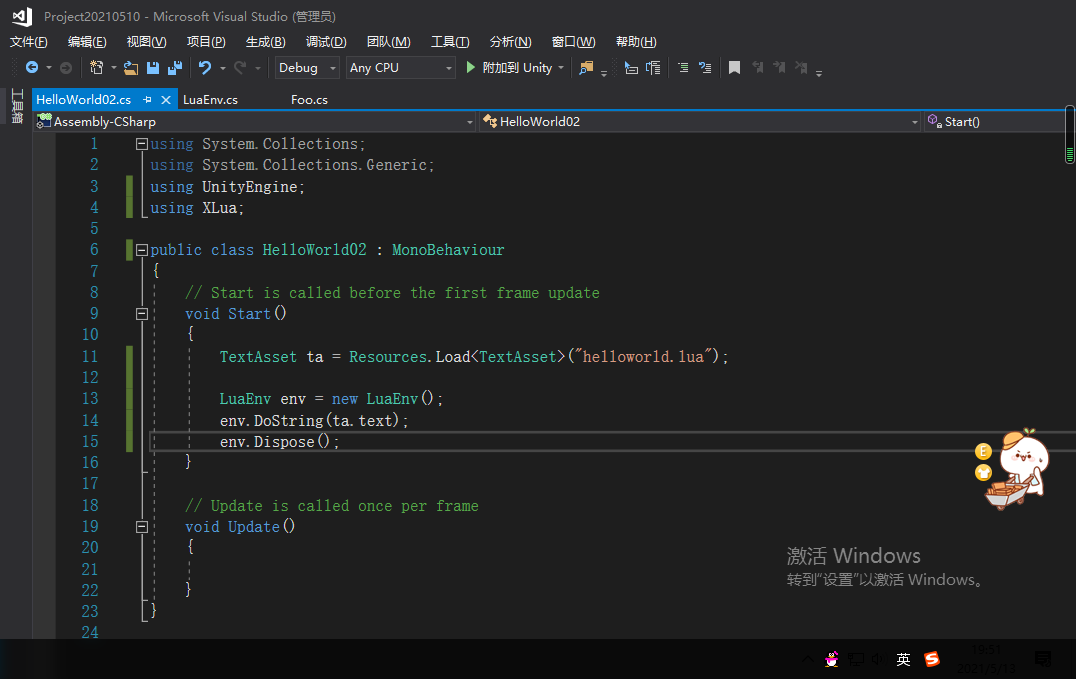
在C#中搭建Lua环境
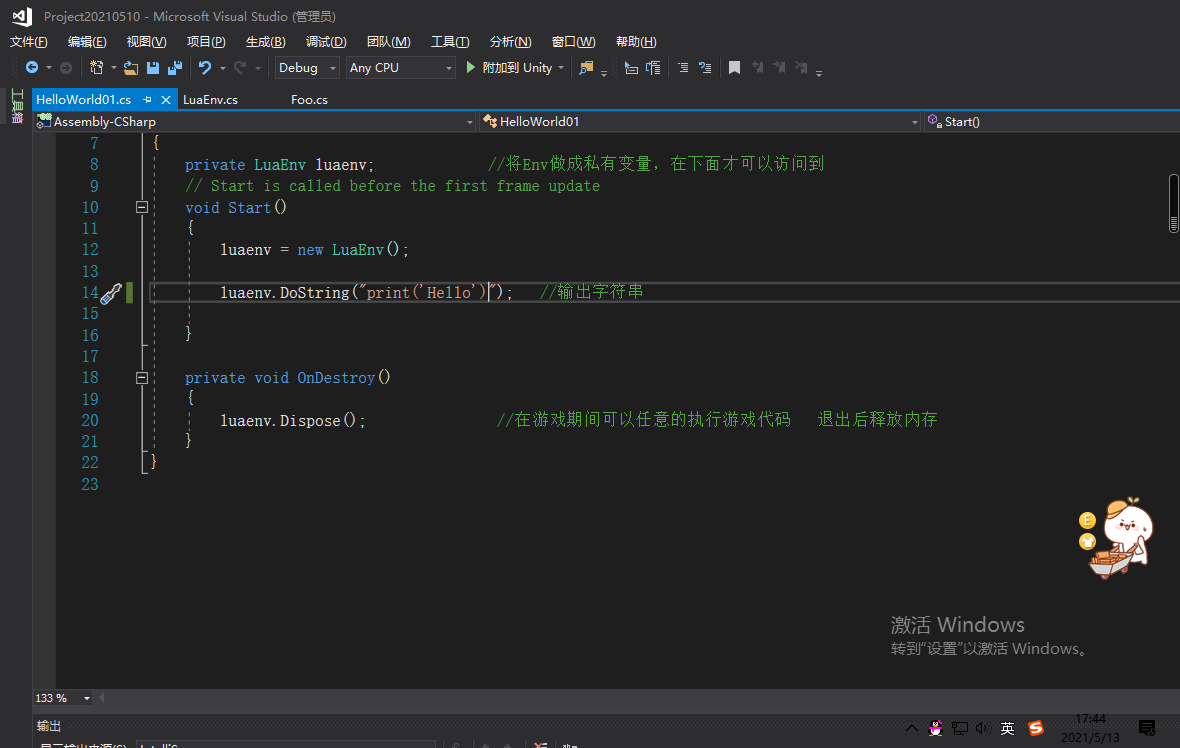
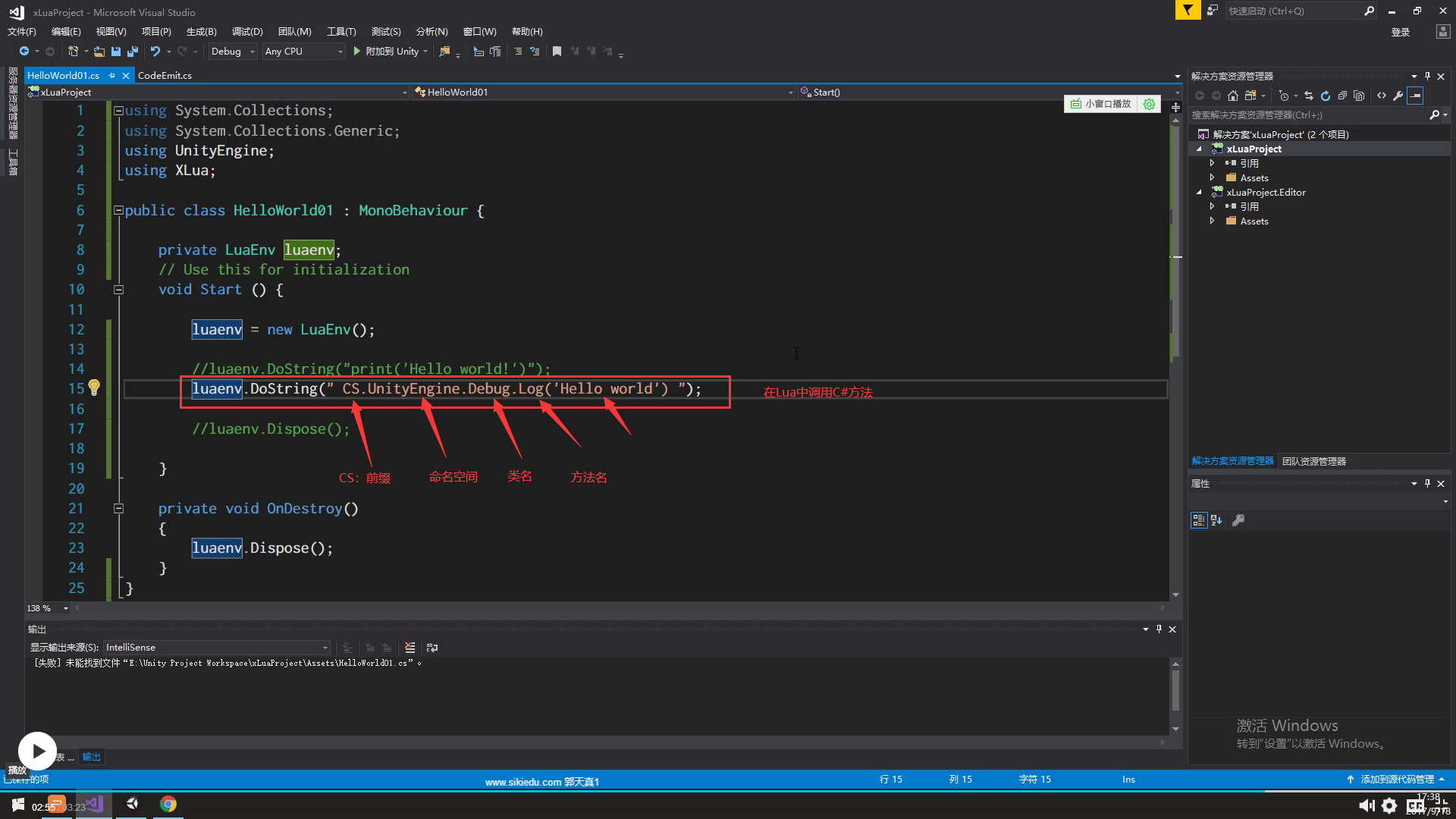
Lua文件名为“helloworld.lua.txt” , 在C#中调用Lua。

 浙公网安备 33010602011771号