


C# 把窗体应用改成类库输出然后去引用
类库你就新建类库文件直接生成dll去引用好了,但是群友非要骚操作,新建一个windows窗体把他搞成dll去引用,当时我回答了这个问题是可以的,但是实际上我没有这么干过,今天恰好有空,体验了一把,的确可以。
首先说明哈,因为这只是测试这么个功能,我新建的项目名字以及窗体名字都没改,偷懒了哈,网友勿喷!
先新建第一个窗体应用,
代码如下;
using Microsoft.CSharp;
using System;
using System.CodeDom.Compiler;
using System.Collections.Generic;
using System.ComponentModel;
using System.Data;
using System.Drawing;
using System.Linq;
using System.Reflection;
using System.Text;
using System.Threading.Tasks;
using System.Windows.Forms;
namespace WindowsFormsApp12
{
    public partial class Form1 : Form
    {
        public Form1()
        {
            InitializeComponent();
        }
        private void Form1_Load(object sender, EventArgs e)
        {
        }
        private void button1_Click(object sender, EventArgs e)
        {
            MessageBox.Show(GetCode2());
        }
        public static string GetCode2()
        {
            StringBuilder sb = new StringBuilder();
            sb.Append("using System;");
            sb.Append(Environment.NewLine);
            sb.Append("namespace DynamicCodeGenerate");
            sb.Append(Environment.NewLine);
            sb.Append("{");
            sb.Append(Environment.NewLine);
            sb.Append("    public class HelloWorld");
            sb.Append(Environment.NewLine);
            sb.Append("    {");
            sb.Append(Environment.NewLine);
            sb.Append("        public string OutPut()");
            sb.Append(Environment.NewLine);
            sb.Append("        {");
            sb.Append(Environment.NewLine);
            sb.Append("             return \"Hello world!\";");
            sb.Append(Environment.NewLine);
            sb.Append("        }");
            sb.Append(Environment.NewLine);
            sb.Append("    }");
            sb.Append(Environment.NewLine);
            sb.Append("}");
            string code = sb.ToString();
            return code;
        }
    }
}
点击按钮运行后结果如下:
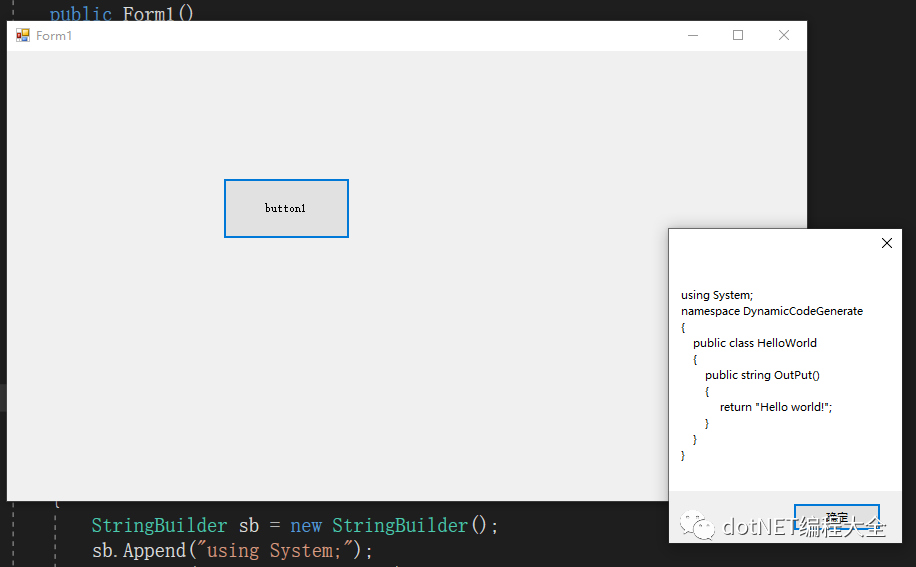
然后我把它的输出类型改为类库:

然后去新建第二个窗体应用,然后引用上面的项目
代码如下:
using System;
using System.Collections.Generic;
using System.ComponentModel;
using System.Data;
using System.Drawing;
using System.Linq;
using System.Text;
using System.Threading.Tasks;
using System.Windows.Forms;
using WindowsFormsApp12;


namespace WindowsFormsApp1
{
    public partial class Form1 : Form
    {
        public Form1()
        {
            InitializeComponent();
        }


        private void button1_Click(object sender, EventArgs e)
        {
            //WindowsFormsApp12.Form1 f1 = new WindowsFormsApp12.Form1();
            MessageBox.Show( WindowsFormsApp12.Form1.GetCode2());

        }
    }
}
执行后:

源码:
链接: https://pan.baidu.com/s/1uWegVTHc2guz7FaQ5j8WIA
提取码: g7fp

 浙公网安备 33010602011771号