

常用小功能
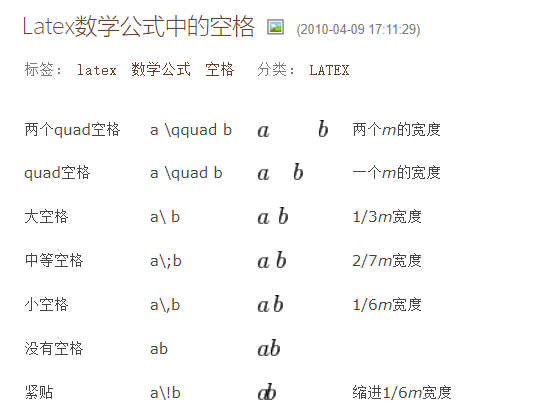
\quad
颜色
{\color{red}
要写的内容
}
箭头

Line 632: "ECEF" $\rightarrow$ " ECEF (Earth-Centered Earth-Fixed)".\\
Line 801: "ICP" $\rightarrow$ " Iterative Closest Point (ICP)".\\
纠正
Original: "In the scenario of GNSS complete loss during ….

Correction: "In scenarios of complete GNSS loss during ……
取消缩进
\noindent
\\  换行但是不缩进

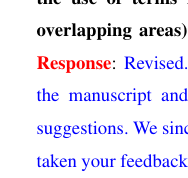
加粗
{\textbf{Response}}

1插图系列
0 包含图片位置
\begin{figure}[!h]
	\centering
	\includegraphics[width=0.8\textwidth,height=0.5\textwidth]{figure/4table_time1.pdf}
	%\caption{\textcolor{}{tracking thread and the mapping thread consumes time
			%}}
	%\label{fig_e2}
\end{figure}
\begin{figure}[!h]
	\centering
	\includegraphics[width=0.8\textwidth,height=0.5\textwidth]{figure/4table_time1.pdf}
	%\caption{\textcolor{}{tracking thread and the mapping thread consumes time
			%}}
	%\label{fig_e2}
\end{figure}
1 引入图片
\begin{figure*}[h]  % t插入到页面顶端  h插入到当前
	\setlength{\abovecaptionskip}{0cm}
	\setlength{\belowcaptionskip}{-0cm}
	\linespread{1}
	\begin{center}
		\includegraphics[width=1\linewidth]{d2-2-2_2-3.png}% 图片名字 png  pdf
	\end{center}
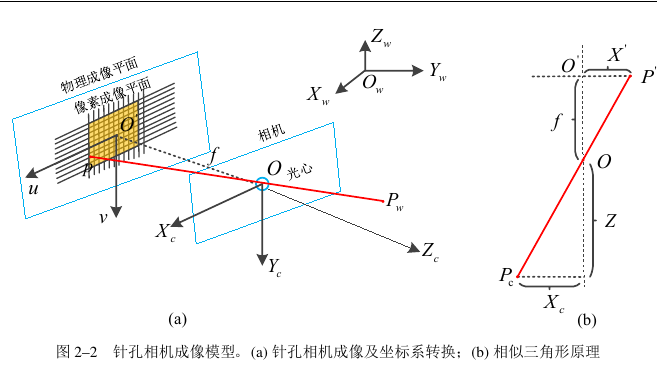
	\caption{针孔相机成像模型。(a) 针孔相机成像及坐标系转换;(b) 相似三角形原理}  % 图片注释
	\label{Figure-d2-3}      %图片引用的名字
\end{figure*}
2 在引用出使用引用 \ref{图片的label}
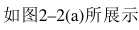
如图\ref{Figure-2-1}(a)所展示
2标题系列
\chapter{第二章	相机阵列宽视场成像系统建模与原型机构建}
\label{ChapterTwo}

\section{系统概述}

\subsection{单相机成像模型}
1 点标题
\begin{itemize}
\item{\textbf{SIFT特征}}
\end{itemize}
2 黑体加粗
1. \textbf{尺度空间的极值检测}
\begin{itemize}
\item
\item
\end{itemize}
3公式系列
3-1手动编辑
http://latex.codecogs.com/eqneditor/editor.php
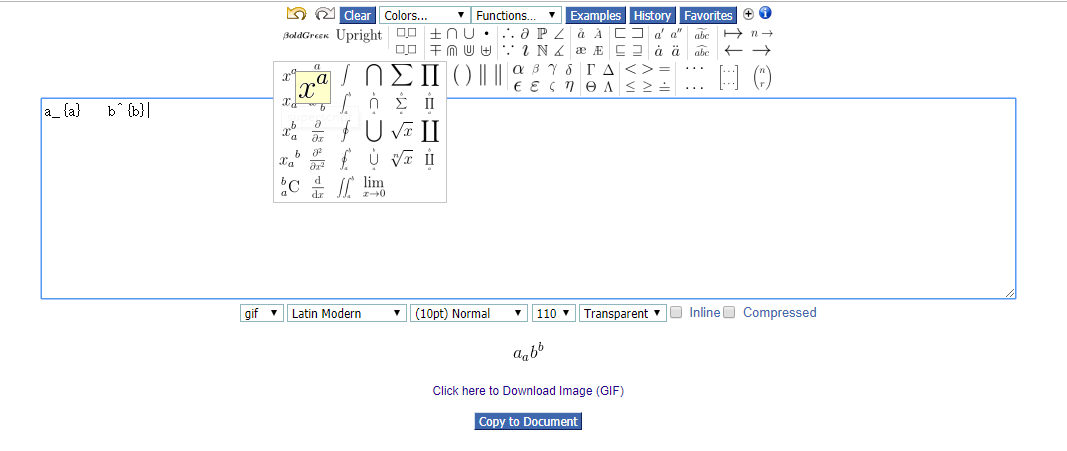

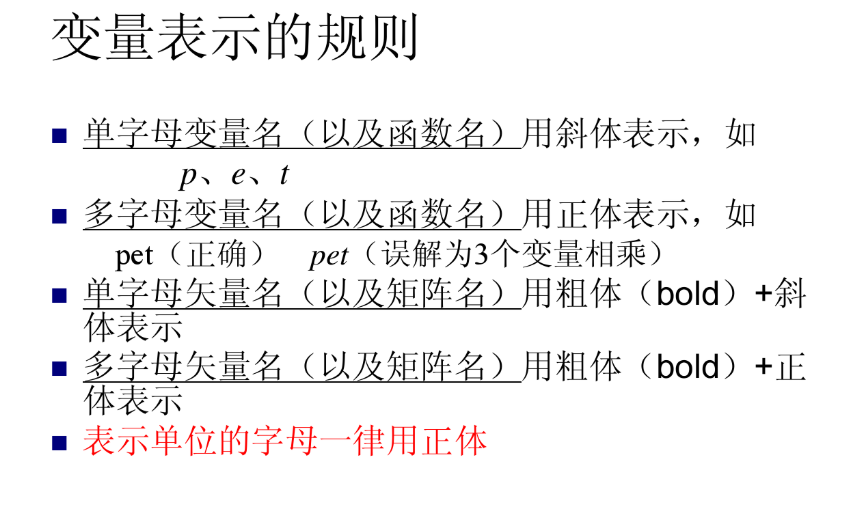
其中焦距$f$,$d_{x},d_{y}$表示的是像素真实物理尺寸

1 插入公式
\begin{equation}\label{equ2-2}
   Z_{c}/f = X_{c}/X^{'}=Y_{c}/Y^{'}
\end{equation}
2 引用
\ref{equ2-2}
图片自动生成公式
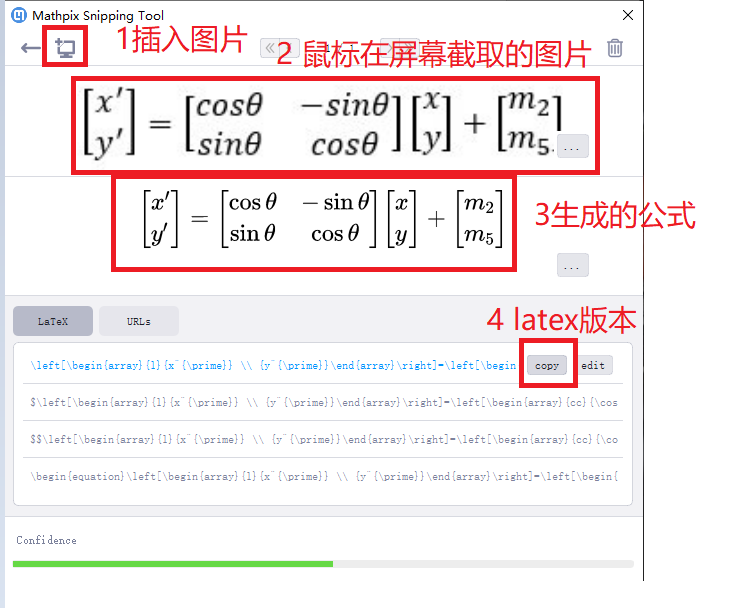
然后在公式外面 套上
\begin{equation}\label{equ2-2} %引用的名字
   公式
\end{equation}
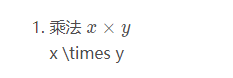
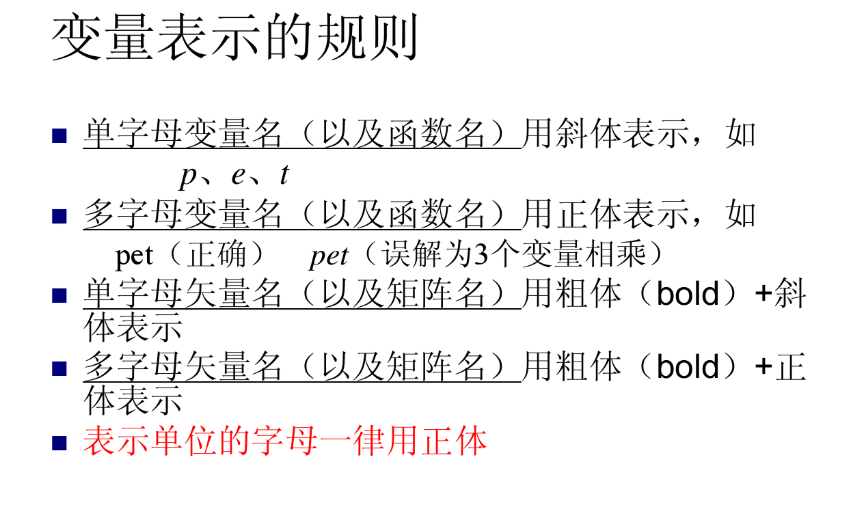
https://wenku.baidu.com/view/0f174754312b3169a451a4c8.html
表格
https://www.tablesgenerator.com/#
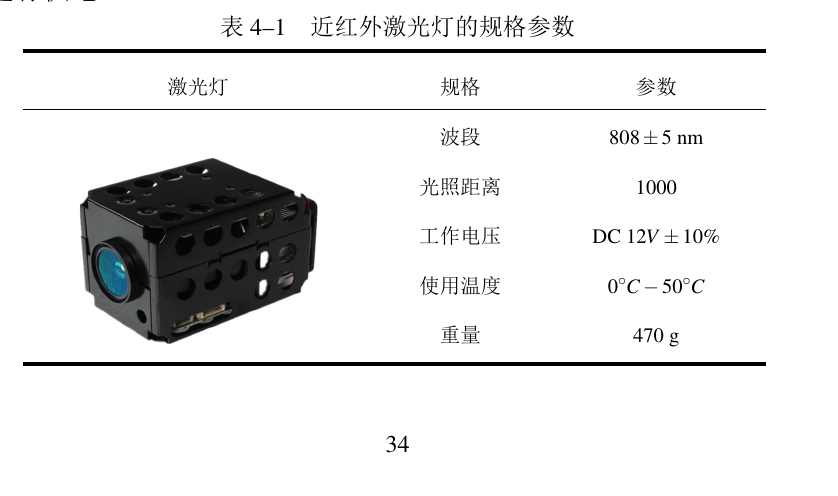
\begin{table}[h]
\centering
\caption{近红外激光灯的规格参数}
\setlength{\tabcolsep}{7mm}{
\begin{tabular}{c c c c}
\toprule[2pt]
\small 激光灯 &        \small 规格 &        \small 参数 \\
\hline%\midrule[2pt]
 \multirow{6}{*}{\includegraphics[width=0.25\textwidth]{Tab-4-1.pdf}} &     \small 波段 &  \small $808\pm5$ nm\\
%\cline{2-3}
                           &       \small 光照距离 & \small $1000$ \\
%\cline{2-3}
                           &         \small 工作电压 & \small DC $12V\pm10\%$ \\
%\cline{2-3}
                           &        \small 使用温度 & \small $0^{\circ}C-50^{\circ}C$  \\
%\cline{2-3}
                           &       \small 重量 &  \small $470$ g \\
\bottomrule[2pt]
\end{tabular}}
\label{Tab-4-1}
\end{table}
列宽调整
若要调整每列的宽度到指定数值,可以将代码中的
\begin{tabular}{c|ccc}
改为
\begin{tabular}{p{xxx}|ccc}
其中花括号里面填写宽度数值,如5pt,10mm等。如果需要该列居中,可以写作
\begin{tabular}{p{xxx}<{\centering}|ccc}
\subsection{投影变换}
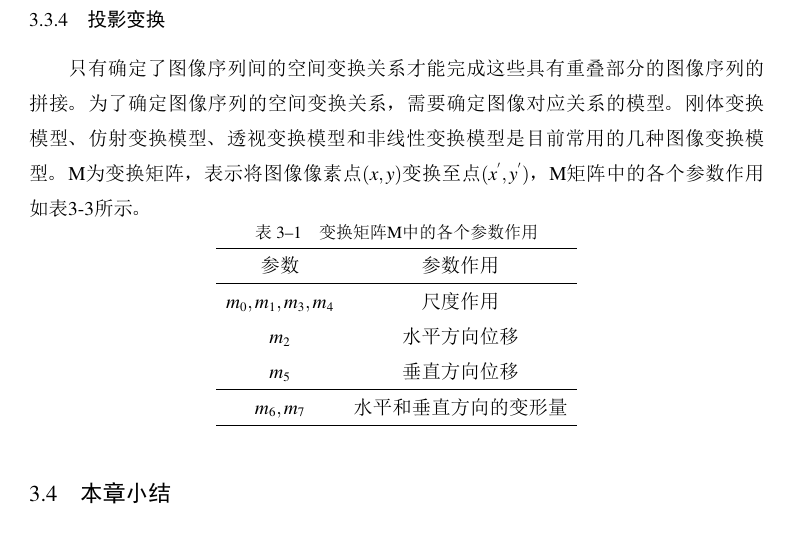
只有确定了图像序列间的空间变换关系才能完成这些具有重叠部分的图像序列的拼接。为了确定图像序列的空间变换关系,需要确定图像对应关系的模型。刚体变换模型、仿射变换模型、透视变换模型和非线性变换模型是目前常用的几种图像变换模型。M为变换矩阵,表示将图像像素点$(x,y)$变换至点$(x^{'},y^{'})$,M矩阵中的各个参数作用如表3-3所示。

\begin{table}[h]
	\centering                         %整体居中显示
	\caption{变换矩阵M中的各个参数作用}  %表格名字
	\begin{tabular}{cc}                % c 居中显示
		\hline
		参数                  & 参数作用        \\ \hline
	    $m_0,m_1,m_3,m_4$ & 尺度作用        \\
		$m_2$            & 水平方向位移      \\
		$m_5$               & 垂直方向位移      \\ \hline
		$m_6,m_7$        & 水平和垂直方向的变形量 \\ \hline
	\end{tabular}

\label{Tab-3-1}                        %引用的名字
\end{table}
引用 \ref{Tab-3-1}
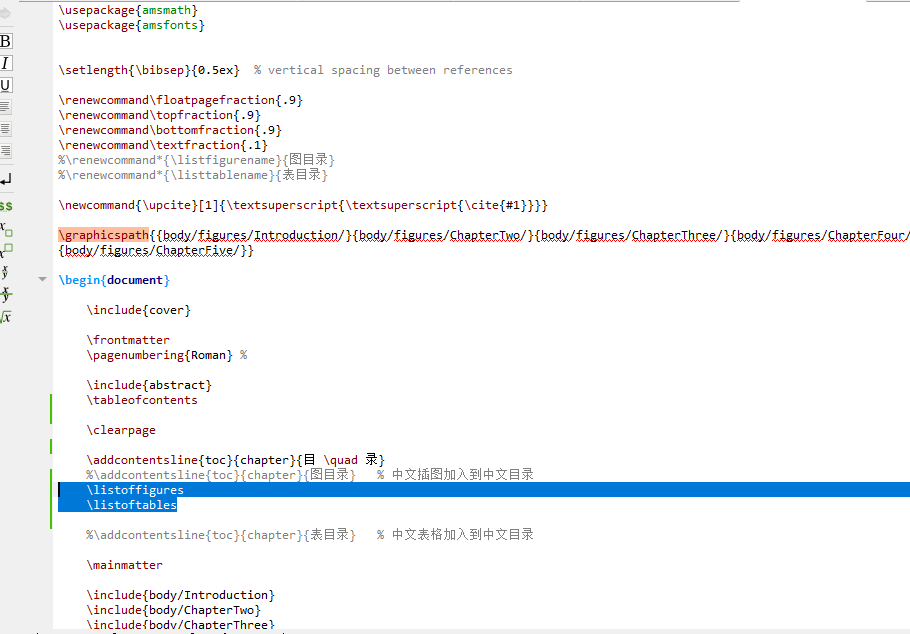
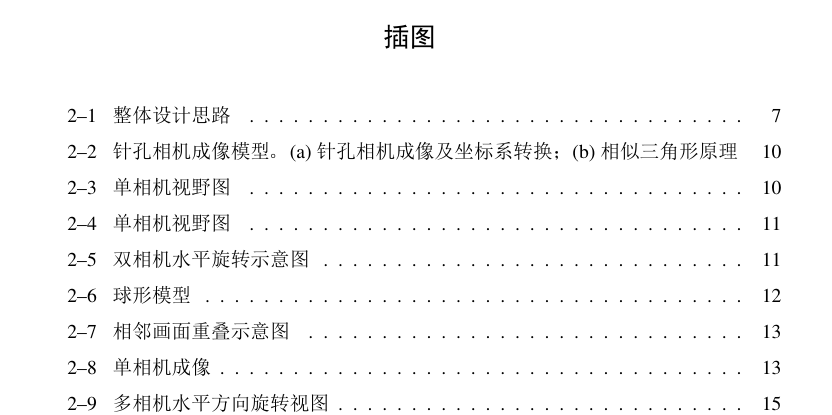
添加图目录和表目录
 \listoffigures
 \listoftables
自动生成

 浙公网安备 33010602011771号