
pyocd gdbserver 调试
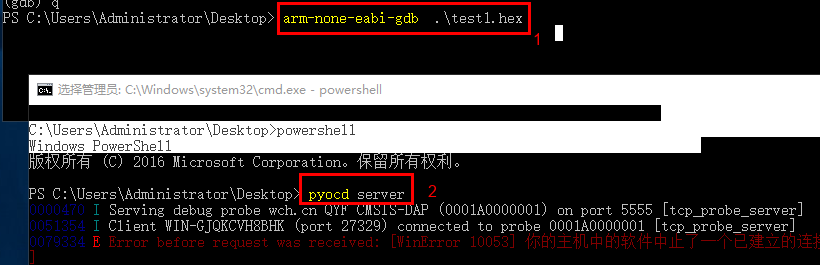
Standalone GDB server
After you install pyOCD via pip or setup.py, you will be able to execute the following in order to start a GDB server powered by pyOCD:
$ pyocd gdbserver
You can get additional help by running pyocd gdbserver --help.
Example command line GDB session showing how to connect to a running pyocd gdbserver and load firmware:
$ arm-none-eabi-gdb application.elf

<gdb> target remote localhost:3333
<gdb> load
<gdb> monitor reset
The pyocd gdbserver subcommand is also usable as a drop in place replacement for OpenOCD in existing setups. The primary difference is the set of gdb monitor commands.
烧录代码:
pyocd flash -t stm32f030f4px .\test1.hex
https://pypi.org/project/pyocd/0.17.0/

 浙公网安备 33010602011771号