
UML与软件建模 第五次作业
|
一、学习PlantUML状态图绘制方法,学习状态图 (1)简单状态 使用( 使用 @startuml [*] --> State1 State1 --> [*] State1 : this is a string State1 : this is another string State1 -> State2 State2 --> [*] @enduml 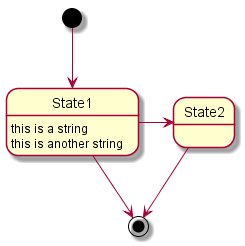
(2)合成状态 一个状态也可能是合成的,必须使用关键字
@startuml
scale 350 width
[*] --> NotShooting

state NotShooting {
  [*] --> Idle
  Idle --> Configuring : EvConfig
  Configuring --> Idle : EvConfig
}

state Configuring {
  [*] --> NewValueSelection
  NewValueSelection --> NewValuePreview : EvNewValue
  NewValuePreview --> NewValueSelection : EvNewValueRejected
  NewValuePreview --> NewValueSelection : EvNewValueSaved

  state NewValuePreview {
	 State1 -> State2
  }

}
@enduml
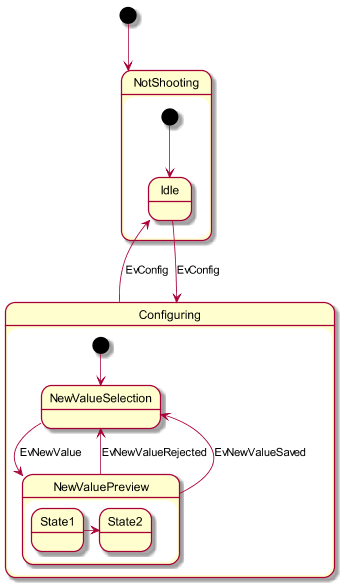
(3)长名字 也可以使用关键字
@startuml
scale 600 width

[*] -> State1
State1 --> State2 : Succeeded
State1 --> [*] : Aborted
State2 --> State3 : Succeeded
State2 --> [*] : Aborted
state State3 {
  state "Accumulate Enough Data\nLong State Name" as long1
  long1 : Just a test
  [*] --> long1
  long1 --> long1 : New Data
  long1 --> ProcessData : Enough Data
}
State3 --> State3 : Failed
State3 --> [*] : Succeeded / Save Result
State3 --> [*] : Aborted

@enduml
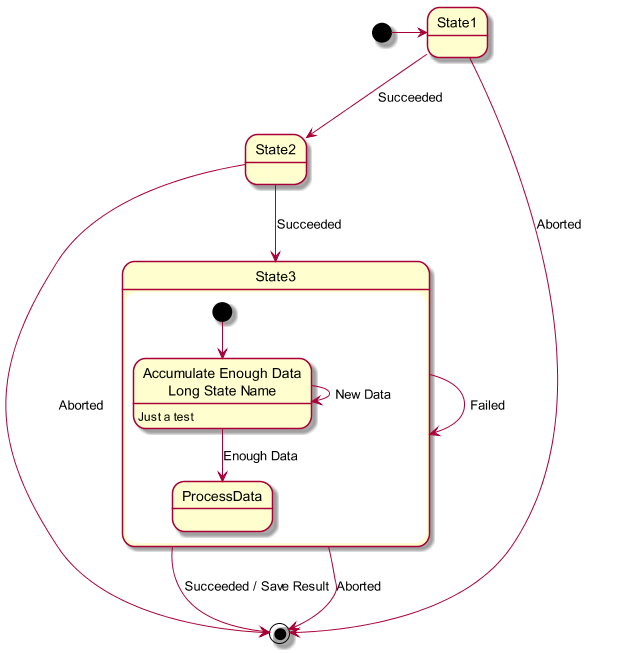
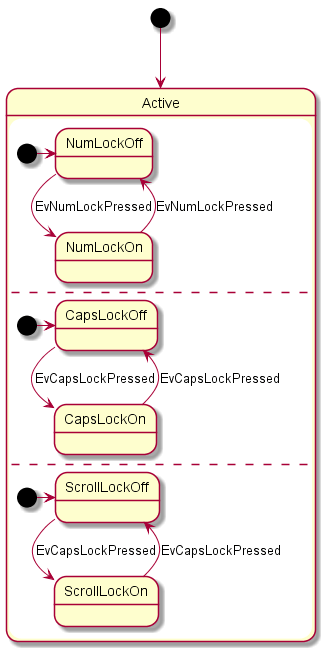
(4)并发状态 用 @startuml
[*] --> Active
state Active {
[*] -> NumLockOff
NumLockOff --> NumLockOn : EvNumLockPressed
NumLockOn --> NumLockOff : EvNumLockPressed
--
[*] -> CapsLockOff
CapsLockOff --> CapsLockOn : EvCapsLockPressed
CapsLockOn --> CapsLockOff : EvCapsLockPressed
--
[*] -> ScrollLockOff
ScrollLockOff --> ScrollLockOn : EvCapsLockPressed
ScrollLockOn --> ScrollLockOff : EvCapsLockPressed
}
@enduml
(5)箭头方向 使用
@startuml
[*] -up-> First
First -right-> Second
Second --> Third
Third -left-> Last
@enduml
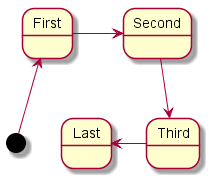
(6)注释可以用 还可以定义多行注释。 @startuml [*] --> Active Active --> Inactive note left of Active : this is a short\nnote note right of Inactive A note can also be defined on several lines end note @enduml 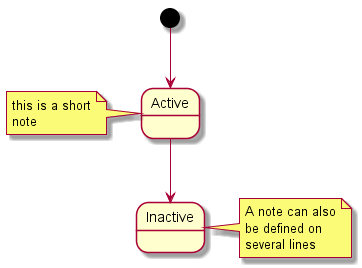
以及浮动注释。 @startuml state foo note "This is a floating note" as N1 @enduml 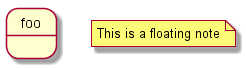
(7)更多注释
可以在合成状态中放置注释。 @startuml
[*] --> NotShooting
state "Not Shooting State" as NotShooting {
state "Idle mode" as Idle
state "Configuring mode" as Configuring
[*] --> Idle
Idle --> Configuring : EvConfig
Configuring --> Idle : EvConfig
}
note right of NotShooting : This is a note on a composite state
@enduml
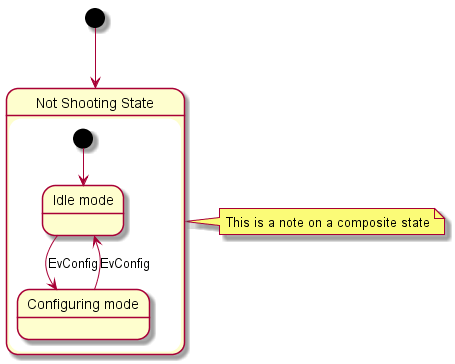
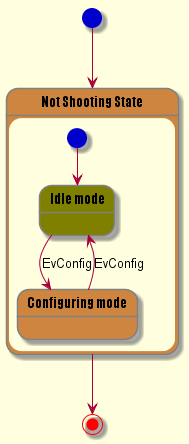
(8)显示参数用 可以在如下场景中使用: 还可以为状态的构造类型指定特殊的字体和颜色。
@startuml
skinparam backgroundColor LightYellow
skinparam state {
  StartColor MediumBlue
  EndColor Red
  BackgroundColor Peru
  BackgroundColor<<Warning>> Olive
  BorderColor Gray
  FontName Impact
}

[*] --> NotShooting

state "Not Shooting State" as NotShooting {
  state "Idle mode" as Idle <<Warning>>
  state "Configuring mode" as Configuring
  [*] --> Idle
  Idle --> Configuring : EvConfig
  Configuring --> Idle : EvConfig
}

NotShooting --> [*]
@enduml
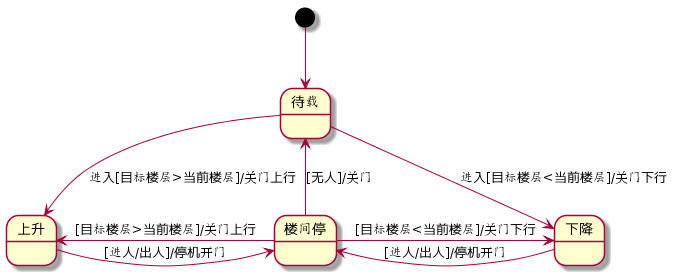
二、以《电梯控制》系统、《银行账户》系统为例,分析系统中的状态。(1)电梯控制
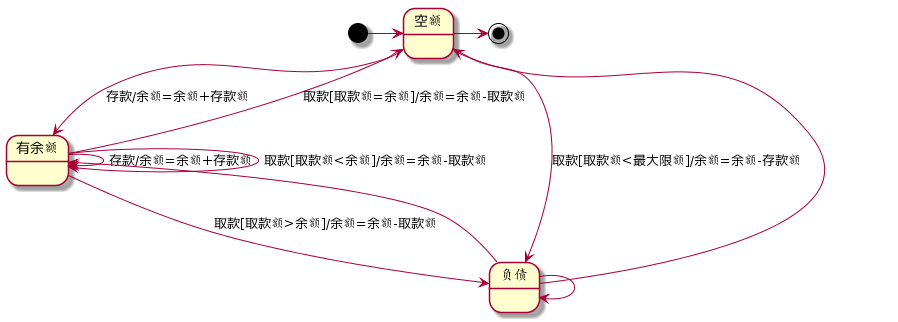
(2)银行账户
|

 浙公网安备 33010602011771号