
scrapy获取当当网中数据
yield
1. 带有 yield 的函数不再是一个普通函数,而是一个生成器generator,可用于迭代
2. yield 是一个类似 return 的关键字,迭代一次遇到yield时就返回yield后面(右边)的值。重点是:下一次迭代时,从上一次迭代遇到的yield后面的代码(下一行)开始执行
3. 简要理解:yield就是 return 返回一个值,并且记住这个返回的位置,下次迭代就从这个位置后(下一行)开始
案例:
1.当当网 (1)yield(2)管道封装(3)多条管道下载 (4)多页数据下载[下节介绍]
创建项目
>scrapy startproject scrapy_dangdang
创建爬虫文件
scrapy_dangdang\scrapy_dangdang\scrapy> scrapy genspider dang http://category.dangdang.com/cp01.01.02.00.00.00.html
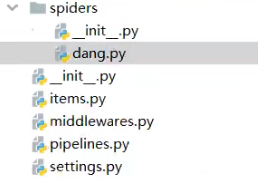
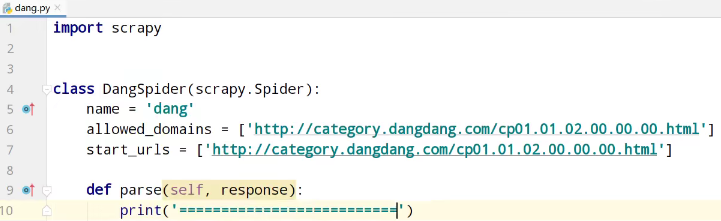
测试运行,爬虫文件
scrapy_dangdang\scrapy_dangdang\scrapy> scrapy crawl dang


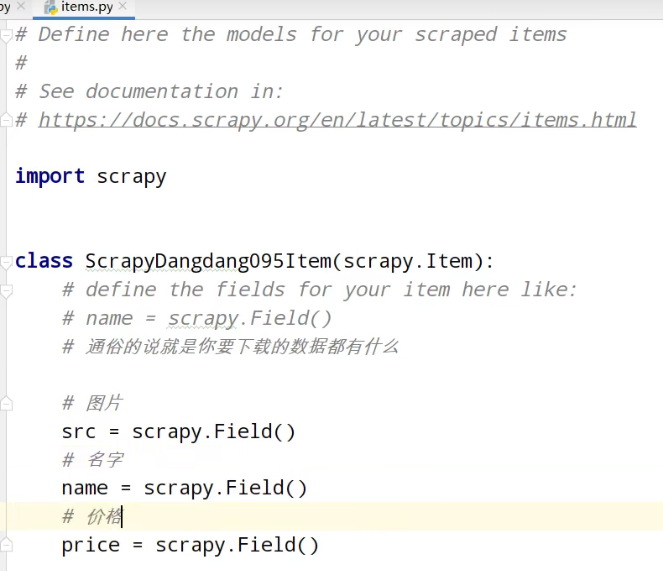
items.py定义数据结构
获取数据
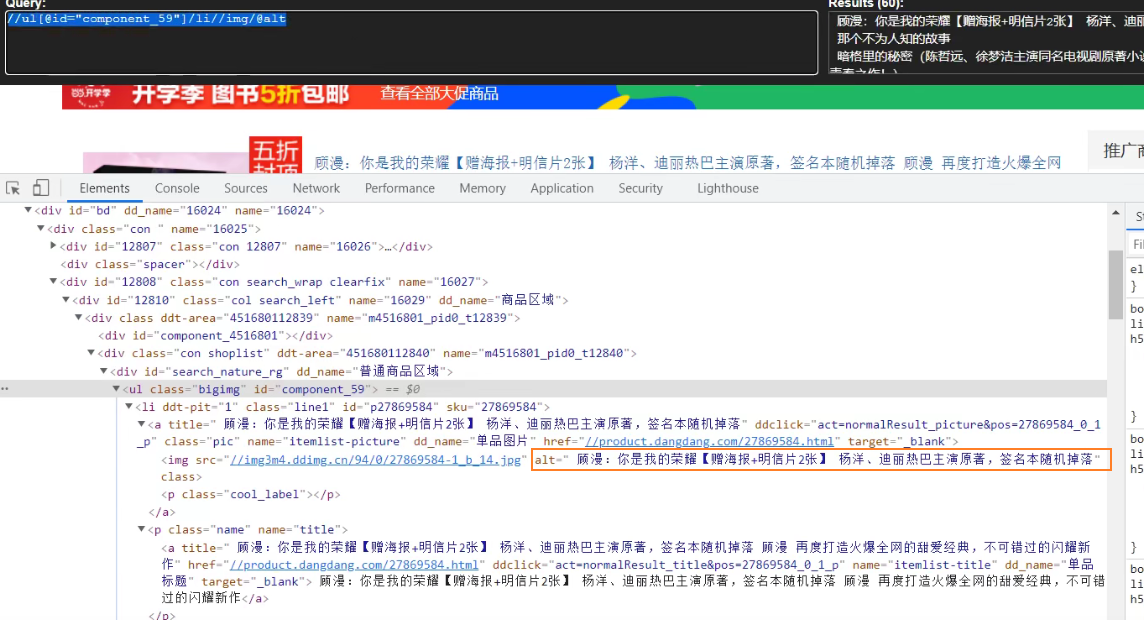
找到书图片的src
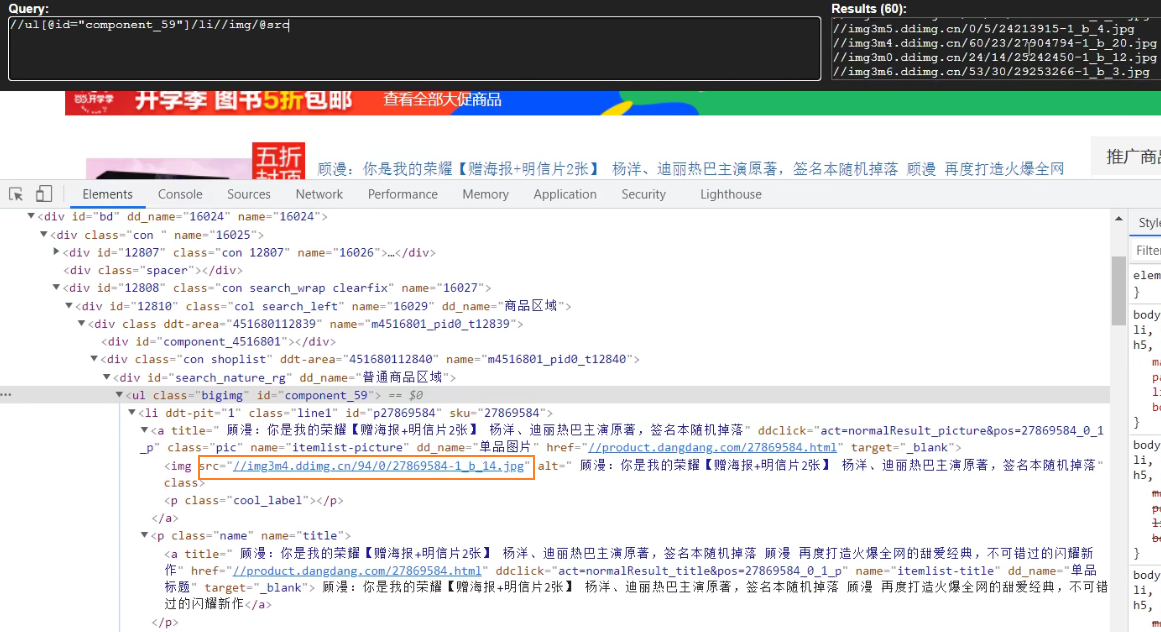
找到书名称的alt
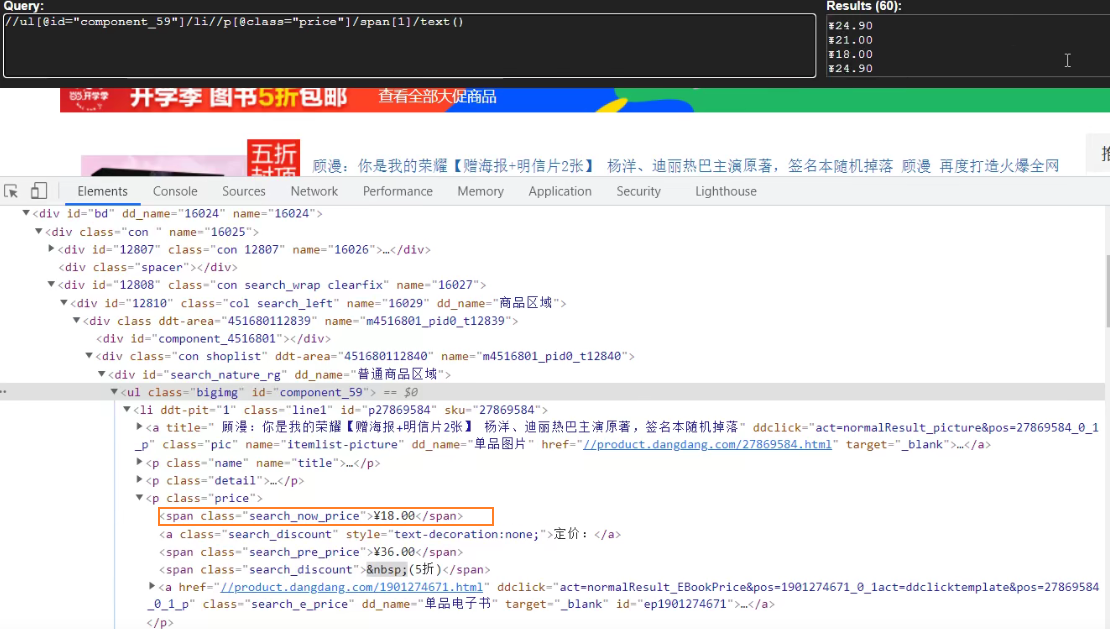
找到书价格的span
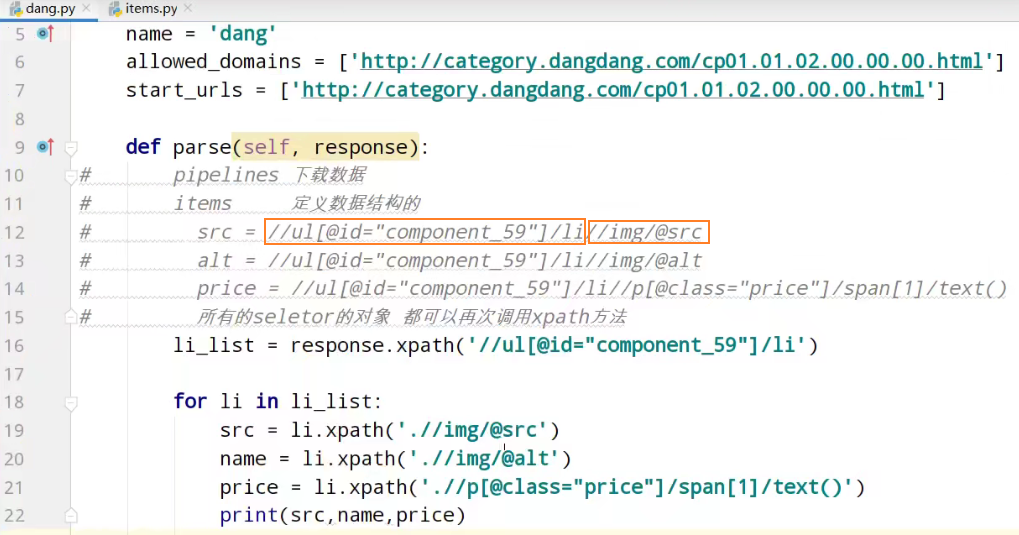
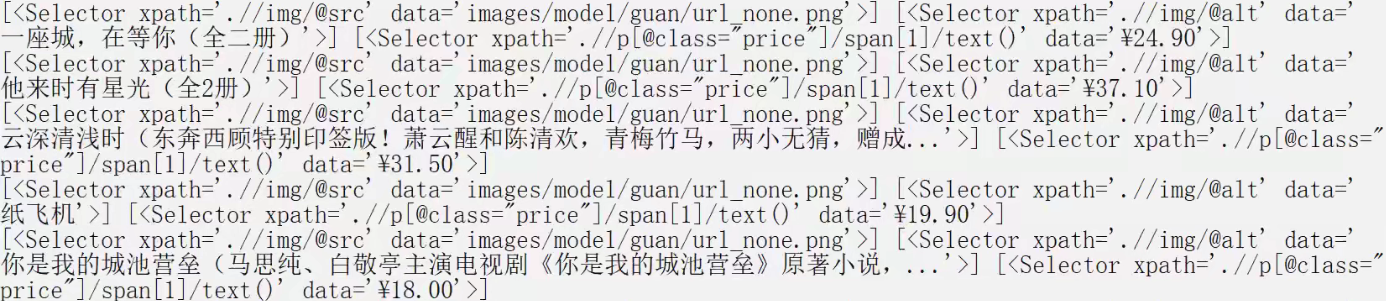
获取selector对象列表的data属性值
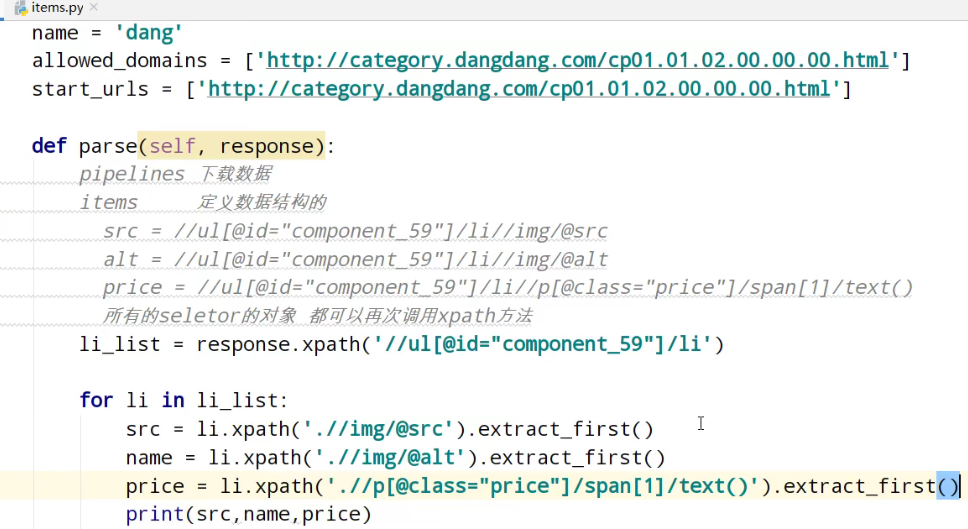


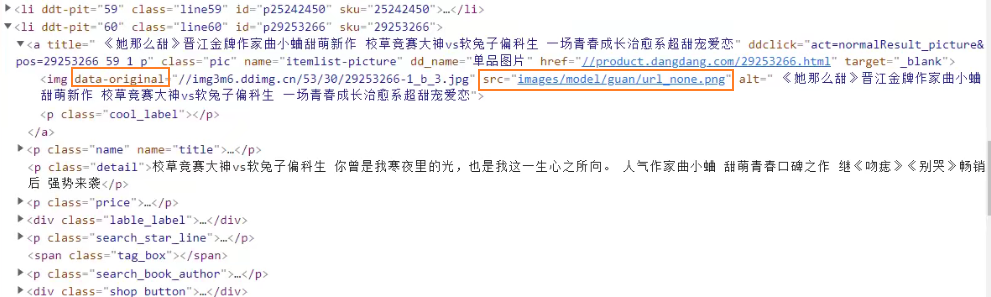
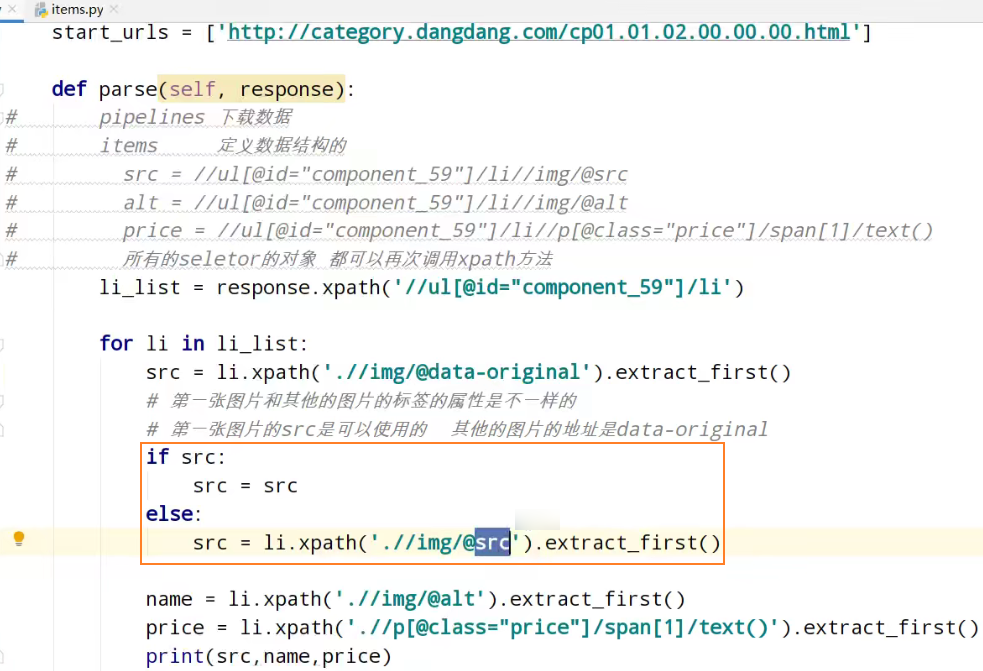
发现src相同,解决懒加载情况
网页向下滑动
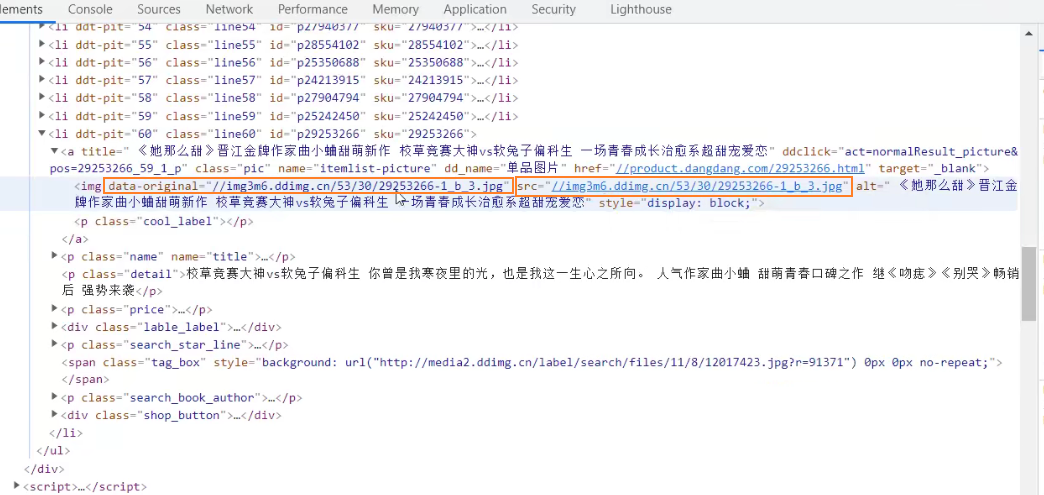
使用图片的data-original值
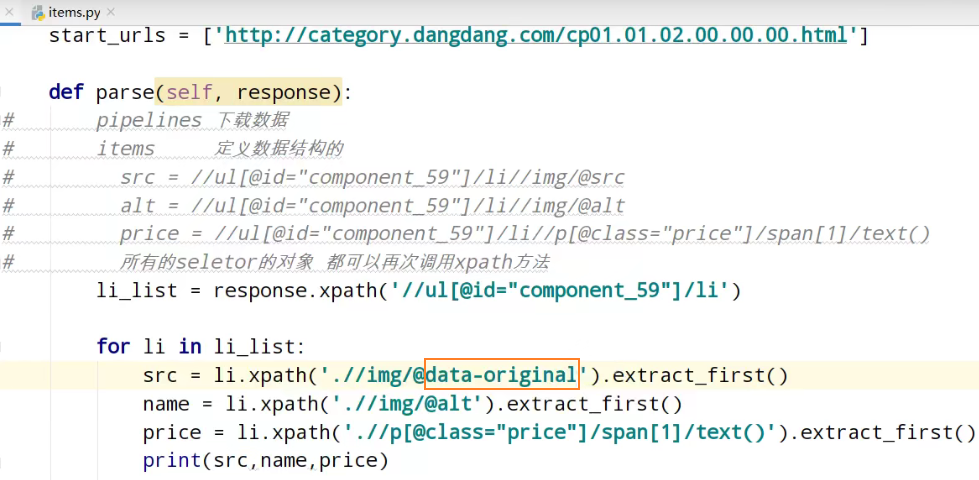

解决第一张图的src使用none空

第一张图的img只有src属性

第二张图及之后图的img有data-original属性


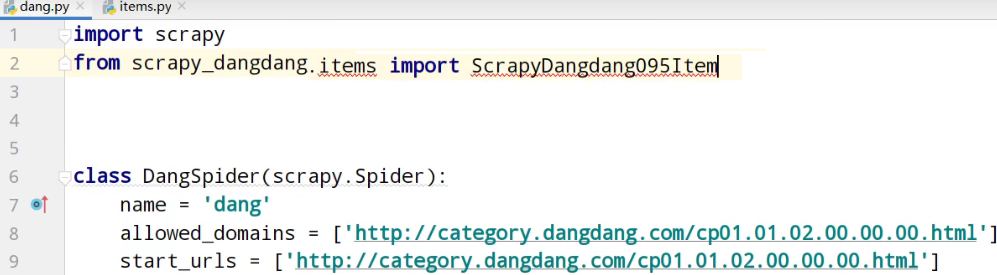
导入
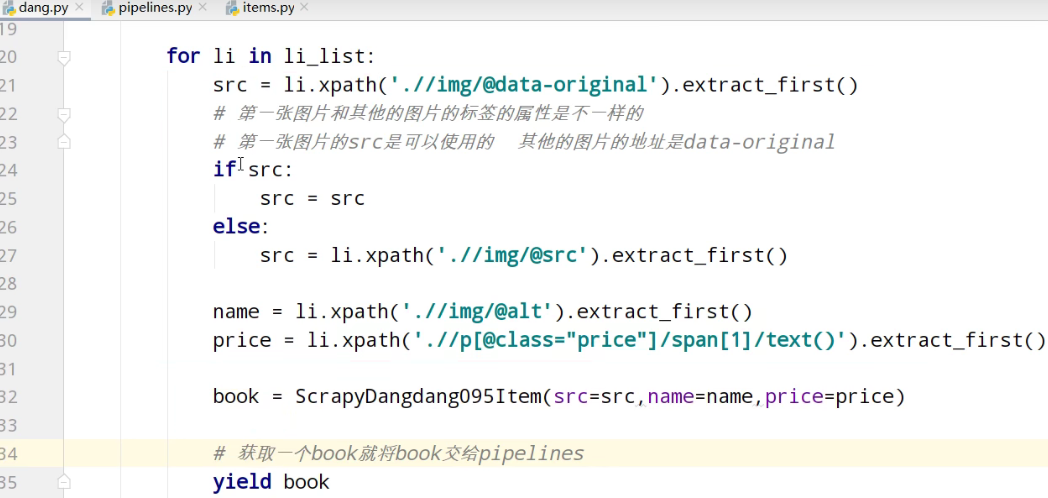
yield返回值到pipelines管道
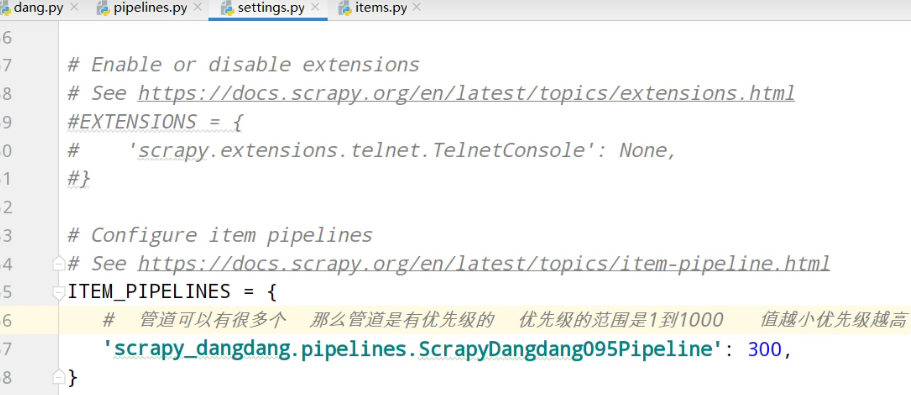
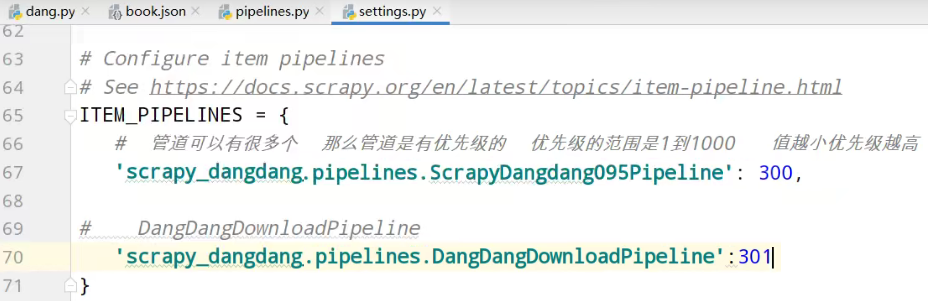
settings中开启管道
pipelines管道的封装
追加写入数据
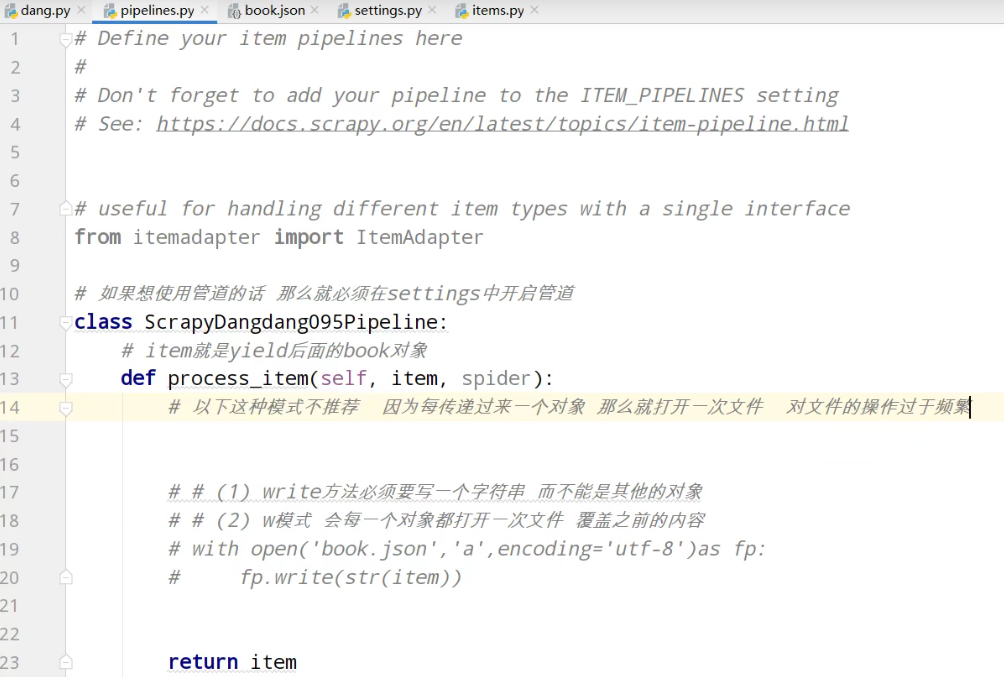

爬虫文件执行之,前执行

爬虫文件执行之,后执行

解决操作文件过于频繁
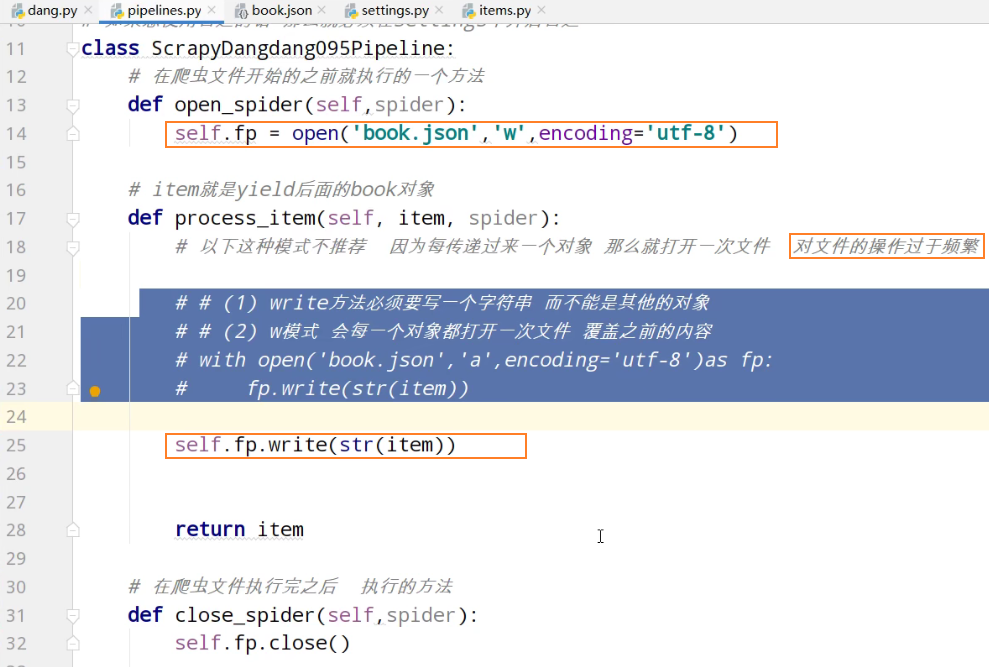
book.json

多条管道的下载
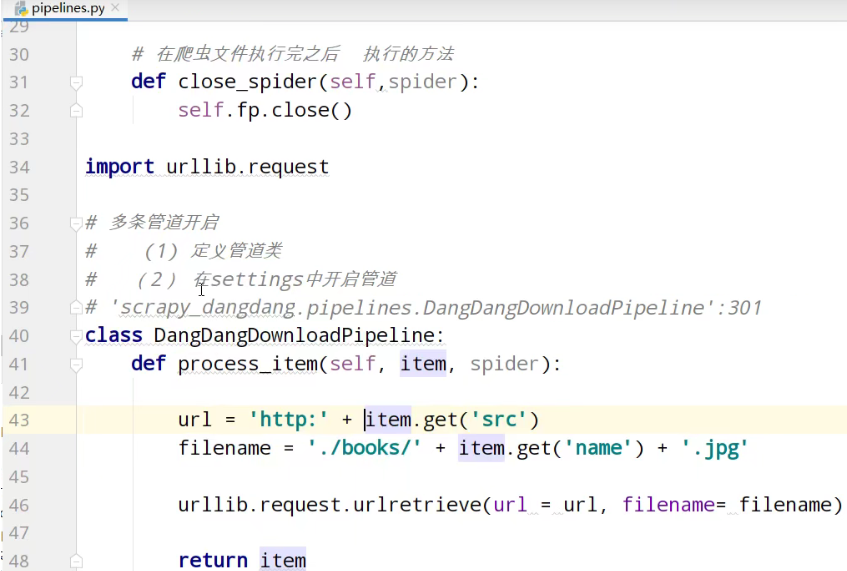
开启图片下载管道
运行



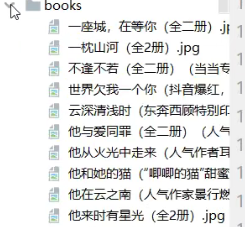
项目结构,及代码
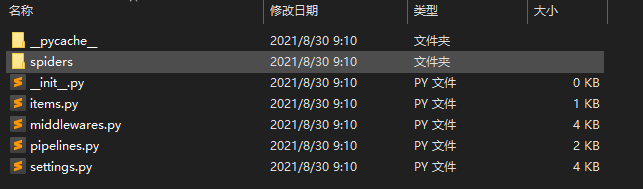
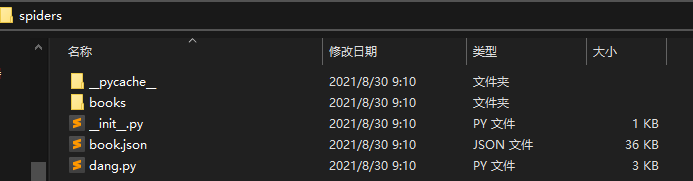
dang.py爬虫核心功能
import scrapy
from scrapy_dangdang.items import ScrapyDangdang095Item

class DangSpider(scrapy.Spider):

    # 如果是多页下载的话 那么必须要调整的是allowed_domains的范围 一般情况下只写域名
    allowed_domains = ['http://category.dangdang.com/cp01.01.02.00.00.00.html']
    start_urls = ['http://category.dangdang.com/cp01.01.02.00.00.00.html']

    def parse(self, response):
#       pipelines 下载数据
#       items     定义数据结构的
#         src = //ul[@id="component_59"]/li//img/@src
#         alt = //ul[@id="component_59"]/li//img/@alt
#         price = //ul[@id="component_59"]/li//p[@class="price"]/span[1]/text()
#         所有的seletor的对象 都可以再次调用xpath方法
        li_list = response.xpath('//ul[@id="component_59"]/li')

        for li in li_list:
            src = li.xpath('.//img/@data-original').extract_first()
            # 第一张图片和其他的图片的标签的属性是不一样的
            # 第一张图片的src是可以使用的  其他的图片的地址是data-original
            if src:
                src = src
            else:
                src = li.xpath('.//img/@src').extract_first()

            name = li.xpath('.//img/@alt').extract_first()
            price = li.xpath('.//p[@class="price"]/span[1]/text()').extract_first()

            book = ScrapyDangdang095Item(src=src,name=name,price=price)

            # 获取一个book就将book交给pipelines
            yield book
items.py定义数据结构,类
# Define here the models for your scraped items
#
# See documentation in:
# https://docs.scrapy.org/en/latest/topics/items.html

import scrapy

class ScrapyDangdang095Item(scrapy.Item):
    # define the fields for your item here like:
    # name = scrapy.Field()
    # 通俗的说就是你要下载的数据都有什么

    # 图片
    src = scrapy.Field()
    # 名字
    name = scrapy.Field()
    # 价格
    price = scrapy.Field()
pipelines.py管道功能
# Define your item pipelines here
#
# Don't forget to add your pipeline to the ITEM_PIPELINES setting
# See: https://docs.scrapy.org/en/latest/topics/item-pipeline.html


# useful for handling different item types with a single interface
from itemadapter import ItemAdapter

# 如果想使用管道的话 那么就必须在settings中开启管道
class ScrapyDangdang095Pipeline:
    # 在爬虫文件开始的之前就执行的一个方法
    def open_spider(self,spider):
        self.fp = open('book.json','w',encoding='utf-8')

    # item就是yield后面的book对象
    def process_item(self, item, spider):
        # 以下这种模式不推荐  因为每传递过来一个对象 那么就打开一次文件  对文件的操作过于频繁

        # # (1) write方法必须要写一个字符串 而不能是其他的对象
        # # (2) w模式 会每一个对象都打开一次文件 覆盖之前的内容
        # with open('book.json','a',encoding='utf-8')as fp:
        #     fp.write(str(item))

        self.fp.write(str(item))


        return item

    # 在爬虫文件执行完之后  执行的方法
    def close_spider(self,spider):
        self.fp.close()

import urllib.request

# 多条管道开启
#    (1) 定义管道类
#   (2) 在settings中开启管道
# 'scrapy_dangdang_095.pipelines.DangDangDownloadPipeline':301
class DangDangDownloadPipeline:
    def process_item(self, item, spider):

        url = 'http:' + item.get('src')
        filename = './books/' + item.get('name') + '.jpg'

        urllib.request.urlretrieve(url = url, filename= filename)

        return item
settings.py配置管道
# Scrapy settings for scrapy_dangdang_095 project
#
# For simplicity, this file contains only settings considered important or
# commonly used. You can find more settings consulting the documentation:
#
#     https://docs.scrapy.org/en/latest/topics/settings.html
#     https://docs.scrapy.org/en/latest/topics/downloader-middleware.html
#     https://docs.scrapy.org/en/latest/topics/spider-middleware.html

BOT_NAME = 'scrapy_dangdang'

SPIDER_MODULES = ['scrapy_dangdang.spiders']
NEWSPIDER_MODULE = 'scrapy_dangdang.spiders'


# Crawl responsibly by identifying yourself (and your website) on the user-agent
#USER_AGENT = 'scrapy_dangdang_095 (+http://www.yourdomain.com)'

# Obey robots.txt rules
ROBOTSTXT_OBEY = True

# Configure maximum concurrent requests performed by Scrapy (default: 16)
#CONCURRENT_REQUESTS = 32

# Configure a delay for requests for the same website (default: 0)
# See https://docs.scrapy.org/en/latest/topics/settings.html#download-delay
# See also autothrottle settings and docs
#DOWNLOAD_DELAY = 3
# The download delay setting will honor only one of:
#CONCURRENT_REQUESTS_PER_DOMAIN = 16
#CONCURRENT_REQUESTS_PER_IP = 16

# Disable cookies (enabled by default)
#COOKIES_ENABLED = False

# Disable Telnet Console (enabled by default)
#TELNETCONSOLE_ENABLED = False

# Override the default request headers:
#DEFAULT_REQUEST_HEADERS = {
#   'Accept': 'text/html,application/xhtml+xml,application/xml;q=0.9,*/*;q=0.8',
#   'Accept-Language': 'en',
#}

# Enable or disable spider middlewares
# See https://docs.scrapy.org/en/latest/topics/spider-middleware.html
#SPIDER_MIDDLEWARES = {
#    'scrapy_dangdang_095.middlewares.ScrapyDangdang095SpiderMiddleware': 543,
#}

# Enable or disable downloader middlewares
# See https://docs.scrapy.org/en/latest/topics/downloader-middleware.html
#DOWNLOADER_MIDDLEWARES = {
#    'scrapy_dangdang_095.middlewares.ScrapyDangdang095DownloaderMiddleware': 543,
#}

# Enable or disable extensions
# See https://docs.scrapy.org/en/latest/topics/extensions.html
#EXTENSIONS = {
#    'scrapy.extensions.telnet.TelnetConsole': None,
#}

# Configure item pipelines
# See https://docs.scrapy.org/en/latest/topics/item-pipeline.html
ITEM_PIPELINES = {
   #  管道可以有很多个  那么管道是有优先级的  优先级的范围是1到1000   值越小优先级越高
   'scrapy_dangdang.pipelines.ScrapyDangdang095Pipeline': 300,

#    DangDangDownloadPipeline
   'scrapy_dangdang.pipelines.DangDangDownloadPipeline':301
}
# Enable and configure the AutoThrottle extension (disabled by default)
# See https://docs.scrapy.org/en/latest/topics/autothrottle.html
#AUTOTHROTTLE_ENABLED = True
# The initial download delay
#AUTOTHROTTLE_START_DELAY = 5
# The maximum download delay to be set in case of high latencies
#AUTOTHROTTLE_MAX_DELAY = 60
# The average number of requests Scrapy should be sending in parallel to
# each remote server
#AUTOTHROTTLE_TARGET_CONCURRENCY = 1.0
# Enable showing throttling stats for every response received:
#AUTOTHROTTLE_DEBUG = False

# Enable and configure HTTP caching (disabled by default)
# See https://docs.scrapy.org/en/latest/topics/downloader-middleware.html#httpcache-middleware-settings
#HTTPCACHE_ENABLED = True
#HTTPCACHE_EXPIRATION_SECS = 0
#HTTPCACHE_DIR = 'httpcache'
#HTTPCACHE_IGNORE_HTTP_CODES = []
#HTTPCACHE_STORAGE = 'scrapy.extensions.httpcache.FilesystemCacheStorage'

 浙公网安备 33010602011771号