关于ROS的入门配置及遇到的问题
适用于机器人的开源元操作系统,集成了大量的工具,库,协议。
ROS概念
ROS设计目标
以下特点
代码复用
分布式 --> ROS的进程可分布在不同主机,分散计算压力
松耦合:封装性强,便于开发者调用模块。
精简:其他机器人软件框架集成
语言独立性:
易于测试
大型应用
丰富的组件化工具包
Linux环境搭建
出现的问题
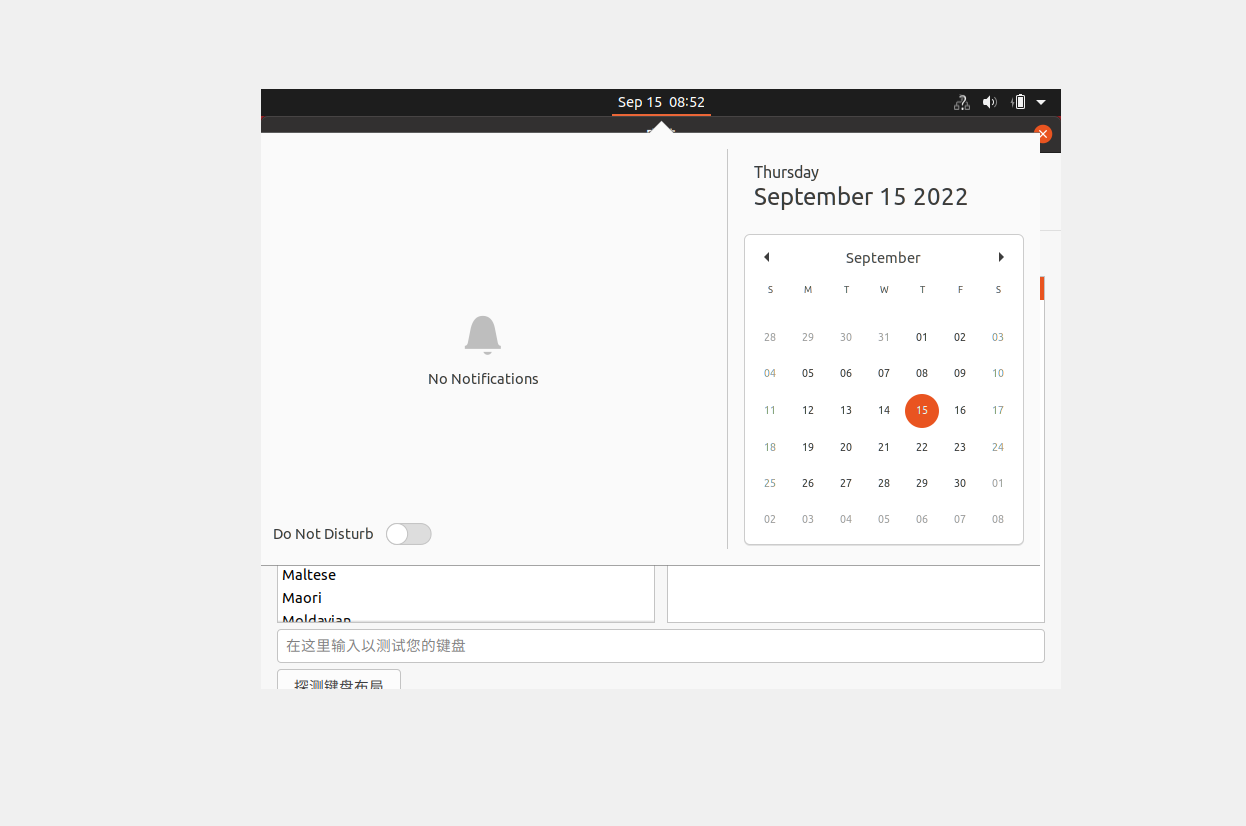
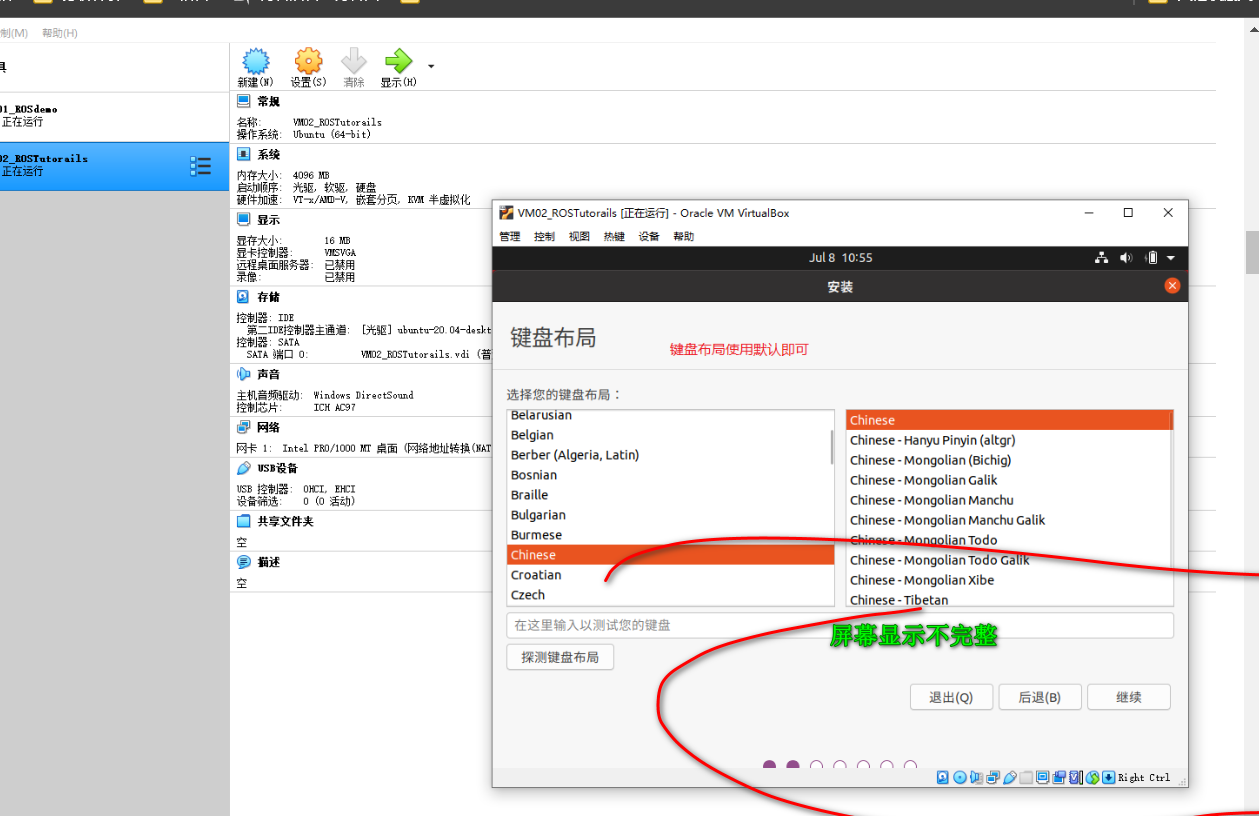
问题原因
使用VirtualBox安装Ubuntu时出现了界面中不显示完整窗口导致按钮隐藏无法点击的问题。原因是分辨率预设错误导致窗口显示不完整,而由于系统未完成安装,无法使用VirtualBox调整窗口分辨率。
解决方法
alt+f7拖动窗口
出现的问题2
重启VirtualBoxrtualBox之后,虚拟机不见了
解决方法

增强工具的使用
使用右边的ctral+f退出或进入全屏功能,前提是设置自动缩放模式
ubuntu下实现文件交互
设置中修改,拖放改为双向
下载输入法
(2条消息) linux安装中文输入法爱吃茄子的懒羊羊的博客-CSDN博客linux安装中文语言包
系统重装
操作失败,系统重装了
ROS环境搭建
大致步骤
配置ubuntu的软件和更新
设置安装源
 mings@mings-VirtualBox:~/桌面$ sudo sh -c '. /etc/lsb-release && echo "deb http://mirrors.tuna.tsinghua.edu.cn/ros/ubuntu/ `lsb_release -cs` main" > /etc/apt/sources.list.d/ros-latest.list'
 [sudo] mings 的密码:
Super user do == sudo
设置key
mings@mings-VirtualBox:~/桌面$ sudo apt-key adv --keyserver 'hkp://keyserver.ubuntu.com:80' --recv-key C1CF6E31E6BADE8868B172B4F42ED6FBAB17C654
Executing: /tmp/apt-key-gpghome.BUr5lwQ0Fu/gpg.1.sh --keyserver hkp://keyserver.ubuntu.com:80 --recv-key C1CF6E31E6BADE8868B172B4F42ED6FBAB17C654
gpg: 密钥 F42ED6FBAB17C654:公钥 “Open Robotics <info@osrfoundation.org>” 已导入
gpg: 处理的总数:1
gpg: 已导入:1
安装
由于网络原因,导致连接超时,可能会安装失败,
目前找到的一个办法:更改下载地址
(2条消息) 有关ROS下相关ros包无法下载的解决方案尤山的博客-CSDN博客安装ros有几个软件包无法下载
注:步骤2 软件更新中的下载地址也要更改成清华园,清华园实测比较好用
sudo apt update
配置环境变量
方便在任意位置调用
echo "source /opt/ros/noetic/setup.bash" >> ~/.bashrc source ~/.bashrc
配置依赖
中间可能会出现异常

# os-specific listings first
yaml https://gitee.com/zhao-xuzuo/rosdistro/raw/master/rosdep/osx-homebrew.yaml osx
# generic
yaml https://gitee.com/zhao-xuzuo/rosdistro/raw/master/rosdep/base.yaml
yaml https://gitee.com/zhao-xuzuo/rosdistro/raw/master/rosdep/python.yaml
yaml https://gitee.com/zhao-xuzuo/rosdistro/raw/master/rosdep/ruby.yaml
gbpdistro https://gitee.com/zhao-xuzuo/rosdistro/raw/master/releases/fuerte.yaml fuerte
# newer distributions (Groovy, Hydro, ...) must not be listed anymore, they are being fetched from the rosdistro index.yaml instead
匹配到二进制文件 ./rosdistro/pycache/init.cpython-38.pyc ./rosdistro/init.py:DEFAULT_INDEX_URL = 'https://raw.githubusercontent.com/ros/rosdistro/master/index-v4.yaml' ./rosdep2/sources_list.py:DEFAULT_SOURCES_LIST_URL = 'https://raw.githubusercontent.com/ros/rosdistro/master/rosdep/sources.list.d/20-default.list' ./rosdep2/rep3.py:REP3_TARGETS_URL = 'https://raw.githubusercontent.com/ros/rosdistro/master/releases/targets.yaml' 匹配到二进制文件 ./rosdep2/pycache/sources_list.cpython-38.pyc 匹配到二进制文件 ./rosdep2/pycache/gbpdistro_support.cpython-38.pyc 匹配到二进制文件 ./rosdep2/pycache/rep3.cpython-38.pyc ./rosdep2/gbpdistro_support.py:FUERTE_GBPDISTRO_URL = 'https://raw.githubusercontent.com/ros/rosdistro/' \
在 rosdep 初始化时,多半会抛出异常。
替换四个py,由于外网屏蔽,所有需要更改python中的超联集中github连接改成国内的
gitee.com/zhao-xuzuo/rosdistro/raw/master)主要就是用这个来替换github
下图为在五个python文件中修改连接
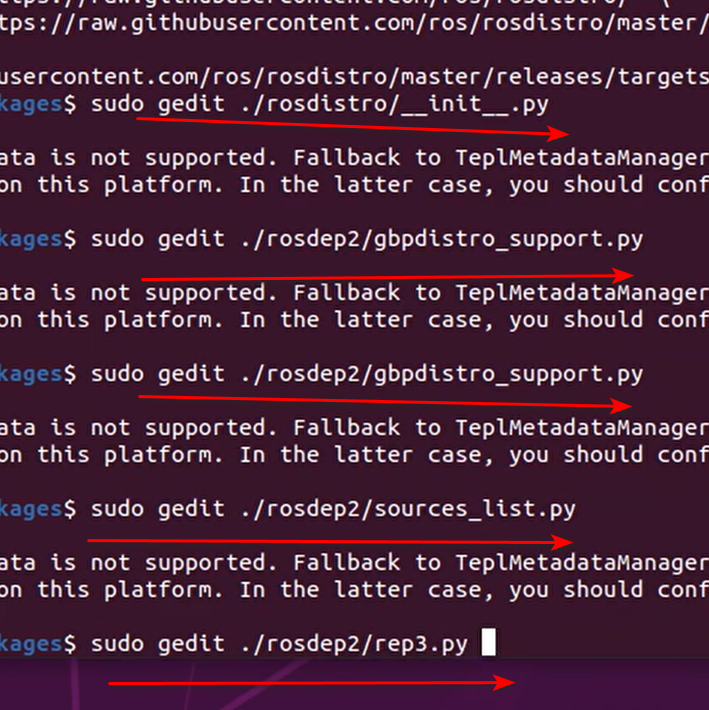
gedit是由GTK+编写而成的一个GNOME桌面环境下兼容UTF-8的文本编辑器,有良好的语法高亮,对中文支持很好,支持包括gb2312、gbk在内的多种字符编码。
gedit [选项...] [文件...] - 编辑文本文件

 浙公网安备 33010602011771号