
mona论文复现(1)目标检测环境搭建
mona论文复现(1)目标检测环境搭建
论文题目:5%>100%: Breaking Performance Shackles of Full Fine-Tuning on Visual Recognition Tasks
原项目链接:https://github.com/LeiyiHU/mona/blob/master/README.md 先读readme.md
论文链接:https://arxiv.org/abs/2408.08345
1. 安装 cuda 隔离环境
-
创建并激活环境:
conda create -n old_project python=3.8 # 选择项目兼容的Python版本 conda activate old_project -
安装 CUDA 11.1 工具链:这里cuda环境不要太低,我之前使用cuda10.2在后面训练时会有bug,会有cuDNN 7.6.x 在大卷积第一次预分配显存时会把 OOM 误报成 CUDNN_STATUS_NOT_INITIALIZED的bug
conda install cudatoolkit=11.1 -c nvidia # 安装轻量版CUDA 11.0运行时 -
安装 PyTorch 1.9.0:
pip install --no-cache-dir torch==1.9.0+cu111 torchvision==0.10.0+cu111 torchaudio==0.9.0 -f https://download.pytorch.org/whl/torch_stable.html
2. 安装mmcv-full
这里可以在网址上找兼容版本:https://mmcv.readthedocs.io/zh-cn/v1.3.18/get_started/installation.html
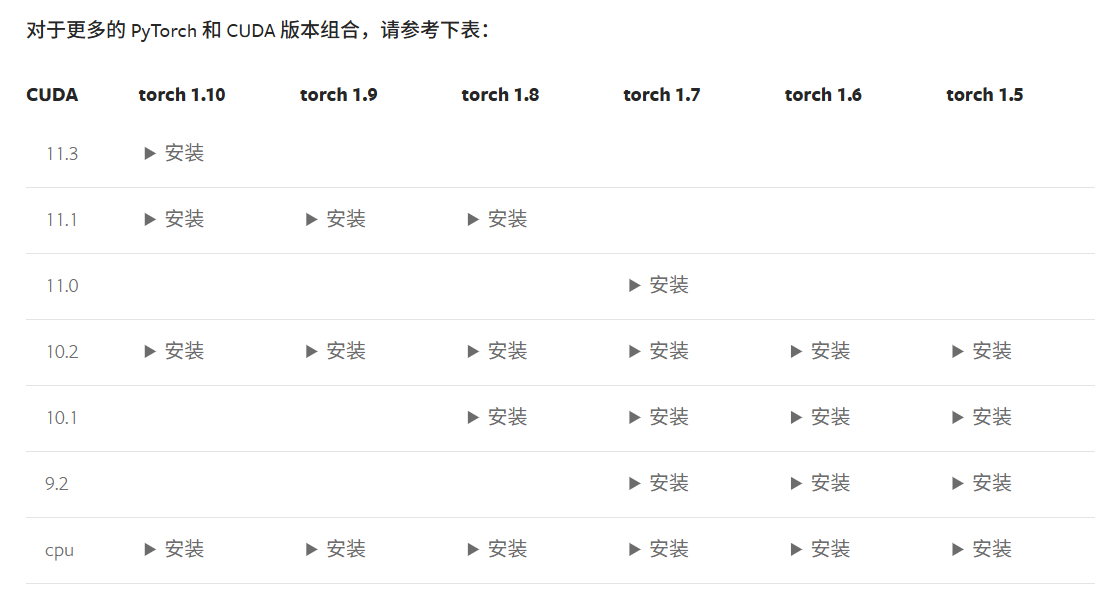
pip install mmcv-full==1.3.16 -f https://download.openmmlab.com/mmcv/dist/cu111/torch1.9.0/index.html
3. 下载mona项目并安装
git clone https://github.com/LeiyiHU/mona.git
修改文件,修改第六行
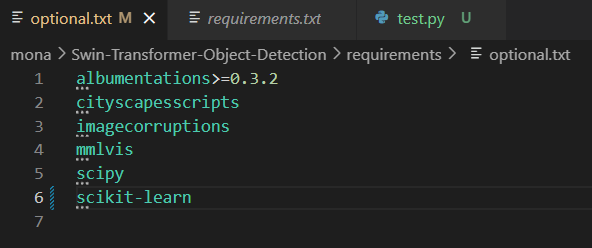
pip install -r requirements/build.txt
直接输入 pip install -v -e . 会出现以下错误
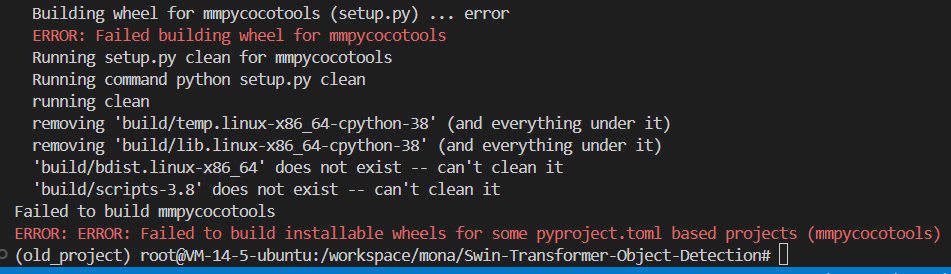
为了解决上面的问题,安装0.29.33版本的cpython,再安装mmpycocotools
pip3 install cython==0.29.33 -i http://mirrors.aliyun.com/pypi/simple/ --trusted-host mirrors.aliyun.com
pip install mmpycocotools
pip install -v -e .
安装完成后可以看到安装的mmdet版本是2.11.0,这是因为mona项目就是用的这个版本
4. 训练
-
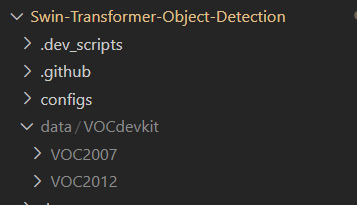
下载数据集,可以本地下好上传到服务器,也可以在服务中使用linux命令下载
-
修改 data_root 路径,在/workspace/mona/Swin-Transformer-Object-Detection/mona_configs/base/datasets/voc0712.py路径,将data_root路径修改为自己的数据集路径
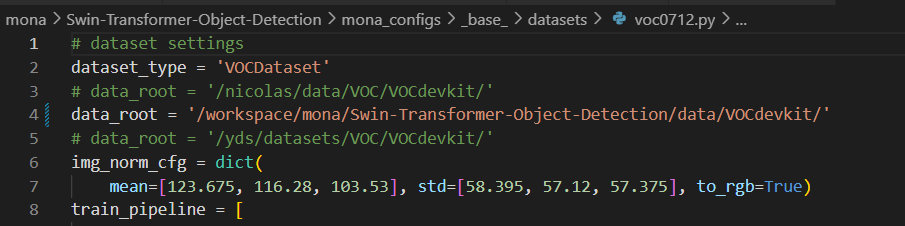
data_root = '/workspace/mona/Swin-Transformer-Object-Detection/data/VOCdevkit/' -
创建预训练权重的文件夹:/workspace/mona/Swin-Transformer-Object-Detection/pretrained_model,利用wget命令下载预训练权重文件
wget -O pretrained_model/swin_large_patch4_window7_224_22k.pth \
https://github.com/SwinTransformer/storage/releases/download/v1.0.0/swin_large_patch4_window7_224_22k.pth
修改预训练权重的路径:
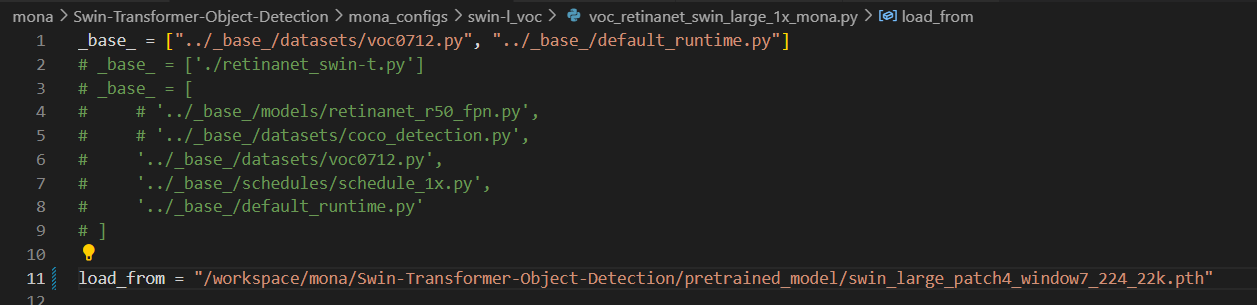
load_from = "/workspace/mona/Swin-Transformer-Object-Detection/pretrained_model/swin_large_patch4_window7_224_22k.pth" -
全局搜索项目,将所有的np.bool替换为bool,不然训练时会报错


-
由于我的虚拟cuda环境版本与系统cuda环境相差太大(11.1和12.4),apex的安装有问题,还会导致之后训练出问题(AttributeError: module 'torch' has no attribute 'library'),所以要禁掉apex
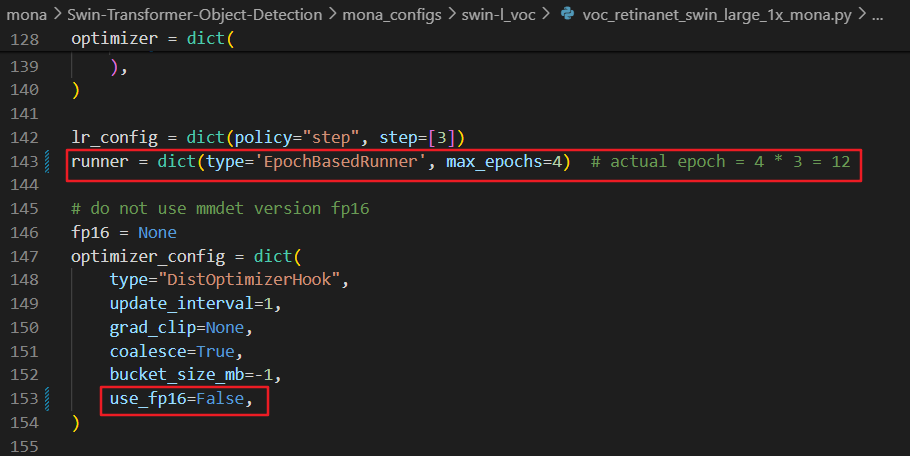
runner = dict(type='EpochBasedRunner', max_epochs=4) # actual epoch = 4 * 3 = 12 # do not use mmdet version fp16 fp16 = None optimizer_config = dict( type="DistOptimizerHook", update_interval=1, grad_clip=None, coalesce=True, bucket_size_mb=-1, use_fp16=False, ) -
我在运行训练脚本时出现了一些错误,比如配置了pytorch1.9.0但是一直显示缺少torch.fx版本,所以需要下载0.4.12的timm版本

pip uninstall -y timm pip install timm==0.4.12 -
运行训练脚本出现的第二个问题,TypeError: FormatCode() got an unexpected keyword argument 'verify'
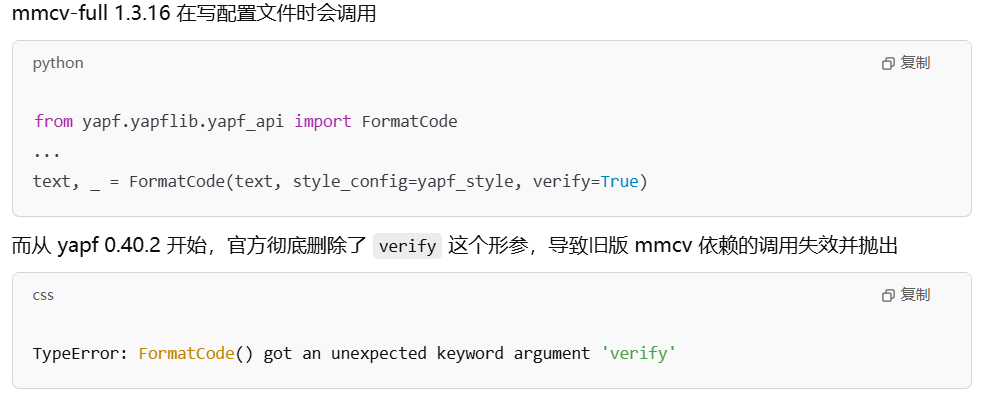
此时将 yapf 降级到 0.40.1 或更早版本即可
# 先卸载新版本 pip uninstall -y yapf # 安装最后一个仍包含 verify 参数的版本 pip install yapf==0.40.1 -
现在可以开始训练了,我这里使用的数据集是 voc,所以采用原项目的训练指令
bash Swin-Transformer-Object-Detection/tools/dist_train.sh Swin-Transformer-Object-Detection/mona_configs/swin-l_voc/voc_retinanet_swin_large_1x_mona.py 1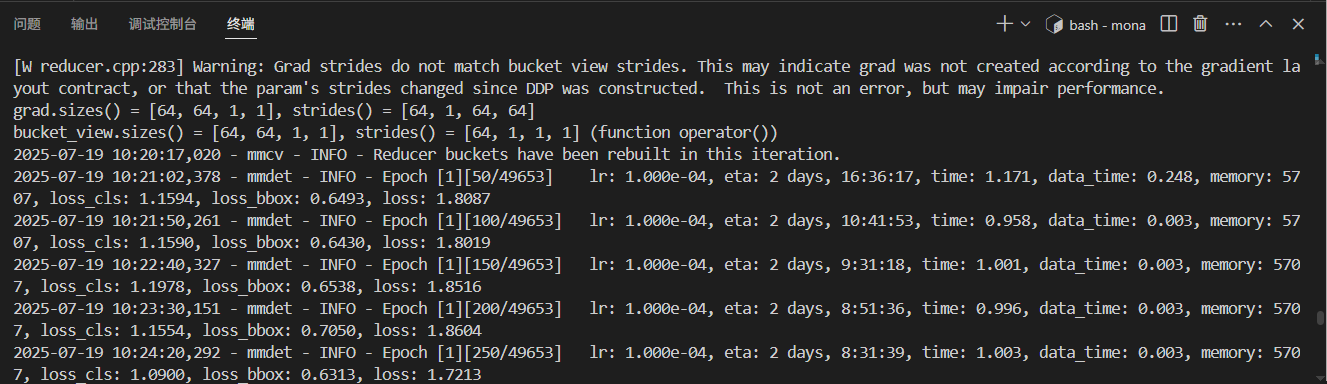

 浙公网安备 33010602011771号