
解决vscode远程连接报尝试写入的管道不存在,ssh remote, The process tried to write to a nonexistent pipe.[已解决]
[已解决]vscode Remote-SSH 报错“程试图写入的管道不存在问题”解决
解决方案:重新指定一个ssh配置文件;
我猜测应该是用户权限导致问题。如多用户登录远程操作产生的权限冲突或权限丢失。
新建一个文件的目的就是避免这些问题。
https://www.cnblogs.com/liudongcai/p/17706413.html
第一步:
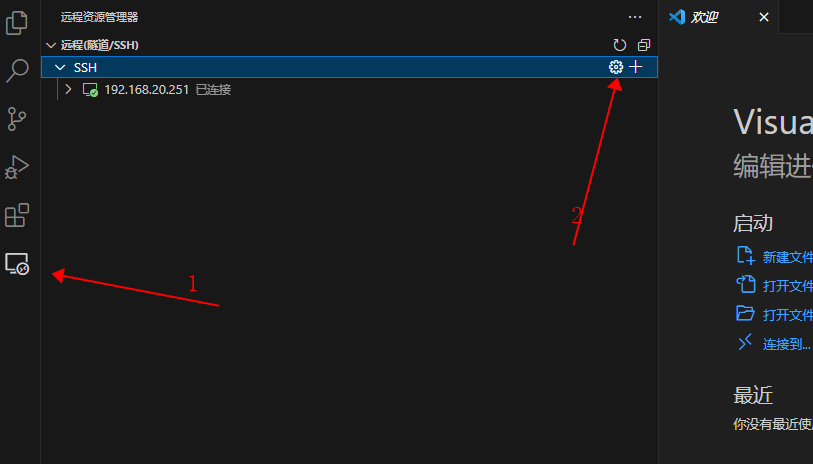
第二步:

第三步:
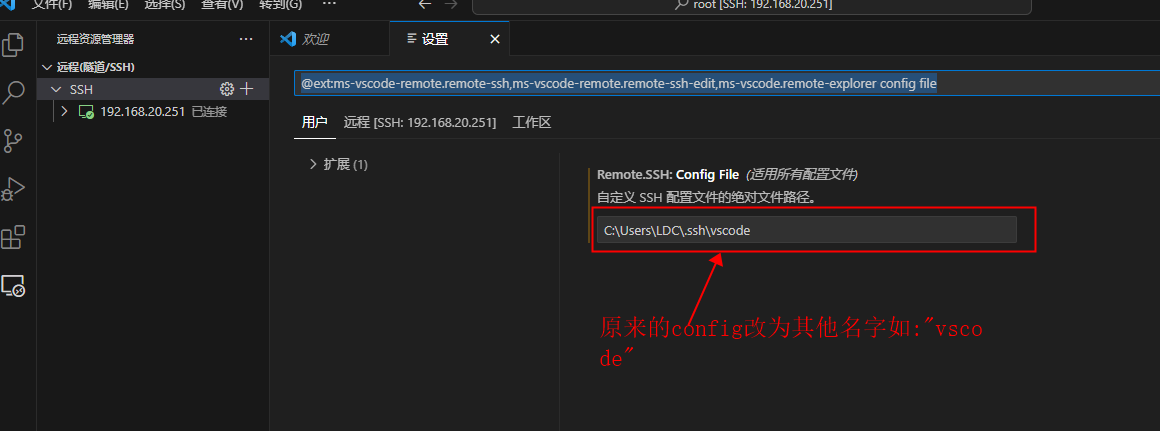
ctrl+s保存即可
删除原来的config文件
在使用Rmote-ssh连接远程服务器时,会出现尝试写入的管道不存在的错误
[16:45:21.592] > Bad owner or permissions on C:\\Users\\DY/.ssh/config
>
[16:45:21.689] > The process tried to write to a nonexistent pipe.
>
[16:45:22.091] "install" terminal command done
[16:45:22.092] Install terminal quit with output: The process tried to write to a nonexistent pipe.
[16:45:22.093] Received install output: The process tried to write to a nonexistent pipe.
[16:45:22.096] Resolver error: The process tried to write to a nonexistent pipe
[16:45:22.107] ------
尝试以下方案仍无法解决:
- 本地的C:\Users\user\.sshknown_hosts的原服务器信息全部删掉,然后重新连接
- 本地的C:\Users\user\.ssh\config删掉,然后重新连接
- 修改.ssh文件的权限
这个时候,打开vscode的设置File—preference-setting,将C:\Users\用户名\.sshconfig的路径输入到config file下
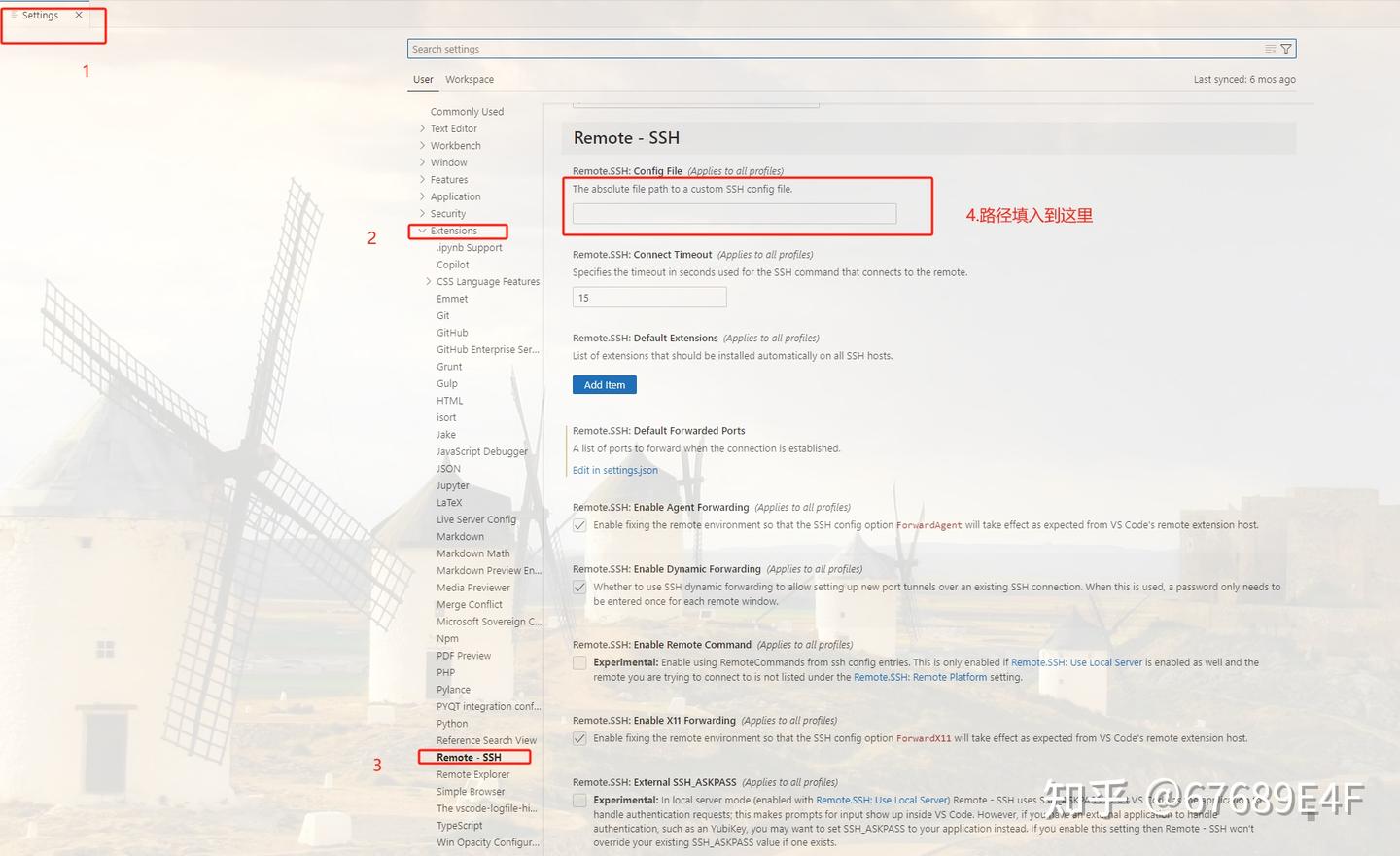
重新连接即可
发布于 2023-10-31 17:27・北京
Visual Studio Code
ssh
Linux
https://gitee.com/powes/,作者:前沿风暴,转载请注明原文链接:https://www.cnblogs.com/Kreos/p/19350668

 浙公网安备 33010602011771号
还不行的话1.在设置里搜show login terminal,选择始终显示SSH登陆终端2.以管理员身份运行vscode