
环境搭建
step1:安装IDE
https://iot.mi.com/vela/quickapp/zh/guide/start/use-ide.html
AIoT-IDE是用于开发Xiaomi Vela JS 应用的官方集成开发环境。建立在 Visual Studio Code (opens new window)(以下简称 VS Code)的基础上,它继承了 VS Code 的全部功能,比如代码编辑、插件集成、主题定制及个性化设置。此外,AIoT-IDE还引入了一系列专门针对Xiaomi Vela JS 应用应用开发的增强功能,它们包括但不限于:
- 智能编码提示
- Vela JS应用调试
- 实时编译预览
- Vela JS应用 打包发布
- Vela JS应用 真机调试
step2:配置环境
创建新工程(有模版可以选)->需要装nodejs和联网,下载依赖包->初始化模拟器
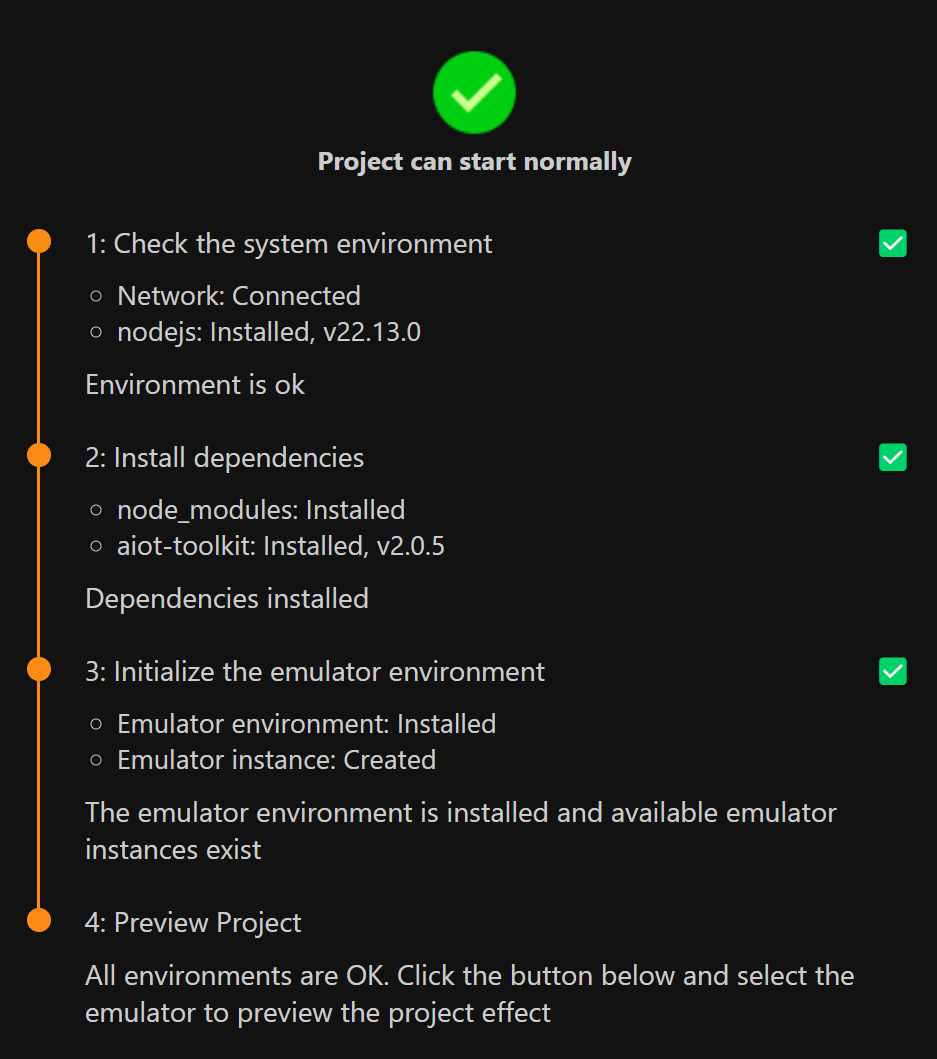
step3:选一个模拟器打开
![]() step4:点package打包rpk,点加号导入rpk
step4:点package打包rpk,点加号导入rpk
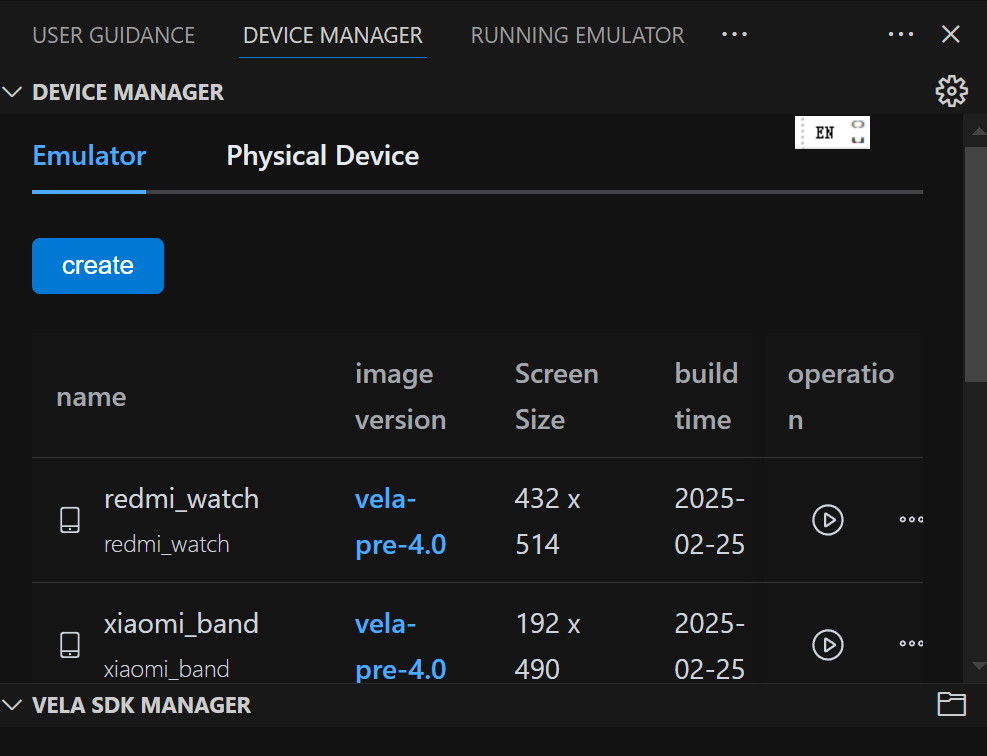 step4:点package打包rpk,点加号导入rpk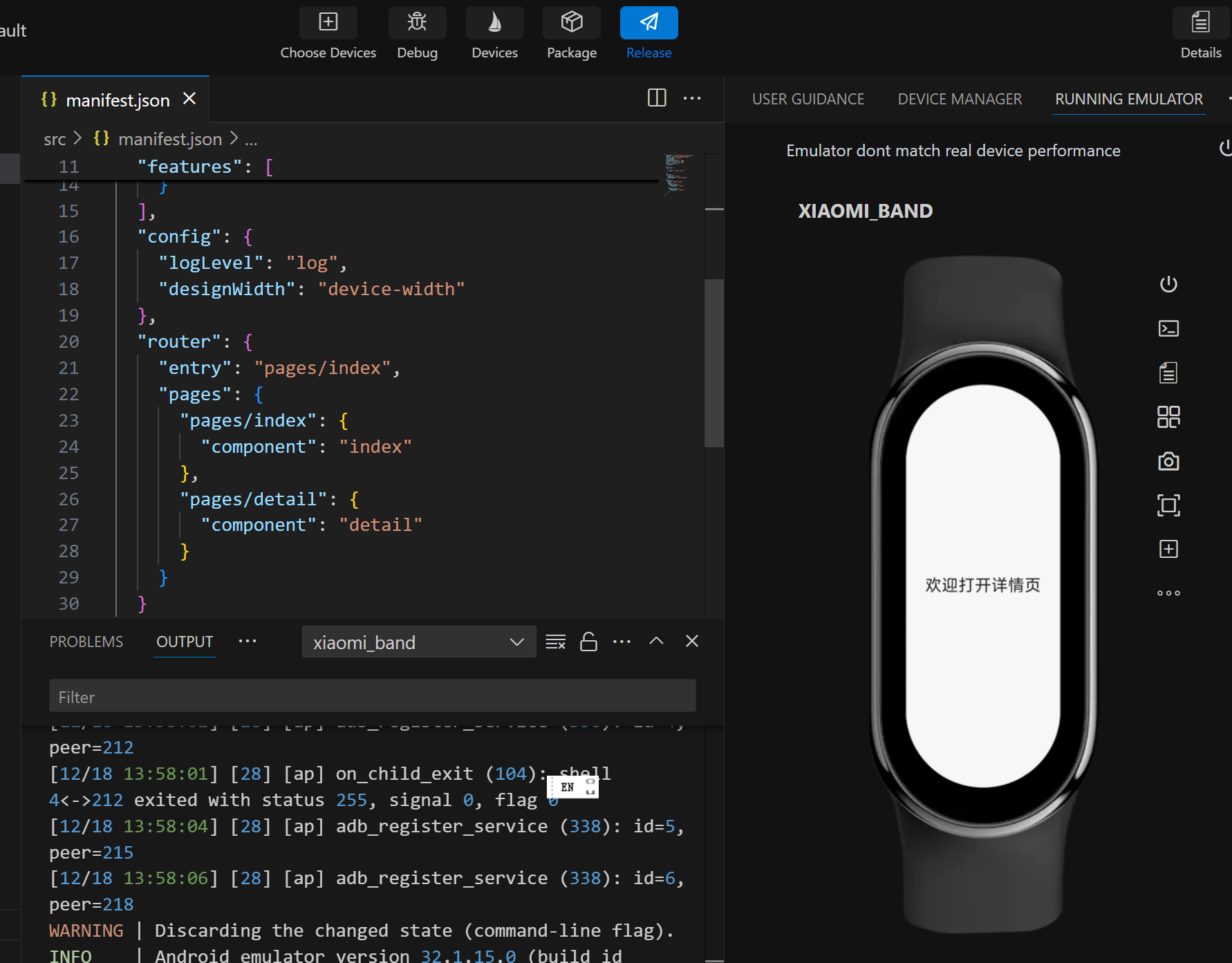
代码编写
项目结构
├── manifest.json
├── app.ux
├── pages
│   ├── index
|   |   └── index.ux
│   └── detail
|       └── detail.ux
├── i18n
|   ├── defaults.json
|   ├── zh-CN.json
|   └── en-US.json
└── common
    ├── style.css
    ├── utils.js
    └── logo.png
入门文档
https://iot.mi.com/vela/quickapp/zh/tools/
接口:https://iot.mi.com/vela/quickapp/zh/features/
通用事件
用法:on事件和@事件。
| 名称 | 参数 | 描述 | 冒泡 |
|---|---|---|---|
| touchstart | TouchEvent | 手指刚触摸组件时触发 | 支持 |
| touchmove | TouchEvent | 手指触摸后移动时触发 | 支持 |
| touchend | TouchEvent | 手指触摸动作结束时触发 | 支持 |
| click | MouseEvent | 组件被点击时触发 | 支持 |
| longpress | MouseEvent | 组件被长按时触发 | 支持 |
| swipe | { direction: <"left" | "right" | "up" | "down"> } |
组件上快速滑动后触发(滑动方向有滚动条时不触发该事件) 参数说明: left: 向左滑动; right: 向右滑动; up: 向上滑动; down:向下滑动; |
不支持 |
<template>
  <div>
      <text onclick="clickFunction1">line 1</text>
      <text @click="clickFunction2">line 2</text>
  </div>
</template>
Reference:https://iot.mi.com/vela/quickapp/zh/components/general/events.html
接口:弹窗
prompt.showToast({
  message: 'Message Info',
  duration: 2000
})
https://iot.mi.com/vela/quickapp/zh/features/other/prompt.html#prompt-showtoast-object
导入模块得在manifest.json里的features字段添加“prompt”。
示例:
{
  "package": "com.application.watch.demo",
  "name": "xxx",
  "versionName": "1.0.0",
  "versionCode": 1,
  "minPlatformVersion": 1000,
  "icon": "/common/logo.png",
  "deviceTypeList": [
    "watch"
  ],
  "features": [
    {
      "name": "system.router"
    },
    {
      "name": "system.prompt"
    }
  ],
  "config": {
    "logLevel": "log",
    "designWidth": "device-width"
  },
  "router": {
    "entry": "pages/index",
    "pages": {
      "pages/index": {
        "component": "index"
      },
      "pages/detail": {
        "component": "detail"
      }
    }
  }
}
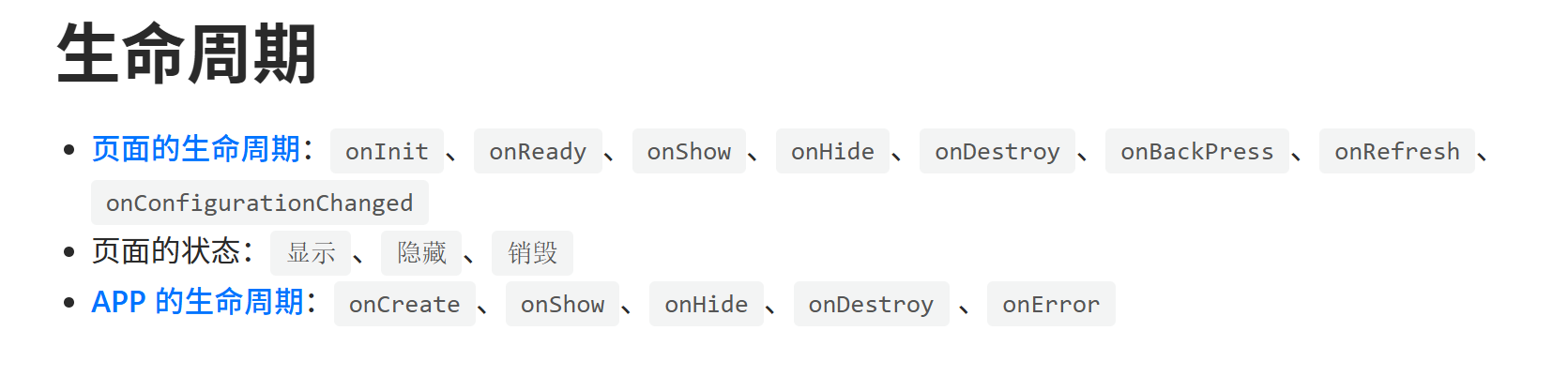
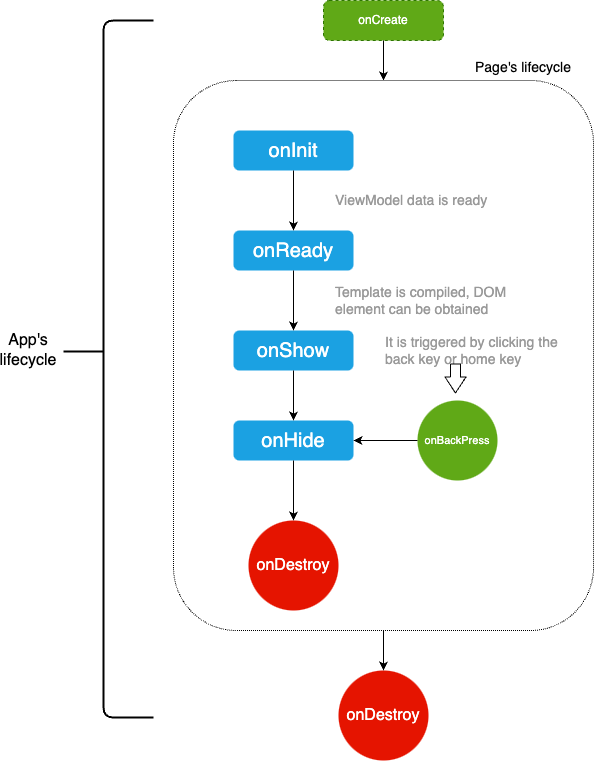
生命周期(触发UI更新的方式)
https://iot.mi.com/vela/quickapp/zh/guide/framework/script/lifecycle.html
private: {
  // 生命周期的文本列表
  lcList: []
},
界面交互
https://iot.mi.com/vela/quickapp/zh/guide/framework/script/global-data-method.html
组件
input:https://iot.mi.com/vela/quickapp/zh/components/form/input.html#%E7%A4%BA%E4%BE%8B%E4%BB%A3%E7%A0%81
(Be aware!no background-color)
自定义组件
https://iot.mi.com/vela/quickapp/zh/guide/framework/template/component.html
没想到Vela这种资源极度受限的框架还有这个好东西(其他最基本的emit之类被阉割了好多)。能模块化HTML代码,增强复用性和可维护性。
https://github.com/HPC2H2/BoxOrVoid_MiBand
小项目血泪教训:
1. styles是一维的。频繁响应UI更新的代码必须尽可能的简单,否则有不响应的风险。
2. 因为Vela的自定义子控件无法和父界面通信,所以只能在父界面的script定义相关函数。如this.getCellBg(y, x)。
3. 在模拟器上能正常运行,在实机上则不一定。
    updateDisplay() {
      this.cellIcons = this.game.iconManager.updateCellIcons()
      this.stepCount = this.game.state.stepCount
      this.currentPlayer = this.game.state.currentPlayer
      this.currentPlayerName = this.currentPlayer === 6 ? '白方' : '黑方'

      // 计算所有单元格样式
      const styles = {}
      for (let y = 0; y < 7; y++) {
        for (let x = 0; x < 5; x++) {
          styles[`${y},${x}`] = {
            bg: this.getCellBg(y, x),
            border: this.getCellBorder(y, x)
          }
        }
      }
      this.cellStyles = styles
    },

 浙公网安备 33010602011771号