
less中的变量
什么是变量
- 和 JS 中的概念基本一样
less 中定义变量的格式
- @变量名称: 值;
@w: 200px;
less 中使用变量的格式
- @变量名称;
@w;
@w: 200px;
@h: 400px;
@c: red;

.box1 {
  width: @w;
  height: @h;
  background: @c;
  margin-bottom: 20px;
}

.box2 {
  width: @w;
  height: @h;
  background: @c;
}
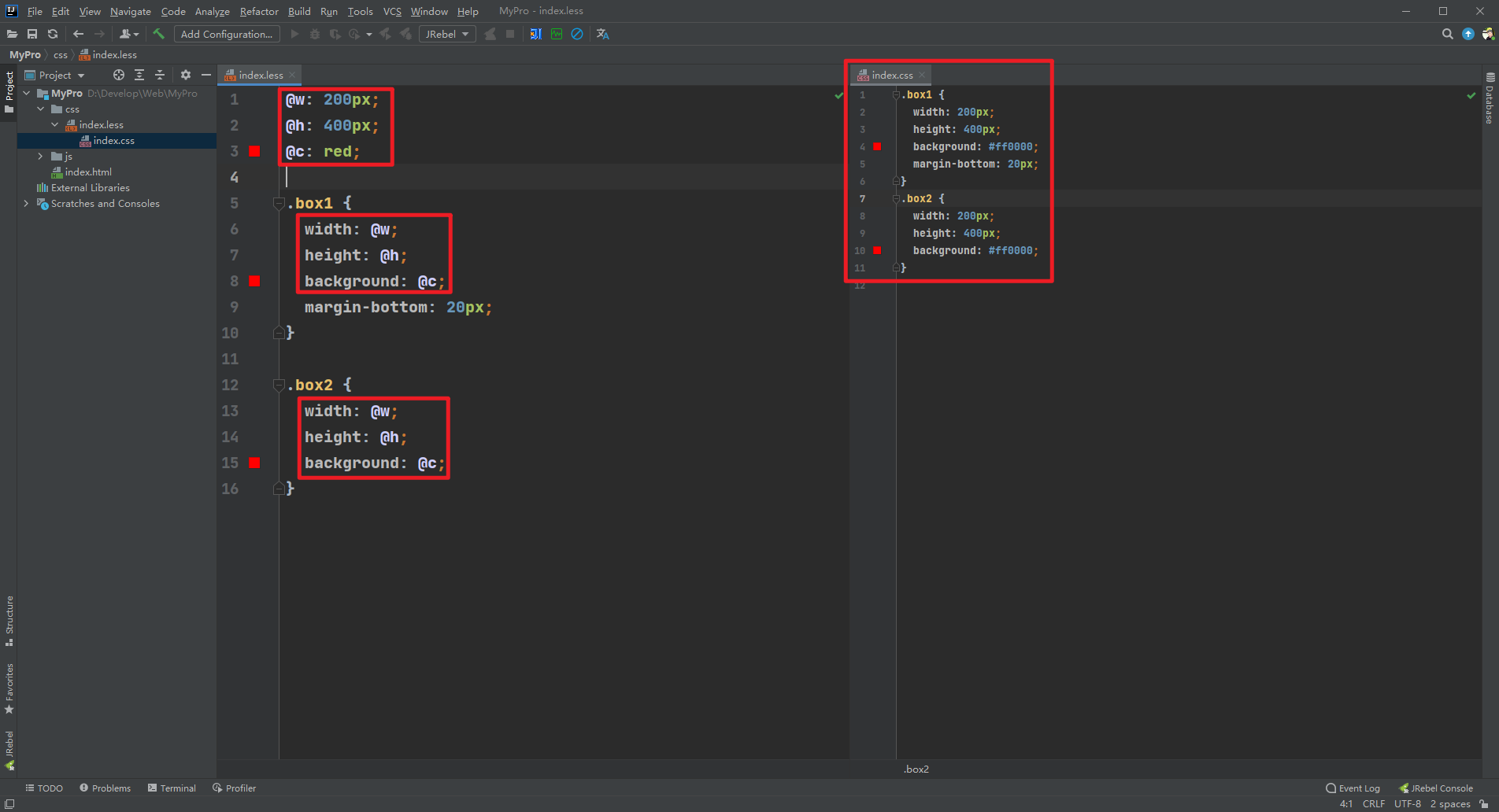
和 JS 一样可以将一个变量赋值给另外一个变量,使用格式如下
- @变量名称 : @变量名称;
@w: 200px;
@h: @w;
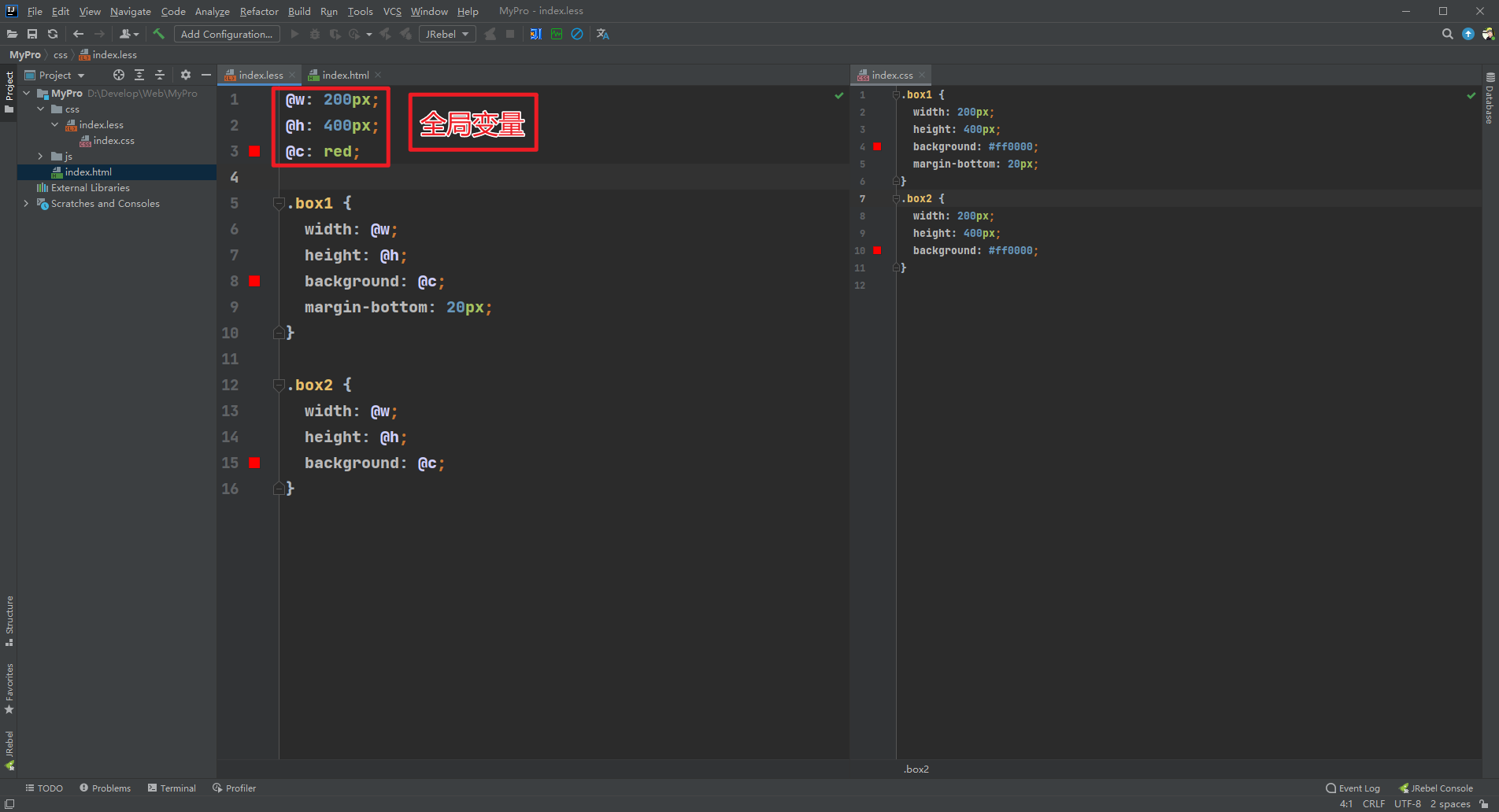
和 JS 一样 less 中的变量也有 全局变量 和 局部变量 之分
- 定义在
{}外面的就是全局的变量,什么地方都可以使用
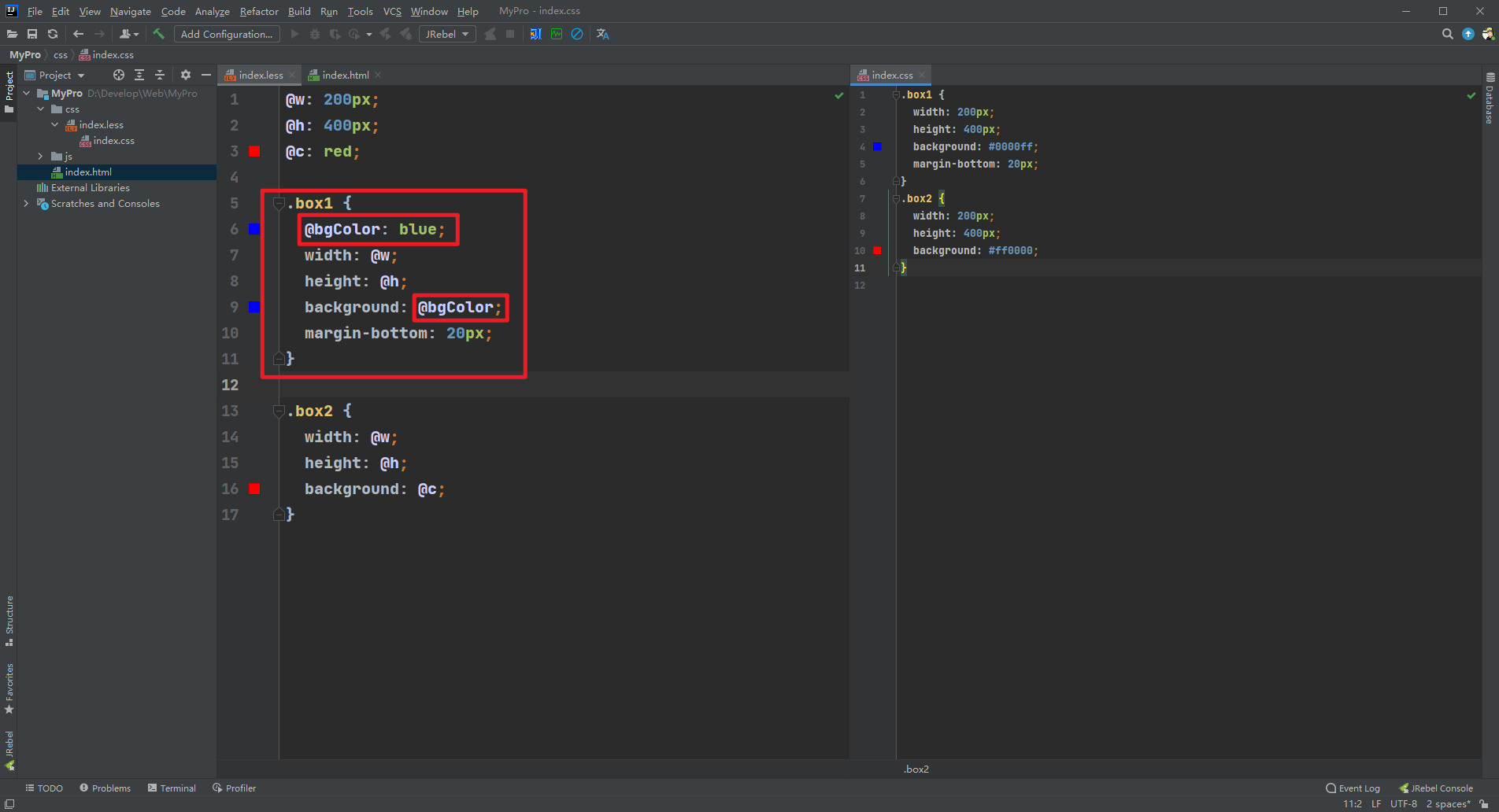
- 定义在
{}里面的就是局部变量,只能在{}中使用
@w: 200px;
@h: 400px;
@c: red;

.box1 {
  @bgColor: blue;
  width: @w;
  height: @h;
  background: @bgColor;
  margin-bottom: 20px;
}

.box2 {
  width: @w;
  height: @h;
  background: @c;
}
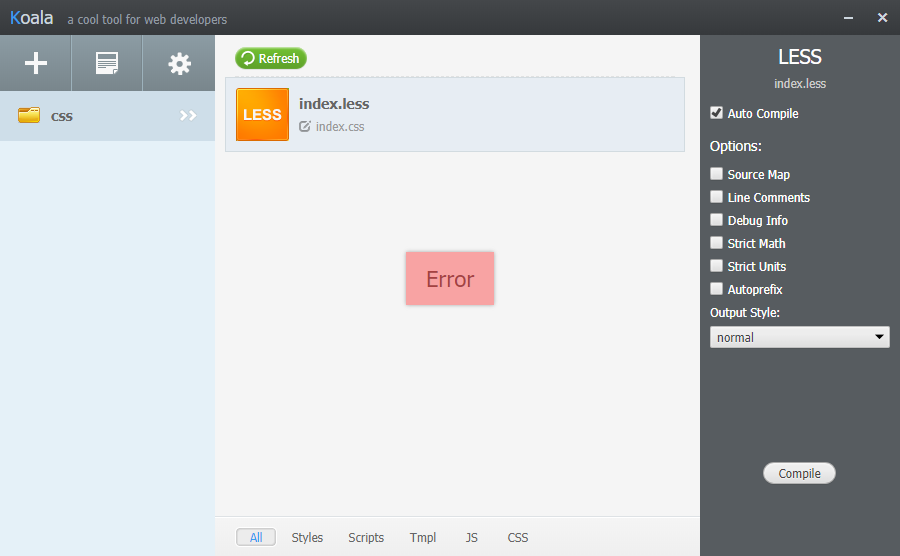
- 如果定义在
{}中的变量在其它的{}中使用会报错,如下,首先在编译层面就过不去
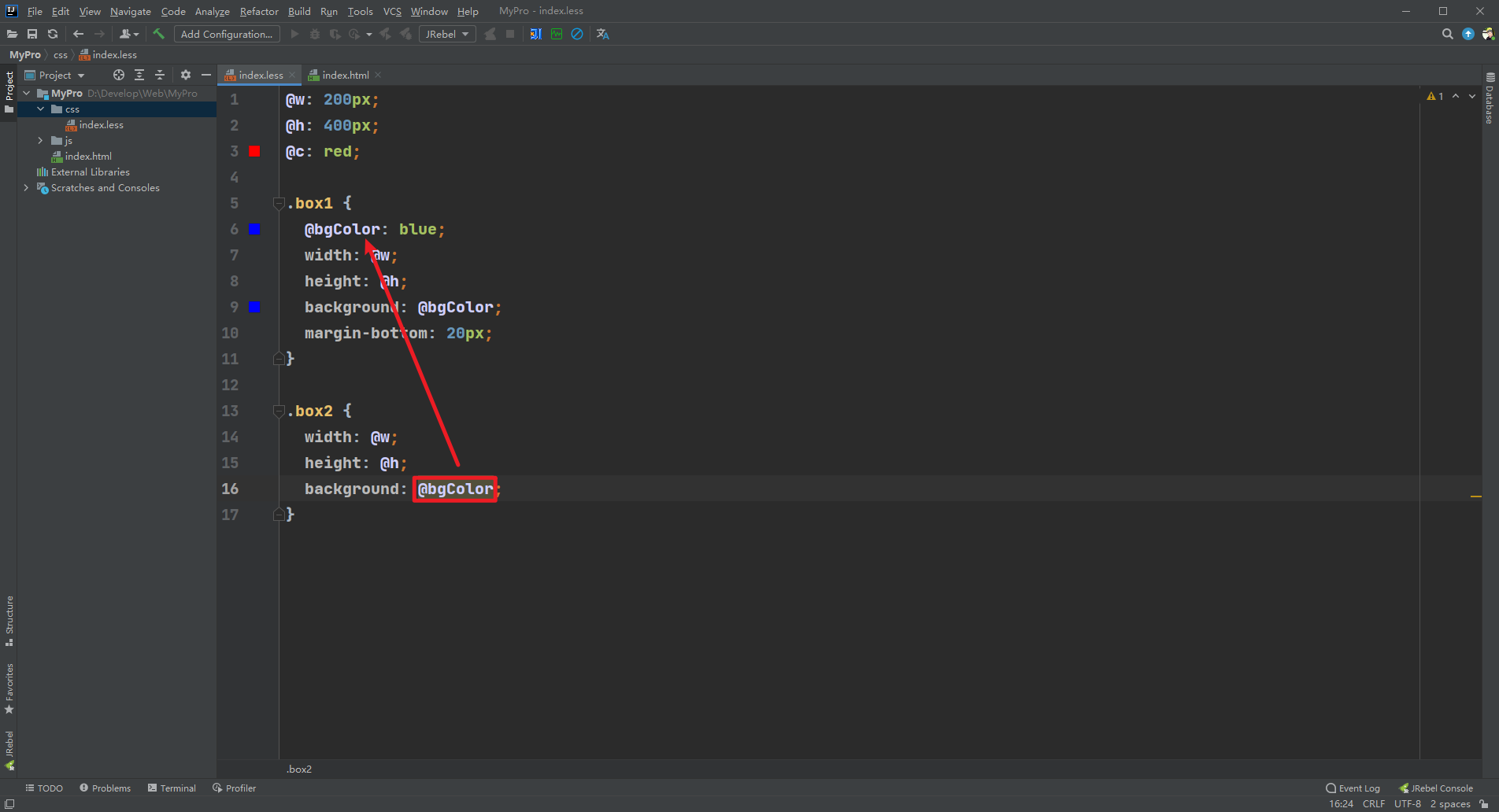
@w: 200px;
@h: 400px;
@c: red;

.box1 {
  @bgColor: blue;
  width: @w;
  height: @h;
  background: @bgColor;
  margin-bottom: 20px;
}

.box2 {
  width: @w;
  height: @h;
  background: @bgColor;
}
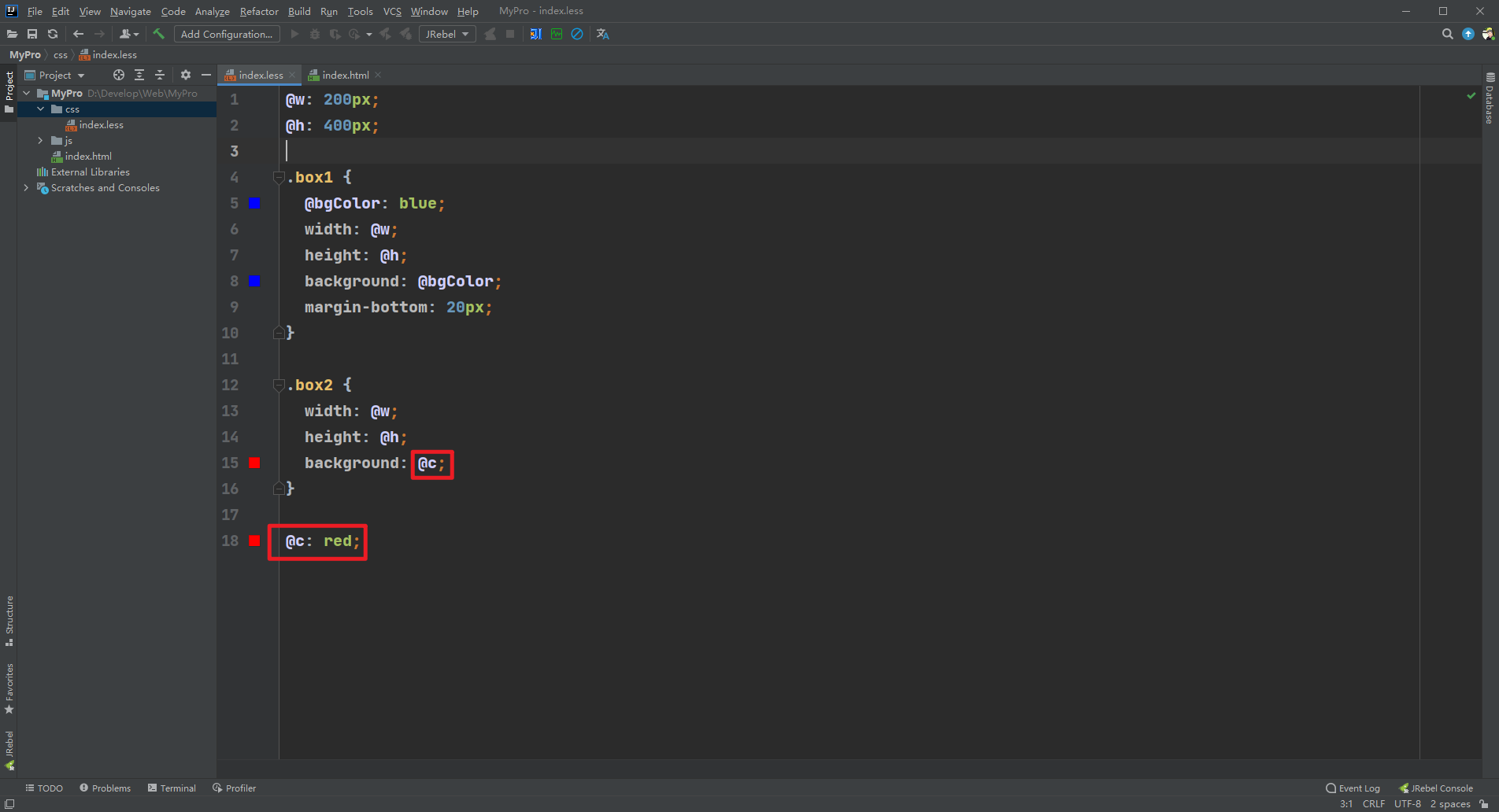
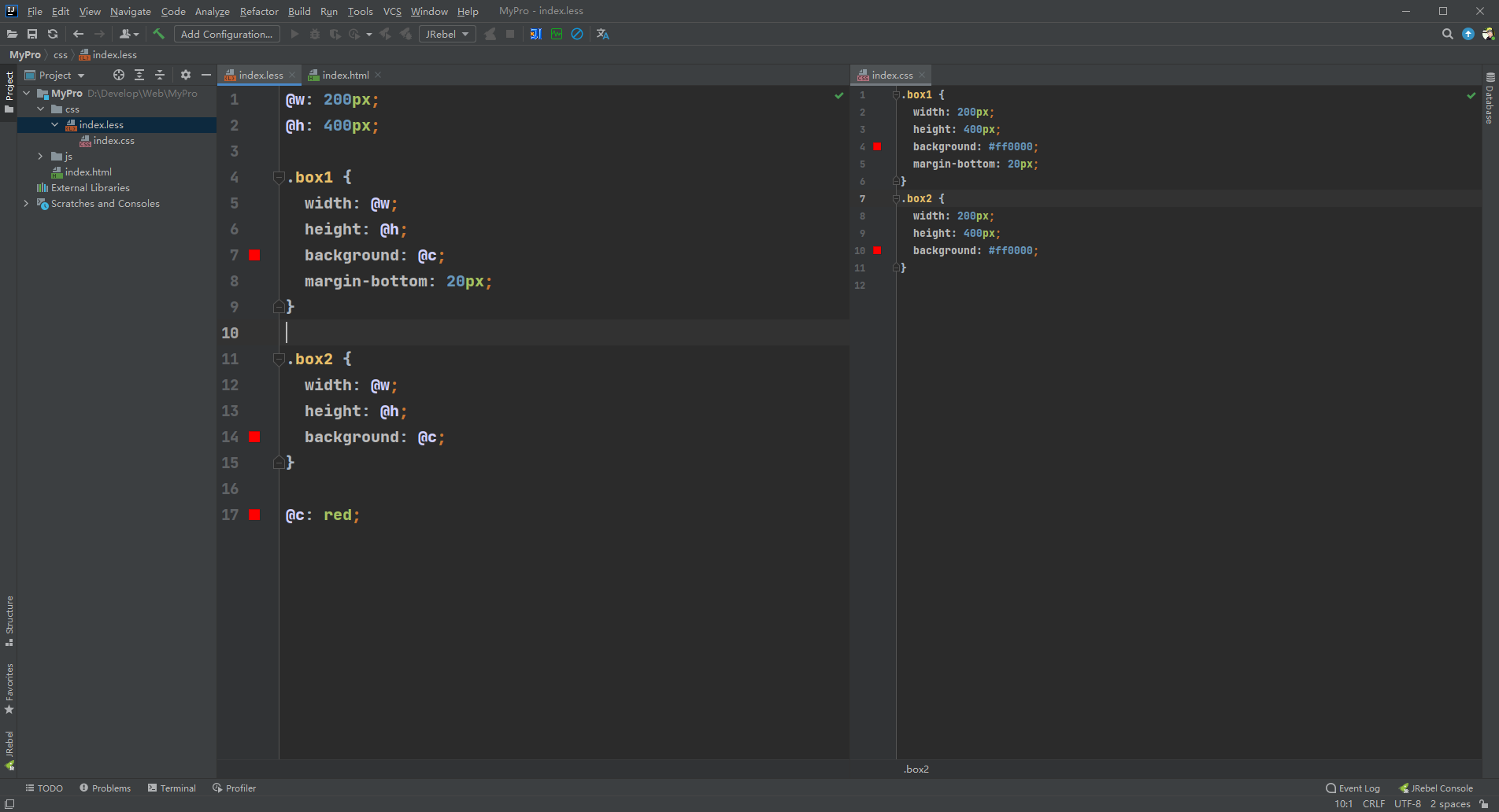
- 注意点:less 中的变量是
延迟加载的,写到后面也能在前面使用
@w: 200px;
@h: 400px;

.box1 {
  @bgColor: blue;
  width: @w;
  height: @h;
  background: @bgColor;
  margin-bottom: 20px;
}

.box2 {
  width: @w;
  height: @h;
  background: @c;
}

@c: red;
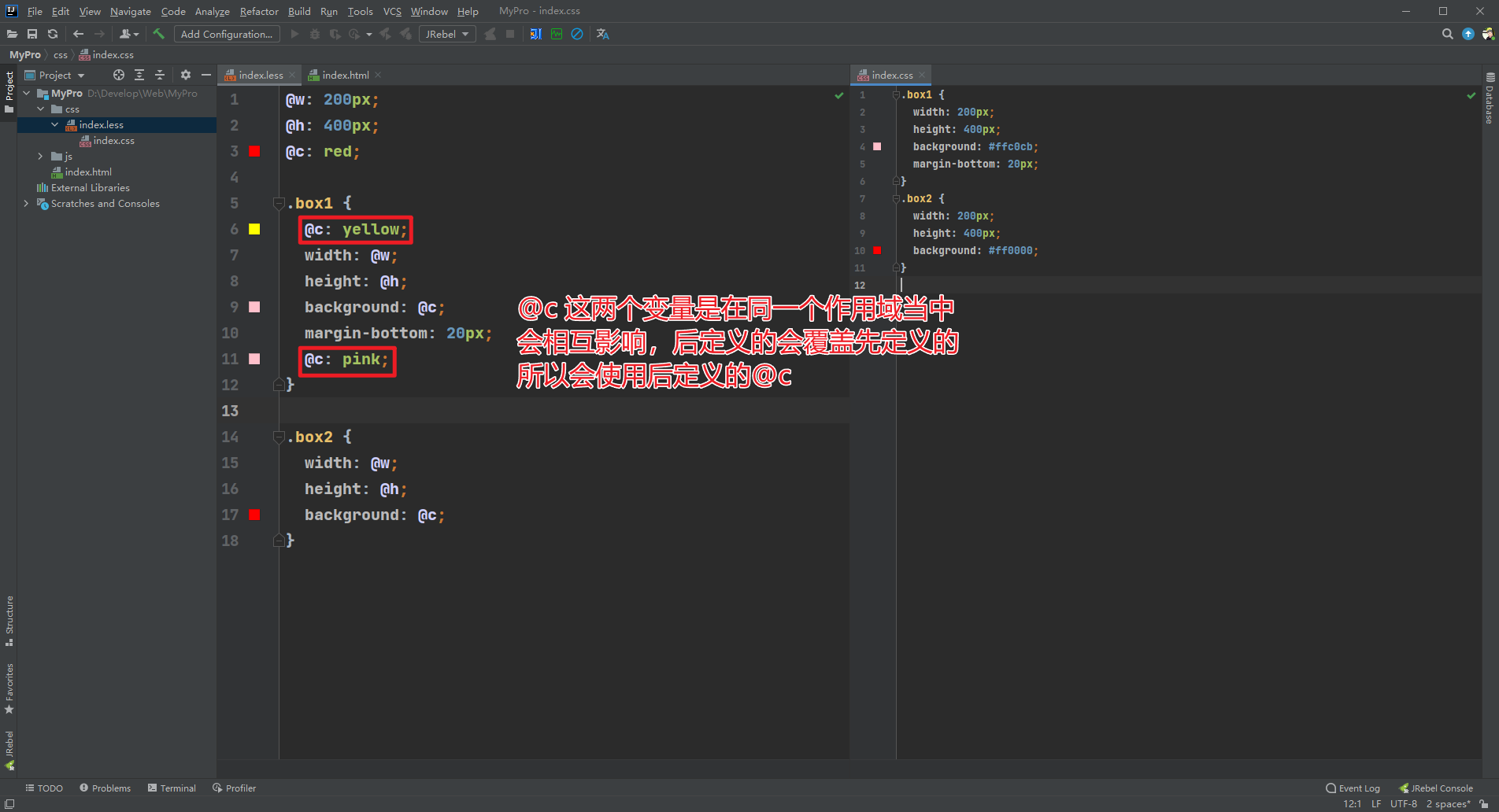
- 和 JS 一样不同作用域的变量不会相互影响,只有相同作用域的变量才会相互影响
@w: 200px;
@h: 400px;
@c: red;

.box1 {
  @c: yellow;
  width: @w;
  height: @h;
  background: @c;
  margin-bottom: 20px;
  @c: pink;
}

.box2 {
  width: @w;
  height: @h;
  background: @c;
}
- 和 JS 一样在访问变量时会采用就近原则
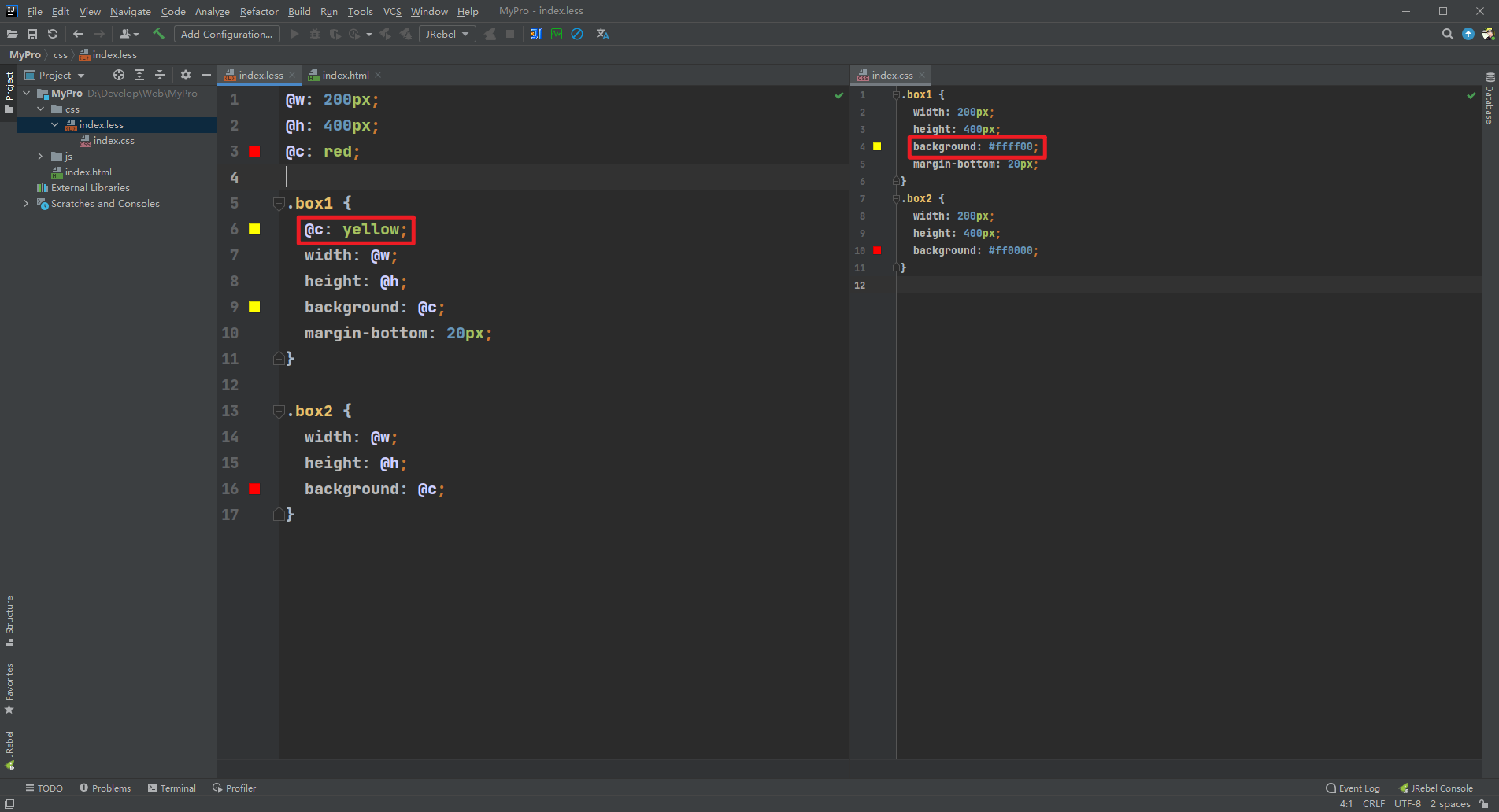
@w: 200px;
@h: 400px;
@c: red;

.box1 {
  @c: yellow;
  width: @w;
  height: @h;
  background: @c;
  margin-bottom: 20px;
}

.box2 {
  width: @w;
  height: @h;
  background: @c;
}

 浙公网安备 33010602011771号