istio 测试域名加端口访问 gateway tcp转发
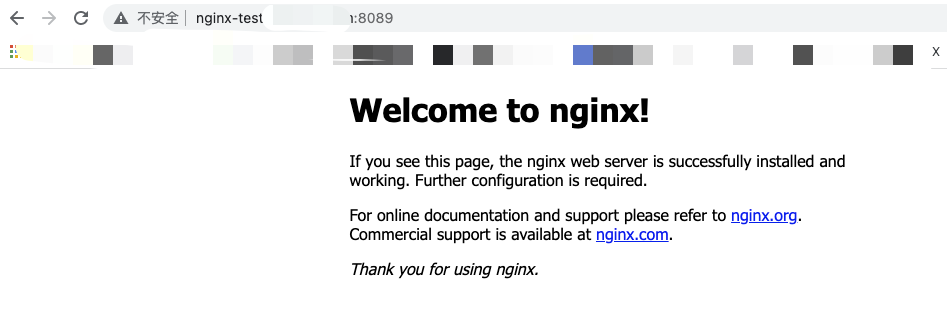
- 需求:nginx 不但可以通过80访问还可以通过8089访问
- istio ingressgateway修改创建指定端口的TCP转发
kubectl get svc -n istio-system

kubectl edit svc -n istio-system istio-ingressgateway
...
  ports:
  - name: status-port
    nodePort: 31744
    port: 15021
    protocol: TCP
    targetPort: 15021
  - name: http2
    nodePort: 32086
    port: 80
    protocol: TCP
    targetPort: 8080
  - name: https
    nodePort: 30277
    port: 443
    protocol: TCP
    targetPort: 8443
  - name: tcp
    nodePort: 31512
    port: 31400
    protocol: TCP
    targetPort: 31400
  - name: tls
    nodePort: 30806
    port: 15443
    protocol: TCP
    targetPort: 15443
####新增自定义端口
  - name: test8089   ##注意这个name,会在gateway中指定
    nodePort: 31518
    port: 8089
    protocol: TCP
    targetPort: 31518
....
- nginx部署及测试
- 部署
apiVersion: v1 #类型为Namespace
kind: Namespace  #类型为Namespace
metadata:
  name: ns-test  #命名空间名称
  labels:
    name: label-test  #pod标签
---
apiVersion: apps/v1
kind: Deployment
metadata:
  namespace: ns-test
  name: nginx-deployment
spec:
  selector:
    matchLabels:
      app: nginx
  replicas: 2
  template:
    metadata:
      labels:
        app: nginx
    spec:
      containers:
      - name: nginx
        image: nginx:latest
        ports:
        - containerPort: 80
---
apiVersion: v1
kind: Service
metadata:
  namespace: ns-test
  name: nginx-service
spec:
  type: ClusterIP
  selector:
    app: nginx
  ports:
    - name: tcp
      port: 80
      targetPort: 80
k apply -f nginx.yaml
- 部署nginx配置域名加端口访问
apiVersion: networking.istio.io/v1alpha3
kind: Gateway
metadata:
  name: nginx-test-8088-gw
  namespace: ns-test
spec:
  selector:
    istio: ingressgateway # use istio default controller
  servers:
  - port:
      number: 8089
      name: test8089  ##对应svc ingress中的name
      protocol: HTTP
    hosts:
    - "*"
---
apiVersion: networking.istio.io/v1alpha3
kind: VirtualService
metadata:
  name: www-8808-vs
  namespace: ns-test
spec:
  hosts:
  - "nginx-test.xxx.com"
  gateways:
  - nginx-test-8088-gw
  http:
  - match:
    - uri:
        prefix: /
    route:
    - destination:
        host: nginx-service
        port:
          number: 80

 浙公网安备 33010602011771号