
python 文件操作
1 文件读
fo=open("foo.txt","r+")
fo.readline(10) / 读多少个字符
str=fo.readlines() /文件中的所有新息读出,放到缓存中
print(str) 打印出lisT
fo.read() --读出所有的文件
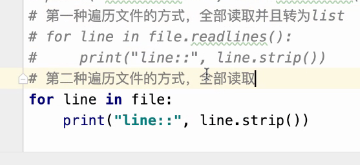
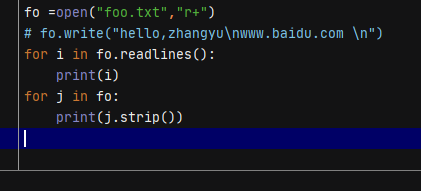
# with open ,python 会自动关闭文件
with open('a.txt', encoding='utf-8') as f: # f 文件句柄
# 文件中没有空行,下面按行读是没问题,如果有空行就不能往下读
while True:
line = f.readline().strip()
if line:
print(line)
else:
break
# 如果是大文件的话,如下处理
for line in f:
line = line.strip()
if line:
print(line)
操作文件练习
# 两个文件操作
# 1.r模式打开a文件,w模式打开b文件
# 2.读取到a文件所有内容
# 3.把替换new_str写入b文件
# 4.把a文件删除掉,把b文件更名为a文件
import os
with open('word.txt', encoding='utf-8') as fr, open('words.txt', 'w') as fn:
for line in fr:
line = line.strip()
if line:
new_line = line.replace('a', 'A')
fn.write(new_line+'\n')
os.remove('word.txt')
os.rename('words.txt', 'word.txt')
2 文件写,且展示
fo=open("foo.txt","r+")
fo.write("hello,world\n www.baidu.com \n mynameis zhangyu")
for i in fo:
print(i)
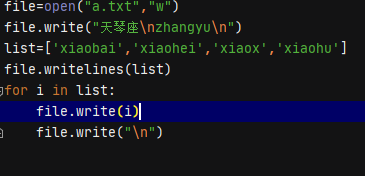
写文件,写字符串,写列表
3 文件位置
position= file.tell获取当前指针的位置
file.seek(off, whence=0) 在文件中移动文件指针, 从 whence ( 0 代表文件其始, 1代表当前位置, 2 代表文件末尾)偏移 off 字节,不论是否有中文,都以字节为单位

4  读取
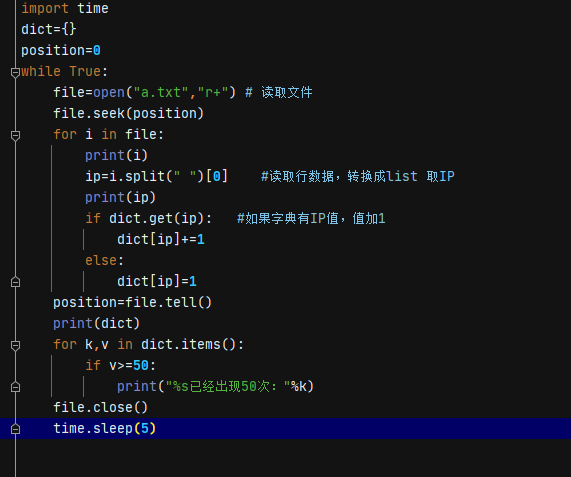
# nginx日志监控系统
# 用来监控nginx日志中记录的ip,当某一个ip出现次数超过50次以后,报警 xxxx 地址,已经访问超过50次
# 运行频率,每分钟运行一次
# 数据来源为: nginx的access.log 读取文件(I/O操作)
需求分析
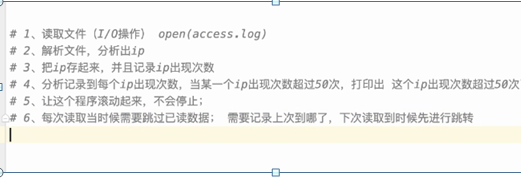
通过LIST计算次数
file = open("a.txt", "r+")
list=[]
for i in file:
    ip=i.strip().split(" ")[0]
    # if dict.get(ip):
    #     dict[ip]+=1
    # else:
    #     dict[ip]=1
    list.append(ip)
list2=set(list)
for j in list2:
    if list.count(j)>=50:
       print('%s次数大于50次'%j)

 浙公网安备 33010602011771号