vue甘特图 vxe-gantt 如何将子任务显示一行在父级中,父级行内渲染显示子任务的用法
vue甘特图 vxe-gantt 如何将子任务显示一行在父级中,父级行内渲染显示子任务的用法,行内展示子任务由 task-bar-subview-config 和父级任务设置type= VxeGanttTaskType.Subview 来启用。启用后会将所有子任务渲染到父级任务中,可以直观的看到任务全程进度, task-bar-subview-config.showOverview 设置是否任务总览,当子任务被展开后自动显示任务总览
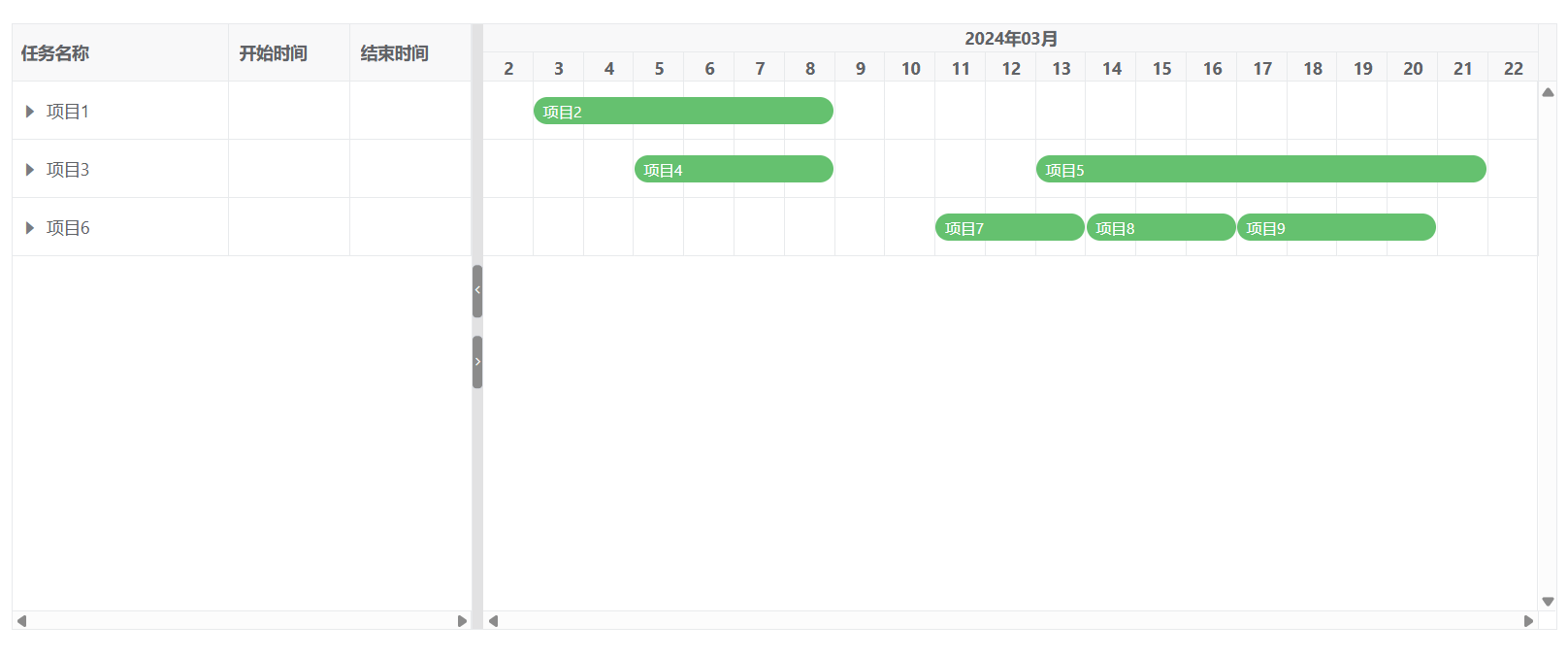
当没展开子任务时,自动将所有子任务渲染到父级中。可以直接看到任务总览
展开子任务后,自动按每行渲染任务条
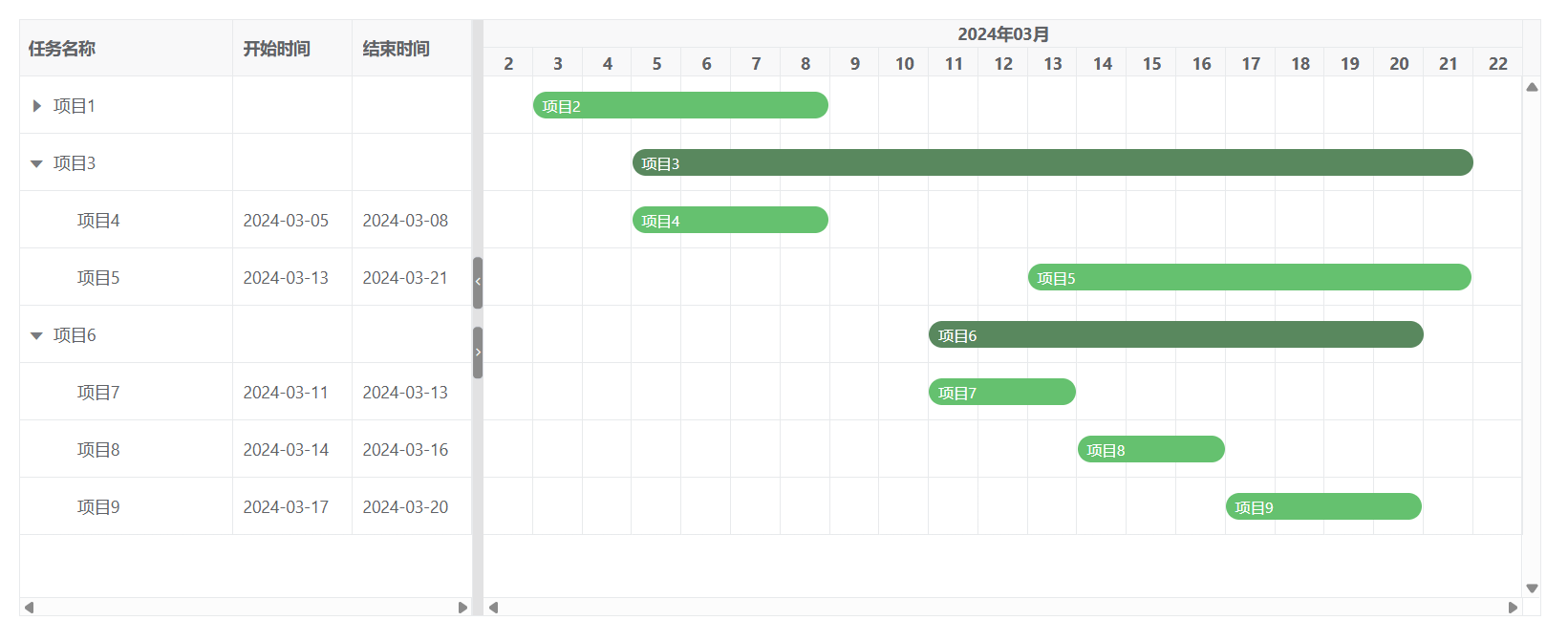
还可以通过 task-bar-config.barStyle.overviewBgColor 自定义总览任务条颜色
<template>
  <div>
    <vxe-gantt v-bind="ganttOptions"></vxe-gantt>
  </div>
</template>

<script setup>
import { reactive } from 'vue'
import { VxeGanttTaskType } from 'vxe-gantt'

const ganttOptions = reactive({
  border: true,
  height: 500,
  treeConfig: {
    transform: true,
    rowField: 'id',
    parentField: 'parentId'
  },
  taskBarSubviewConfig: {
    showOverview: true
  },
  taskBarConfig: {
    showContent: true,
    barStyle: {
      round: true,
      bgColor: '#65c16f',
      overviewBgColor: '#59885e'
    }
  },
  taskViewConfig: {
    tableStyle: {
      width: 380
    }
  },
  columns: [
    { field: 'title', title: '任务名称', minWidth: 140, treeNode: true },
    { field: 'start', title: '开始时间', width: 100 },
    { field: 'end', title: '结束时间', width: 100 }
  ],
  data: [
    { id: 10001, parentId: null, title: '项目1', start: '', end: '', progress: 0, type: VxeGanttTaskType.Subview },
    { id: 10002, parentId: 10001, title: '项目2', start: '2024-03-03', end: '2024-03-08', progress: 70 },
    { id: 10003, parentId: null, title: '项目3', start: '', end: '', progress: 0, type: VxeGanttTaskType.Subview },
    { id: 10004, parentId: 10003, title: '项目4', start: '2024-03-05', end: '2024-03-08', progress: 50 },
    { id: 10006, parentId: 10003, title: '项目5', start: '2024-03-13', end: '2024-03-21', progress: 60 },
    { id: 10008, parentId: null, title: '项目6', start: '', end: '', progress: 0, type: VxeGanttTaskType.Subview },
    { id: 10009, parentId: 10008, title: '项目7', start: '2024-03-11', end: '2024-03-13', progress: 50 },
    { id: 10009, parentId: 10008, title: '项目8', start: '2024-03-14', end: '2024-03-16', progress: 50 },
    { id: 10009, parentId: 10008, title: '项目9', start: '2024-03-17', end: '2024-03-20', progress: 50 }
  ]
})
</script>


 浙公网安备 33010602011771号