
allure
一、安装
1. allure外观漂亮,简单易懂
2. allure报告可以做增强(写入测试步骤、bug级别、失败截图描述)
1. allure是一个python库的第三方插件报告
2. 语言:支持java\python
pip install allure-pytest
pip install pytest-allure-adaptor
检查:allure --version;pip list | findstr allure
配置:
[pytest]
addopts=-s --alluredir=./report -p no:warnings
(在report目录内生成一个xml报告文件)二、xml转换成html:
1. 工具:allure-2.5.0.zip
(参考下载地址:https://bintray.com/qameta/generic/allure2)
2. 将allure-2.5.0.zip解压到指定目录,如:d:\allure-2.5.0
3. 将d:\allure-2.5.0\allure\bin目录添加到path环境变量中
4. 使用命令将xml转换成html
命令:allure generate report/ -o report/html --clean :生成本地 或 allure serve Report :在线转换
1. generate report/ :将report目录下xml文件去生成:
-o report/html:输出到report/html目录
--clean 清除之前的html报告
5. 转换方式推荐使用:allure serve Report (在线)
(Report目录为xml文件所在目录)
三、allure报告增强
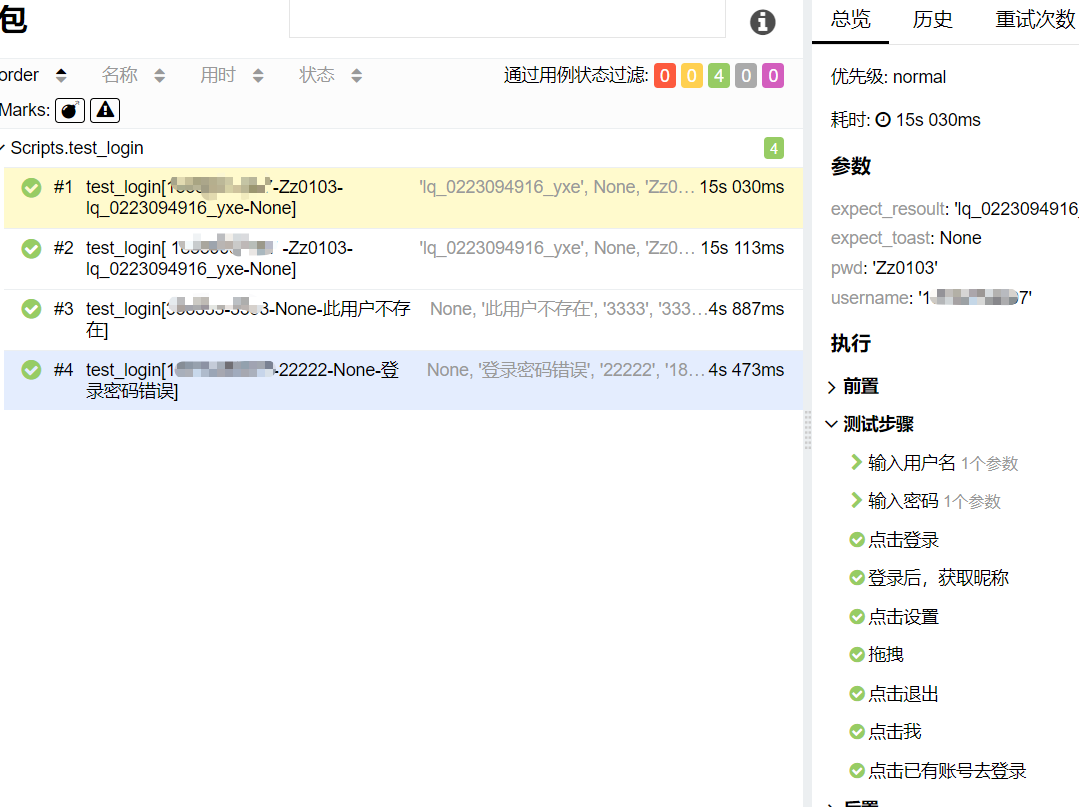
1. 添加测试步骤
方法:@allure.step("步骤描述:")
@allure.step("步骤描述:")只能修饰函数,不能修饰函数体。
2. 添加描述
方法:allure.attach("描述:","内容")
allure.attch("描述","内容") 前缀没有@符号
没有@符号不能修饰函数
参数可以为空,但是位置必须有。
allure.attachment_type.PNG:指定图片类型
with open("./Image/faild.png", "rb")as f:
    # allure.attach("失败原因请附件图", f.read(), allure.attach_type.PNG)
    allure.attach("失败原因请附件图", f.read(), allure.attachment_type.PNG)
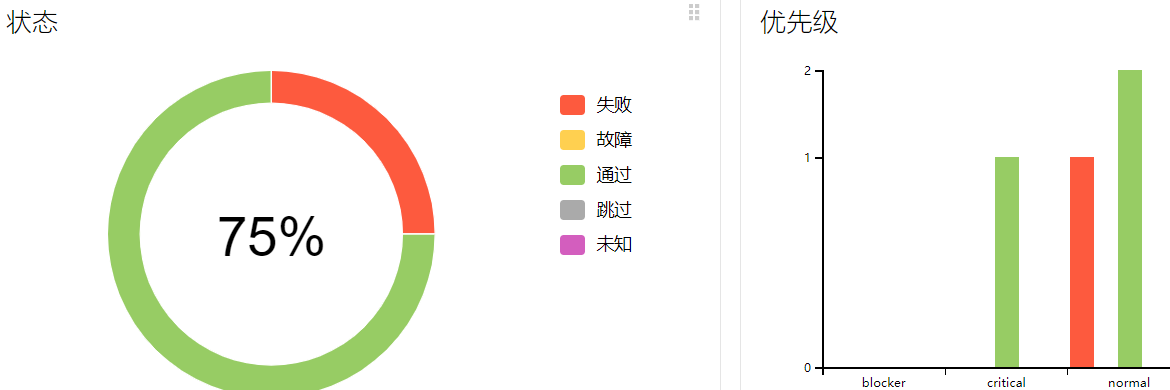
3. 用例优先级
方法:# @pytest.allure.severity(pytest.allure.severity_level.CRITICAL)
@allure.severity(allure.severity_level.CRITICAL)
1). blocker:有妨碍的
2). critical:紧要的
4). normal:一般
5). minor:次要
6). trivial:不重要
注意:
1. 以上优先级必须为大写。
2. 语法只能修饰测试函数(test开头的方法)

 浙公网安备 33010602011771号